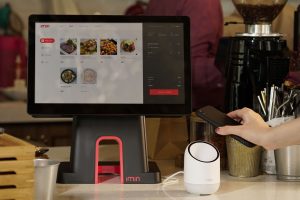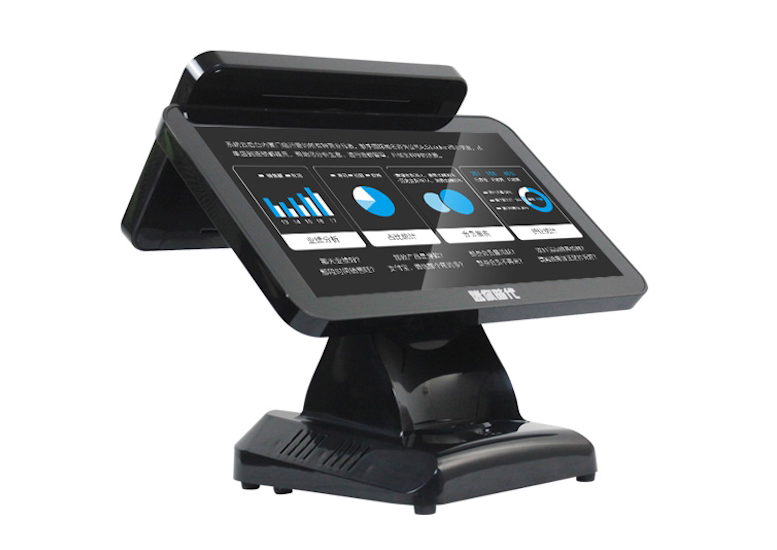
During peak dining hours, the front counter and waitstaff face immense pressure: lines form quickly, diners wait anxiously to order, servers scramble to take orders, and service friction escalates. Many restaurants deploy self-service ordering kiosks to alleviate front-counter congestion and accelerate order throughput.
Yet after installation, a perplexing scenario frequently unfolds: the kiosks stand prominently in the dining room, yet diners walk right past them to queue for manual order-taking. The underlying reason is straightforward: unfamiliarity breeds hesitation—diners worry about navigating complex menus, fear making errors, or dislike delaying others in line.
This guide bridges that gap across two perspectives: first, demystifying the ordering process for diners into seven easy steps; second, outlining practical strategies for restaurant operators to foster guest adoption.
Part 1: The 7-Step Customer Self-Service Ordering Workflow
While software graphical interfaces vary by brand, the foundational ordering workflow is universal:
Step 1: Tap the Screen to Activate: When idling, the kiosk loops marketing promotions or digital menu specials. Tap anywhere on the touchscreen to wake the terminal and access the ordering portal.
Step 2: Select Dining Mode (Dine-In or Takeout): Choose whether you are dining in the restaurant or taking meals to go, ensuring appropriate meal packaging and kitchen ticket routing.
Step 3: Browse Categories and Select Dishes: Navigate left-hand category tabs (Burgers, Combos, Beverages, Desserts). Tap dishes to inspect descriptions, pricing, and visual presentation.
Step 4: Customize Taste and Side Options: When selecting combos or customizable items, popup menus prompt choices: beverage flavor, side options, spicy levels, or special requests (no ice, extra sauce). Confirm selections to add them to your cart.
Step 5: Review Shopping Cart and Confirm Total: Tap the shopping cart icon to verify selected items, quantities, and customizations. Make any adjustments, review promotional savings, and tap Settle/Pay.
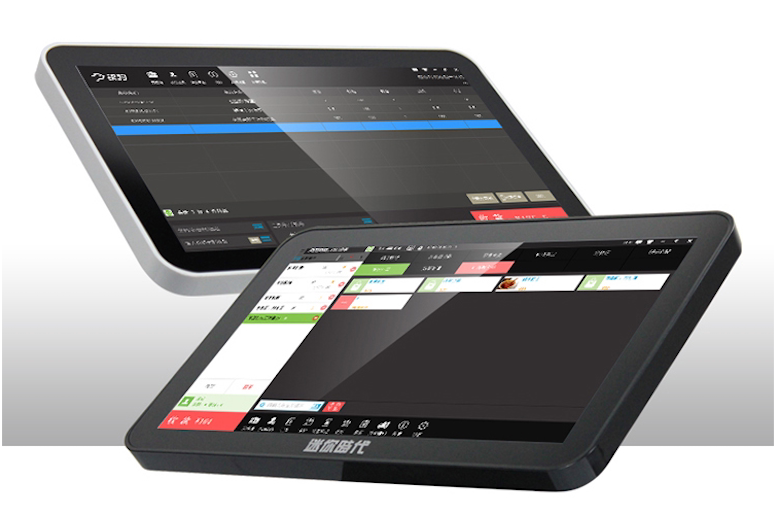
Step 6: Select Payment and Scan QR Code: Select payment method (WeChat Pay, Alipay, Apple Pay, credit card). Hold your mobile payment QR code approximately 10–15 cm beneath the optical scanning window to complete authorization.
Step 7: Retrieve Printed Receipt and Wait for Pickup: The internal thermal printer dispenses your receipt ticket carrying an assigned order number. Proceed to the dining area; when overhead monitors flash your order number and chime, present your ticket at the counter to collect your tray.
Part 2: Merchant Strategies to Drive Kiosk Adoption
Merely installing hardware does not guarantee adoption; merchants must proactively guide customer habits:
1. Deploy Warm Floor Greeters During Peak Rush Hours
During initial launch weeks, position friendly staff at entrance doors. Guide queuing diners toward kiosks with a warm greeting: ‘Feel free to order on our self-service kiosk—I can guide you through it in under a minute!’ Personal guidance dissolves customer hesitation immediately.
2. Provide Exclusive Kiosk Promotional Incentives
Incentives drive behavioral change: offer exclusive kiosk promotions, such as ‘$1 discount on kiosk orders’, ‘free beverage upgrade’, or ‘exclusive daily digital combo’. Tangible savings motivate diners to try the technology.
3. Streamline Menu Layout and Prioritize Best-Sellers
Complex, cluttered menus confuse diners. Feature top-selling combo meals prominently on the home screen, keeping category tabs under six to eight options. Use high-resolution, appetizing food photography and clear font contrast so diners decide quickly.
4. Strategic Placement Along Natural Traffic Arteries
Position kiosks along natural entry paths before diners reach manual counters, ensuring they encounter kiosks first. Avoid placing screens in dark corners, behind pillars, or facing bright window glare.
5. Maintain Staff Support and Backup Contingencies
Avoid completely eliminating manual cash registers. Elderly diners, patrons paying cash, and visitors needing special assistance should always have access to attentive staff service.
Frequently Asked Questions (FAQ)
What if the kiosk runs out of receipt paper after payment? Order data is already transmitted to the kitchen. Present your digital payment confirmation showing the transaction timestamp to pickup counter staff to verify your order.
Can self-service kiosks accept physical cash? Most modern kiosks support digital and card payments exclusively. Diners wishing to pay cash should place orders at the staffed cash register.
Can customers redeem member reward points on kiosks? Yes. Kiosks prompt diners to scan loyalty member QR codes or input phone numbers before payment, earning points and member discounts automatically.
Conclusion
Self-service ordering kiosks streamline dining workflows, reducing wait times and elevating restaurant throughput. For diners, mastering the seven-step flow makes ordering effortless; for merchants, pairing intuitive menu design with warm floor guidance transforms kiosks into powerful drivers of customer satisfaction and operational efficiency.
Explore Related Self-Service Kiosks & POS Checkout Terminals
If you are upgrading your retail checkout counter, restaurant ordering flow, or commercial payment terminals, consider our proven hardware solutions:
- All-in-One Telecom Self-Service Payment Terminal for Bill Payment & Top-Up
- Multi-Function Self-Service Payment & Banking Kiosk with Biometric Authentication
- Hospital Patient Self-Service Registration & Ticket Dispensing Kiosk
- 15-Inch Windows Compact Desktop Touch Display for POS & Self-Service Terminals
Need a Custom POS Terminal or Self-Service Kiosk Project Quote?
ZXTLCD provides comprehensive OEM/ODM manufacturing for self-service ordering kiosks, cash registers, touch displays, payment peripherals, barcode scanners, and thermal printer integration.
Deploying a Self-Service Solution?
To elevate customer experience and streamline ordering or ticketing workflows, explore our AI Self Service Terminal with Large Touchscreen or the versatile Self Service Kiosk for Cinema & Ticketing. For custom hardware integrations, discover our complete line of Custom Self-Service Kiosks or consult our engineering team for sample evaluation.