Four practical questions can show whether self-service will solve a real operating problem or simply add another device to manage.
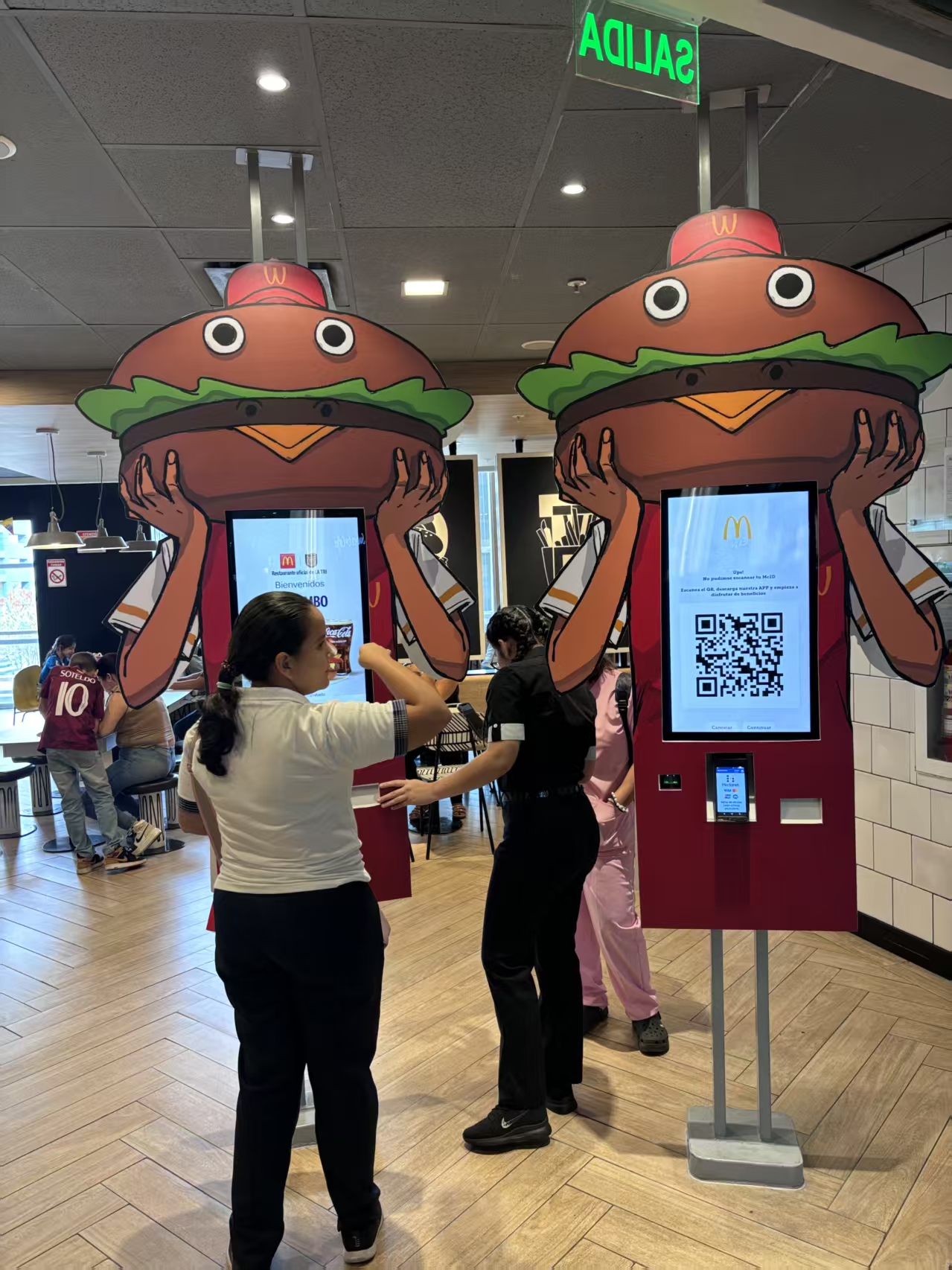
“I heard the shop next door installed a self-ordering kiosk – should we get one too to save on labor?” If a store owner makes the decision based on that question alone, half will regret it. What determines whether a self-ordering kiosk works well is not your store’s location, nor the trend – it’s the “guest base” that visits your store.
Why You Can’t Decide on a Self-Ordering Kiosk Based on “Labor Savings” Alone
Most owners see the self-ordering kiosk as a labor-saving tool. But in actual operations, the more accurate description is an “order-processing capacity expansion tool.”
Taking more orders within the same amount of time and reducing the number of guests who turn away because of long cashier queues – this is the true essence of a self-ordering kiosk. Labor savings are merely a possible, but not guaranteed, “side effect.” Get this order backwards, and you end up with the disappointment of “buying it to hire one fewer person, yet never actually saving the labor.”
Counter-example: In shopping districts dominated by elderly guests, self-ordering kiosks can actually increase labor costs
This is exactly where things can go wrong. In districts with a high proportion of elderly guests, even with a kiosk installed, guests get stuck at the screen. The result: staff still have to stand beside them and operate it on their behalf – labor isn’t saved, table turnover drops instead, and the effect backfires.
Survey data on elderly people’s difficulty using self-ordering kiosks has repeatedly appeared in media reports, but the figures vary by source – don’t generalize; judge by your own store’s guests’ actual reactions.
Decision branch: If large numbers of office workers aged 20 – 30 flood in during the lunch rush → actively consider introducing kiosks. If it’s a neighborhood district where elderly regulars linger → rather than kiosks, consider tableside ordering or QR-code ordering first, formats that make staff assistance easy.
Think installing a kiosk is the end of it? Beware of scattered revenue data that’s hard to consolidate
There’s an even bigger problem after installation. If Kiosk A’s sales, POS B’s register sales, and delivery app sales each operate in their own silo, revenue can’t be consolidated in one place. At closing, the owner has to manually add up kiosk revenue, register revenue, and delivery revenue – easy to omit and make mistakes, and impossible to accurately compute “how much did we actually make today.”
So when evaluating a kiosk, don’t just look at “one terminal” – look at where the data converges. SnapOrder integrates the self-ordering kiosk, POS register, QR-code ordering, and kitchen display system into the same back end. Whether a guest orders at the kiosk or scans a QR code with their phone, the same order appears in the kitchen and is counted in the same revenue overview. Even as you add terminals, can revenue statistics still be completed in one place – that is the key checkpoint.
Leasing vs. Buying, and the True Cost After Introduction
Leasing: Low initial burden, with failures and replacements bundled in – suited to the stage of validating the kiosk’s effect, or to short-term or seasonal operations.
Buying: If you’re certain of long-term operation with multiple units, the total cost may be more economical.
What’s easily overlooked here is that hardware price is not everything. There are also ongoing costs: payment and communication fees, maintenance, menu entry and updates, and so on. Specific cost ranges vary greatly by configuration and contract, so compare quotations directly. Government subsidies related to self-ordering kiosks in 2026 change conditions every year – please reconfirm official announcements as of the release date.
Pre-Installation Checklist
Of your store’s guests, do more than half habitually place orders on their own?
Are orders concentrated in specific time slots (peak concentration)?
Is your menu/options structured so it can be selected simply on a screen?
Can kiosk revenue be consolidated with POS register and delivery revenue on the same screen?
Have lease/purchase quotes been compared together with operating costs (payment, maintenance)?
If elderly guests need assistance, has that labor cost been factored in?
Frequently Asked Questions (FAQ)
Q. Can we hire fewer staff after installing a self-ordering kiosk?
It depends on your guest base and peak structure. Order-processing capacity will improve, but in districts where assistance is needed, labor costs may stay the same.
Q. We have many elderly guests – can we still introduce one?
Be cautious. If staff assistance becomes the norm, it will backfire. Consider tableside ordering, QR-code ordering, or other assistance-friendly alternatives first.
Q. How is kiosk revenue settled?
If the terminal is integrated with the POS register and revenue overview in the same back end, kiosk orders are automatically counted in the same revenue. Siloed terminals require manual addition.
Q. Which is more cost-effective, leasing or buying?
For validating the effect or short-term operation, leasing may be more economical; for long-term, multi-unit use, buying may be. Compare with operating costs included.
Practical Conclusion
Evaluate self ordering kiosk suitability using transaction volume, menu structure, available space and the ability to support integration and maintenance. The final configuration should be verified against the real menu, transaction flow, installation space and support plan before deployment.
Deployment and Operating Checks
Planning for self ordering kiosk suitability should begin with the actual service flow rather than a generic demonstration setup. Before launch, test the workflow associated with self ordering kiosk suitability during realistic peak demand and confirm how staff will assist users. Documentation for self ordering kiosk suitability should cover cleaning, updates, network recovery and peripheral checks. A deployment involving self ordering kiosk suitability should pass consistent information to payment and back-office systems.
Explore related hardware configurations in the self-service kiosk product range.
Deploying a Self-Service Solution?
To elevate customer experience and streamline ordering or ticketing workflows, explore our AI Self Service Terminal with Large Touchscreen or the versatile Self Service Kiosk for Cinema & Ticketing. For custom hardware integrations, discover our complete line of Custom Self-Service Kiosks or consult our engineering team for sample evaluation.