

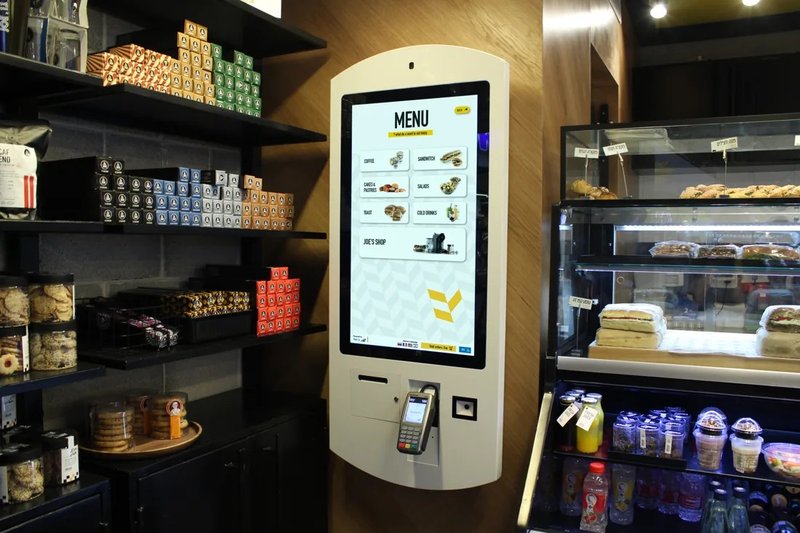
Deploying a high-performance POS System Preventive Maintenance provides commercial dining and retail venues with an advanced automated workflow. Point of Sale (POS) systems are the operational backbone of restaurants, retail stores, and commercial venues. Whenever a POS system experiences system freezes, transaction failures, or network disconnections, checkout throughput and customer service immediately suffer. Therefore, proactively scheduling regular inspections across hardware, software, and network environments is far more effective than scrambling to fix breakdowns during busy shifts.
1. Regularly Audit System Operational Health with a POS System Preventive Maintenance
After continuous daily operation, POS terminals can suffer from sluggish software response, application crashes, or depleted storage capacity. Operations staff should regularly monitor boot times, checkout software responsiveness, and error logs, clearing system caches and redundant background applications before performance degrades.
Prior to upgrading operating systems, POS software builds, or peripheral drivers, always verify version compatibility and back up mission-critical database configurations to prevent software conflicts from paralyzing active checkout workflows.
2. Inspect Hardware and Connected Peripherals
A complete POS checkout lane integrates commercial touch displays, receipt printers, barcode scanners, electronic cash drawers, and payment EFT-POS terminals. A connectivity failure or driver fault in any single peripheral can stall the entire checkout line.
Regularly inspect data cables, power adapters, and communication ports for physical wear or loose connections. Perform test transactions to verify receipt printing, barcode scanning accuracy, and payment terminal communication. For receipt printers, routinely inspect remaining thermal paper roll capacity, mechanical paper feed paths, and print head clarity.
When cleaning terminals, always use appropriate electronics-safe microfiber cloths and mild solutions, ensuring liquids never seep into screen bezels, port interfaces, or internal circuitry.
3. Secure Network Connectivity and Business Data
Many modern POS platforms rely on real-time synchronization with cloud management systems, centralized inventory databases, and store ERP backends. Network instability can trigger transaction latency, database sync failures, or offline feature lockouts.
During routine maintenance, verify Wi-Fi and Ethernet stability alongside real-time data sync indicators, and enforce scheduled backups of local sales logs and transaction data. Implement role-based access control (RBAC), enforce strong operator passwords, install verified security patches, and avoid shared generic credentials.
For multi-location chain operations, corporate management should standardize data backup routines, access privilege hierarchies, and emergency failover protocols to ensure consistent maintenance discipline across all branch stores.
4. Implement Pre-Rush Hour Operational Checks
Before peak dining or shopping hours commence, cashiers and store managers should conduct a swift pre-shift functional check: log into the POS terminal, ring up a test SKU, verify payment reader handshake connectivity, print a test receipt, and verify stable network status.
If you encounter system lag, frequent peripheral disconnections, or transaction errors, troubleshoot and resolve them immediately before customer foot traffic surges. Any issue compromising payment data integrity or financial accuracy must never be ignored during live trading.
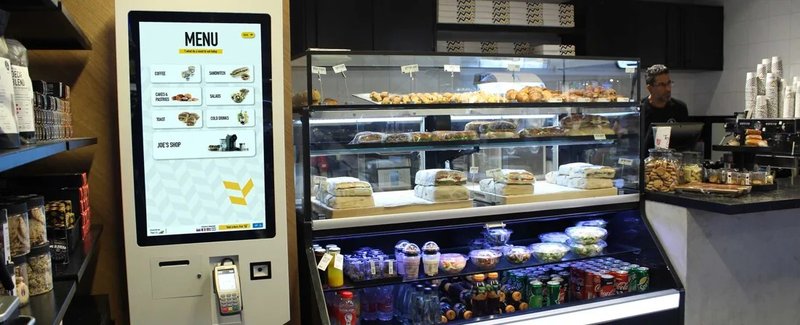
Additionally, maintain an on-site maintenance log recording failure timestamps, error codes, and resolution steps. This documentation is invaluable for tracking recurring hardware anomalies and coordinating with vendor technical support.
5. How to Handle Common POS Faults
POS System Sluggishness: Check CPU/RAM resource utilization, available drive storage, and rogue background processes; consult IT technicians if system responsiveness remains degraded.
Receipt Printer Malfunctions: Check paper roll status, feed orientation, interface cable connections, power status, and printer spooler queue settings.
Barcode Scanning or Payment Failures: Inspect USB/serial cable connections, optical window cleanliness, internet connectivity, and payment gateway service health.
Transaction Data Sync Failures: Verify local network routing, cloud backend service uptime, and API sync queues, confirming whether pending offline transactions are safely stored locally.
If a terminal exhibits severe overheating, burning odors, or electrical sparking, disconnect the power source immediately and contact certified service technicians.
Frequently Asked Questions (FAQ)
Q1: Does a POS system require scheduled routine maintenance?
Yes. Scheduled maintenance uncovers latent software conflicts, cable degradation, and network bottlenecks early, substantially lowering the risk of catastrophic downtime during business hours.
Q2: Is data backup necessary before applying software updates?
Yes. Always create a full backup of critical transactional data, tax tables, and system configurations prior to any update, while verifying compatibility between the update build and connected hardware peripherals.
Q3: What immediate steps should be taken if a POS system fails during checkout?
Check POS application responsiveness, internet connectivity, and payment gateway status. Crucially, confirm whether the transaction was processed on the payment terminal before retrying to prevent duplicate charges or accounting discrepancies. Contact technical support if the root cause cannot be quickly isolated.
Q4: How can businesses minimize equipment failures during peak hours?
Perform brief pre-rush hardware and network inspections, enforce routine daily maintenance protocols, maintain spare consumable supplies and cables, and establish clear emergency offline operational procedures. In summary, integrating a reliable POS System Preventive Maintenance solution reduces operational labor costs, shortens customer wait times, and maximizes store throughput.
Looking for customized POS System Preventive Maintenance hardware, commercial touchscreen displays, or OEM/ODM self-service solutions? Feel free to contact the ZXTLCD engineering team for free consultations, product specifications, and tailored volume pricing.
Deploying a Self-Service Solution?
To elevate customer experience and streamline ordering or ticketing workflows, explore our AI Self Service Terminal with Large Touchscreen or the versatile Self Service Kiosk for Cinema & Ticketing. For custom hardware integrations, discover our complete line of Custom Self-Service Kiosks or consult our engineering team for sample evaluation.


