

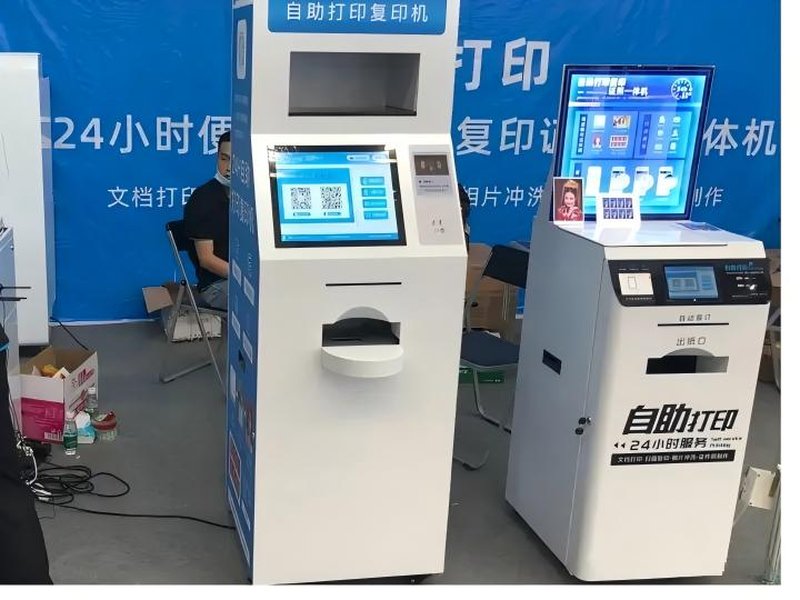
Deploying a high-performance Government Document Self-Service Kiosk provides commercial dining and retail venues with an advanced automated workflow. With the digital transformation of government administrative services, self-service kiosks are increasingly deployed across immigration halls, public service centers, and public security service windows. Through touchscreen interaction, ID document reading, information inquiries, and receipt/document printing, standardized citizen services can be completed independently following on-screen prompts, significantly reducing repetitive workloads at manual service counters.
However, whether a self-service kiosk can actually process passports depends on the kiosk type, local immigration authority regulations, and the specific application tasks required by citizens. Not all self-service machines can directly process initial passport applications or renewals, nor should all immigration self-service kiosks be assumed to handle end-to-end passport issuance.
Government Document Self-Service Kiosk: What Passport-Related Services Can Self-Service Kiosks Actually Handle?
In immigration service scenarios, self-service terminals can handle various auxiliary tasks, though functionality varies significantly across hardware categories.
Some self-service kiosks are primarily designed for policy inquiry, service guidance, document printing, or appointment scheduling. Other specialized terminals handle specific self-service workflows related to exit-entry travel documents. As for initial passport issuance, renewals, or replacements, whether these procedures can be handled via self-service kiosks must strictly follow the operational guidelines published by the local immigration administration authorities.
Therefore, when planning or procuring immigration self-service kiosks, the primary requirement is clarifying the specific service categories assigned to the machine. General government inquiry terminals, exit-entry service terminals, and dedicated document-processing kiosks cannot simply be treated as the same hardware product.
What Hardware Modules Make Up an Immigration Self-Service Kiosk?
From a kiosk hardware manufacturer’s perspective, an immigration self-service terminal is a dedicated interactive kiosk integrating touchscreen operation, credential verification, and backend administrative system connectivity. The hardware configuration must match actual operational workflows rather than utilizing a generic, one-size-fits-all setup.
Touchscreen Display: Serves as the primary human-machine interface, displaying workflow guides, data entry forms, and step-by-step instructions. The UI layout should be intuitive with minimal navigation friction to accommodate citizens of all age demographics.
ID / Document Reader Module: Configured according to administrative requirements to read supported credentials (such as national ID cards, biometric chips, or smart cards). The specific credentials supported and whether further identity verification is required depend on backend business systems and project specifications.
Scanning and Printing Modules: High-resolution document scanners and thermal or laser document printers handle material capture, receipt vouchers, or application summary forms. The inclusion of these modules depends on the kiosk’s designated operational responsibilities.
Kiosk Housing and Ergonomics: The terminal also requires a robust physical enclosure, secure wired/wireless network connectivity, clean internal modular cable management, and easy maintenance access. For public government service halls, continuous operational stability, physical tamper-resistance, and maintenance accessibility are vital.
Why Must Immigration Self-Service Terminals Integrate with Backend Systems?
A self-service kiosk is not a standalone touchscreen computer operating in isolation. Depending on the specific application, it must interact securely with relevant government service backends to execute data queries, verify credentials, submit applications, and complete authorized operations.
Prior to project rollout, API requirements, data transmission protocols, identity verification workflows, and role-based access control mechanisms between the terminal and administrative systems must be clearly defined. If personal biometric or credential data is involved, strict compliance with data security, access control, and privacy protection regulations is mandatory.
For equipment vendors and system integrators, preliminary communication should focus on defining which operations run locally on the kiosk, which data is processed by backend servers, and how the kiosk handles network interruptions or business logic exceptions. Hardware configurations only deliver maximum value when seamlessly aligned with operational processes.
User Experience and Maintenance Requirements for Government Kiosks
Visitors to immigration service halls possess diverse backgrounds and tech-savviness. Consequently, kiosk interfaces must feature legible typography, unambiguous guidance, and instantaneous system feedback. For steps involving card reading or document scanning, the system should offer clear visual error prompts to guide users toward resolution.
In terms of hardware maintenance, regular inspections should cover the touchscreen, ID reader, scanning camera, printing components, and network connectivity. If the terminal handles high-volume citizen traffic, ease of component inspection, quick consumable replacement (such as paper rolls or toner), and remote hardware health monitoring become essential.
For public service projects, hardware delivery extends beyond physical kiosk installation. Workflow acceptance testing, backend interface validation, security permission audits, and ongoing SLA maintenance protocols must all be established during the initial project planning phase.
How to Select the Right Immigration Self-Service Kiosk Terminal?
First, confirm the specific service items permitted for self-service by local regulatory authorities, and tailor the hardware configuration directly to those approved workflows. Avoid purchasing generic self-service kiosks under the assumption that they will automatically support passport services out of the box.
Second, verify hardware and software compatibility with existing government platforms, ensuring that document readers, biometric scanners, printers, and peripheral modules meet strict administrative standards. Terminals handling personal identity data must strictly comply with mandatory security and encryption standards.
Finally, evaluate structural ergonomics, user experience, and servicing convenience. Designing kiosk dimensions, screen viewing angles, ADA-compliant accessibility heights, and component layouts to fit the specific physical hall layout minimizes costly post-installation modifications and elevates citizen satisfaction.
FAQ: Frequently Asked Questions About Passport Kiosks
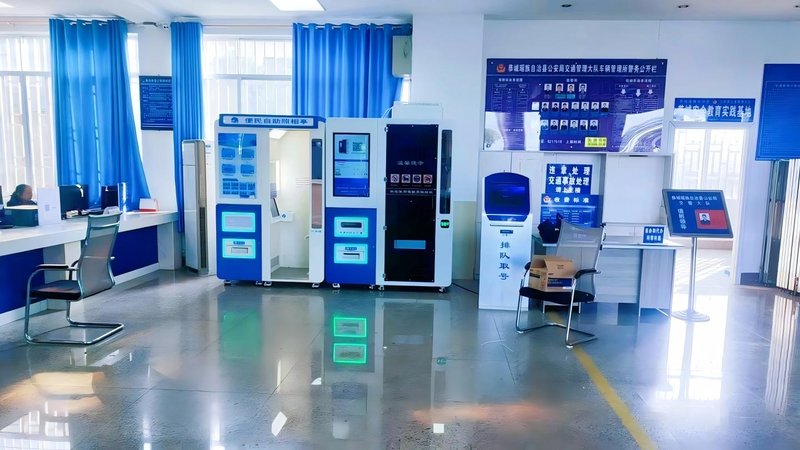
Q1: Can self-service kiosks directly issue or renew passports?
Not always. Whether a citizen can complete initial passport applications, renewals, or re-issuance via self-service depends entirely on local immigration administration policies and technological deployment. General inquiry kiosks cannot be assumed to handle passport issuance.
Q2: What is the difference between an immigration self-service kiosk and a standard government kiosk?
Standard government kiosks generally handle public inquiries, form printing, and basic civic services. Dedicated immigration kiosks often incorporate specialized biometric scanners, chip readers, secure printing modules, and certified encryption interfaces.
Q3: What hardware components are essential in an immigration self-service kiosk?
Typical configurations include an industrial touchscreen, document/ID reader module, barcode/QR scanner, document scanner, receipt/form printer, and secure industrial PC with networking modules. Exact specifications depend strictly on designated project functions.
Q4: Can the kiosk read information from passports or ID cards?
Yes, kiosks equipped with compliant optical character recognition (OCR), MRZ readers, or RFID/NFC chip readers can extract credential data, subject to system authorization and regulatory standards.
Q5: What should be confirmed first when procuring immigration self-service kiosks?
Prioritize verifying the authorized service scope, API connectivity with government backends, credential reading capabilities, data security compliance, and long-term after-sales maintenance support.
Conclusion
The strategic value of immigration self-service kiosks lies in streamlining standardized administrative tasks into an efficient, convenient self-service workflow. However, passport services involve rigorous legal regulations, security clearances, and multi-factor identity verification. The mere presence of a touchscreen, card reader, or scanner does not automatically make a terminal passport-ready.
For public sector administrators and kiosk procurement teams, clarifying the precise operational scope before establishing backend integration protocols and hardware specifications represents the most effective path toward successful kiosk deployment. In summary, integrating a reliable Government Document Self-Service Kiosk solution reduces operational labor costs, shortens customer wait times, and maximizes store throughput.
Looking for customized Government Document Self-Service Kiosk hardware, commercial touchscreen displays, or OEM/ODM self-service solutions? Feel free to contact the ZXTLCD engineering team for free consultations, product specifications, and tailored volume pricing.
Deploying a Self-Service Solution?
To elevate customer experience and streamline ordering or ticketing workflows, explore our AI Self Service Terminal with Large Touchscreen or the versatile Self Service Kiosk for Cinema & Ticketing. For custom hardware integrations, discover our complete line of Custom Self-Service Kiosks or consult our engineering team for sample evaluation.


