

Self-Checkout Kiosk Architecture: How Self-Checkout Kiosks Work: Technical Logic Analysis from Hardware Architecture to Retail Scenarios
Deploying a high-performance Self-Checkout Kiosk Architecture provides commercial dining and retail venues with an advanced automated workflow. Across retail stores, dining establishments, and diverse commercial environments, self-checkout kiosks (SCOs) are rapidly supplementing and replacing traditional staffed checkout counters. While many operators focus primarily on surface specifications—such as facial recognition payment, print speed, or screen size—they often overlook the deeper technical factors that govern long-term operational stability and business suitability. Fundamentally, a self-checkout kiosk is an intelligent edge terminal integrating payment processing, inventory and ERP management, promotional campaign execution, and remote data telemetry. The underlying operating system architecture, hardware configuration, network connectivity, and mechanical design are what truly dictate its performance across varying retail scenarios.
Working Principle and Core Architectural Analysis
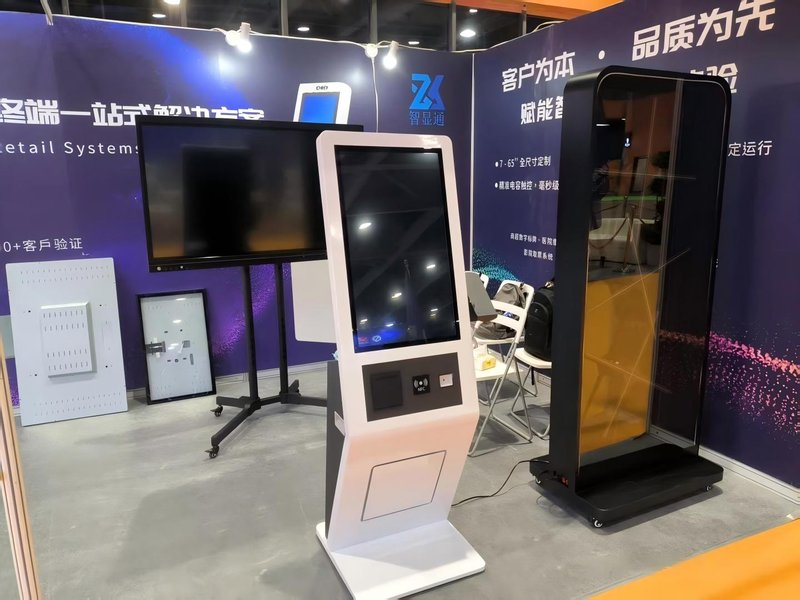
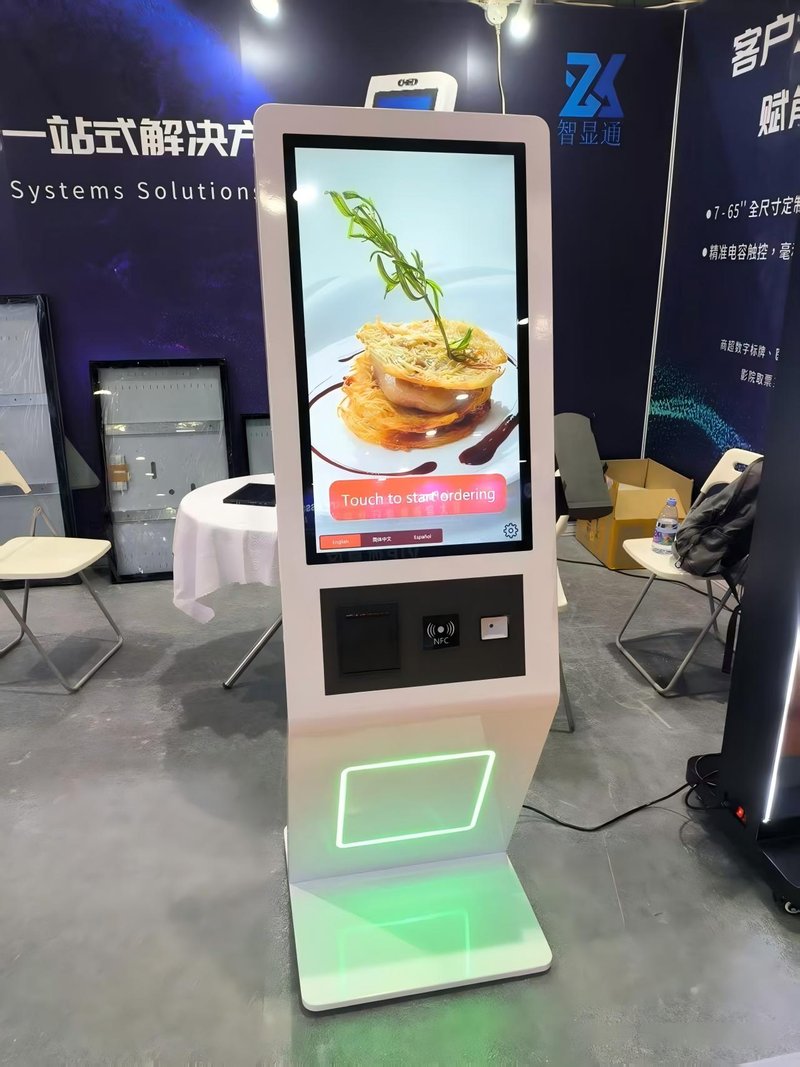
The core operational workflow of a self-checkout kiosk can be summarized into three primary stages: item identification and input, payment processing, and backend data synchronization and management. From a hardware architecture perspective, the kiosk generally comprises a central control host, display and touch interaction module, payment terminal module, receipt printing module, and network communication module.
The main control host runs the operating system, with current market mainstays split between Android and Windows. The two architectures exhibit marked differences in software ecosystems, system stability, hardware costs, and peripheral driver compatibility. The payment module consolidates barcode/QR scanning, facial recognition cameras, and EMV/contactless card readers, relying fundamentally on the synergy between precision imaging sensors and certified financial security chips. The receipt printing module handles transaction vouchers; its mechanical reliability and print speed directly impact customer throughput and queue times. In terms of network communication, Ethernet connectivity is vital for rapid transaction uploads, remote ERP/inventory telemetry, and real-time marketing campaign delivery. With physical dimensions around 85 cm and a net weight of approximately 15 kg, this compact industrial form factor facilitates flexible deployment in space-constrained supermarkets, convenience stores, and quick-service restaurants. Notably, hardware support for automatic duplex printing—uncommon for standard retail receipts—points to specialized transaction or document printing requirements.
How Technical Differences Impact Practical Applications
Operating system selection is one of the pivotal factors influencing long-term user and operational experience. Android offers superior agility in lightweight application deployment, touchscreen responsiveness, and third-party payment SDK integration, making it ideal for retail concepts that demand frequent marketing updates or multi-platform cloud integrations. Conversely, Windows excels in multi-tasking performance, extensive legacy peripheral driver support, and seamless compatibility with complex, on-premise ERP/POS management software, suiting enterprise retailers running heavy database architectures or proprietary applications.
Network architecture is equally decisive: wired Ethernet infrastructure delivers significantly higher data stability than wireless connections. For high-volume retail environments requiring millisecond-level synchronization of stock levels, orders, and promotional pricing, a wired network effectively prevents transaction drops or latency caused by wireless signal interference. Regarding receipt printing, while nominal ratings may indicate specific output speeds, printer mechanism endurance directly determines reliability during rush hours. In addition, with an operating power rating around 1000W and a 10-second warm-up cycle, continuous operation incurs measurable power overhead, necessitating adequate power distribution planning and thermal dissipation management during site installation.
Application Scenarios and Decision-Making Framework
To evaluate whether a self-checkout kiosk fits specific operational requirements, business operators can apply a multi-dimensional decision-making framework:
First, Operating System and POS Software Compatibility: If a store’s existing inventory or ERP system runs exclusively on Windows, choosing an Android terminal introduces significant software refactoring hurdles; conversely, if the retailer relies primarily on modern cloud SaaS POS applications, Android terminals offer faster, cost-effective deployment.
Second, Network Infrastructure Stability: For high-footfall supermarkets and busy restaurants with dense transaction volumes, prioritize wired Ethernet connections to safeguard transaction continuity against signal attenuation; for smaller, low-traffic environments such as micro-convenience shops or unmanned retail corners, network tolerance can be slightly more flexible.
Third, Payment Method Coverage: The integration of facial payment cameras, barcode scanners, and bank card readers should align with the payment preferences of the target demographic, avoiding unnecessary hardware costs when certain payment rails are unneeded.
Fourth, Lifecycle Maintenance and Total Cost of Ownership: Android terminals generally offer lower initial hardware acquisition costs, but system fragmentation can complicate ongoing fleet management; Windows terminals require higher initial capital expenditure but deliver robust backward compatibility and enterprise-grade software stability over years of operation.
By prioritizing these architectural technical factors over superficial specifications, retail operators can accurately assess and deploy self-checkout kiosk solutions tailored to their long-term operational success. In summary, integrating a reliable Self-Checkout Kiosk Architecture solution reduces operational labor costs, shortens customer wait times, and maximizes store throughput.
Looking for customized Self-Checkout Kiosk Architecture hardware, commercial touchscreen displays, or OEM/ODM self-service solutions? Feel free to contact the ZXTLCD engineering team for free consultations, product specifications, and tailored volume pricing.
Deploying a Self-Service Solution?
To elevate customer experience and streamline ordering or ticketing workflows, explore our AI Self Service Terminal with Large Touchscreen or the versatile Self Service Kiosk for Cinema & Ticketing. For custom hardware integrations, discover our complete line of Custom Self-Service Kiosks or consult our engineering team for sample evaluation.


