How to Choose an Industrial Touch Monitor?
In industrial environments, an industrial-grade display must not only withstand the test of harsh conditions, but also offer rich interfaces to ensure seamless connection with various devices. If interface types are overlooked during purchase, the equipment may fail to connect properly, or even disrupt the entire production process. So, which common interfaces do industrial-grade display manufacturers provide? Which interfaces are indispensable? And what details should you pay attention to when purchasing?
VGA Interface: The Choice for Compatibility with Older Equipment
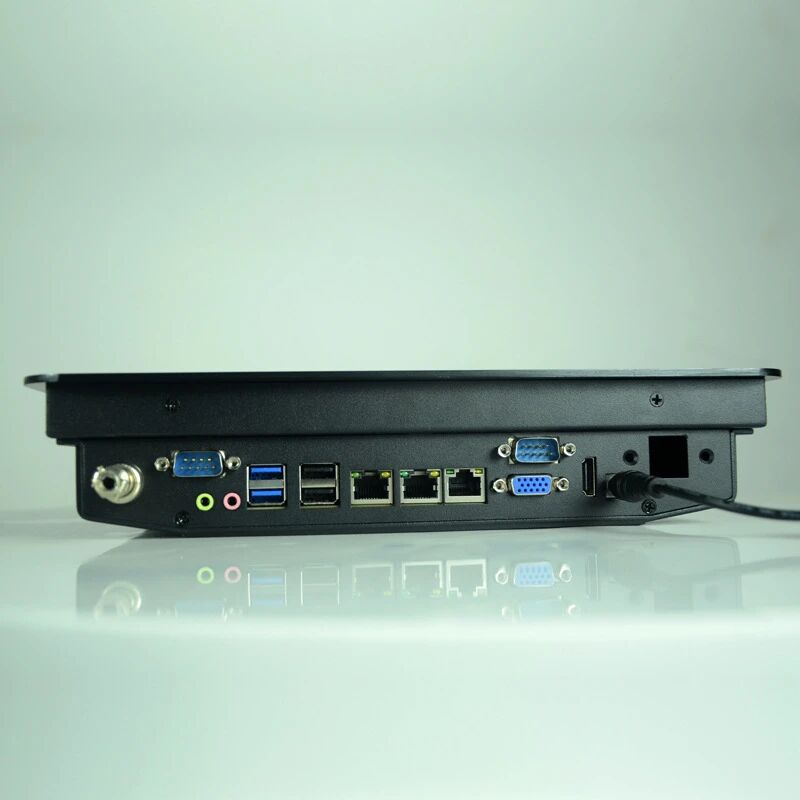
The VGA interface is an analog signal interface. Although high-definition digital signals are now widespread, some older industrial control equipment and PLC control systems still rely on VGA connections. For users who need compatibility with older equipment, when choosing an industrial-grade display brand, be sure to confirm whether a VGA interface is included.
However, VGA signal quality is relatively low and prone to interference over long-distance transmission. If a more advanced digital interface is available, other options are recommended as a priority.
HDMI Interface: Essential for High-Definition Display
If high-resolution display is required, the HDMI interface is the first choice. It supports 1080P and even 4K picture quality, and can transmit video and audio simultaneously, reducing the hassle of additional cabling. Nowadays, most industrial-grade display manufacturers equip their products with HDMI interfaces, making it easy to connect various modern industrial control hosts, embedded computers, or industrial PCs.
When purchasing, pay attention to the HDMI version. Different HDMI versions support different resolutions and refresh rates. For example, HDMI 1.4 can support 4K@30Hz, while HDMI 2.0 and above is required for 4K@60Hz.
DisplayPort Interface: Preferred for High-End Industrial Control Equipment
DisplayPort (DP) is an interface one level above HDMI, supporting higher resolutions and refresh rates while also transmitting audio and video signals. For industrial scenarios requiring multi-screen tiling and high-definition display, the stability and bandwidth performance of the DP interface are superior.
Some high-end industrial-grade display brands equip their products with DP interfaces, suitable for applications with high display requirements, such as industrial monitoring and data visualization.
USB Interface: Indispensable for Touch Function and Peripheral Connection
For touch displays, the USB interface is indispensable, because most touch functions transmit signals via USB. Without a USB interface, touch functionality is basically impossible. In addition, USB can be used to connect keyboards, mice, USB flash drives, and other external devices, improving operational convenience.
Currently, many industrial-grade display manufacturers provide multiple USB ports. When purchasing, it is recommended to choose versions supporting USB 3.0 or above to ensure data transfer speed and device compatibility.
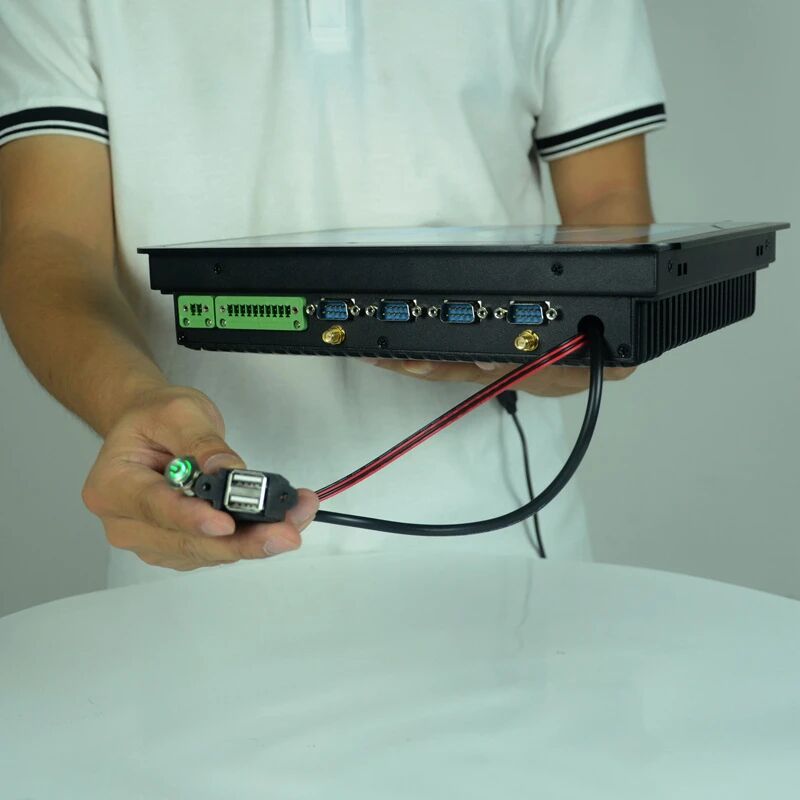
RS232/RS485 Interfaces: Communication Bridges for Industrial Control Equipment
In the field of industrial automation, RS232 and RS485 interfaces remain essential communication methods.
RS232: suitable for point-to-point connections, such as data transmission for PLCs, sensors, and similar devices.
RS485: supports multi-device communication with stronger anti-interference capability, suitable for long-distance transmission.
If your display needs to exchange data with industrial control equipment—for example, displaying PLC operating status or controlling process parameters—you must ensure it has at least an RS232 or RS485 interface when purchasing.
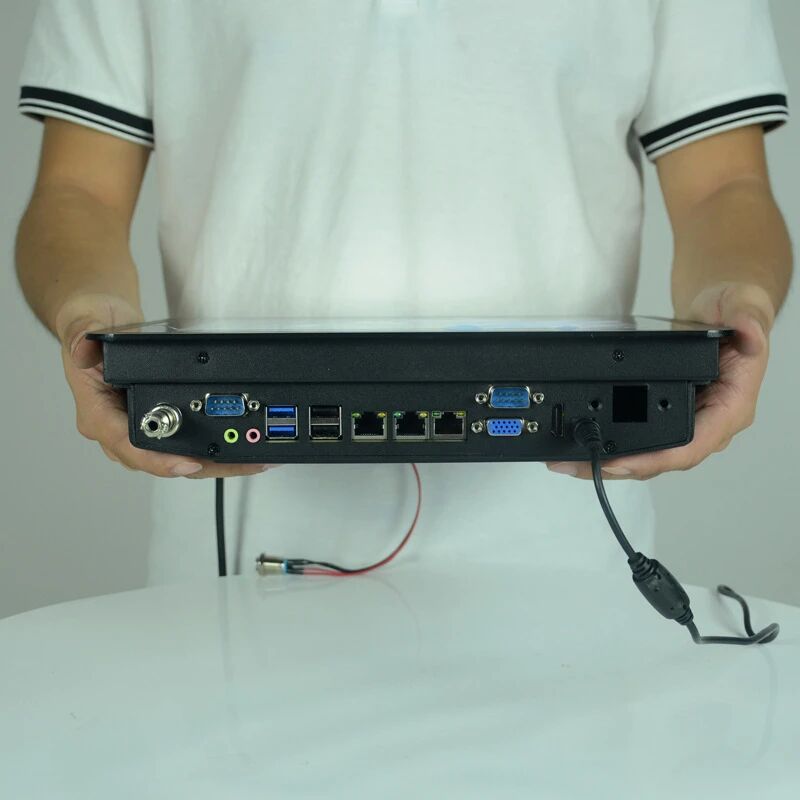
Network Interface (RJ45): Key for Remote Monitoring and Data Transmission
Some industrial-grade display brands provide RJ45 network interfaces on high-end models for connecting to local area networks, enabling remote monitoring, data transmission, and other functions. For scenarios requiring remote management and IoT applications, this interface is crucial.
In addition, some high-end displays also support POE power supply (power over Ethernet), which can reduce the complexity of power cabling and improve installation flexibility.
How to Balance Interface Requirements When Purchasing?
When selecting products from industrial-grade display manufacturers, the richer the interface variety, the wider the range of applicable scenarios—but not all interfaces must be equipped. It is recommended to choose based on your usage needs:
Only displaying basic pictures? HDMI/DVI is sufficient.
Need compatibility with older equipment? VGA/DVI is indispensable.
Touch function? A USB interface is a must.
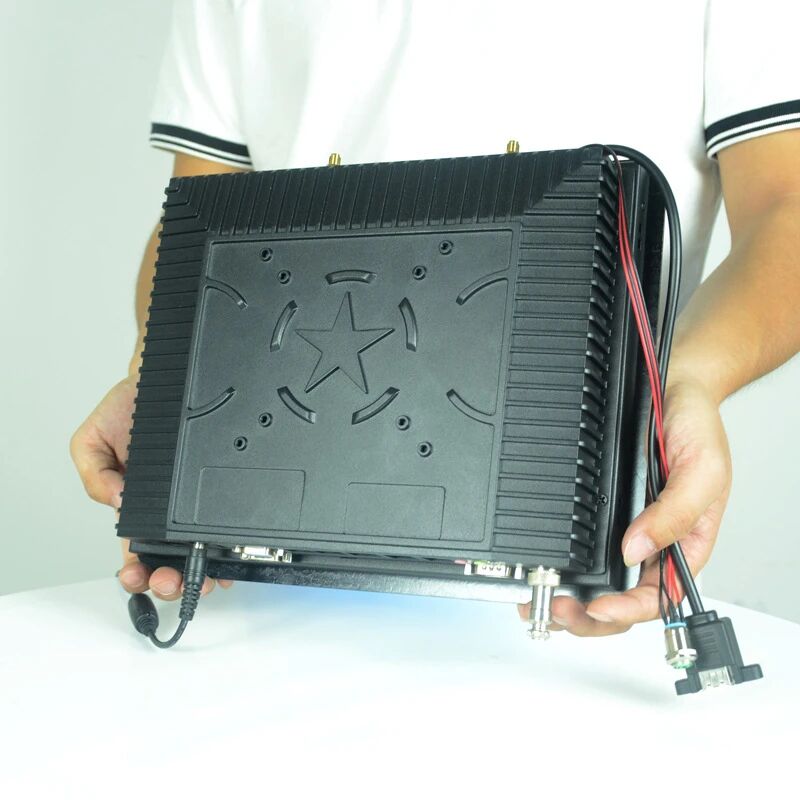
Connecting PLCs and sensors? RS232/RS485 is key.
Need remote management? An RJ45 network interface is more convenient.
If you need an industrial-grade display that combines stability with rich interfaces, industrial-grade displays not only come standard with these interfaces but also offer professional interface customization to meet the usage needs of different industrial scenarios.
Conclusion
When purchasing an industrial-grade display, interface variety is an easily overlooked yet very important detail. Mismatched interfaces lead to additional conversion costs and may even affect equipment compatibility. Although industrial display pricing vary by brand and configuration, choosing the right combination of interfaces ensures stable equipment operation and improves work efficiency.
ZXTLCD can configure a industrial touch monitor around project-specific requirements such as panel size, brightness, touch technology, interfaces, mounting method, and environmental protection.