

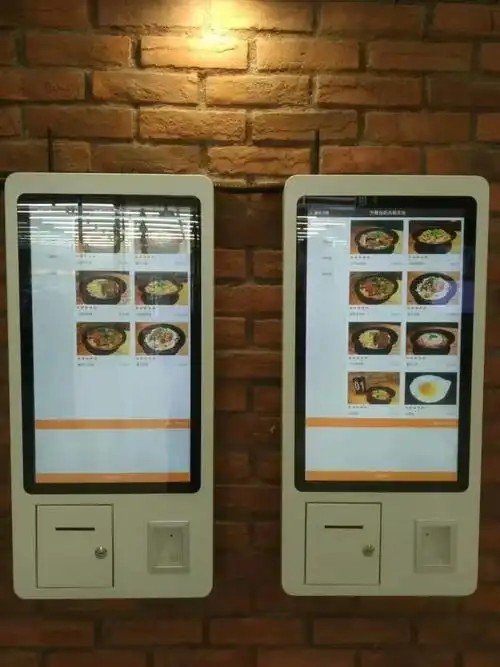
Deploying a modern Self-Service Terminal Security has become a vital strategic step for businesses aiming to optimize workflow. With the continuous improvement of operational efficiency and service quality across public and commercial service institutions, self-service terminals have become ubiquitous in daily life—from bank ATMs and queuing kiosks to hospital ticket dispensers and medical test report printers. These self-service terminals exist for dedicated applications; they are essentially specialized computers serving as critical carriers and operational extensions of electronic services in banking, healthcare, and retail sectors. Consequently, ensuring robust security operation and maintenance (O&M) for these devices is of paramount importance.
Self-Service Terminal Security: Analysis of Current Self-Service Terminal O&M Challenges
Through extensive frontline O&M practice, several common pain points in self-service terminal management have become apparent:
1. Heavy Focus on Business Monitoring Over Endpoint Governance: Many existing front-end management and monitoring systems emphasize business transaction monitoring while lacking comprehensive governance over the physical terminals themselves. For instance, administrators often cannot inspect granular hardware/software inventories and running process metrics, nor can they enforce software blacklists.
2. Reliance on Physical Security Without Leak Prevention: Kiosk host computers often rely solely on physical enclosure locks, which cannot prevent or audit internal employees or third-party maintenance contractors from copying confidential data via removable storage media (e.g., USB flash drives). Once a data breach occurs, it can lead to direct financial loss, exposure of sensitive customer privacy, or operational disruption.
3. Lack of Efficient Remote Remediation: Although many kiosk monitoring systems automatically collect low-level hardware or electronic logs from faulty terminals, basic software patching, file replacements, or simple troubleshooting tasks still require on-site technician dispatches. This inflates repair turnaround times, wastes maintenance budgets, dramatically lowers incident resolution efficiency, and places a heavy burden on IT administrators at all levels.
Comprehensive Security Defense Strategies for Self-Service Terminals
To address these O&M vulnerabilities, adopting a dedicated endpoint security management system can systematically resolve these challenges. Below is an in-depth breakdown of best practices for securing self-service terminals:
1. Establish Standardized Security Baselines
– Automated Asset Inventory: Intranet security management software automatically harvests detailed software and hardware profiles across all self-service terminals, generating comprehensive asset reports. Any configuration changes trigger instant notifications to administrators, allowing them to track the exact security posture of all terminals in real time.
– Strict Software Whitelisting: Implement strict application whitelisting policies that allow only pre-authorized software processes to execute, automatically blocking unauthorized programs and malicious scripts from running.
– Centralized Software Distribution: For terminals lacking mandatory software or security patches, automated software distribution policies can silently push and install required packages over the network.
2. Enforce Unauthorized Peripheral Controls and Data Audit Policies
– Peripheral Port Control: Enforce strict port blocking policies on unused physical communication interfaces, with zero tolerance for unregistered removable storage media. Authorized, registered USB devices must be restricted to designated scopes (such as specific organizational units or IP ranges). This aligns directly with regulatory compliance standards (such as banking regulatory commission directives for ATM security) while maintaining flexible administrative control.
– Read/Write Operation Auditing: Mandate audit policies requiring that any data copied from local hard drives to registered removable storage media be comprehensively logged. Administrators can review these activities in management console reports to ensure data export operations and contents remain strictly legitimate, auditable, and compliant.
3. Secure Remote Assistance and Maintenance
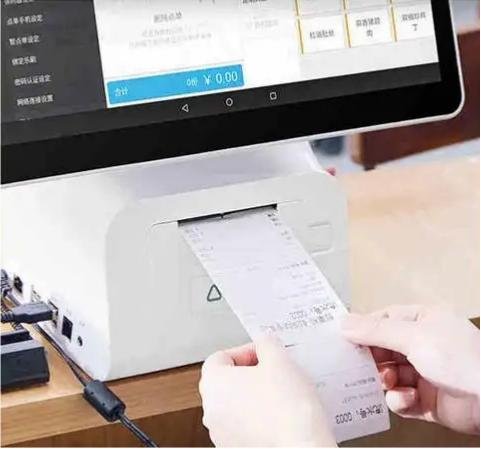
– Centralized Remote Troubleshooting: IT administrators can perform remote maintenance on malfunctioning kiosks directly from the central management console—including remote desktop operations, updating software files, and deploying hardware drivers.
– Complete Auditability of Remote Sessions: To mitigate potential security risks during remote access, the management backend automatically generates comprehensive remote operation logs, or integrates with a privileged access bastion host to record complete video sessions of every remote maintenance intervention, ensuring full accountability. In summary, integrating the right Self-Service Terminal Security provides long-term operational resilience, reduced labor friction, and enhanced customer satisfaction.
Looking for customized Self-Service Terminal Security solutions, commercial touchscreen displays, or OEM/ODM self-service hardware? Feel free to contact the ZXTLCD engineering team for free consultations, product samples, and tailored technical specifications.
Deploying a Self-Service Solution?
To elevate customer experience and streamline ordering or ticketing workflows, explore our AI Self Service Terminal with Large Touchscreen or the versatile Self Service Kiosk for Cinema & Ticketing. For custom hardware integrations, discover our complete line of Custom Self-Service Kiosks or consult our engineering team for sample evaluation.


