

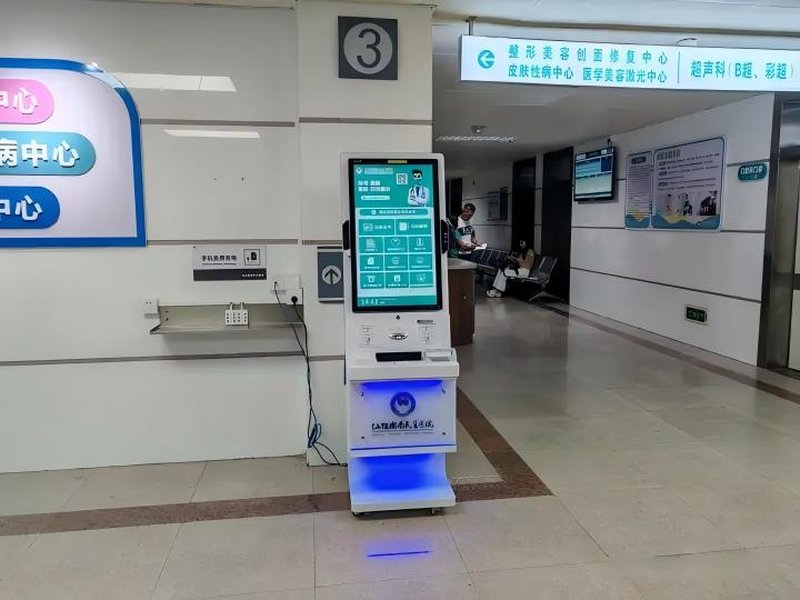
Self-Service Photo Booth Kiosk: Where Can You Find Self-Service Photo Kiosks? Common Application Scenarios and Hardware Configuration Guide
Deploying a high-performance Self-Service Photo Booth Kiosk provides commercial dining and retail venues with an advanced automated workflow. As self-service equipment becomes increasingly popular, self-service photo kiosks have been widely deployed across photo studios, shopping malls, government service halls, transportation hubs, and university campuses. Depending on equipment configurations, users can utilize these interactive kiosks for ID photo capturing, instant photo printing, or various image collection services.
If you are looking for a self-service photo booth or kiosk, prime locations to check include local administrative service centers, public security / citizen service halls, commercial shopping malls, and major transit hubs. When applying for identity cards, passports, or other official licenses, it is recommended to verify in advance whether on-site kiosks support the corresponding official photo specifications and meet governmental requirements.
Where Are Self-Service Photo Kiosks Typically Located?
Government administrative service centers and citizen service windows represent one of the most prominent application scenarios. Many public service halls are equipped with automated ID photo kiosks, allowing citizens to complete biometric image capture and photo printing right before submitting documentation. However, equipment deployment varies by municipality, so availability of on-site photo services depends on local administration policies.
Shopping malls, commercial complexes, and retail photography zones frequently house self-service photo kiosks as well. These terminals cater to routine ID photos, fun portraits, or custom digital imaging, with features depending on specific hardware configurations.
Schools, campus service centers, and transportation hubs also frequently feature photo kiosks. For instance, on-campus self-service terminals facilitate student ID photo capture, while busy transportation centers provide express photo taking and printing tailored to travelers’ immediate needs.
In addition, modern photo studios integrate automated photo terminals to streamline capturing and printing workflows. However, it should be noted that not every general-purpose photo kiosk meets the rigorous standards required for official government credential applications.
What Features and Capabilities Do Self-Service Photo Kiosks Offer?
Self-Service photo kiosks typically feature responsive touchscreens as their primary user interface. Step-by-step on-screen prompts guide users through selecting photo formats, adjusting postures and camera heights, and completing the shooting process.
Depending on hardware and software configurations, these terminals can provide intelligent background replacement, automated cropping, image previewing, and high-speed dye-sublimation photo printing. Some advanced units support diverse international ID specifications, automatically configuring dimensions and layout grids based on the selected application type.
When deployed in government and administrative sectors, strict compliance with official regulatory criteria—such as image resolution, facial proportions, lighting standards, and secure transmission protocols—is critical. Standard photo editing capabilities alone do not equate to certified government ID compliance.
Key Hardware Components of Self-Service Photo Kiosks
From a commercial display and kiosk manufacturer’s perspective, a self-service photo booth is an integrated kiosk system combining high-definition image capture, interactive touch displays, and specialized processing modules. Common hardware configurations include:
Touchscreen Display: Used for selecting photo specifications, displaying real-time operational guidance, and previewing captured shots.
Camera and Fill Light Module: Captures high-resolution images; visual clarity and fidelity depend on industrial camera sensors, balanced lighting design, and overall optical engineering.
Image Processing System: Executes automatic facial detection, edge cropping, dimension resizing, and background replacement via integrated software algorithms.
Printing Module: Designed for environments requiring instant physical prints; integration depends on operational requirements (e.g., dye-sublimation photo printers).
Kiosk Enclosure and Auxiliary Components: Houses and protects the display, industrial PC, camera, lighting, and power supply, engineered for ergonomic interaction, structural stability, and easy maintenance access.
Different application scenarios impose distinct technical demands. For example, a digital-only capture terminal differs significantly in internal mechanical structure and thermal design from an all-in-one kiosk housing heavy-duty, continuous photo printers.
How to Select the Right Self-Service Photo Kiosk Solution
For businesses, photography service operators, or public agencies planning to deploy self-service photo equipment, clearly defining intended operational objectives is the essential first step. If the kiosk will primarily serve daily ID and casual photography, focus on image sensor quality, fill-light diffusion, intuitive UI workflows, and versatile photo editing. If targeted at official government affairs, verify compliance with exact regulatory photo standards, certified biometric capture requirements, and secure data handling.
Next, choose the appropriate kiosk form factor based on site constraints. Floor-standing kiosks are ideal for spacious retail corridors and spacious public halls, accommodating comprehensive hardware suites. For space-constrained settings or streamlined workflows, evaluate compact, countertop, or wall-mounted configurations.
Long-term serviceability is equally crucial. Industrial cameras, LED lighting arrays, touch panels, and printer mechanisms require periodic checks. Easy-maintenance chassis designs and front-access roll/ribbon replacement mechanisms significantly reduce ongoing operational overhead.
For custom kiosk manufacturers and hardware solution providers, delivering an optimal solution means more than assembling a screen and camera; it requires harmonizing operating environments, image processing workflows, printing demands, and backend fleet management.
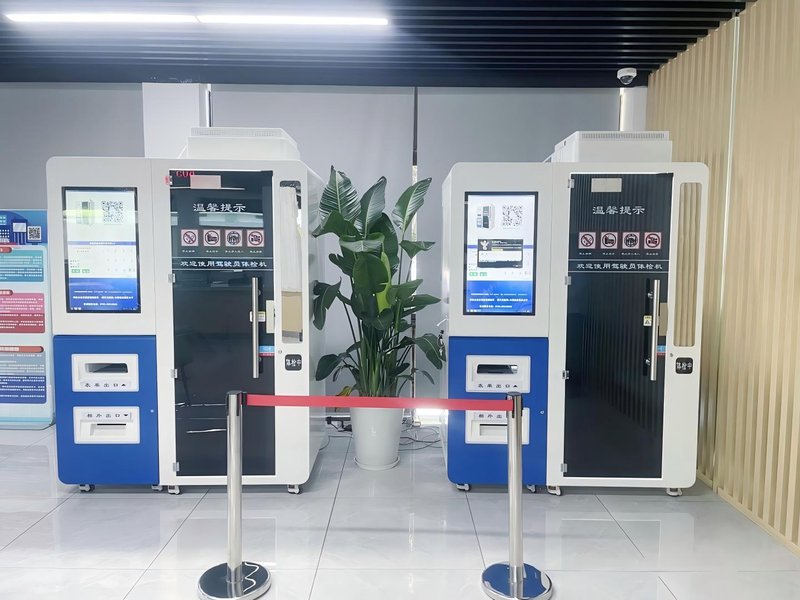
FAQ: Frequently Asked Questions About Self-Service Photo Kiosks
Q1: Where can I find a self-service photo kiosk?
You can primarily find them in municipal public service halls, police/civil registration offices, shopping centers, campus service centers, or photography studios. Availability varies by region, so it is advisable to check the venue’s official information channels beforehand.
Q2: Can self-service photo kiosks shoot passport and national ID photos?
Certain models are specifically engineered to support official passport and ID specifications, but not all kiosks qualify. Before capturing photos, check whether the machine supports the desired document type and confirm that lighting, background color, and facial dimension requirements match relevant governmental standards.
Q3: Can self-service photo kiosks print photos instantly?
It depends on the hardware setup. Kiosks integrated with industrial photo printers can output high-quality physical prints on the spot, whereas digital-only terminals focus primarily on electronic photo generation and cloud retrieval.
Q4: Do self-service photo kiosks support background replacement and automated cropping?
Many modern kiosks feature software capable of background color switching, auto-cropping, and multi-format resizing. The final output quality relies on camera optics, lighting consistency, and algorithmic precision.
Q5: What hardware specifications should be prioritized when deploying photo kiosks?
Key components to evaluate include industrial touch panels, high-resolution cameras, specialized fill-light systems, image processing software, and professional photo printers, alongside kiosk dimensions, network connectivity, data security standards, and field maintenance convenience. In summary, integrating a reliable Self-Service Photo Booth Kiosk solution reduces operational labor costs, shortens customer wait times, and maximizes store throughput.
Looking for customized Self-Service Photo Booth Kiosk hardware, commercial touchscreen displays, or OEM/ODM self-service solutions? Feel free to contact the ZXTLCD engineering team for free consultations, product specifications, and tailored volume pricing.
Deploying a Self-Service Solution?
To elevate customer experience and streamline ordering or ticketing workflows, explore our AI Self Service Terminal with Large Touchscreen or the versatile Self Service Kiosk for Cinema & Ticketing. For custom hardware integrations, discover our complete line of Custom Self-Service Kiosks or consult our engineering team for sample evaluation.


