

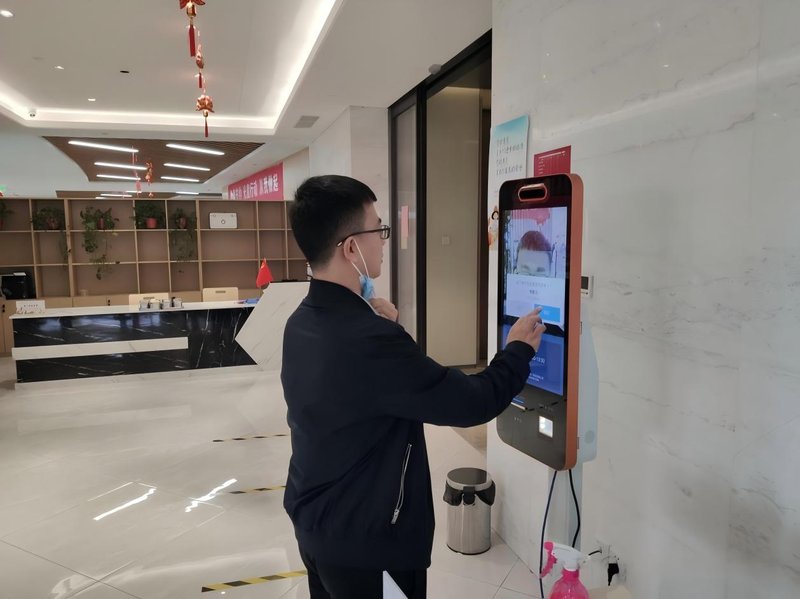
Deploying a high-performance All-in-One Self-Service Terminal Upkeep provides commercial dining and retail venues with an advanced automated workflow. Self-service all-in-one kiosk terminals are widely utilized across retail, hospitality, dining, healthcare, and public information inquiry services. These interactive kiosks typically integrate a commercial touchscreen display, host controller system, networking modules, and peripheral components such as receipt printers, barcode scanners, and payment card readers. Periodic maintenance is essential to sustain uninterrupted operation and prevent hardware downtime caused by dust accumulation, loose connectors, or software anomalies.
1. Keeping the Touchscreen and Chassis Clean with a All-in-One Self-Service Terminal Upkeep
The touchscreen is the most frequently handled interactive component of any self-service terminal. Prior to cleaning, power down the display or machine in accordance with manufacturer guidelines. Wipe the screen gently using a soft, lint-free microfiber cloth, avoiding corrosive chemical solvents or spraying liquids directly onto the glass surface.
The exterior chassis, cooling ventilation grilles, and I/O port recesses should also be cleaned regularly to prevent airborne dust from clogging thermal pathways. In food service environments with ambient airborne grease, strict cleaning protocols must be followed for the display bezel and casing seams to prevent cleaning liquids from seeping into internal electronic enclosures.
2. Inspecting Hardware and Peripheral Modules
Routine maintenance inspections should verify that AC power cords, RJ45 Ethernet cables, and internal interface connectors are securely seated. Technicians and operators should also monitor display brightness, touch calibration responsiveness, and clean boot-up cycles.
If the terminal incorporates integrated peripherals such as thermal printers, 2D barcode scanners, RFID/NFC card readers, or credit card payment terminals, inspect paper roll supply levels, scanning optical windows, and data interface connectivity. When anomalies occur, troubleshoot basic consumables, cabling, and driver configurations first. Any tasks involving internal motherboard circuitry or hardware disassembly should be handled exclusively by qualified technical service personnel.
3. Maintaining Software and Network Connectivity
Kiosk reliability depends not only on physical hardware integrity but also on the operating system, kiosk application client, and backend network connectivity. Operators should monitor application performance, address on-screen system error logs promptly, and schedule operating system and firmware updates in accordance with hardware compatibility requirements.
For networked terminals, verify that wireless Wi-Fi or wired LAN connections remain stable and that transaction logs synchronize properly with cloud backends. When a terminal experiences UI latency, application crashes, or transaction upload failures, isolate issues across the client application, local network, and backend cloud servers before performing unverified factory resets or wiping critical local data.
4. Developing a Maintenance Plan Based on Deployment Environments
Preventative maintenance priorities vary across vertical environments. Food and beverage kiosks require rigorous protection against grease vapor, sticky residues, and liquid splashes; retail self-checkouts demand frequent servicing of high-wear modules like barcode imagers, receipt auto-cutters, and payment terminals; terminals deployed in high-traffic public transit hubs require focus on tempered glass durability, chassis mechanical anchoring, and external port tamper-resistance.
Establishing a structured maintenance log is strongly recommended. Document routine cleaning dates, error symptoms, troubleshooting interventions, and spare parts replacements. When recurrent faults arise, audit the physical operating environment, hardware duty cycles, and software stability rather than treating symptoms with superficial cleaning.
5. Frequently Asked Questions (FAQ)
1. How often should self-service all-in-one terminals be serviced?
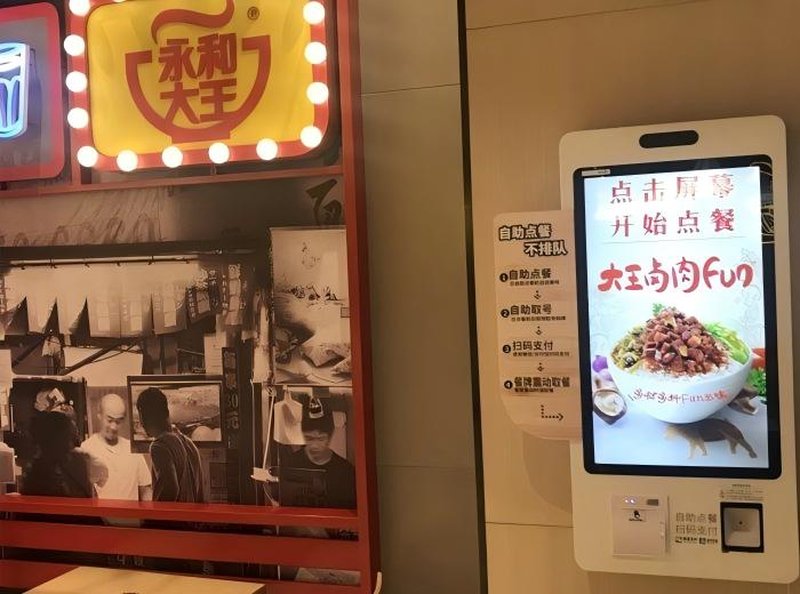
Maintenance intervals depend on daily customer transaction volume, operating environment conditions, and peripheral hardware complexity. Basic operational health checks should be conducted daily, complemented by scheduled monthly deep cleaning and comprehensive hardware diagnostic inspections.
2. What should be done if the touchscreen becomes unresponsive or sluggish?
First, power off the display and clean the screen surface to remove smudges, oil, or debris, then inspect system background resource usage, touch driver calibration settings, and USB/I2C interface cable connections. If unresponsiveness persists, perform hardware-level diagnostic testing.
3. Is system lag and stuttering always caused by hardware failure?
Not necessarily. Memory leaks within client software, erratic network connectivity, slow backend cloud API responses, and corrupted system caches frequently cause lag. The issue should be methodically diagnosed across both software and hardware layers.
4. How can businesses minimize self-service terminal maintenance issues?
Ensuring proper physical installation, maintaining unobstructed ventilation, adhering to standardized cleaning protocols, handling peripheral consumables correctly, and promptly resolving software error alerts will substantially reduce unplanned hardware downtime. In summary, integrating a reliable All-in-One Self-Service Terminal Upkeep solution reduces operational labor costs, shortens customer wait times, and maximizes store throughput.
Looking for customized All-in-One Self-Service Terminal Upkeep hardware, commercial touchscreen displays, or OEM/ODM self-service solutions? Feel free to contact the ZXTLCD engineering team for free consultations, product specifications, and tailored volume pricing.
Deploying a Self-Service Solution?
To elevate customer experience and streamline ordering or ticketing workflows, explore our AI Self Service Terminal with Large Touchscreen or the versatile Self Service Kiosk for Cinema & Ticketing. For custom hardware integrations, discover our complete line of Custom Self-Service Kiosks or consult our engineering team for sample evaluation.


