

Deploying a modern Fast Food Self-Ordering Kiosk has become a vital strategic step for businesses aiming to optimize workflow. How can a fast-food restaurant operate with one less order cashier? Self-service ordering provides a highly effective solution.
Self-service ordering empowers customers to independently browse items, select specifications, submit orders, and complete payment—taking the task of “recording customer requests” out of store clerks’ hands. Once a fast-food restaurant truly integrates self-service ordering, front-counter congestion is dispersed across multiple ordering channels, substantially relieving employee scheduling pressure.
“Operating with one less order cashier” is not simply about reducing headcounts; it is about freeing a single employee from juggling multiple repetitive, high-friction tasks at once. During peak hours, the busiest person at the counter is usually stretched thin: taking orders, taking payments, and answering repetitive customer questions about combos and dishes all at the same time.
What self-service ordering does is decouple these standardizable tasks from manual labor. Below is a comprehensive guide on how fast-food restaurants can successfully implement self-service ordering.
Fast Food Self-Ordering Kiosk: I. First, Calculate Clearly: Where Is Labor Truly Spent?
To clarify what tasks self-service ordering can eliminate, let us first examine what a counter cashier handles throughout the day:
| Task Content | Perceived Share | Can It Be Handled by the System? |
| — | — | — |
| Recording customer orders | Most concentrated during peak hours | Yes, via self-service ordering |
| Quoting totals and taking payment | Required for every single order | Yes, via self-service ordering and digital payment |
| Answering routine inquiries | Occurs repeatedly throughout the shift | Partially yes, via clear on-screen menu descriptions |
| Handling special situations and exceptions | Low volume but highly time-consuming | No, requires human judgment and flexibility |
The rule is clear: delegate standardizable tasks to the automated system, and reserve tasks requiring on-site judgment for employees.
With this adjustment, what remains at the counter is not just “one less person,” but a staff member who is no longer constantly interrupted by repetitive, fragmented tasks.
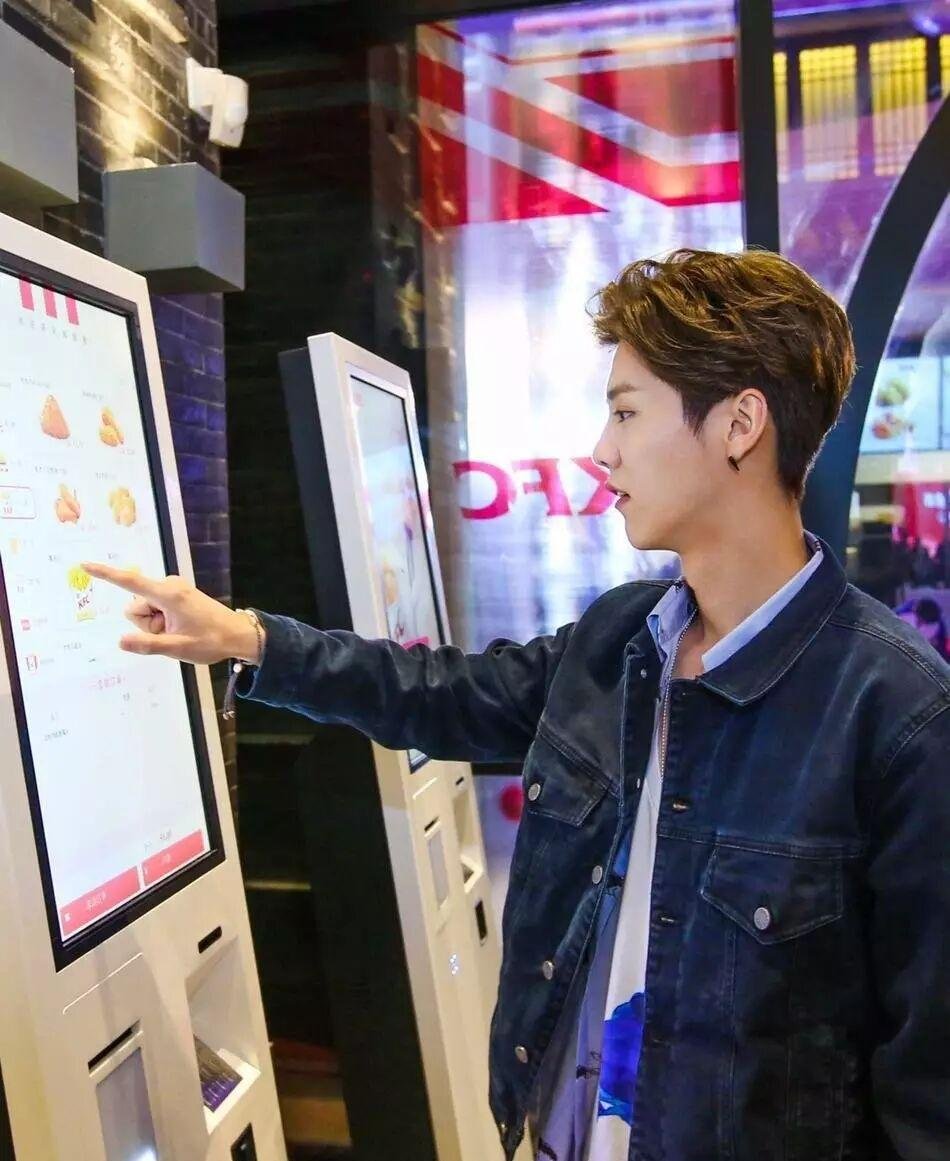
II. What Work Can Self-Service Ordering Replace?
| Previous Manual Task | After Self-Service Ordering | Practical Effect |
| — | — | — |
| Reading items item-by-item, verifying specifications | Customers select options themselves; order details are more complete | Drastically reduces order-taking errors |
| Manually calculating totals, processing cash/card | Customers complete ordering and payment autonomously | Reduces labor tied up in checkout operations |
| Repeatedly answering “What combos do you have?” | Combos and sets are visually showcased directly on screen | Minimizes repetitive customer inquiries |
| Waiting in single-file lines for manual cashiering | Multiple ordering touchpoints process orders simultaneously | Substantially shortens queuing times |
Among these four points, the value of the first is often significantly underestimated.
The greatest risk in manual order-taking is not merely slow speed; it is the ripple effect of “mishearing, recording incorrectly, cooking the wrong food, and needing remakes.” The total cost of an erroneous order often far exceeds the time spent taking the order itself.
Through self-service ordering, customers select dishes, specifications, and combos directly on screen. Order tickets are automatically generated by the system and routed directly to the kitchen display/printers, eliminating manual transcription errors right at the source.
III. Four Steps to Successful Implementation
Step 1: Optimize Hardware Placement and Access Points
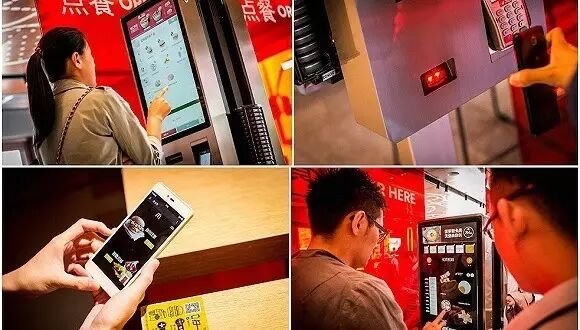
Place self-service ordering kiosks at the store entrance, beside the counter, or in prominent customer sightlines, while providing mobile QR ordering options based on store layout.
Location is critical: devices should ideally sit along the natural foot-traffic path that customers see immediately upon entering the restaurant.
Step 2: Simplify and Streamline the Menu
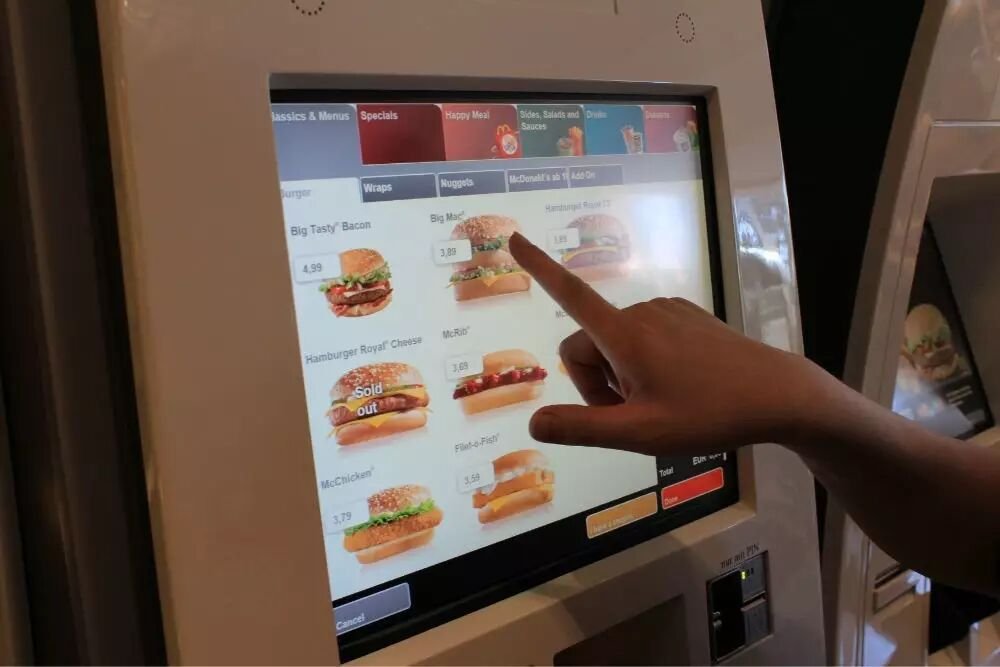
The self-service interface does not need to cram in every single complex menu variation. Prioritize high-frequency dishes, best-selling combos, and common item specifications.
The clearer the choices, the faster customers finalize their orders.
For fast-food restaurants with complex menus, logical categorization, combo recommendations, and appetizing dish photography help customers decide quickly.
Step 3: Make Signage and Guidance Highly Visible
When kiosks sit unused, it is often not a problem with the hardware, but a lack of visible guidance.
Restaurants can deploy floor decals, tabletop signs, and standing display banners informing guests they can order via self-service terminals. Counter clerks can also provide a gentle verbal prompt during peak hours: “You can also order directly at the kiosks next to us.”
First-time visitors may require brief initial guidance from staff, but once familiar, customers typically order independently with ease.
Step 4: Maintain a Manned Safety Net for Exceptions
Self-service ordering does not mean completely eliminating manual service counters.
A physical cash register or staffed counter should always be maintained to accommodate special requests, assist guests unfamiliar with digital devices, and handle complex manual transactions.
This establishes a robust operational model: “Self-service as the primary driver, manual counter as the safety net,” ensuring all customer demographics enjoy a comfortable dining experience.
Step 3 is the pivotal factor determining whether self-service ordering succeeds. Hardware is merely the entry portal; clear signage and gentle guidance are what truly drive adoption.
IV. How Staff Roles Transform
Once self-service ordering is operational, employees’ daily workflows undergo a positive transformation:
| Previous Role | Transformed Role |
| — | — |
| Standing behind the cash register for long stretches waiting for guests | Moving flexibly between the food pickup counter, packing station, and dining area |
| Reciting dishes and verifying orders ticket by ticket | Primarily handling special requests and exceptional orders |
| Processing payment and making change | Assisting guests unfamiliar with self-service devices |
| Fully occupied by order-taking during peak hours | Cleaning tables, restocking prep stations, and prepping ingredients during lulls |
As staff roles evolve, a single employee can cover broader operational touchpoints.
This is not merely about “cutting headcounts”; it is about liberating staff from mechanical, repetitive chores so they can dedicate their time to hospitality and core store fulfillment.
For fast-food restaurants, this staffing structure is particularly ideal for businesses with distinct rush hours and high transaction volumes.
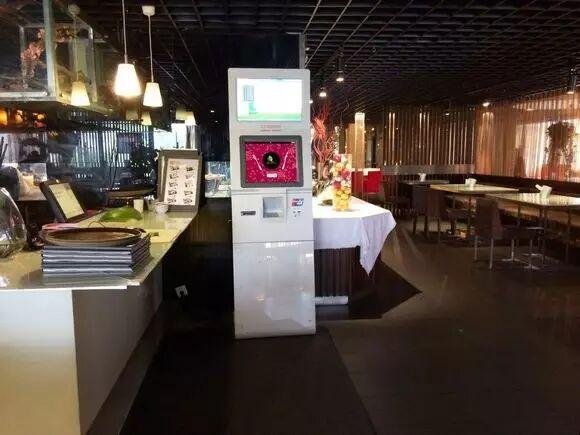
V. In What Situations Is It Not Recommended?
Self-service ordering is not universally suited for every single venue. The following scenarios require careful evaluation:
| Operational Scenario | Analysis & Recommendation |
| — | — |
| Customer demographic consists primarily of seniors unfamiliar with smart devices | Manned ordering counters must remain the primary or essential backup channel |
| High degree of dish non-standardization | Heavy demand for verbal negotiation and complex customization is difficult to fully represent on kiosks |
| Low average ticket size with sporadic, low-volume orders | The ROI from equipment and signage investment may be marginal |
| Severe spatial constraints | If floor space cannot accommodate kiosks, lightweight mobile QR ordering should be considered instead |
Most restaurants fall somewhere in between these extremes.
Therefore, adopting a hybrid model—”QR code ordering as primary, self-service kiosks as auxiliary, and manual counter as fallback”—allows operators to dynamically adjust the ratio of ordering channels according to real-time foot traffic.
Frequently Asked Questions (FAQ)
Q: Once self-service ordering is deployed, can we completely eliminate order cashiers?
A: No. Self-service ordering primarily offloads standardized ordering and payment transactions. Stores still require staff for customer guidance, handling special customizations, machine maintenance, and food expediting. The overarching goal is to prevent staff from being constantly overwhelmed by repetitive chores, not to blindly eliminate human service.
Q: What should we do if customers are hesitant to use self-service kiosks?
A: Keep the manual ordering counter open. Customers uncomfortable with self-service can proceed directly to the staffed counter. During initial rollout, staff can offer gentle assistance to help patrons become comfortable with the interactive touchscreen process.
Q: Will placing staple foods and combo sets on self-service kiosks disrupt kitchen fulfillment order?
A: Under normal circumstances, no. As long as the self-service ordering system connects properly with the POS backend and kitchen printers/KDS, both self-service and manual orders flow into a unified ticketing sequence, clearly identified by call numbers or ticket IDs. Specific fulfillment flows can be tailored to the restaurant’s kitchen workflow.
Q: Is operating a self-service kiosk complicated for diners?
A: Standard self-service workflows are straightforward. Customers generally complete just a few intuitive steps: choosing dishes, selecting specs/combos, confirming orders, and making payment. Store administrators can configure menus, combos, pricing, and promotional banners in the backend management portal in advance, adapting content to specific operational needs.
Q: How should equipment breakdowns or technical faults be handled?
A: When planning equipment deployment, hardware maintenance, software support, and manual contingency plans should be established simultaneously. Maintaining a manual POS terminal ensures service continuity during network anomalies or hardware maintenance, preventing a single device fault from halting store operations.
ZXTLCD Self-Service Ordering Solutions
ZXTLCD self-service kiosks feature large high-definition commercial touch displays that showcase food photography, pricing, combo packages, meal customizations, and promotional campaigns with outstanding visual clarity.
Customers can independently browse menus, customize orders, confirm tickets, and complete payments on the interactive screen. Tailored to specific project requirements, kiosks can integrate 1D/2D barcode scanners, high-speed thermal receipt printers, and other functional peripherals.
For fast-food operators, ZXTLCD kiosks not only streamline self-service ordering, but their large commercial displays can double as dynamic digital signage during idle periods to promote new arrivals, signature combos, and seasonal marketing—maximizing hardware ROI.
Our equipment seamlessly adapts to diverse POS software platforms and catering management systems, effortlessly connecting with existing operational workflows.
Key Takeaways for Implementing Self-Service Ordering
1. Differentiate Tasks First: Offload standardized operations to systems while retaining tasks requiring human empathy and judgment for staff; avoid crude “one-size-fits-all” cuts.
2. Streamline the Menu: Prioritize high-frequency menu items and popular combo sets; the clearer the options, the faster the order completion.
3. Guidance Outweighs Hardware: Tabletop signs, floor decals, and friendly verbal reminders from staff help first-time guests adopt self-service ordering quickly.
4. Keep a Manual Safety Net: Accommodate guests with special dietary requests or digital hesitancy through staffed counter service.
5. Transform Staff Roles: Shift staff from repetitive cashiering to expediting, packaging, restocking, customer care, and exception resolution.
6. Iterate Based on Data: Track self-service order ratios, queuing times, and error rates to continually refine menu layouts, kiosk counts, and ordering access points.
When self-service ordering is successfully implemented, its core value lies not in merely eliminating a job title, but in automating standardizable tasks so employees can invest their time where human hospitality matters most.
For high-volume fast-food restaurants and concentrated dining venues, this strategy alleviates peak-hour counter bottlenecks, optimizes labor allocation, and drives lasting operational efficiency. In summary, integrating the right Fast Food Self-Ordering Kiosk provides long-term operational resilience, reduced labor friction, and enhanced customer satisfaction.
Looking for customized Fast Food Self-Ordering Kiosk solutions, commercial touchscreen displays, or OEM/ODM self-service hardware? Feel free to contact the ZXTLCD engineering team for free consultations, product samples, and tailored technical specifications.
Deploying a Self-Service Solution?
To elevate customer experience and streamline ordering or ticketing workflows, explore our AI Self Service Terminal with Large Touchscreen or the versatile Self Service Kiosk for Cinema & Ticketing. For custom hardware integrations, discover our complete line of Custom Self-Service Kiosks or consult our engineering team for sample evaluation.


