

Self-Service Queuing Kiosk Maintenance: Do Self-Service Queuing Kiosks Require Regular Maintenance and Inspection? Daily Care and Troubleshooting Guide
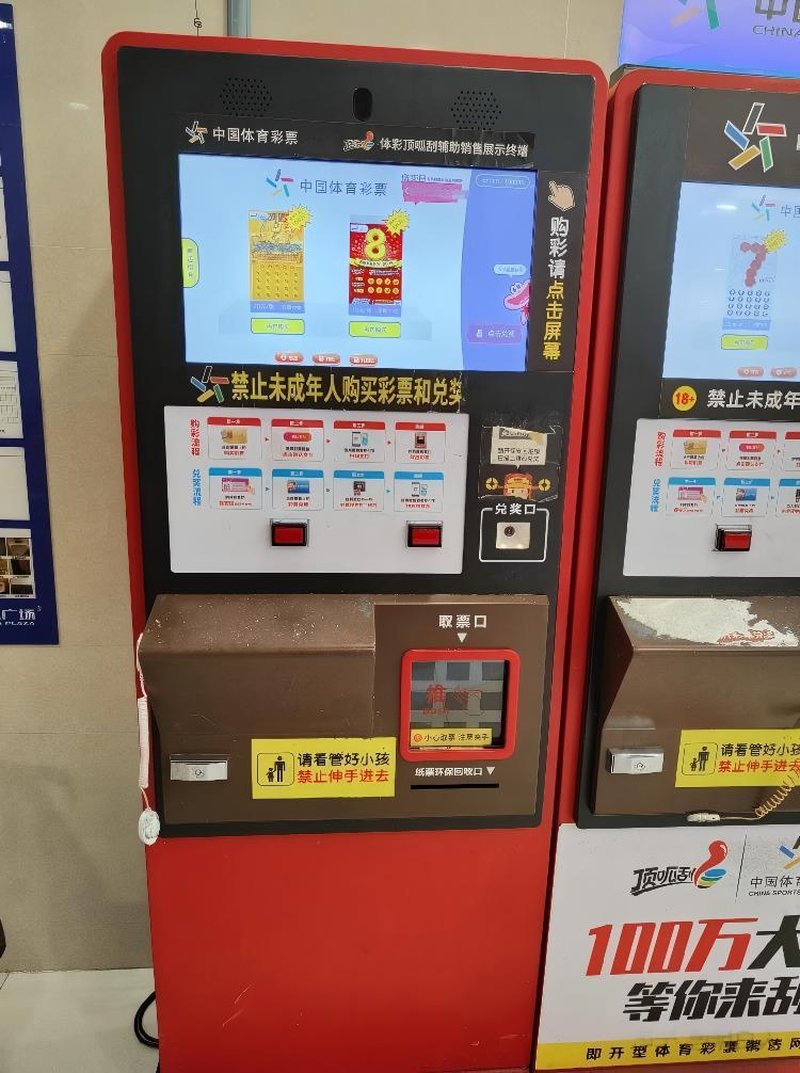
Deploying a high-performance Self-Service Queuing Kiosk Maintenance provides commercial dining and retail venues with an advanced automated workflow. Self-service queuing kiosks are widely deployed in hospitals, banks, government administrative centers, telecom service halls, and other public venues requiring on-site queue management. Users interact with the touchscreen to select services, collect queue tickets, or check appointment progress, while staff utilize queue management systems to streamline service workflows and enhance overall floor operations.
Because these kiosks operate continuously for extended periods and undergo high-frequency touch interactions from diverse users, regular cleaning, periodic inspections, and necessary preventive maintenance are essential. The goal of maintenance goes beyond keeping the touchscreen and chassis clean; it involves inspecting the thermal printer module, network stability, application software status, and data synchronization with queue calling systems.
Specific maintenance intervals should be determined based on usage frequency, installation environments, hardware architecture, and manufacturer guidelines. For high-traffic venues with long operational hours, establishing systematic inspection schedules and standardized troubleshooting workflows is even more critical.
1. Why Do Self-Service Queuing Kiosks Require Regular Maintenance?
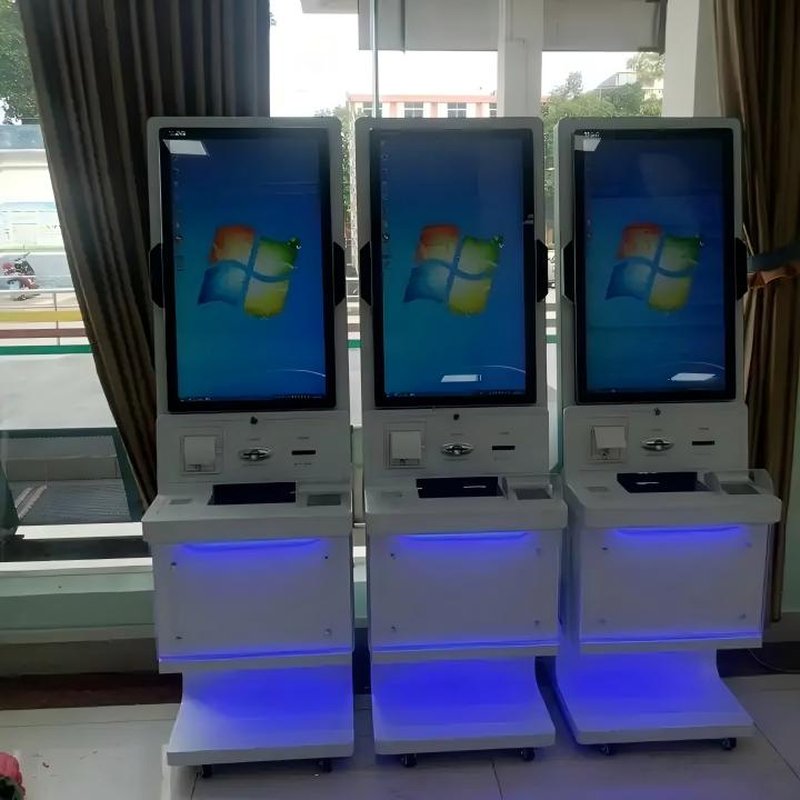
A self-service queuing kiosk typically consists of an industrial touchscreen display, an embedded control PC (IPC), a durable kiosk chassis, and various peripheral modules. Depending on site configurations, the kiosk may integrate thermal ticket printers, QR code barcode scanners, ID/card readers, or other authentication components. Different components operate under distinct mechanical and electrical principles, leading to different potential failure modes.
Over prolonged operation, touchscreens accumulate fingerprints, dust, and stains. Improper cleaning methods can scratch screen surface treatments or compromise touch responsiveness. The thermal printer module is susceptible to paper jams, fuzzy printing, or mechanical wear caused by paper dust accumulation, improper roll installation, or normal consumable depletion.
Furthermore, queuing kiosks continuously exchange real-time data with backend business platforms, queue management software, and calling display boards. If network connections fluctuate, software processes hang, or system configurations change, issues such as ticket dispensing failure, unsynchronized ticket numbers, or calling screen display errors can arise.
Regular maintenance helps detect these hidden issues early, mitigating downtime risks during peak operational hours and giving facility managers complete visibility into kiosk health.
2. What Does Daily Care for Self-Service Queuing Kiosks Involve?
Daily preventive care focuses primarily on screen cleaning, chassis inspection, and basic functional validation.
When cleaning the touchscreen, select appropriate cleaning agents following manufacturer instructions, and wipe gently with a soft, lint-free microfiber cloth. Never spray cleaning liquids directly onto the screen surface, and ensure liquids do not seep into chassis seams, ports, or ventilation slots. For touchscreens with optical coatings (such as anti-glare or anti-fingerprint treatments), verify chemical compatibility before application.
The kiosk exterior and ticket collection area should also be kept clean. Avoid allowing dust, torn paper scraps, or foreign debris to accumulate near the paper exit slot, scanning window, or thermal exhaust vents. During cleaning, avoid using harsh, corrosive chemicals that could degrade the chassis coating or housing.
Simultaneously, check for loose screws, physical housing damage, disconnected cables, or damaged peripheral ports. If the kiosk is positioned in high-traffic public corridors, ensure the enclosure is securely anchored and that the display and ticket dispenser are not obstructed by external objects.
Daily care should not be limited to cosmetic cleaning. On-site staff should also perform basic operational verification, such as browsing service menus, simulating a ticket dispensing cycle, validating printed ticket clarity, and ensuring the interface smoothly resets to the home screen.
3. How to Inspect the Printer Module and Other Peripheral Components
For queuing kiosks equipped with thermal printers, the printing mechanism is a core maintenance focus.
If issues such as failure to feed paper, paper jams, faint printing, or truncated tickets occur, first check whether the thermal paper roll is installed correctly, whether paper is depleted, and whether paper scraps or debris obstruct the paper path. When loading new consumables, follow the manufacturer manual carefully to avoid damaging the paper bay, platen roller, or cutter mechanism.
If the kiosk integrates barcode/QR scanners, ID card readers, or RFID modules, periodically test these peripheral functions. For instance, inspect scanning window cleanliness, verify that the scanner reads barcodes accurately, and confirm that captured data is transmitted correctly to the host software.
If peripheral modules experience recurring errors, inspect hardware interfaces, data cables, driver stability, and OS configuration rather than relying solely on repeated power reboots. When internal disassembly or electrical maintenance is required, tasks must be handled by qualified technical personnel.
4. Software, Network, and Queue Management System Inspections
A self-service queuing kiosk is not an isolated display terminal; it must operate in tandem with queue management platforms, backend databases, counter calling devices, and digital signage displays. Consequently, normal hardware status alone does not guarantee end-to-end ticketing success.
If the kiosk displays its UI normally but fails to generate ticket numbers, investigate service menu configurations, local network connectivity, and backend database service status. If tickets print successfully but counter calling displays do not update in sync, check queue management data pipelines, middleware messaging, and display terminal connections.
For kiosks connected to internal enterprise networks, regularly verify network stability and watch for IP address conflicts, firewall rule modifications, or routing policy changes. Prior to rolling out software updates, confirm compatibility with existing hardware peripherals and business platforms, validate in test environments when necessary, and back up configuration files.
For multi-branch enterprise deployments, centralizing software versions, hardware configurations, and maintenance logs significantly boosts fault isolation efficiency and minimizes configuration drift across distributed endpoints.
5. How Often Should Queuing Kiosks Be Maintained and Inspected?
There is no universal maintenance schedule applicable to every scenario. Maintenance frequencies must be tailored to operating intensity, duty cycles, environmental conditions, and manufacturer guidelines.
During daily operations, on-site personnel can inspect screens, chassis integrity, ticket output slots, and basic ticketing functions. For printer mechanisms, cable connections, ventilation filters, and components sensitive to operating environments, establish a structured periodic inspection schedule.
In high-traffic environments such as tier-one hospitals, civil administrative halls, or flagship bank branches, kiosks operate non-stop and endure thousands of interactions daily. These facilities require structured routine patrols, including proactive checks of paper supplies, ticketing workflows, and network health prior to peak business hours.
If kiosks are deployed in harsh environments with high dust levels, substantial temperature/humidity swings, or potential liquid splashes, pay particular attention to proper cleaning techniques, adequate airflow, and ingress protection (IP ratings).
Note that daily routine patrols differ from professional technical servicing. Routine patrols identify obvious physical anomalies and confirm basic functionality; professional servicing involves testing internal power supplies, motherboard controllers, display drivers, heavy-duty cutter assemblies, and system OS configurations, and must be performed by certified technicians.
6. Step-by-Step Troubleshooting for Common Kiosk Faults
When a failure occurs, document the exact symptoms first, then proceed systematically from simple checks to advanced diagnostics.
If the touchscreen does not respond, first check for surface moisture, foreign debris, or smudges that may interfere with capacitive or infrared sensing, then verify whether the operating system is running. If the entire kiosk fails to power on, check external power inputs and power strip connections; if the host powers on but no image displays, inspect video cable connections and display driver boards.
If touch interaction works but no ticket prints, inspect the paper roll, paper bay latches, and exit cutter path. If tickets dispense properly but the backend receives no record, or calling displays fail to update, investigate network cabling, software services, and API endpoints.
For recurring intermittent faults, document error timestamps, user steps, system error codes, and troubleshooting results. Detailed logs help technicians determine whether an anomaly stems from isolated user operation errors or persistent hardware, software, or system integration bugs.
If a kiosk exhibits overheating, burning odors, liquid ingress, or other electrical hazards, disconnect power immediately and contact authorized technical support. Never dismantle internal electronic modules while energized, and do not swap power supplies or controller boards without authorized component verification.
7. How to Minimize Self-Service Queuing Kiosk Downtime
Beyond regular maintenance, sound equipment selection and engineering deployment heavily influence long-term operational reliability.
First, tailor kiosk hardware configurations to real business requirements. Scenarios requiring only basic ticket dispensing differ significantly from workflows demanding biometric ID reading, QR code scanning, multi-tier service lookups, and multi-system integration. Matching hardware specifications directly to business needs avoids both underperformance and unnecessary system complexity.
Second, ensure thorough compatibility testing between kiosk hardware, queue management software, and enterprise databases. Before full-scale deployment, clarify data exchange formats, workflow logic, network prerequisites, and exception handling protocols, rigorously testing ticket issuance, counter calling, and backend synchronization.
Kiosk installation locations should balance user ergonomics with service accessibility. Touch displays, printer slots, and scanners must remain easily accessible to visitors, while maintaining sufficient clearance around the chassis for technician access and ensuring cooling ventilation grilles remain unobstructed.
Finally, establish comprehensive after-sales support frameworks, spare parts management, software upgrade roadmaps, and rapid response SLAs. For mission-critical service environments, keeping standardized operating logs and maintenance procedures helps identify recurring component degradation early and prevents unexpected kiosk downtime.
FAQ: Frequently Asked Questions About Queuing Kiosk Maintenance and Repair
Q1: Must self-service queuing kiosks undergo regular maintenance?
Yes. Maintenance and inspection intervals should be structured according to usage frequency and operating conditions. Daily cosmetic cleaning and basic functional spot-checks can be handled by trained on-site staff, whereas internal electrical servicing, mechanical printer repairs, or complex system diagnostics should be performed by qualified technical engineers.
Q2: What should be checked first when a queuing kiosk fails to print tickets?
First check whether the thermal paper roll is empty, whether the roll is loaded in the correct orientation, and whether paper jams or paper scraps block the cutter and exit path. If paper feeding and mechanics are intact, proceed to inspect the printer module interface cables, driver status, and application software settings.
Q3: Can maintenance be performed during normal business hours?
Routine surface cleaning and basic operational checks can be carried out without disrupting service, provided on-site safety and customer flow are respected. However, maintenance requiring power-down, chassis disassembly, or system rebooting should be scheduled during off-peak hours or maintenance windows, with contingency queue plans prepared in advance.
Q4: Why does the kiosk dispense tickets normally, but numbers fail to appear on calling screens?
This issue typically stems from network disconnections, queue management software faults, backend database processing delays, or communication errors between hardware devices. Technicians should inspect the ticketing kiosk, backend queue server, and calling display clients independently to isolate the breakdown in the communication pipeline.
Q5: What maintenance factors should be considered when purchasing queuing kiosks?
Prioritize kiosks featuring modular, easy-access chassis designs for fast servicing, quick-release consumable replacement mechanisms (especially for thermal printers), open compatibility with existing queuing and business platforms, and comprehensive technical documentation and warranty support from the manufacturer. These factors significantly reduce total cost of ownership (TCO) and long-term fleet management complexity. In summary, integrating a reliable Self-Service Queuing Kiosk Maintenance solution reduces operational labor costs, shortens customer wait times, and maximizes store throughput.
Looking for customized Self-Service Queuing Kiosk Maintenance hardware, commercial touchscreen displays, or OEM/ODM self-service solutions? Feel free to contact the ZXTLCD engineering team for free consultations, product specifications, and tailored volume pricing.
Deploying a Self-Service Solution?
To elevate customer experience and streamline ordering or ticketing workflows, explore our AI Self Service Terminal with Large Touchscreen or the versatile Self Service Kiosk for Cinema & Ticketing. For custom hardware integrations, discover our complete line of Custom Self-Service Kiosks or consult our engineering team for sample evaluation.


