

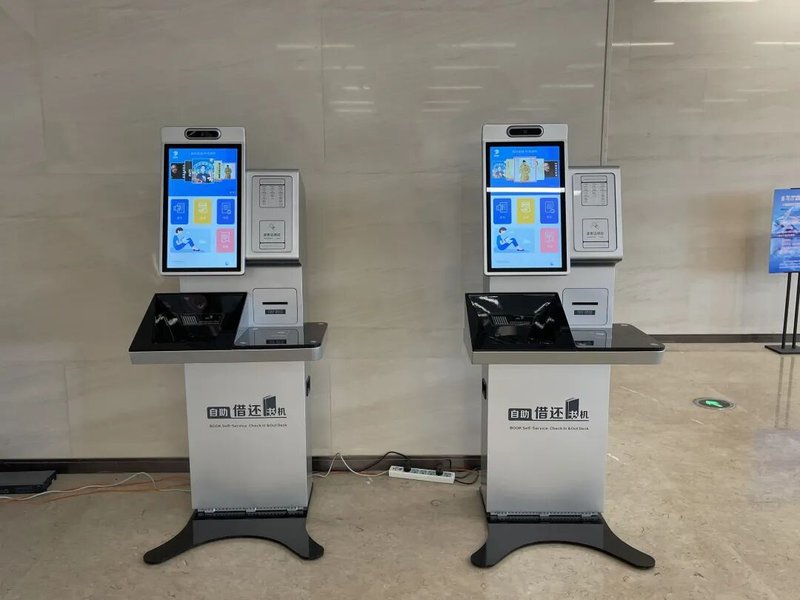
As modern library services steadily advance toward digital intelligence, self-service kiosks have become integral across book circulation, check-in, information inquiries, and general patron services. Compared to traditional manual circulation desks, library self-service kiosks empower patrons to perform routine transactions independently while enabling libraries to optimize service delivery and operational staffing.
A well-engineered library kiosk requires more than an intuitive user interface; it must be configured with compatible identity verification modules, book scanning hardware, and secure data communication protocols tailored to the library’s workflow. Whether the kiosk seamlessly integrates with the existing Integrated Library System (ILS / LMS) is a decisive factor in day-to-day usability.
What Tasks Can Library Kiosks Perform? with a Library Self-Service Kiosk
The exact capabilities of a library kiosk depend on its hardware specifications and the library’s backend management system. Common applications include self-service book check-out (borrowing), book check-in (returning), loan record inquiries, patron account management, and automated receipt printing.
In self-checkout scenarios, patrons authenticate their identity on-screen via student/patron cards or mobile barcodes, place books on the scanning bed to read tags, and complete checkout following on-screen prompts. For kiosks supporting returns, patrons submit items directly through a designated return procedure. Advanced units can also provide library catalog searching (OPAC) or facility navigation, helping patrons locate resources effortlessly.
These functions do not necessarily need to be combined into a single terminal. Libraries can deploy dedicated single-purpose kiosks or versatile multi-functional units based on collection size, patron traffic, and floor layout requirements.
Touchscreens and Hardware Configurations Shape the User Experience
The interactive touchscreen is the primary touchpoint of any library kiosk. Screen clarity, intuitive visual affordances, and a streamlined workflow directly determine how quickly patrons complete transactions.
In public institutional environments, kiosk hardware and software must accommodate diverse patron age groups—from children to seniors. Clear typography, clean UI layouts, intuitive step-by-step guidance, and informative error feedback are essential to minimize confusion and reduce reliance on library staff intervention.
On the hardware configuration side, libraries can customize kiosks with responsive commercial touch displays, optical QR/barcode scanners, smart card/RFID patron readers, handheld or fixed barcode readers, and thermal receipt printers. If the facility utilizes RFID book tracking, the hardware must be thoroughly evaluated for compatibility with existing HF/UHF book tags and middleware. The selection of identification technology should always align with the library’s established infrastructure.
How Do Library Kiosks Coordinate with Library Management Systems?
A library kiosk is far more than an isolated touchscreen terminal; it functions as a connected client that continuously exchanges data with backend library systems via standard protocols such as SIP2, NCIP, or REST APIs. Circulation privileges, real-time book statuses, patron account balances, and circulation histories all require validation and synchronization by the core management system.
Therefore, prior to hardware deployment, libraries must specify ILS interface requirements, authentication methods, and business exception handling rules. If additional capabilities such as paper receipt printing or online fee payment are required, corresponding hardware peripherals and API endpoints must be confirmed in advance.
For library directors, seamless interoperability between hardware peripherals and backend software is far more impactful than merely stacking modular components. Self-service automation truly succeeds only when hardware, software, and operational processes work in perfect unison.
Routine Maintenance Guidelines for Library Kiosks
Because library kiosks are installed in open public areas and endure continuous patron handling, preventive maintenance should focus on touchscreen sanitation, optical scanning window cleaning, printer consumable replenishment, network connectivity, and structural stability.
For kiosks equipped with RFID reading beds or thermal printers, staff should routinely test sensor sensitivity and print head status. When issues arise—such as unreadable book tags, touch latency, or paper jams—personnel should troubleshoot following standard operational procedures to prevent patron service disruption.
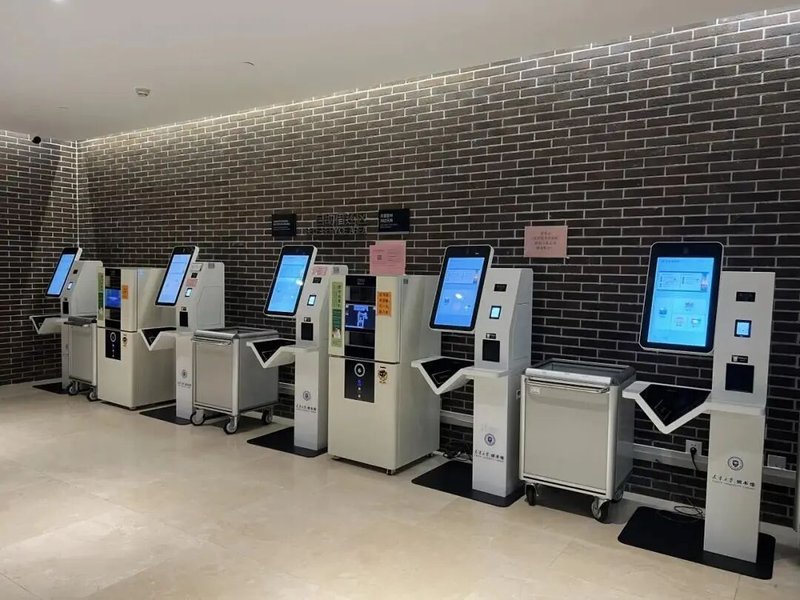
During the procurement phase, serviceability should be heavily prioritized: ensure easy front-access or rear-access paper roll loading, modular hot-swappable component architecture, and accessible vendor technical support. These factors greatly alleviate long-term operational maintenance burdens.
How to Select the Right Kiosk for Your Library
Before procuring hardware, libraries should outline their exact operational objectives: determine whether the unit will be dedicated to book checkout, returns, catalog inquiries, or an integrated multi-service workflow. Distinct use cases call for different screen sizes, scanning platforms, RFID modules, card readers, and interface ports.
Next, verify compatibility with your existing library management system, particularly regarding tag reading protocols, patron authentication methods, and database synchronization. If the library already operates an established barcode or RFID infrastructure, prioritizing turnkey compatibility with current tags and reader protocols will save substantial retrofitting costs.
Furthermore, ergonomics, structural durability, installation footprint, and maintenance accessibility should be factored in. For high-footfall libraries, strategically calculating unit quantities and dispersing kiosks across high-traffic zones helps eliminate peak-hour queue congestion.
FAQ: Frequently Asked Questions About Library Kiosks
Q1: What are the primary functions of a library self-service kiosk?
Common capabilities include self-service book checkout, returns, patron account inquiries, loan history lookups, and transaction receipt printing. Exact functions depend on hardware modularity, library software systems, and workflow rules.
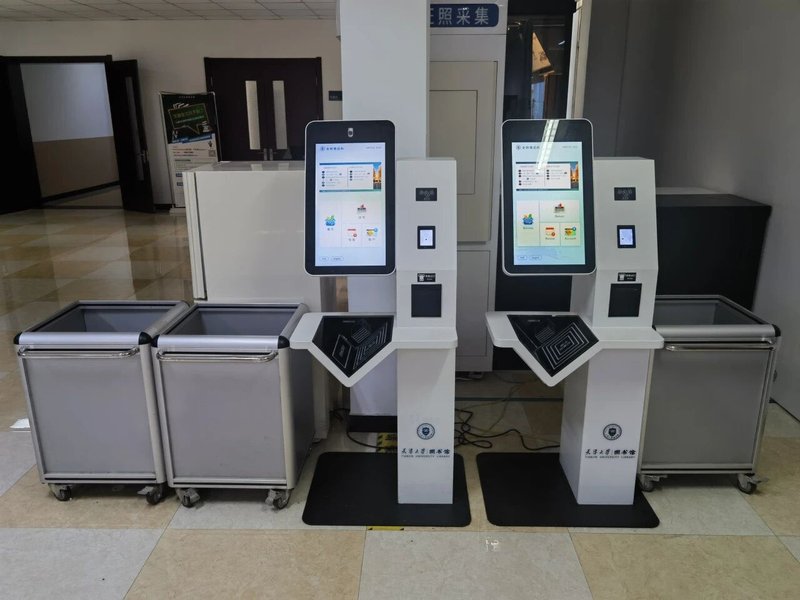
Q2: Can a library kiosk support both barcode scanning and RFID tag reading simultaneously?
Yes, hybrid configurations combining barcode scanners and RFID reading beds can be engineered based on project needs. However, simultaneous operation requires verifying compatibility across hardware readers, physical book tags, and software middleware.
Q3: Must library kiosks be connected to the Library Management System (ILS)?
Yes. To authenticate patron credentials, verify book availability, and instantly update circulation records, kiosks require continuous communication with the library management system via protocols like SIP2 or web APIs.
Q4: Should a library choose floor-standing or desktop/countertop kiosks?
Floor-standing kiosks are ideal for main entrance halls, circulation lobbies, and high-traffic thoroughfares where multi-modular integration is desired. Desktop or countertop kiosks are better suited for compact service counters, study areas, or space-constrained branch libraries. The choice depends on floor space, usage frequency, and budget.
Q5: How can libraries minimize routine kiosk maintenance complexity?
Select hardware with modular internal layouts, tool-free consumable loading, robust commercial-grade components, and remote device monitoring capabilities, backed by structured preventative maintenance routines.
Conclusion
The true value of a library self-service kiosk extends beyond shortening counter queues; it transforms everyday borrowing, returns, and information inquiries into an effortless, self-paced patron experience. For libraries, choosing the right hardware configuration, ensuring robust system compatibility, and prioritizing user experience and long-term serviceability will ensure that self-service technology delivers enduring value to daily library operations.
Looking for customized Library Self-Service Kiosk hardware, commercial touchscreen displays, or OEM/ODM self-service solutions? Feel free to contact the ZXTLCD engineering team for free consultations, product specifications, and tailored volume pricing.
Deploying a Self-Service Solution?
To elevate customer experience and streamline ordering or ticketing workflows, explore our AI Self Service Terminal with Large Touchscreen or the versatile Self Service Kiosk for Cinema & Ticketing. For custom hardware integrations, discover our complete line of Custom Self-Service Kiosks or consult our engineering team for sample evaluation.


