Cafeterias can use guided self-service to move large groups through ordering and payment with fewer manual steps.

In today’s fast-paced modern life, improving dining efficiency and experience has become a shared focus for cafeteria managers and guests alike. To meet this need, Xiongwei Technology’s self-ordering and payment equipment has emerged. With its versatility, convenience, and intelligence, it is gradually transforming the traditional cafeteria ordering model and bringing diners an unprecedented convenient experience.
Equipment Overview
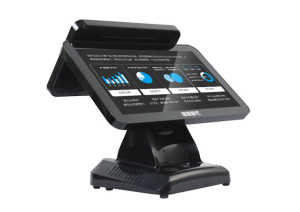
Xiongwei Technology’s self-ordering and payment equipment runs on an advanced Android system and supports desktop or wall-mounted installation, flexibly adapting to different cafeteria layouts. Its design is clean and elegant, and the interface is friendly and intuitive – even first-time users can get started quickly.
Main Functions
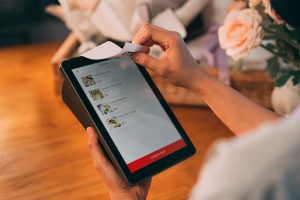
Self-service top-up and order number pickup: Diners can easily top up their accounts via the self-ordering kiosk without queuing for manual service. The device also supports order number pickup: with a few simple taps, diners receive their meal number, effectively eliminating the queues typical of traditional ordering models.
Diversified payment methods: To meet different diners’ payment needs, the kiosk supports card payment, QR code scanning, facial recognition, and other payment methods. Diners can choose the most suitable method according to their preferences and habits, greatly improving payment convenience and security.

Account transaction history and balance inquiries: Through the kiosk, diners can check their account transaction history and balance at any time. This feature not only helps diners better manage their food budget but also effectively avoids the embarrassment of an insufficient account balance.
Dish nutrition information and dietary advice: The kiosk has built-in, rich dish nutrition information and dietary advice functions. While ordering, diners can easily view the nutritional content and calories of selected dishes and make more sensible choices based on their health status and dietary needs. This feature not only raises diners’ dietary health awareness but also helps promote menu diversification in cafeterias.
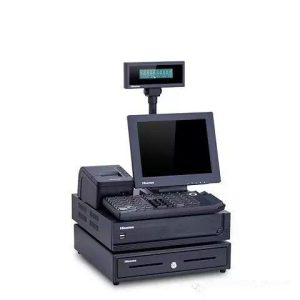
Receipt printing: For reimbursement or record-keeping, the kiosk supports receipt printing. After completing payment, diners can choose to print a receipt, ensuring every transaction is documented.
Application Scenarios
This Xiongwei Technology self-ordering and payment equipment is particularly suitable for self-service ordering and checkout scenarios in cafeteria dining halls. By introducing self-ordering kiosks, cafeterias can effectively reduce queues, improve dining efficiency, and enhance the dining experience.
The emergence of the cafeteria self-ordering kiosk marks a historic innovation in cafeteria ordering. With its versatility, easy operation, and intelligent features, it is gradually reshaping people’s dining habits. Looking ahead, as technology continues to advance and guest needs grow ever more diverse, cafeteria self-ordering kiosks are expected to see wider application and adoption, delivering an efficient, convenient new dining experience to more diners.

Practical Conclusion
A cafeteria self ordering kiosk can organize menu selection, payment and meal collection while reducing congestion during concentrated dining periods. The final configuration should be verified against the real menu, transaction flow, installation space and support plan before deployment.
Deployment and Operating Checks
Planning for cafeteria self ordering kiosk should begin with the actual service flow rather than a generic demonstration setup. Before launch, test the workflow associated with cafeteria self ordering kiosk during realistic peak demand and confirm how staff will assist users. Documentation for cafeteria self ordering kiosk should cover cleaning, updates, network recovery and peripheral checks. A deployment involving cafeteria self ordering kiosk should pass consistent information to payment and back-office systems.
Explore related hardware configurations in the self-service kiosk product range.
Deploying a Self-Service Solution?
To elevate customer experience and streamline ordering or ticketing workflows, explore our AI Self Service Terminal with Large Touchscreen or the versatile Self Service Kiosk for Cinema & Ticketing. For custom hardware integrations, discover our complete line of Custom Self-Service Kiosks or consult our engineering team for sample evaluation.