

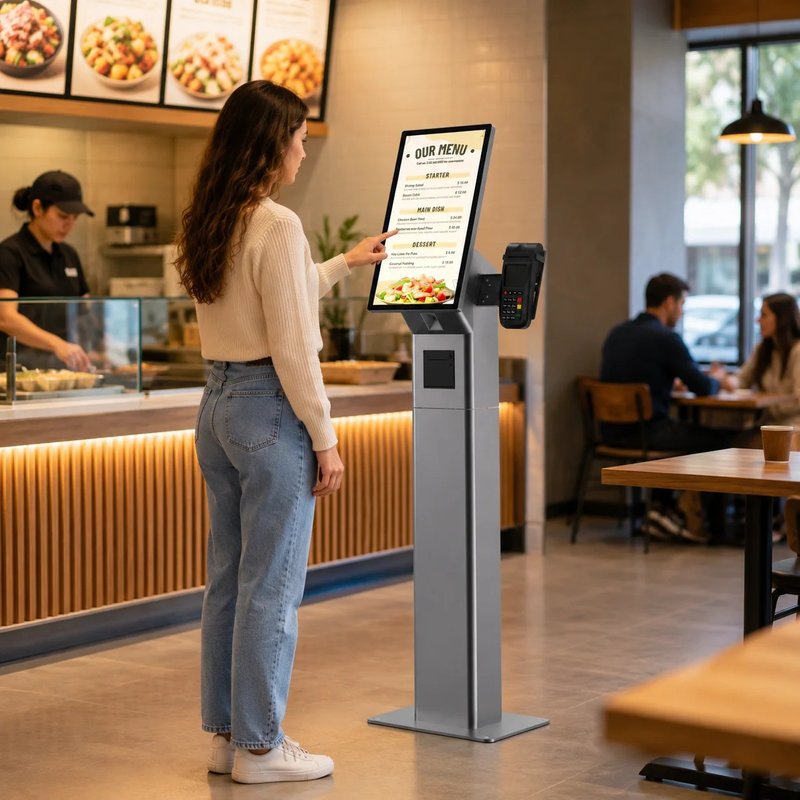
Deploying a high-performance Financial Document Printing Kiosk provides commercial dining and retail venues with an advanced automated workflow. Bank account statements are essential financial documents required for personal budgeting, corporate accounting, mortgage or visa applications, and legal verifications. With financial institutions accelerating branch digital transformation, transactions previously restricted to manual counter tellers can now be handled independently via specialized self-service kiosks.
Bank statement printing kiosks integrate identity authentication, real-time account data retrieval, and document printing into a single automated terminal. Following clear on-screen prompts, banking customers can independently query and print official transaction statements. For banking branches, these kiosks effectively divert high-frequency, standardized inquiries away from teller counters, drastically reducing counter congestion.
How to Operate a Bank Statement Printing Kiosk? with a Financial Document Printing Kiosk
While user interfaces and operational permissions vary slightly across banking institutions, customer workflows follow standardized protocols displayed on-screen. Generally, the customer begins by selecting “Account Details Inquiry” or “Print Bank Statement” on the main touchscreen, followed by identity verification.
Once authentication succeeds, the kiosk interfaces with the core banking system to display authorized accounts and transaction histories. The user selects the desired date range (e.g., past 3 months, 6 months, or 1 year) and reviews query parameters before printing. If details need adjustment, the user can navigate back to modify filters.
After confirming parameters, the user taps “Print Statement.” The kiosk’s integrated industrial laser or dot-matrix printer generates the statement document according to data returned by the banking backend. Upon completion, the customer should inspect the printed sheets to ensure account numbers, date ranges, and transaction entries are completely legible, and promptly retrieve their national ID card, bank card, and printed documents.
Not all banking kiosks share identical hardware capabilities. Some compact terminals offer digital inquiries only, while larger multi-function kiosks feature high-capacity document printing. If the kiosk fails to recognize an account, cannot retrieve specific historical periods, or if an embossed physical red ink stamp is legally mandated, customers should consult bank staff for counter assistance.
What Should You Keep in Mind When Printing Bank Statements at a Kiosk?
Before printing, verify the precise date range required and check whether receiving institutions (such as embassies, mortgage lenders, or tax authorities) require specific formatting, official colored watermark paper, or physical branch stamp seals. Standard automated printouts may not satisfy every strict evidentiary submission standard; verify specific requirements with your account branch beforehand.
During operation, authenticate identity strictly following screen prompts, shielding your PIN pad and never sharing your banking password or one-time verification codes with bystanders. If the kiosk experiences card retention, paper jams, or system timeouts, never attempt to force open the machine enclosure; notify branch personnel immediately.
After printing, verify that no personal cards or receipts are left behind, and store printed financial statements securely to protect sensitive financial privacy.
Why Do Banks Deploy Bank Statement Printing Kiosks?
In retail bank branches, account inquiry and transaction statement printing represent a massive portion of daily walk-in traffic. When customers must queue for teller windows, branch staff spend excessive time on repetitive clerical tasks, causing lobby bottlenecks during peak hours.
Self-service kiosks transfer standardized, high-volume transactions to automated hardware. Customers independently authenticate, verify details, and print statements, allowing counter tellers to concentrate on higher-value advisory services, wealth management, and complex loan applications requiring human underwriting.
However, maximizing branch efficiency depends on seamless core banking integration, backend security permission configurations, clear lobby wayfinding, and dependable hardware maintenance. Simply deploying physical hardware without workflow optimization does not guarantee automated success.
What Essential Functions Must a Bank Statement Printing Kiosk Possess?
Handling confidential financial data requires kiosks to deliver not only an intuitive user interface, but also bank-grade hardware encryption and multi-factor identity authentication. Specific configurations must adhere to financial industry data security standards.
From a hardware perspective, kiosks typically feature commercial touchscreens, multi-credential readers (smart IC card readers, magnetic stripe readers, national ID card scanners), motorized passbook/A4 statement printers, and encrypted PIN pads (EPP). In high-traffic urban branches, thermal and laser printing speed, high-capacity paper trays, automated paper-out sensing, and modular component access are paramount.
Display size and human-machine interaction ergonomics also dictate adoption rates. Screens should present legible fonts, high contrast, and intuitive prompts to accommodate users of all age groups. Multi-function bank kiosks require modular internal engineering that balances component spacing with effortless front- or rear-access technician maintenance.
How to Select the Right Bank Self-Service Kiosk Terminal?
Financial hardware procurement requires evaluating hardware durability, financial middleware compatibility, and physical branch layout requirements. Prior to hardware manufacturing, define the full scope of transactions the terminal will process, and specify screen dimensions, printing technologies (high-speed laser A4 or dual-feed thermal), credential recognition modules, chassis anti-tamper security, and core banking network protocols.
If the bank operates established communication middleware and device interface standards, the kiosk hardware vendor must demonstrate verified compatibility rather than relying merely on cosmetic chassis styling. All modules handling financial and personal identity data must undergo security compliance certification and rigorous penetration testing.
For fleet deployments across regional branches, evaluate lobby footprint, customer queuing ergonomics, consumable replenishment cycles, and vendor warranty SLAs. A properly engineered self-service solution aligns hardware with bank operational workflows to deliver measurable productivity gains.

Conclusion
Bank statement printing self-service kiosks streamline routine account inquiries and financial statement generation, offering bank branches an effective tool for offloading counter congestion. For bank patrons, mastering basic kiosk operations, verifying submission requirements, and guarding personal financial data prevents unnecessary delays and protects privacy.
For financial institutions and hardware procurement teams, kiosk selection extends beyond sleek casing designs to encompass core banking compatibility, multi-factor credential authentication, high-duty printing mechanisms, operational uptime, and preventative maintenance support. Integrating reliable commercial hardware with secure banking workflows is the key to delivering exceptional branch self-service.
Frequently Asked Questions (FAQ)
Q1: Can all bank self-service kiosks print bank statements?
No. Hardware capabilities vary across branch models. Some compact lobby kiosks provide digital inquiries and balance checks only, while larger multi-function kiosks integrate high-capacity document printers. Check the on-screen menu or consult branch staff before queueing.
Q2: Are statements printed from self-service kiosks legally recognized for official applications?
In most cases, yes, especially when printed on specialized pre-printed bank stock or accompanied by an electronically printed verification QR code and bank digital seal. However, certain legal filings, visa applications, or audit processes may mandate an embossed physical branch ink stamp; verify specific criteria with the requesting organization.
Q3: What should I do if a bank statement printing kiosk encounters an error?
If the machine jams paper, fails to print, retains your bank card, or freezes during a transaction, inform branch staff immediately. Never attempt to pry open the kiosk enclosure or disclose your PIN to unauthorized individuals.
Q4: Can bank statement printing kiosks be customized for specific branch requirements?
Yes. Kiosks can be customized with tailored touchscreen sizes, high-capacity laser printer engines, dual-sided scanners, motorized card readers, and bespoke chassis finishes. Final implementation depends on core banking API specifications and bank information security compliance standards. In summary, integrating a reliable Financial Document Printing Kiosk solution reduces operational labor costs, shortens customer wait times, and maximizes store throughput.
Looking for customized Financial Document Printing Kiosk hardware, commercial touchscreen displays, or OEM/ODM self-service solutions? Feel free to contact the ZXTLCD engineering team for free consultations, product specifications, and tailored volume pricing.
Deploying a Self-Service Solution?
To elevate customer experience and streamline ordering or ticketing workflows, explore our AI Self Service Terminal with Large Touchscreen or the versatile Self Service Kiosk for Cinema & Ticketing. For custom hardware integrations, discover our complete line of Custom Self-Service Kiosks or consult our engineering team for sample evaluation.


