

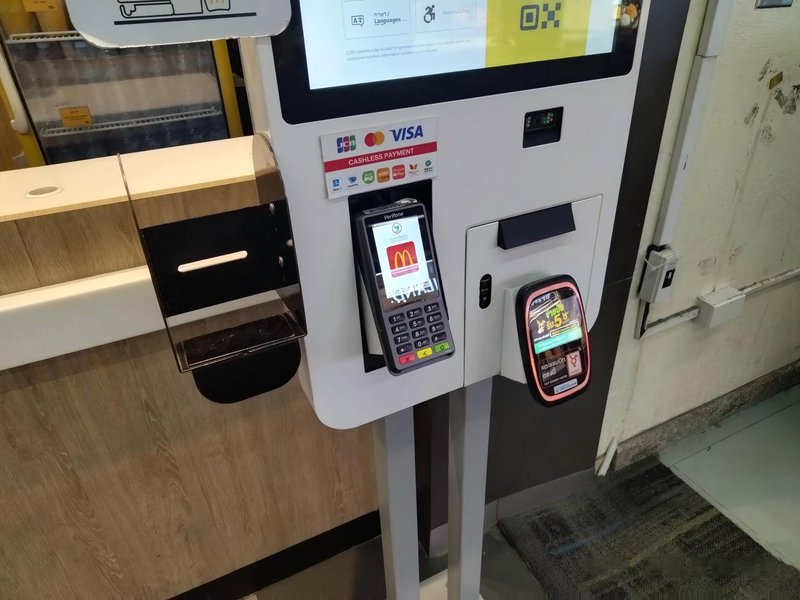
Deploying a high-performance Self-Checkout Machine Maintenance Cost provides commercial dining and retail venues with an advanced automated workflow. Self-checkout machines are widely used in supermarkets, convenience stores, restaurants, and retail spaces. Once deployed, components such as touchscreens, barcode scanners, receipt printers, host control systems, and payment modules may all require routine maintenance. Therefore, maintenance costs are not fixed; they depend heavily on the kiosk’s hardware architecture, usage frequency, failure types, and the scope of after-sales service.
Self-Checkout Machine Maintenance Cost: 1. Where Do Self-Checkout Maintenance Costs Mainly Come From?
Routine Cleaning and Inspection
Regularly cleaning the touchscreen, checking cable connections, and verifying that scanning and printing functions operate normally constitute fundamental maintenance work. Standardized daily care helps detect issues early and prevents avoidable equipment breakdowns.
Hardware Repair and Component Replacement
When components such as touchscreens, thermal printers, barcode scanners, and power supply units fail, they may need repair or replacement. Because different components vary in structure, supply availability, and repair difficulty, actual expenses will differ accordingly.
Software and System Maintenance
Self-checkout terminals may require software updates, system configuration adjustments, payment interface maintenance, and backend connectivity troubleshooting. If the kiosk relies on third-party software or external cloud services, businesses should verify whether related technical support is covered within the original service agreement.
On-Site Technical Support
If an issue cannot be resolved remotely, on-site technician dispatch may be required. Equipment location, failure complexity, and service contract terms all influence the scheduling and overall cost of maintenance operations.
2. What Factors Affect Long-Term Maintenance Costs?
Equipment usage frequency is a major factor. High-throughput machines typically require more regular cleaning and functional inspections, while components such as printer mechanisms experience greater wear and tear from frequent operation.
The operating environment is equally critical. Environments with heavy dust, poor ventilation, or exposure to liquid spills can increase the difficulty of cleaning and troubleshooting. Therefore, during hardware selection, ensure the kiosk’s protective design matches the actual deployment environment.
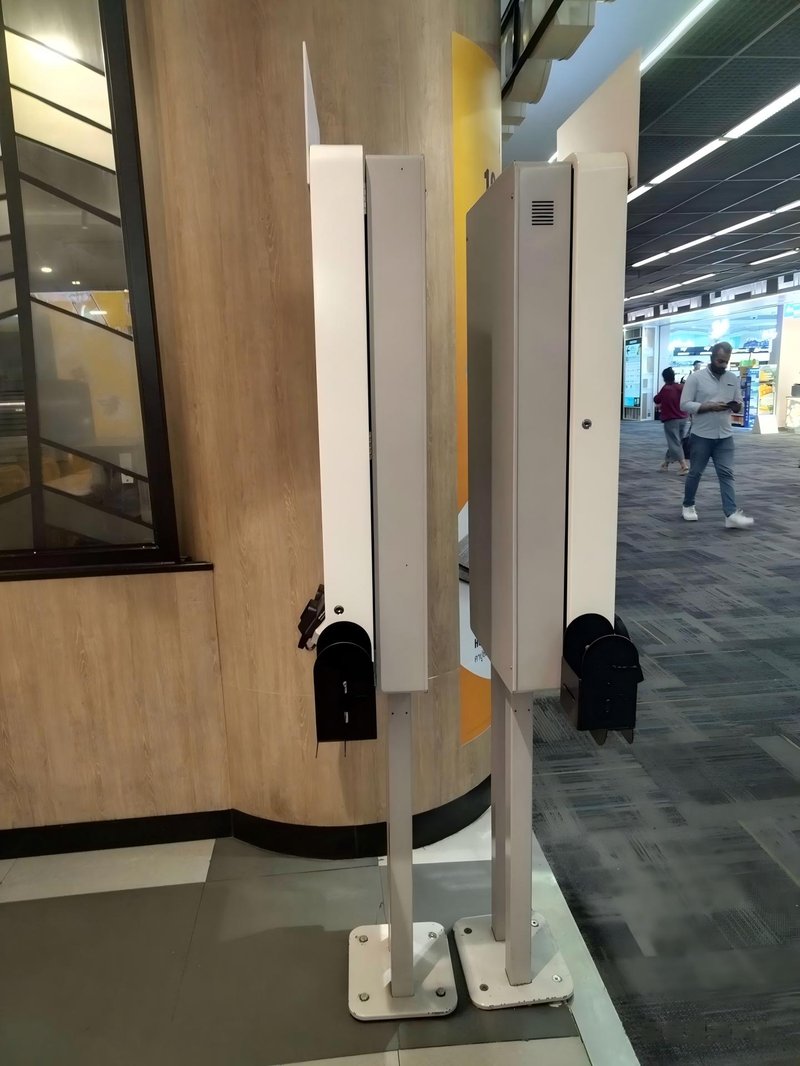
Additionally, structural design, spare parts availability, software compatibility, and serviceability directly impact maintenance efficiency. Modular designs where common wear parts can be easily inspected and replaced generally simplify long-term management.
3. How to Lower Self-Checkout Kiosk Maintenance Costs?
First, establish a daily inspection routine to check the operating status of touchscreens, barcode scanners, printers, and network connections, preventing minor issues from escalating over time.
Second, understand the warranty coverage, spare parts supply, software update schedules, and technical support channels before purchasing. Clearly define which maintenance duties belong to the equipment vendor and which fall under the merchant’s daily operational responsibilities.
For multi-store deployments, standardizing hardware configurations, maintenance workflows, and issue tracking logs helps improve troubleshooting efficiency. Periodically analyzing recurring failure patterns also helps managers determine whether installation environments need adjustment or hardware specifications require optimization.
4. Key Considerations Before Purchasing
When evaluating self-checkout machines, do not focus solely on initial hardware pricing; evaluate the long-term maintenance requirements as well. Confirm whether the kiosk is easy to clean, whether peripheral modules allow quick field replacement, whether the OS/system is compatible with existing POS software, and what technical support channels are available when failures occur.
If the machine needs integration with payment terminals, inventory databases, or store management ERP platforms, clarify post-integration maintenance responsibilities in advance. Defining these scopes clearly prevents unexpected operational and financial burdens after deployment.
Frequently Asked Questions (FAQ)
Q1: Do self-checkout machines require frequent repairs?
Not necessarily. Actual maintenance requirements depend on build quality, usage frequency, operating environment, and daily upkeep. Routine inspections help identify potential issues before downtime occurs.
Q2: What does a self-checkout machine warranty typically cover?
Coverage varies by manufacturer and service contract. Prior to purchasing, confirm the terms governing hardware warranties, parts replacement, software support, technician labor, and shipping expenses.
Q3: Can self-checkout faults be repaired remotely?
Certain software, networking, and system configuration issues can be diagnosed and resolved remotely. However, issues involving damaged screens, printers, power supplies, or physical hardware components generally require on-site servicing or parts replacement.
Q4: How can one determine if a kiosk is easy to maintain long-term?
Evaluate the hardware’s structural design, ease of modular component replacement, spare parts supply stability, system software compatibility, and after-sales service agreements. Inquiring about standard troubleshooting protocols prior to purchase is also highly recommended. In summary, integrating a reliable Self-Checkout Machine Maintenance Cost solution reduces operational labor costs, shortens customer wait times, and maximizes store throughput.
Looking for customized Self-Checkout Machine Maintenance Cost hardware, commercial touchscreen displays, or OEM/ODM self-service solutions? Feel free to contact the ZXTLCD engineering team for free consultations, product specifications, and tailored volume pricing.
Deploying a Self-Service Solution?
To elevate customer experience and streamline ordering or ticketing workflows, explore our AI Self Service Terminal with Large Touchscreen or the versatile Self Service Kiosk for Cinema & Ticketing. For custom hardware integrations, discover our complete line of Custom Self-Service Kiosks or consult our engineering team for sample evaluation.


