

Deploying a modern POS Cash Register Maintenance has become a vital strategic step for businesses aiming to optimize workflow. Although operating procedures may vary across different POS cash registers, the core requirements for maintenance and equipment care remain fundamentally consistent. In general, operators must adhere to the following key principles:
1. Keep the Machine Exterior Clean: Never stack items or personal belongings on the cash register; ensure effective protection against water, dust, and grease.
2. Separate Power Transformers and UPS Units: Power adapters, transformers, and Uninterruptible Power Supply (UPS) units must be spaced apart to prevent overheating, which can lead to equipment burnout.
3. Handle with Care: Operate the equipment gently; pay special attention to opening and closing the cash drawer smoothly to avoid severe vibrations.
4. Ensure Secure Cable Connections: Power cables and communication cords must be securely connected and fastened. Do not move the machine arbitrarily or disassemble internal components without authorization.
5. Observe Proper Power Cycles: After powering down and shutting off electricity, wait at least one full minute before turning the unit back on. Avoid frequent power cycling. Frequently inspect printer ribbons/thermal paper rolls, replace them promptly, and keep the printer mechanism clean.
6. Clean the Equipment Regularly: Perform routine cleaning to eliminate dust accumulation and remove surface stains.
7. Designate Maintenance Personnel: Each store should designate a specific staff member responsible for daily maintenance, ensuring they are trained to troubleshoot basic faults, replace consumables promptly, and guarantee smooth operational continuity.
8. Enforce Accountability and Audits: The company will conduct unscheduled inspections across store locations regarding operation and maintenance practices. Non-compliance with operational procedures may result in financial penalties. Any hardware damage caused by improper human operation must be repaired at the responsible party’s expense.
Many store clerks operate POS cash registers without knowing how to handle them safely, leading to frequent equipment breakdowns and downtime. Mastering the proper, safe usage of cash registers and adhering to safety principles is a prerequisite for ensuring smooth business operations. How should a POS cash register be operated safely and correctly? Safe usage encompasses daily proper handling, routine management, and safe fault handling.

I. Daily Proper Usage and Operational Management of Cash Registers with a POS Cash Register Maintenance
1. Daily Surface Cleaning: Cashiers must clean the cash register and associated peripherals daily.
2. Monthly Deep Cleaning by Specialists: Deep cleaning of keyboards, receipt printers, and inner housing covers should be handled by designated technical personnel at least once a month.
3. Gentle Input and Display Handling: Do not pound on the keyboard. Avoid rotating or twisting the customer-facing display arbitrarily, as this can easily loosen, fatigue, or snap the internal video and data cables.
4. Correct Power-On and Power-Off Sequences: When powering on, turn on the UPS unit first, then switch on the main POS terminal. When shutting down, exit the POS software system first, switch off the host terminal power, turn off the UPS, and finally cover the cash register with a dust cover. This is a critical safety rule; following the correct sequence protects sensitive circuit boards and extends equipment lifespan.
5. Maintain a Clean, Dry Perimeter: Never place miscellaneous objects on top of the cash register. Strictly keep liquids, beverages, and wet items away from the terminal area to prevent accidental spills from penetrating the chassis.
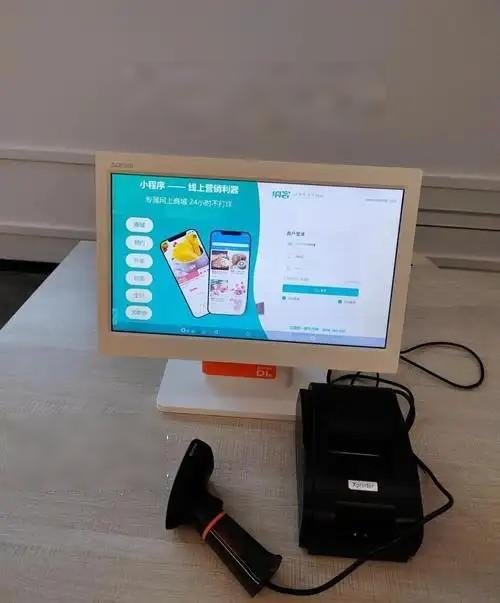
II. Safe Troubleshooting and Fault Handling for Cash Registers
1. Avoid Rapid Power Cycling and Cable Tampering: Strictly forbid turning the machine on and off repeatedly in rapid succession. Do not unplug, replug, or move power cords and data cables on the rear I/O panel without technician authorization.
2. Immediate Action on Liquid Ingress: If liquid accidentally spills into the cash register, immediately cut off the power supply, disconnect the mains, and report the incident to professional technicians for inspection and repair.
3. Preserve the Scene and Report Faults Promptly: When a system or hardware failure occurs, immediately notify technical support for on-site diagnosis and preserve the error state on screen to assist troubleshooting.
4. Safe Peripheral Handover: If associated peripheral hardware fails, promptly inform IT technicians and submit the defective module to the IT/computer department for certified maintenance.
Mastering proper and safe POS operating practices not only preserves equipment quality and extends service life, but also ensures workplace safety. Understanding and enforcing these guidelines is vital for every retail and dining operator. In summary, integrating the right POS Cash Register Maintenance provides long-term operational resilience, reduced labor friction, and enhanced customer satisfaction.
Looking for customized POS Cash Register Maintenance solutions, commercial touchscreen displays, or OEM/ODM self-service hardware? Feel free to contact the ZXTLCD engineering team for free consultations, product samples, and tailored technical specifications.
Deploying a Self-Service Solution?
To elevate customer experience and streamline ordering or ticketing workflows, explore our AI Self Service Terminal with Large Touchscreen or the versatile Self Service Kiosk for Cinema & Ticketing. For custom hardware integrations, discover our complete line of Custom Self-Service Kiosks or consult our engineering team for sample evaluation.


