

Primary Functions of Store Cash Registers with a Electronic Cash Register Care
Electronic Cash Register Care: 1. Front-desk checkout and cashier processing for retail POS systems
Deploying a modern Electronic Cash Register Care has become a vital strategic step for businesses aiming to optimize workflow. 2. Inventory management (inbound, outbound, and stock levels) for store POS systems
3. Member and customer loyalty management for retail POS systems
Therefore, the cash register is one of the most critical operational assets in any store. Every day’s revenue flows through and is processed by the cash register. If dust accumulation is neglected and regular maintenance is overlooked, dirt and grime will gradually corrode the keyboard, host chassis, and delicate IC circuit boards over time—ultimately disrupting store performance and sales.
Today, we bring you a practical guide on cleaning dust and executing daily maintenance for cash register keyboards, displays, and host terminals. Only by keeping the hardware clean and properly maintained can the machine operate stably over the long haul, effectively extending equipment lifespan and empowering store owners to run worry-free operations.
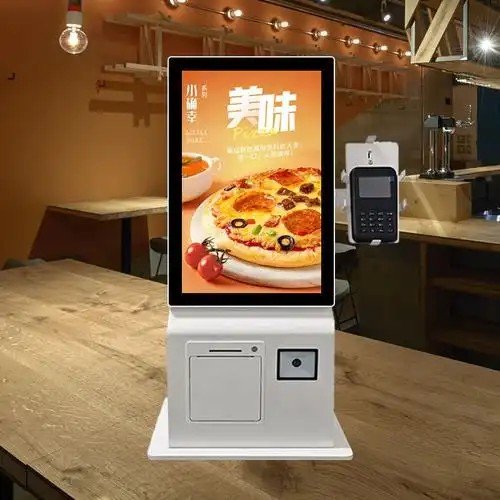
Daily Precautions for Traditional Cash Registers
Display & Peripheral Maintenance Precautions
1. Cashiers should wipe down the exterior casing, monitor bezels, and keyboard daily using a lightly damp microfiber cloth.
2. Always power off and disconnect electricity before cleaning the cash register. Dust particles in tight screen bezels and gaps can be cleared using a soft-bristled brush.
3. The display screen is an LCD panel and should not be scrubbed aggressively or excessively. When cleaning the screen, it is recommended to use specialized screen cleaning solution. Spray the solution lightly onto the display surface, then gently wipe away dust and fingerprints with a clean, soft microfiber cloth.
4. Do not affix adhesive notes or tape onto the cash register housing or screen bezels, as adhesive residue attracts dirt and can damage surfaces.
5. Ventilation grilles and heat-sink vents tend to accumulate the heaviest dust. When cleaning, first brush away loose dust along the ventilation slots using a soft brush, and then gently wipe the area clean with a slightly damp microfiber cloth.
6. Crucially, the magnetic card reader track also requires periodic cleaning. In the absence of specialized cleaning cards, wrapping a clean sheet of paper around a magnetic card and swiping it gently through the slot can effectively wipe away dust along the magnetic read head—a simple and practical trick for on-site staff.
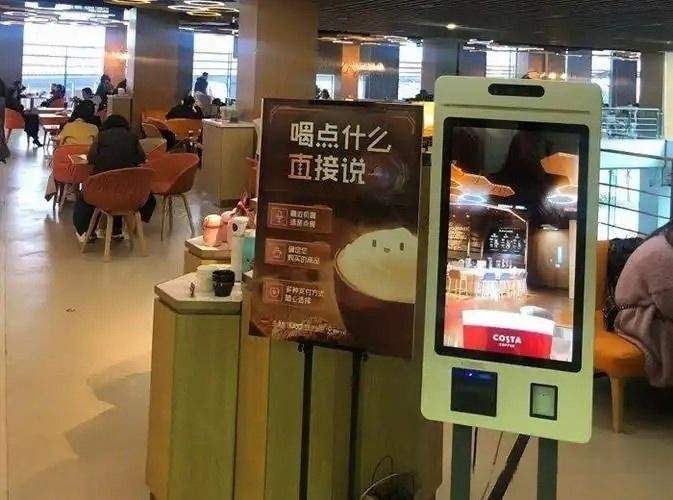
Essential Maintenance Guidelines for Self-Service Cash Registers
1. Environmental Controls
The operating environment should be neither excessively humid nor excessively dry; temperatures must avoid extremes; air should be clean; and the installation surface must be free from mechanical vibration. The optimal operating temperature is 0°C to 40°C, with a relative humidity between 30% and 80%. Conditions outside these ranges will degrade hardware lifespan, impair system performance, and may even cause electrical safety hazards.
2. Stable and Secure Placement
Position the kiosk on a flat, sturdy surface according to installation guidelines. Ensure the unit is firmly secured and free from shaking or wobbling.
3. Proper Power-On and Shutdown Procedures
By default, the device powers on automatically upon receiving electrical input. Connect all external peripheral cables first, and then plug in the main power source to initiate boot-up. When powering down, press the side power button and select “Shut Down” via the touchscreen prompt. Never force a hard shutdown or yank the power plug abruptly. If power is cut suddenly while the system is performing active disk read/write operations, system files may become corrupted, resulting in boot failures.
4. Routine Power Cycles During Extended Storage
If the self-service terminal remains unused for an extended period, it is best to power it on for at least 30 minutes once every month to dissipate internal chassis moisture. Alternatively, wrap the unit in protective packaging with several packs of desiccant inside to prevent moisture damage to internal electronic components.
5. External Dust Removal Guidelines
The hardware enclosure features engineered dust-resistant construction, so routine maintenance typically requires cleaning only external dust. Note: Never spray water directly onto electronic equipment, never expose it to liquid splashes, and never use a dripping-wet cloth to clean the machine. In summary, integrating the right Electronic Cash Register Care provides long-term operational resilience, reduced labor friction, and enhanced customer satisfaction.
Looking for customized Electronic Cash Register Care solutions, commercial touchscreen displays, or OEM/ODM self-service hardware? Feel free to contact the ZXTLCD engineering team for free consultations, product samples, and tailored technical specifications.
Deploying a Self-Service Solution?
To elevate customer experience and streamline ordering or ticketing workflows, explore our AI Self Service Terminal with Large Touchscreen or the versatile Self Service Kiosk for Cinema & Ticketing. For custom hardware integrations, discover our complete line of Custom Self-Service Kiosks or consult our engineering team for sample evaluation.


