Key Points for Using and Maintaining Embedded Touch Displays
Due to technological limitations and differing equipment environments, the screen of an embedded touch display may fail to work properly because of contamination from water droplets, dust, and so on. Therefore, touch screens, like ordinary machines, require regular care and maintenance. Moreover, since a touch screen is a highly integrated all-in-one touch device combining multiple electrical components, the following issues should be noted during use and maintenance. Here we share the key points for using and maintaining embedded touch displays:
Before powering on, wipe the screen with a soft, dry cloth;
2. Use glass cleaner to clean dirty fingerprints and oil stains from the touch screen of the embedded touch display;
3. Strictly follow the prescribed procedures when switching the power on and off; when shutting down, proceed in the reverse order;
4. A well-designed touch screen application does not need a mouse cursor, as the cursor only distracts the user's attention;
5. Choose the simplest anti-mouse mode sufficient for your application, because more complex modes sacrifice response time and system resources;
6. The touch screen of an embedded touch display is a human-machine interface all-in-one unit that generates considerable heat, so cooling measures must be taken for the touch screen body and its surrounding environment;
7. The touch screen controller can automatically detect dust, but excessive dust accumulation will reduce the touch screen's sensitivity; simply wipe the screen clean with a dry cloth;
8. Water droplets or beverages spilled on the screen will cause the software to stop responding, because water droplets have characteristics similar to those of a finger; the water must be wiped away;
9. A large number of temporary files build up on the hard disk. If you frequently experience power interruptions or shut down the computer directly without exiting Windows, hard disk errors will quickly occur. Run Scandisk regularly to scan the hard disk for errors. Ideally, the application should be configured to require a password to exit the application and Windows before cutting the power;
10. Depending on how harsh the environment is, periodically open the display head to clean the reflective strips and inner surface of the embedded touch display's touch screen. The specific method is as follows: open the cover plates on both sides inside the unit to find the mechanism that releases the latch locking the front of the display head; trigger the mechanism to release the latch, then lift the front of the display head. You will see the control card of the embedded touch display's touch screen; unplug the touch screen cable and slide the display head backward to remove the display head and touch screen. After carefully noting how the touch screen is fixed, remove the touch screen for cleaning. Do not use stiff paper or hard cloth, and do not scratch the reflective strips. Finally, reassemble the display head in the reverse order and according to the original structure.
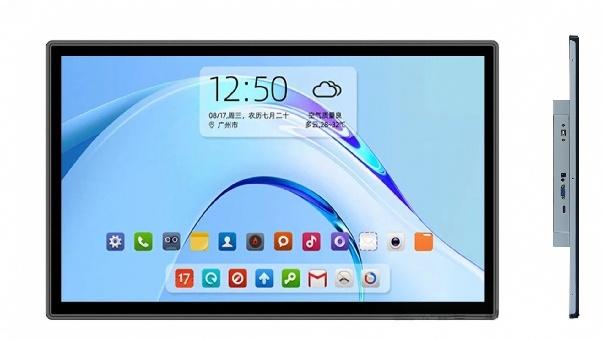
For project planning, embedded touch display maintenance should be evaluated together with mounting structure, touch technology, interfaces, environmental conditions, and maintenance needs.
When specifying embedded touch display maintenance, integrators should match the configuration to the installation space, host system, viewing conditions, and expected operating cycle.
ZXTLCD can configure embedded touch display maintenance around project-specific requirements such as brightness, touch method, interfaces, mounting design, and environmental protection.
Looking for Reliable Industrial Displays?
If you need an industrial-grade touch monitor for harsh environments, control cabinets, or technical test benches, explore our 15.6-Inch Industrial Touch Screen Display or the compact 10.1-Inch PCAP Touch Monitor designed for precision equipment. You can also browse our full line of Custom Embedded Displays with complete OEM/ODM manufacturing support.