

Give Guests a Clear Service Point Beyond the Front Desk
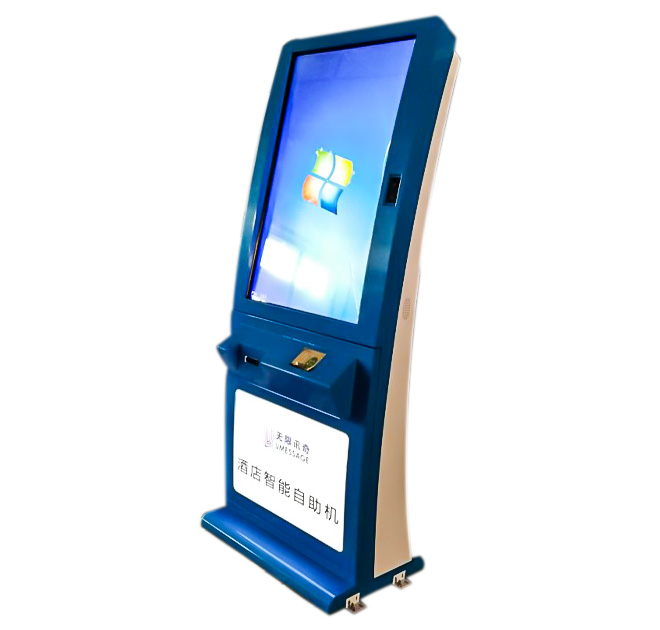
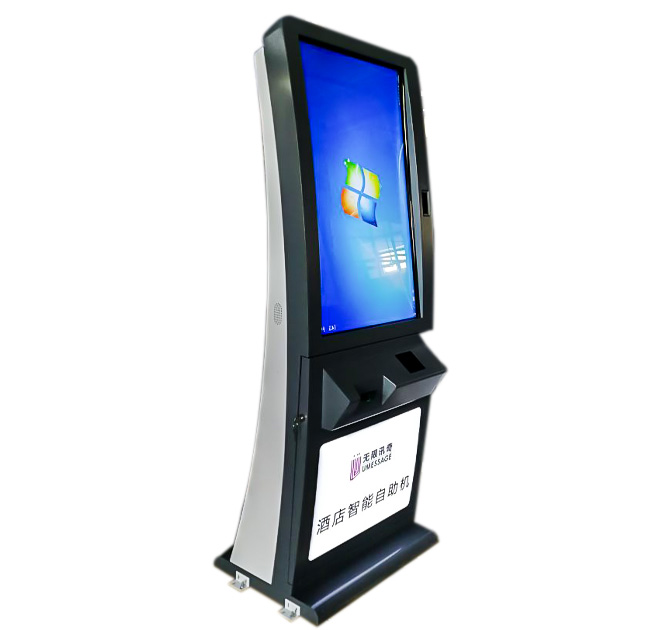
A hotel self service kiosk can help guests find approved information and begin routine service requests without waiting at reception. It is designed for lobbies, shared guest areas and other supervised indoor spaces where travelers need quick access to hotel services. The terminal can support a branded, multilingual journey for amenity information, local guidance, room-service access or a handoff to staff, depending on the software selected for the project.
The objective is not to remove hospitality from the guest experience. It is to make simple interactions easier while preserving staff time for requests that need personal attention. A well-planned kiosk gives guests another option during busy arrival periods, late hours or moments when the front desk is handling more complex cases.
Organize Content Around the Guest’s Stay
Hotel content should be concise and situational. Guests may want to review restaurant hours, learn where an amenity is located, find transport information or start a room-service request. The opening screen should prioritize the most common tasks and avoid presenting a long directory. Each path should explain what will happen next, especially when a request is passed to a hotel system or employee.
For international properties, language selection should appear early and remain easy to change. Brand tone, property photography and service names can be adapted to the hotel. A self service kiosk can use the same approved terminology as the hotel website or guest app, helping travelers move between channels without learning a different process.
Define Room-Service Integration Before Hardware Approval
Room-service ordering requires more than a menu on a screen. The property must decide how a guest identifies the room, how the order reaches the appropriate team, how availability is updated and how payment or room charging is handled. These functions depend on the chosen hotel, restaurant and payment systems and are not assumed to be included by default.
Before production, the buyer should document required interfaces, authentication rules, data fields and failure handling. If the system cannot complete a request, the interface should provide a clear route to staff assistance. Session timeouts and automatic clearing are also important when guest details appear on a shared terminal.
Plan the Lobby Installation Carefully
The physical location should be visible without narrowing guest circulation. Procurement teams should review floor space, screen height, power, network access and cleaning requirements. Accessibility and comfortable reach should be considered alongside the hotel’s interior design. Enclosure color, logo treatment and interface graphics can be coordinated with the property brand.
A pilot installation is useful for observing whether guests understand the menu structure and whether employees receive requests in the expected format. Feedback can be applied before a chain-wide rollout. For multiple properties, standardized hardware can be combined with localized content, languages and service menus.
Prepare for Daily Hotel Operations
Ownership must be clear after installation. Hotel teams need a process for updating hours and amenities, cleaning the unit, reporting faults and supporting guests. The solution provider should define remote management, software maintenance and network monitoring requirements. Spare-part planning and installation documentation can reduce downtime across a larger estate.
Hotels should also decide how the kiosk will be introduced to guests. Signage, pre-arrival messages and staff prompts can explain which services are available without making the terminal feel compulsory. During the pilot, the property can compare usage by time of day and language, then adjust the home screen so the most relevant options remain easy to reach.
Share the property type, intended guest journeys, software environment, required languages, branding files and forecast quantity with ZXT LCD. The team can review a self service kiosk configuration for the hotel and quote the confirmed enclosure, integration provisions and customization scope. Distributors and hotel technology partners can also discuss samples, phased deployment and project documentation.