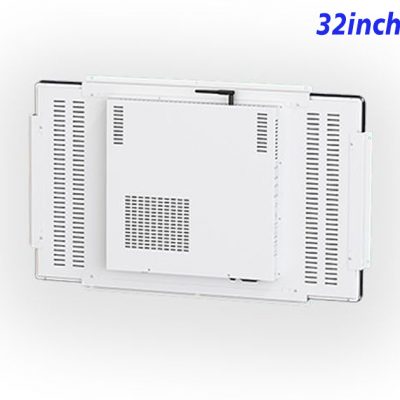
Bring Training Content into a Shared Interactive Format
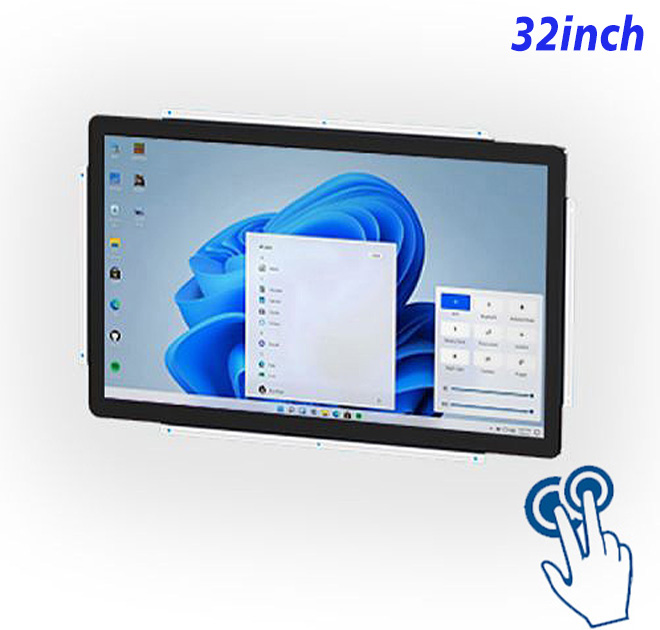
Training becomes more memorable when learners can explore the content instead of watching a fixed presentation. A 32-inch Windows touch panel PC gives simulation rooms and technical demonstration fixtures a shared Full HD surface for guided scenarios, diagrams and interactive exercises. Ten-point projected-capacitive touch supports direct participation, while the internal Windows computer can run the buyer’s selected training application. The integrated format is large enough for small groups yet focused enough to become part of purpose-built instructional equipment.
A 32-Inch Full HD Surface for Guided Learning
| ZXTLCD-EN320BPCT Capacitive Touch System All-in-One Computer with Windows, Size 32 Inch | ||||
| LCD Panel Parameters | Screen Size | 32 Inch | ||
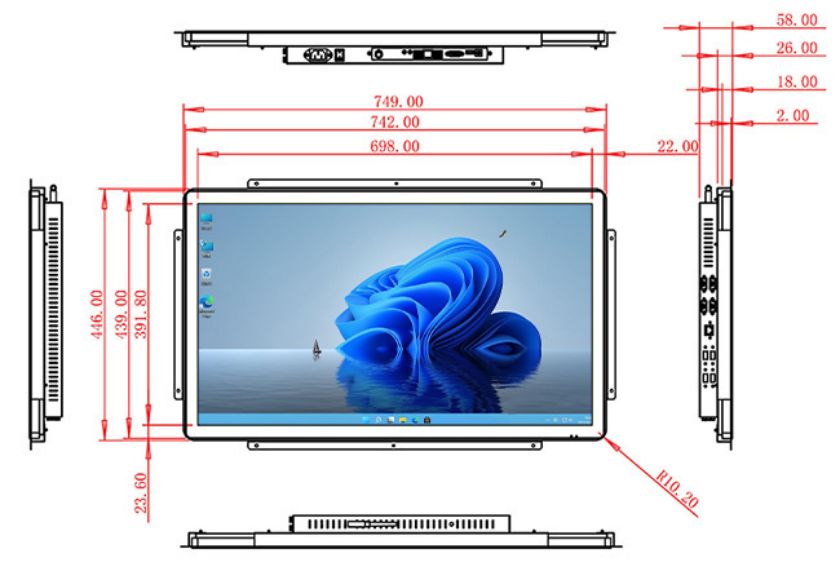
| Display Area | 698 mm.(Height) X 391.8(Width)mm. | |||
| Aspect Ratio | 16 : 9 | |||
| LCD Type | a-Si TFT-LCD Monitor | |||
| Maximum Resolution | 1920 X 1080 | |||
| Display Color | 8 Bit + FRC Color 1.07G | |||
| Brightness | 400cd/m² | |||
| Contrast Ratio | 1200 : 1 | |||
| Viewing Angle (Up/Down/Left/Right) | 89°/89°/89°/89° (Type)(CR≥10) | |||
| Response Time | 8ms | |||
| LCD Panel Lifespan (Hours) | 60,000(Hour.) | |||
| Field Frequency | 60Hertz | |||
| PCAP Touchscreen Panel Parameters | Touch Pattern | Projected Capacitive Touchscreen Monitor | ||
| Touch Points | 10 Points | |||
| Cover Glass | Morse Glass Size 7 Physically reinforced to prevent explosion | |||
| Glass 3 mm. Optical mount to reduce parallax | ||||
| Glass Transmission | >85% (Higher light transmission depends on glass coating technology For example AR/AG) >85% | |||
| Response Speed | < 6ms | |||
| Touch Accuracy | More than 90% of the touch area ±2 mm | |||
| Touch Method | Inch Stylus | |||
| Output Format | Coordinate Output | |||
| Click Time | Unlimited | |||
| Smallest Touch Size | 5 mm | |||
| Long-lasting Durability | Yes, Available | |||
| Touch Interface | USB | |||
| Operating Temperature and Humidity | Below 10℃ ~ +50℃, ≤ 85%RH | |||
| Storage Temperature and Humidity | Less than 20℃ ~ +60℃, ≤ 90%RH | |||
| Audio parameters | Audio system | Stereo | ||
| Speaker size | ≈ 99 x 45 x 20 mm | |||
| Impedance | 8 Ohm | |||
| Power | 2 x 5 Watt | |||
| Loudness | > 80 Decibel | |||
| Interface | 4-pin connector | |||
| Internal computer configuration (Choose one of two) |
CPU | Intel i5-4310M Generation 4, Dual-Core Four Threads, Main frequency can reach up to 2.7GHz | Intel I5-6100T Generation 6, Dual-Core Four Threads, Main frequency can reach up to 3.2GHz | |
| Graphics Card | Integrated Graphics Card Intel® HD 4600 | Integrated Graphics Card Intel® HD 530 | ||
| RAM | 4GB | 8GB | ||
| Storage Memory Capacity | 128GB | 256GB | ||
| OS | Win10 or win11 Optional | Win10 or win11 Optional | ||
| Wi-Fi Built-in | Speed 150Mbps 802.11n wifi Integrated | Speed 150Mbps 802.11n wifi Integrated | ||
| Media Format | Video Format | wmv, avi, flv, rm, rmvb, mpeg, ts, mp4 etc. | ||
| Audio Format | MP3, WMA | |||
| Photo Format | BMP, JPEG, PNG, GIF etc. | |||
| Onboard Interface | Network port | RJ45 X 1, 10M/100M Adjustable Ethernet | ||
| HDMI | 1 | |||
| USB | 4 | |||
| Power | Power Supply | Alternating Current 100V~240V, 50/60Hz | ||
| Maximum Power Loss | ≤ 60 Watt | |||
| Standby Mode Power Loss | < 1 Watt | |||
| Features | Operating Temperature | 0℃ ~ 50℃ | ||
| Storage Temperature | Below 10℃ ~ +60℃ | |||
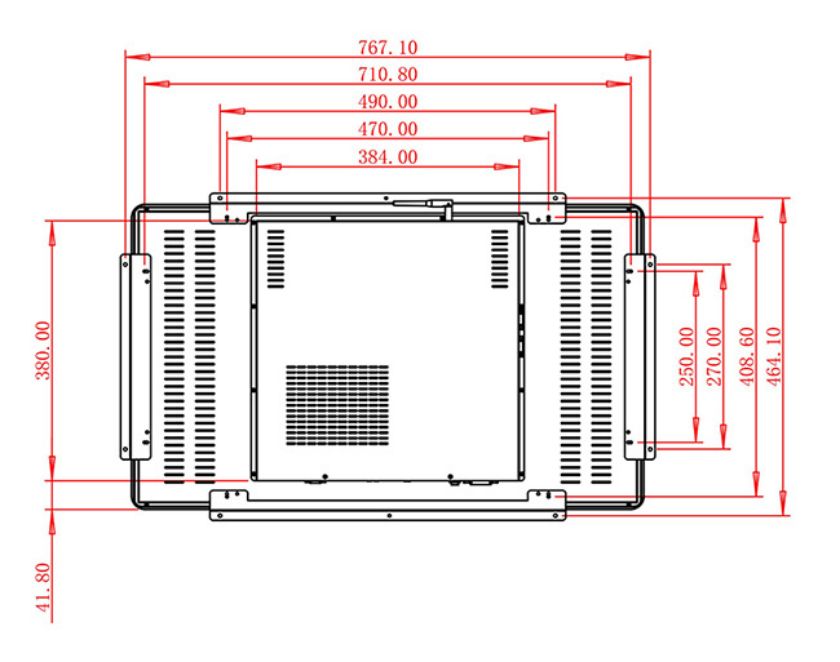
| Package Size | Device Dimensions | 749 X 446 X 58 mm. | ||
| Net Weight | 13 Kilogram | |||
| Package Size | 83 X 53 X 15Centimeter | |||
| Gross Package Weight per Unit | 15 Kilogram | |||
Content visible to instructors and groups
With 1920 × 1080 resolution, the 32-inch display creates a defined visual workspace for interactive training fixtures, simulation rooms and indoor technical demonstration equipment. Buyers can test real content at the intended viewing distance before approving the enclosure. The retained source table continues to provide the detailed panel, power and dimensional information needed during project review.
A training application can present equipment diagrams, guided procedures, knowledge checks and simulation controls in one shared layout. Learners can interact directly while an instructor follows the same content from nearby. This is useful for product demonstrations, technical onboarding and repeatable process training. The equipment provider controls the Windows application and course material, allowing the hardware to support different customer programs. A defined panel computer also makes the experience easier to reproduce than a temporary combination of consumer display and loose computer.
Ten-Point Touch Keeps Learners Involved
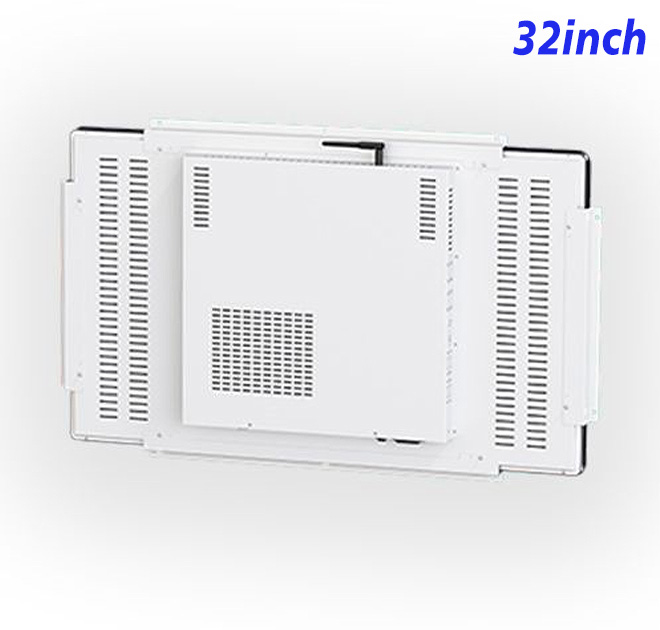
Integrated Windows computing lets the buyer run its training application inside the panel computer rather than placing a separate PC beside the fixture. Ten-point touch provides direct interaction, while the customer retains control of software, course content and connected project hardware. The selected configuration should be verified with a physical sample.
The 32-inch Windows touch panel PC can continue creating value after the first training program. Equipment providers can load new scenarios, product modules or localized instructions while retaining the approved physical platform. This helps customers use the fixture for onboarding, demonstrations and refresher training instead of treating it as a one-time installation. A consistent interactive surface also makes instructor preparation and distributor support easier. For manufacturers, repeatable hardware and adaptable Windows content create a practical foundation for selling related training systems to additional sites or markets.
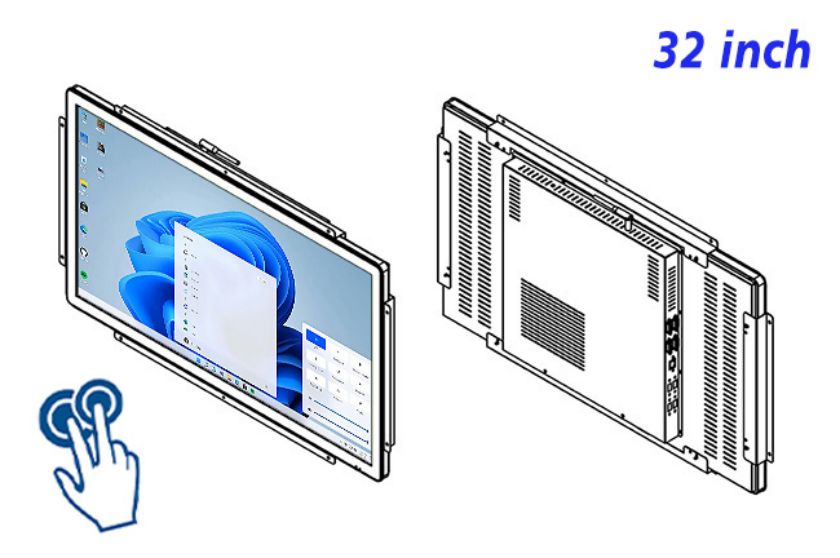
Run Familiar Windows Training Applications
Integrated computing for established software
Training-equipment companies can combine the panel PC with instructional software, simulation content and a purpose-built fixture. Customers see a complete teaching product rather than an assortment of devices. The same approved hardware can support different courses through application and content changes, extending its commercial usefulness. Distributors may add localization, instructor setup and service, while equipment manufacturers use a consistent appearance across demonstration centers, customer classrooms and exhibition training areas.
ZXTLCD can discuss the immersive training interaction project around the real enclosure, visible finish, logo, mounting relationship and connector access. A branded or application-ready sample gives purchasing, engineering and sales teams the same physical reference for evaluation. Once fit, appearance and selected configuration are approved, that reference can support repeat manufacturing, distributor demonstrations and later replacement or expansion orders.
Turn the Demonstration into Repeatable Equipment
Equipment manufacturers and integrators can discuss the intended application directly with ZXTLCD before a production order is arranged. The review can include project drawings, expected quantity, visible appearance and the exact hardware configuration. Building and testing a representative sample gives sales, engineering and procurement teams one agreed product to examine. After approval, controlled repeat supply helps distributors support demonstrations, customer expansion and replacement requirements without rebuilding the specification from the beginning.
The 32-inch Windows touch panel PC can carry the buyer’s application or media into a more professional finished installation while keeping unsupported functions out of the product promise. By testing real content, signal source and mechanical fit at sample stage, the customer gains a clearer expectation of what will be supplied and a stronger basis for repeat purchasing.