

Put Energy Data Where Decisions Are Made
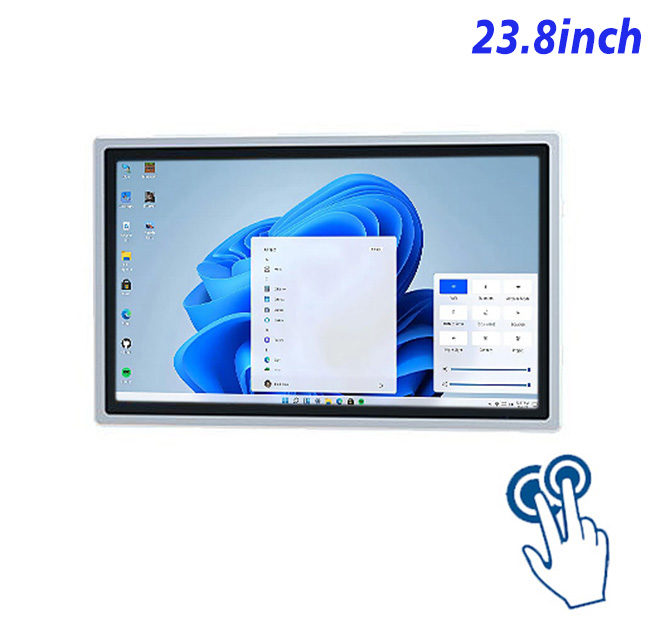
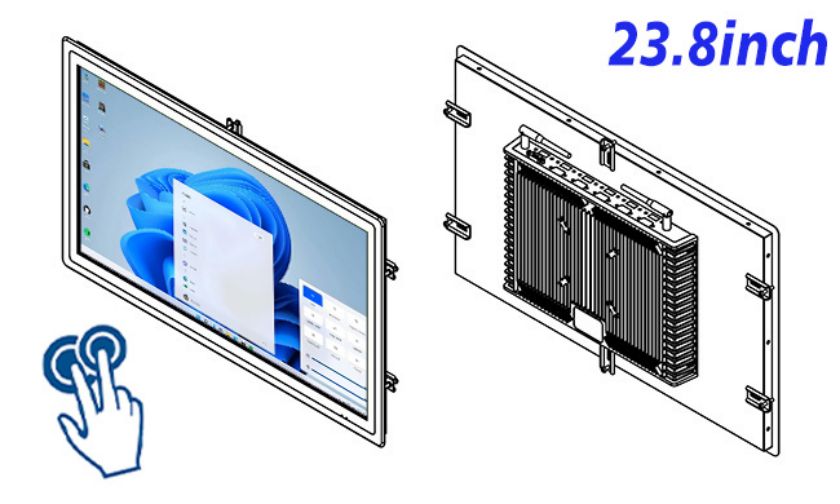
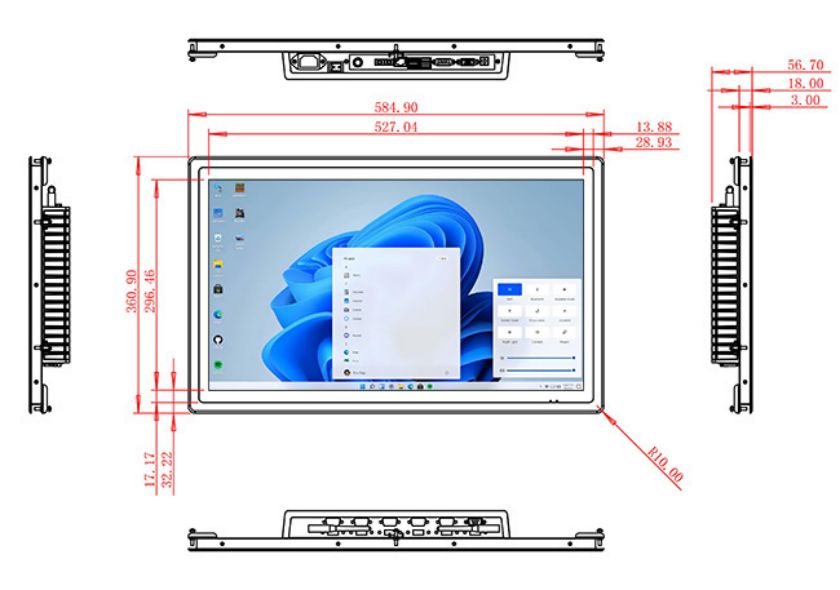
Energy-management platforms are most useful when facility teams can see current demand, equipment status and schedule exceptions without returning to a central office. A 23.8-inch Windows self service terminal can present live dashboards, trend charts, alarm acknowledgement and approved control pages at a plant room or management station. The Full HD screen has a 527.04 × 296.46 mm active area and 99% sRGB coverage for consistent dashboard colors.
The panel provides 250 cd/m² brightness, a 1000:1 contrast ratio and wide viewing angles. These specifications suit indoor or protected facilities rather than outdoor daylight. A 100 Hz field frequency is listed, though application performance also depends on the selected computer and software.
Ten-Point PCAP Touch with Reinforced Glass
The projected-capacitive interface supports ten touch points, a response time below 6 ms and USB communication. The 3 mm optically bonded glass is listed with more than 85% transmission and strengthened construction. A facility application should still use large controls, clear confirmation and role-based permissions to reduce accidental changes.
Two Intel configurations are available: an i5-4310M with 4 GB RAM and 128 GB storage, or an i5-6100T with 8 GB RAM and 256 GB storage. Windows 10 or Windows 11 is optional. The choice should follow the building software, cybersecurity policy and workload.
| Specifications for an external touch system all-in-one computer with a 23.8-inch external touch | ||||
| LCD Panel Parameters | Screen Size | 23.8 Inch | ||
| Display Area | 527.04 mm.(Height) X 296.46(Width)mm. | |||
| Aspect Ratio | 16 : 9 | |||
| LCD Type | a-Si TFT-LCD Monitor | |||
| Maximum Resolution | 1920 X 1080 | |||
| Display Color | 16.7m , 99% sRGB | |||
| Brightness | 250cd/m² | |||
| Contrast Ratio | 1000 : 1 | |||
| Viewing Angle (Up/Down/Left/Right) | 89°/89°/89°/89° (Type)(CR≥10) | |||
| Response Time | 14ms | |||
| LCD Panel Lifespan (Hours) | 60,000(Hour.) | |||
| Field Frequency | 100Hertz | |||
| PCAP Touchscreen Panel Parameters | Touch Pattern | Projected Capacitive Touchscreen Monitor | ||
| Touch Points | 10 Points | |||
| Cover Glass | Morse Glass Size 7 Physically reinforced to prevent explosion | |||
| Glass 3 mm. Optical mount to reduce parallax | ||||
| Glass Transmission | >85% (Higher light transmission depends on glass coating technology For example AR/AG) >85% | |||
| Response Speed | < 6ms | |||
| Touch Accuracy | More than 90% of the touch area ±2 mm | |||
| Touch Method | Inch Stylus | |||
| Output Format | Coordinate Output | |||
| Click Time | Unlimited | |||
| Smallest Touch Size | 5 mm | |||
| Long-lasting Durability | Yes, Available | |||
| Touch Interface | USB | |||
| Operating Temperature and Humidity | Below 10℃ ~ +50℃, ≤ 85%RH | |||
| Storage Temperature and Humidity | Less than 20℃ ~ +60℃, ≤ 90%RH | |||
| Audio parameters | Audio system | Stereo | ||
| Speaker size | ≈ 99 x 45 x 20 mm | |||
| Impedance | 8 Ohm | |||
| Power | 2 x 5 Watt | |||
| Loudness | > 80 Decibel | |||
| Interface | 4-pin connector | |||
| Internal computer configuration (Choose one of two) |
CPU | Intel i5-4310M Generation 4, Dual-Core Four Threads, Main frequency can reach up to 2.7GHz | Intel I5-6100T Generation 6, Dual-Core Four Threads, Main frequency can reach up to 3.2GHz | |
| Graphics Card | Integrated Graphics Card Intel® HD 4600 | Integrated Graphics Card Intel® HD 530 | ||
| RAM | 4GB | 8GB | ||
| Storage Memory Capacity | 128GB | 256GB | ||
| OS | Win10 or win11 Optional | Win10 or win11 Optional | ||
| Wi-Fi Built-in | Speed 150Mbps 802.11n wifi Integrated | Speed 150Mbps 802.11n wifi Integrated | ||
| Media Format | Video Format | wmv, avi, flv, rm, rmvb, mpeg, ts, mp4 etc. | ||
| Audio Format | MP3, WMA | |||
| Photo Format | BMP, JPEG, PNG, GIF etc. | |||
| Onboard Interface | Network port | RJ45 X 1, 10M/100M Adjustable Ethernet | ||
| HDMI | 1 | |||
| USB | 4 | |||
| Power | Power Supply | Alternating Current 100V~240V, 50/60Hz | ||
| Maximum Power Loss | ≤ 45 Watt | |||
| Standby Mode Power Loss | < 1 Watt | |||
| Features | Operating Temperature | 0℃ ~ 50℃ | ||
| Storage Temperature | Below 10℃ ~ +60℃ | |||
| Package Size | Device Dimensions | 584.9 X 360.9 X 56.7mm | ||
| Net Weight | 8 Kilogram | |||
| Package Size | 66 X 44 X 17Centimeter | |||
| Gross Package Weight per Unit | 9 Kilogram | |||
Networking and Peripheral Integration
The self service terminal includes one RJ45 Ethernet connection, integrated Wi-Fi, four USB ports and HDMI. Stereo audio provides two 5 W channels. Buyers should confirm every meter gateway, controller and software connection during the sample stage; the panel PC does not automatically include an energy-management application.
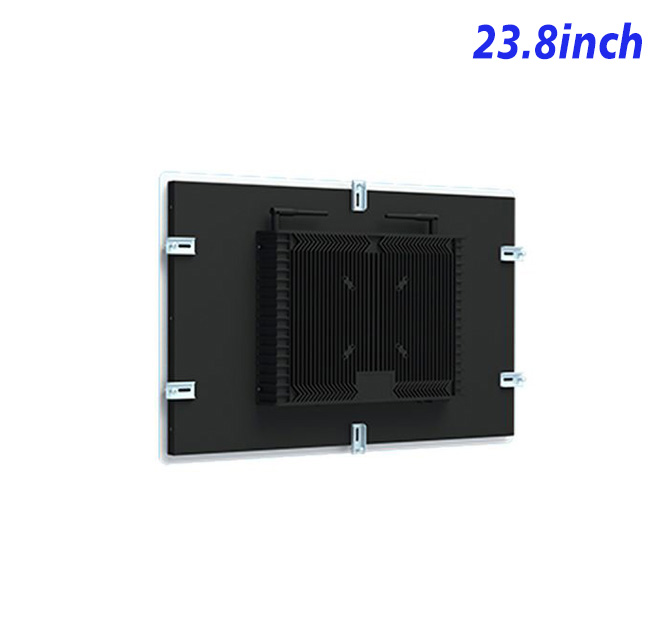
The enclosure measures 584.9 × 360.9 × 56.7 mm and weighs approximately 8 kg. Power input is 100–240 V AC, maximum use is 45 W and standby consumption is below 1 W. The operating range is 0°C to 50°C.
Configuration Confidence for Building Projects
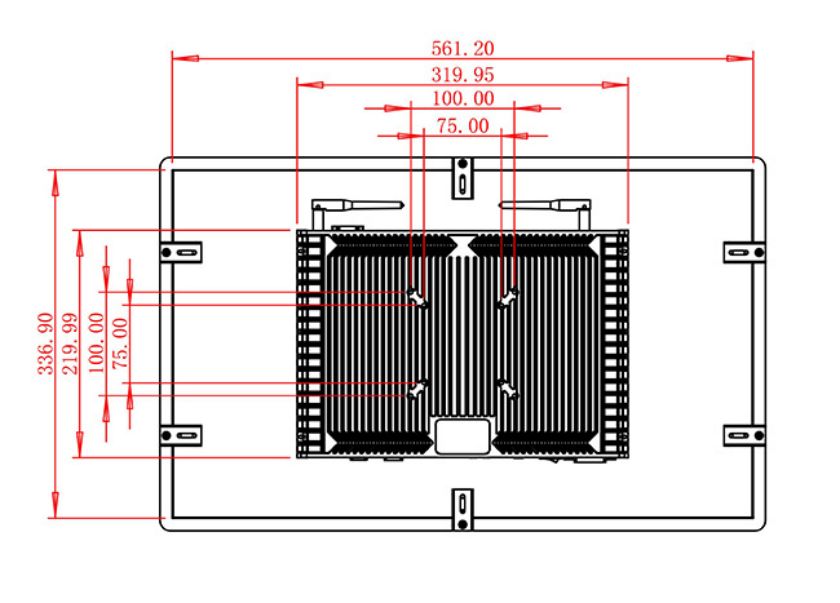
ZXTLCD can review the Windows version, processor option, mounting drawing and peripheral list. A sample can run the buyer’s dashboard to confirm touch behavior, network access and screen layout. Documenting the approved self service terminal configuration supports repeat sites and clearer pre-shipment inspection.
Energy Management FAQ
It also helps IT teams maintain a predictable security and update policy across every installed station.
For multi-building projects, the approved configuration should record the Windows edition, processor, memory, storage and network method. Keeping those details consistent simplifies application support and spare planning. Site-specific dashboards can change while the underlying hardware and maintenance procedure remain familiar to facility teams.
Facility teams should define which users may only view data and which may acknowledge alarms or change schedules. The screen can support both roles, but permissions belong in the Windows application and network policy. A pilot should test automatic logout, recovery after a network interruption and the presentation of stale data. Operators need to know whether a value is current before acting on it.
Energy dashboards can also become crowded when every meter and trend is placed on the same page. Testing at the real mounting height helps the team prioritize demand, cost, alarms and equipment state. The self service terminal should make the most important decision visible first, with detailed history available through secondary pages. This user review adds operational value beyond selecting a processor and screen size.
Is energy-management software included? No. The buyer supplies compatible Windows software and any external gateways.
Can users change protected settings? Permissions depend on the application and Windows configuration. Role-based access should be tested before deployment.
Is the screen suitable outdoors? No outdoor rating is stated, and the 250 cd/m² brightness is intended for indoor use.
—
Request Product Information
If you would like to get the specification about above product, or you hope to discuss your requirements or need any additional information on our this product , then please do not hesitate to send us a inquiry and contact our sales team now.