

The First Screen Visitors Look For
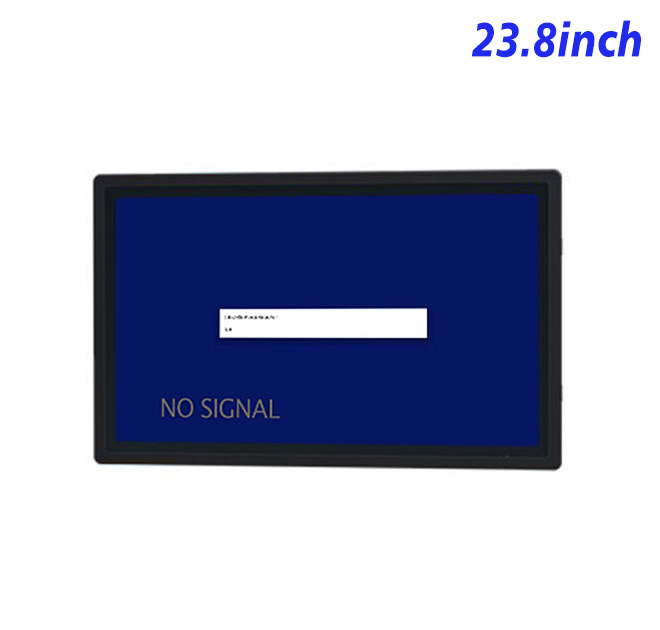
In a large office, hospital, campus or shopping complex, visitors often need orientation before they need assistance from staff. A self service terminal placed near the entrance can present a searchable directory, floor map, service notices and route guidance in one consistent location. This 23.8-inch display gives the interface enough space to show a destination list alongside a map without forcing every user through several pages.
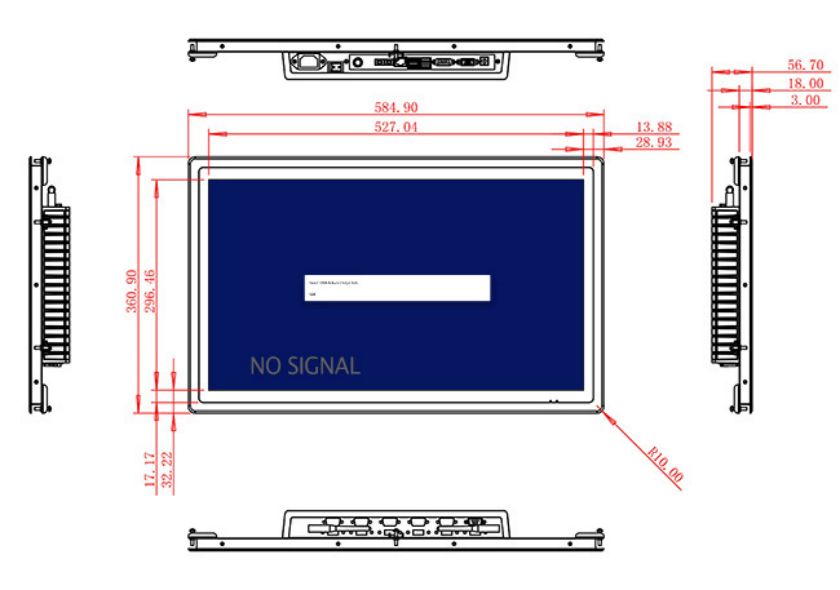
The Full HD resolution supports detailed floor graphics and readable text. The panel has a 527.04 × 296.46 mm active area, wide 89-degree viewing angles and a 1000:1 contrast ratio. Its listed 99% sRGB coverage supports controlled color use for route zones or tenant branding. Brightness is 250 cd/m², making the unit suitable for indoor lobbies and protected corridors rather than exposed outdoor wayfinding.
A Display That Works with Different Media Sources
HDMI, VGA and DVI inputs allow a self service terminal builder to connect a current media player, an industrial PC or an existing legacy source. This flexibility can matter during phased building upgrades, where the screen furniture is replaced before every controller or signage player is standardized. The USB connection described in the table should be confirmed according to the intended touch or service function.
Optional external stereo audio can provide spoken directions or accessibility prompts. The speaker specification lists two 5 W channels with a 4-pin interface. Audio content, volume and privacy should be reviewed for the public location so directions remain helpful without creating continuous noise around reception.
| 23.8-inch External Embedded Industrial Display Specification Document | ||||
| LCD Panel Parameters | Screen Size | 23.8 Inch | ||
| Display Area | 527.04 mm.(Height) X 296.46(Width)mm. | |||
| Aspect Ratio | 16 : 9 | |||
| LCD Type | a-Si TFT-LCD Monitor | |||
| Maximum Resolution | 1920 X 1080 | |||
| Display Color | 16.7m , 99% sRGB | |||
| Brightness | 250cd/m² | |||
| Contrast Ratio | 1000 : 1 | |||
| Viewing Angle (Up/Down/Left/Right) | 89°/89°/89°/89° (Type)(CR≥10) | |||
| Response Time | 14ms | |||
| LCD Panel Lifespan (Hours) | 60,000(Hour.) | |||
| Field Frequency | 60Hertz | |||
| Audio Parameters (External Speaker Option) |
Audio system | Stereo | ||
| Speaker size | ≈ 99 x 45 x 20 mm | |||
| Impedance | 8 Ohm | |||
| Power | 2 x 5 Watt | |||
| Loudness | > 80 Decibel | |||
| Interface | 4-pin connector | |||
| Onboard Interface | HDMI Input | 1 | ||
| VGA Input | 1 | |||
| DVI Input | 1 | |||
| USB Type B or any desired USB Type | 1 | |||
| Power | Power Supply | Alternating Current 100V~240V, 50/60Hz | ||
| Maximum Power Loss | ≤ 45 Watt | |||
| Standby Mode Power Loss | < 1 Watt | |||
| Features | Operating Temperature | 0℃ ~ 50℃ | ||
| Storage Temperature | Below 10℃ ~ +60℃ | |||
| Package Size | Device Dimensions | 584.9 X 360.9 X 56.7mm | ||
| Net Weight | 8 Kilogram | |||
| Package Size | 66 X 44 X 17Centimeter | |||
| Gross Package Weight per Unit | 9 Kilogram | |||
Fit the Display into the Visitor Journey
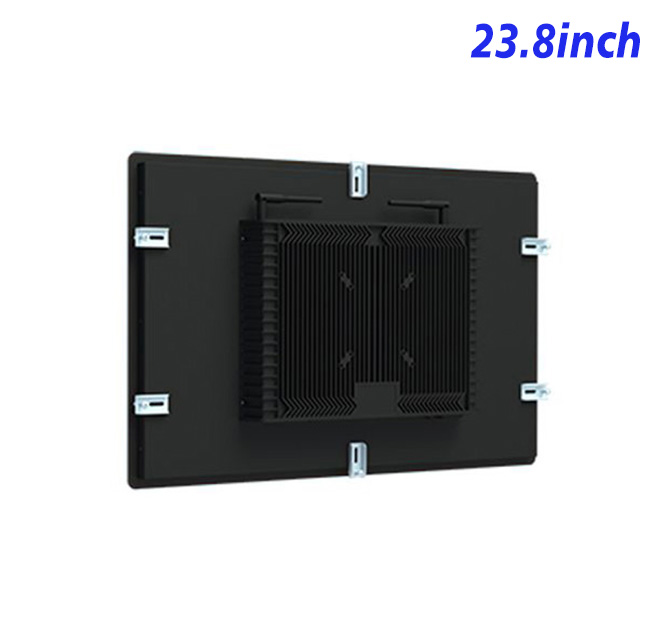
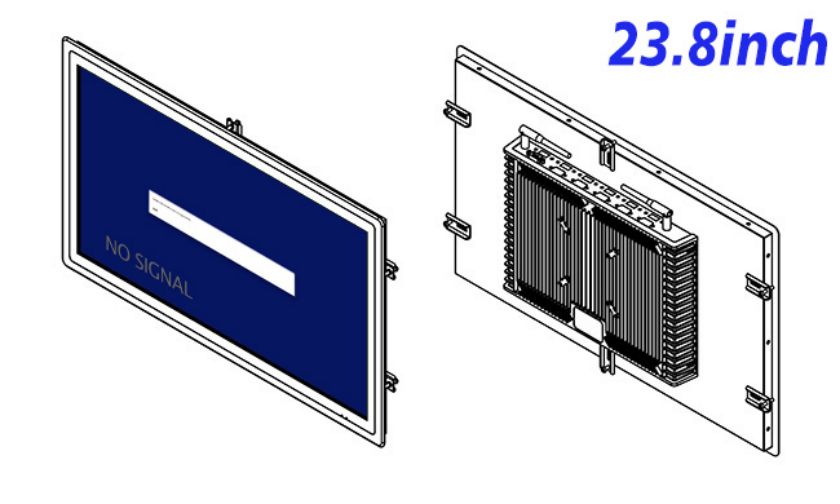
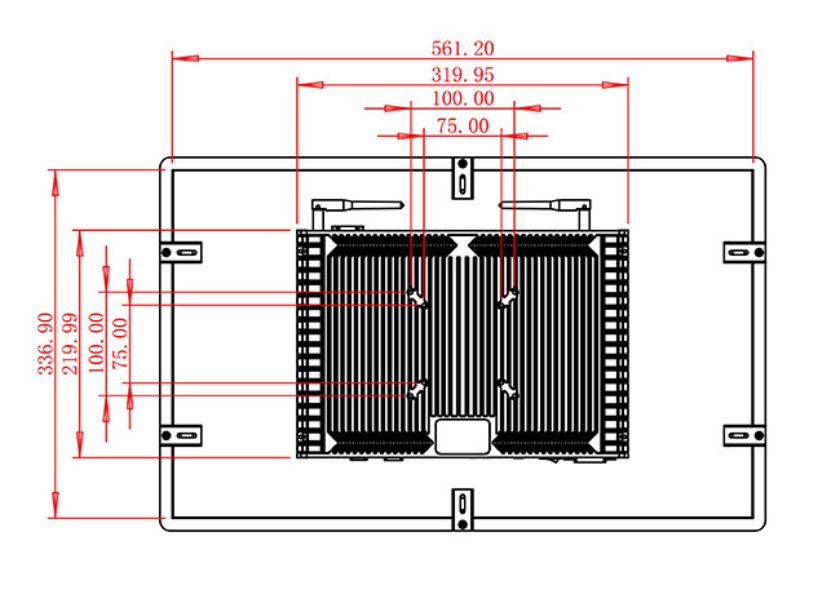
The device measures 584.9 × 360.9 × 56.7 mm and weighs approximately 8 kg. A wall fixture should provide a secure mounting frame, concealed cabling and sufficient rear access for maintenance. A freestanding directory should also consider viewing height, wheelchair approach, screen angle and the placement of any separate touch layer or scanner.
Power input covers 100–240 V AC, with maximum consumption of 45 W and standby use below 1 W. The listed operating range is 0°C to 50°C. Public installations still need a cabinet designed for impact resistance, ventilation and safe cable management.
Project Support Beyond the Panel
Wayfinding content should be tested with people who do not already know the building. Facility employees may understand abbreviations and route colors that confuse a first-time visitor. A pilot can reveal whether destination names, floor transitions and accessible routes are clear from the normal approach distance. The self service terminal should also return to a neutral start page after inactivity so one visitor’s search does not remain visible to the next. These details strengthen both usability and privacy.
ZXTLCD can review drawings and signal requirements with signage contractors, kiosk builders and facility integrators. Testing a sample with the actual directory software helps the buyer confirm map readability, color treatment, startup behavior and source compatibility. A documented sample also gives building owners a dependable reference when the self service terminal is repeated at other entrances.
Wayfinding FAQ
Building managers can review common assistance requests without retaining personal visitor details. That feedback can improve destination names and route instructions after launch. The physical display remains unchanged while the directory becomes easier to understand over time, giving the installation value beyond its first-day content.
Does the product include directory software?
No directory or mapping application is specified. The buyer supplies compatible software and a media or computing source.
Can an older VGA-based controller be retained?
VGA input is listed together with HDMI and DVI, but the actual source should be tested at the required resolution.
Can this self service terminal face a bright glass entrance?
The 250 cd/m² panel may be affected by strong daylight. Placement and reflections should be evaluated during a site test.
Request Product Information
If you would like to get the specification about above product, or you hope to discuss your requirements or need any additional information on our this product , then please do not hesitate to send us a inquiry and contact our sales team now.