

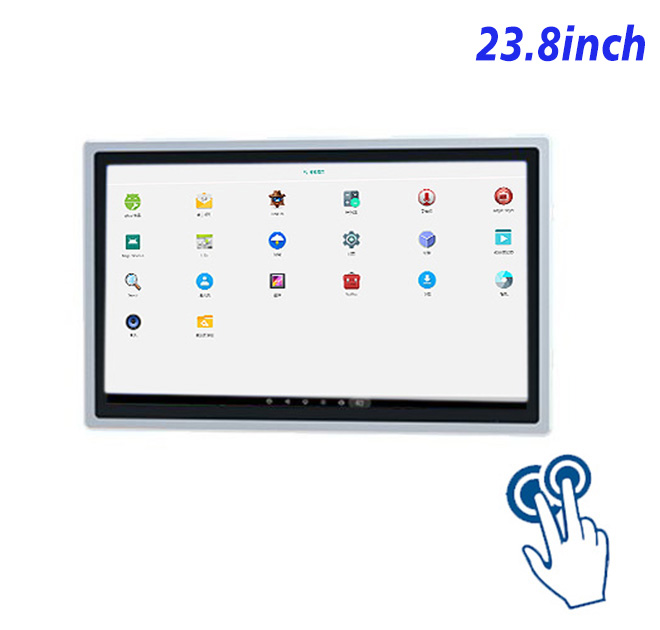
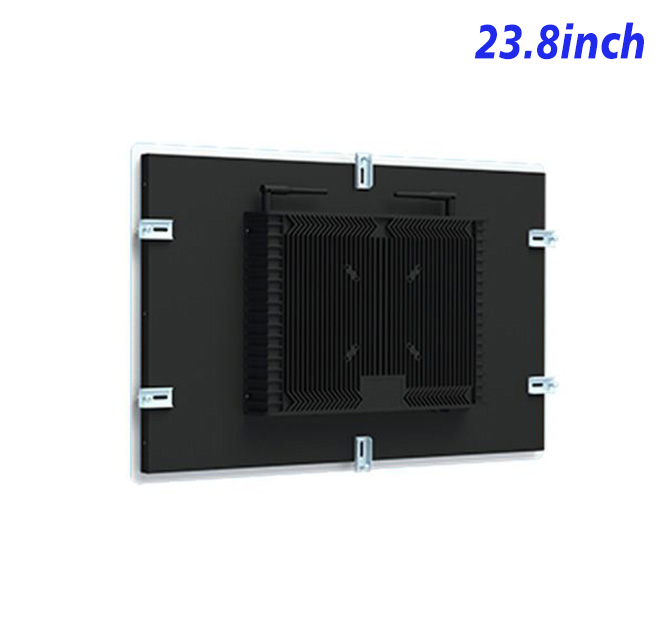
A Practical Response to a Busy Moment
Training material is easier to use when employees can move from a short explanation to an illustrated procedure at the same station. The large touch area supports diagrams, videos, checklists and knowledge questions without crowding the layout. In training rooms and employee learning points, the information kiosk has a defined operational purpose instead of acting as a generic screen.
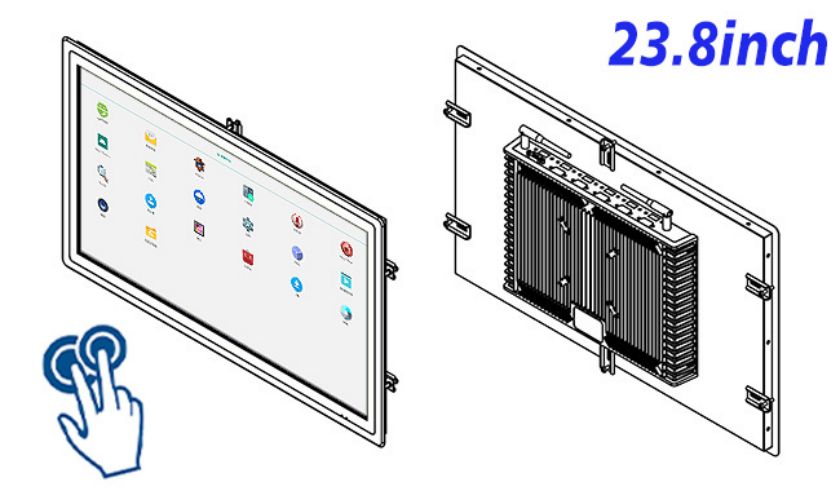
The 23.8-inch format supports guided workplace training while remaining suitable for integration into purpose-built indoor furniture. Designers can divide the journey into short steps, keep help controls visible and use plain confirmation language before data is submitted.
Interfaces, Connections and Content
The LCD provides 1920 × 1080 resolution, 250 cd/m² brightness, a 1000:1 contrast ratio and wide viewing angles. The projected capacitive layer supports ten touch points, responds in under 6 ms and uses 3 mm strengthened cover glass with more than 85% transmission. These specifications suit responsive indoor interfaces when button size and viewing distance are tested with real users.
The Android computing platform is available with listed processor, memory and storage choices. Ethernet, Wi-Fi, HDMI and USB connections provide routes for application networking and supported peripherals. Integrators should still check operating-system version, drivers and application workload before approving the configuration.
Manufacturers can show setup procedures near a demonstration cell, hospitality groups can present onboarding modules, and service teams can publish updated safety or maintenance lessons.
Good daily performance depends on more than processor and panel figures. Installers should provide stable power, ventilation, cable strain relief and realistic service access. A pilot unit can reveal unclear instructions, abandoned steps and recovery problems before a larger rollout. Buyers can then plan training, spare units and maintenance around observed use rather than assumptions.
| Specifications for a capacitive touch system all-in-one computer with Android 23.8-inch | ||||
| LCD Panel Parameters | Screen Size | 23.8 Inch | ||
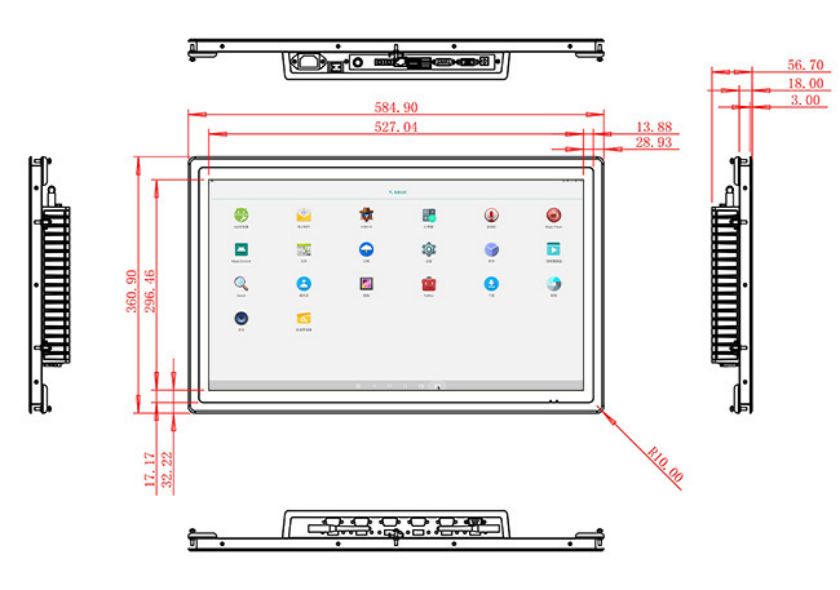
| Display Area | 527.04 mm.(Height) X 296.46(Width)mm. | |||
| Aspect Ratio | 16 : 9 | |||
| LCD Type | a-Si TFT-LCD Monitor | |||
| Maximum Resolution | 1920 X 1080 | |||
| Display Color | 16.7m , 99% sRGB | |||
| Brightness | 250cd/m² | |||
| Contrast Ratio | 1000 : 1 | |||
| Viewing Angle (Up/Down/Left/Right) | 89°/89°/89°/89° (Type)(CR≥10) | |||
| Response Time | 14ms | |||
| LCD Panel Lifespan (Hours) | 60,000(Hour.) | |||
| Field Frequency | 60Hertz | |||
| PCAP Touchscreen Panel Parameters | Touch Pattern | Projected Capacitive Touchscreen Monitor | ||
| Touch Points | 10 Points | |||
| Cover Glass | Morse Glass Size 7 Physically reinforced to prevent explosion | |||
| Glass 3 mm. Optical mount to reduce parallax | ||||
| Glass Transmission | >85% (Higher light transmission depends on glass coating technology For example AR/AG) >85% | |||
| Response Speed | < 6ms | |||
| Touch Accuracy | More than 90% of the touch area ±2 mm | |||
| Touch Method | Inch Stylus | |||
| Output Format | Coordinate Output | |||
| Click Time | Unlimited | |||
| Smallest Touch Size | 5 mm | |||
| Long-lasting Durability | Yes, Available | |||
| Touch Interface | USB | |||
| Operating Temperature and Humidity | Below 10℃ ~ +50℃, ≤ 85%RH | |||
| Storage Temperature and Humidity | Less than 20℃ ~ +60℃, ≤ 90%RH | |||
| Audio parameters | Audio system | Stereo | ||
| Speaker size | ≈ 99 x 45 x 20 mm | |||
| Impedance | 8 Ohm | |||
| Power | 2 x 5 Watt | |||
| Loudness | > 80 Decibel | |||
| Interface | 4-pin connector | |||
| Configuration PCB Android Built-in (Choose one of two) |
CPU | Quad-Core RK3288, 1.8GHz | Quad-Core RK3568,2.0GHz | |
| GPU | Mali-T764 | Mali-G52 | ||
| RAM | 2GB | 4GB | ||
| ROM | 32GB | 32GB | ||
| Android System | Android 10.0 | Android 11.0 | ||
| Ethernet | 1 x RJ45, Ethernet 1,000 Mbps | 1 x RJ45, Ethernet 1,000 Mbps | ||
| Wireless Internet | 2.4Gigahertz | 2.4Gigahertz/5Gigahertz, Wi-Fi 6 | ||
| Bluetooth | 4.2 | 5 | ||
| Interface | USB2.0 x 2 | USB2.0 x 2 | ||
| HDMI IN x 1 | ||||
| Power | Power Supply | Alternating Current 100V~240V, 50/60Hz | ||
| Maximum Power Loss | ≤ 45 Watt | |||
| Standby Mode Power Loss | < 1 Watt | |||
| Features | Operating Temperature | 0℃ ~ 50℃ | ||
| Storage Temperature | Below 10℃ ~ +60℃ | |||
| Package Size | Device Dimensions | 584.9 X 360.9 X 56.7mm | ||
| Net Weight | 8 Kilogram | |||
| Package Size | 66 X 44 X 17Centimeter | |||
| Gross Package Weight per Unit | 9 Kilogram | |||
Limits That Should Be Defined Early
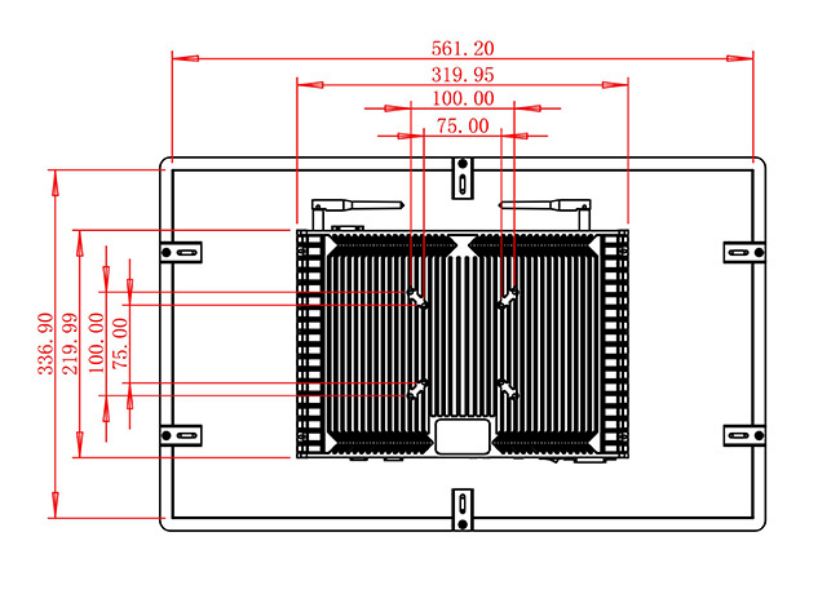
A complete information kiosk project should begin with cabinet drawings, mounting depth, cable routes, peripheral list and software responsibilities. Interface teams should test language switching, timeout behavior, offline messages and recovery after an interrupted task. Technicians also need access to network, storage and power connections without dismantling the whole fixture.
The listed brightness suits controlled indoor environments. A learning platform, user authentication and content production remain separate project components.
ZXTLCD supports OEM and integration projects through specification review before production. Buyers can send quantity, installation drawing, operating environment, preferred computing configuration, touch requirements and peripheral details. The team can identify assumptions, confirm feasible interfaces and keep repeat-order configurations consistent for distributors and system integrators.
Buyer Questions Before Production
Is this a complete information kiosk?
No. It is a touch all-in-one computer for integration. Application software, cabinet and task-specific peripherals should be specified separately.
Can the interface be customized?
Yes. The selected Android configuration can run a purpose-built application when the developer confirms operating-system, processor, memory, storage and driver requirements.
What information improves a quotation?
Send the installation environment, quantity, cabinet drawing, expected workflow, peripheral list, software needs and any compliance constraints. ZXTLCD can then review the proposed information kiosk configuration before preparing the project quotation.
For repeat orders, buyers can also discuss packaging, documentation, spare-unit planning and configuration control before approving the production schedule.
Planning Beyond the First Installation
Procurement teams should compare the pilot configuration with the version intended for volume delivery. Processor, memory, storage, operating system, touch glass, connectors and mounting details should be recorded in the approved specification. Packaging also deserves attention when units travel through several warehouses or are delivered directly to installation partners. Clear acceptance criteria make incoming inspection easier and help service teams identify the correct replacement unit later. When a project spans several locations, consistent documentation and controlled changes are more valuable than adding unverified features to the product description.