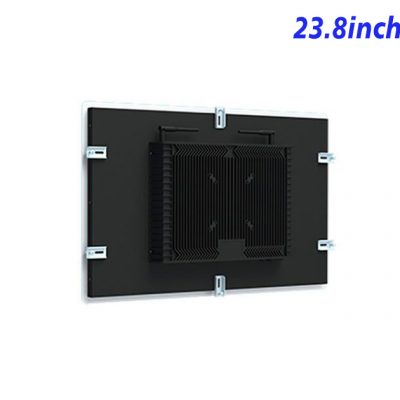
Robot Operators Need More Than a Video Screen
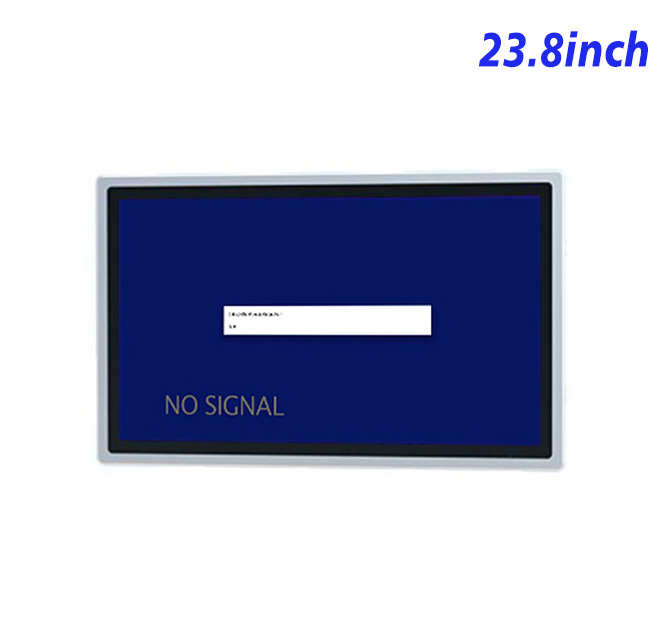
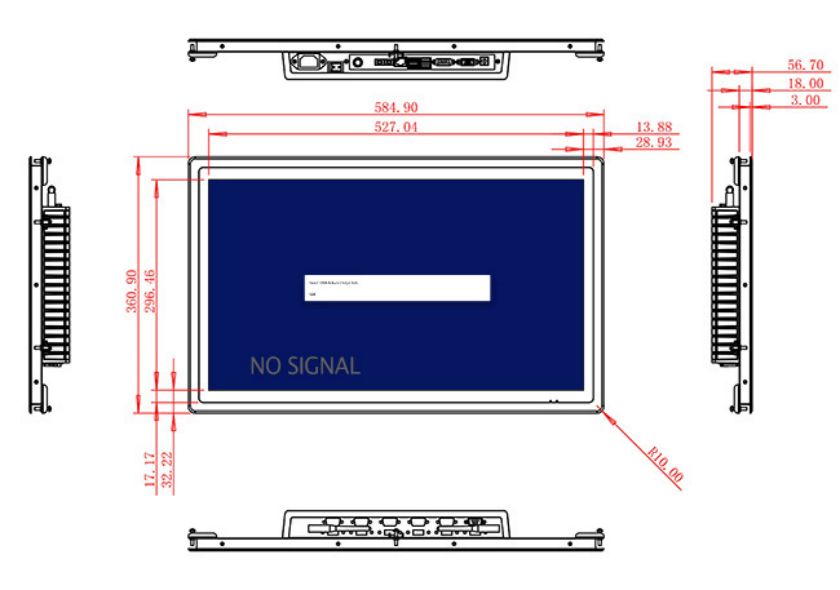
At a robot workstation, the display must help an operator understand what the equipment is doing and what action is permitted next. This 23.8-inch information kiosk display provides a 1920 × 1080 workspace for operating states, cell diagrams, job queues, maintenance reminders and controlled instructions. The 527.04 × 296.46 mm display area allows a main visualization to remain visible beside alarms or supporting data.
The panel reproduces 16.7 million colors and lists 99% sRGB coverage, which can help keep diagrams and status colors consistent. A 1000:1 contrast ratio and 89-degree viewing angles in all directions support shared viewing around a control desk. Brightness is specified at 250 cd/m². Despite the old product title, this is not evidence of a high-brightness outdoor screen; the display should be planned for indoor or protected installations.
Inputs for New and Existing Control Hardware
HDMI, VGA and DVI inputs allow the information kiosk monitor to work with different generations of industrial computers or robot controllers. This can be useful when a factory standardizes the mechanical enclosure but still operates a mixture of legacy and newer equipment. A USB Type-B connection or another specified USB type is listed, but its exact purpose should be confirmed when the order is configured.
External stereo speakers are optional. The listed arrangement uses two 5 W speakers through a 4-pin connection and can provide alarms, guided maintenance audio or training prompts. In a noisy cell, visual warnings should remain primary and audio should be treated as additional notification rather than the only signal.
| 23.8-inch External Embedded Industrial Display Specification Document | ||||
| LCD Panel Parameters | Screen Size | 23.8 Inch | ||
| Display Area | 527.04 mm.(Height) X 296.46(Width)mm. | |||
| Aspect Ratio | 16 : 9 | |||
| LCD Type | a-Si TFT-LCD Monitor | |||
| Maximum Resolution | 1920 X 1080 | |||
| Display Color | 16.7m , 99% sRGB | |||
| Brightness | 250cd/m² | |||
| Contrast Ratio | 1000 : 1 | |||
| Viewing Angle (Up/Down/Left/Right) | 89°/89°/89°/89° (Type)(CR≥10) | |||
| Response Time | 14ms | |||
| LCD Panel Lifespan (Hours) | 60,000(Hour.) | |||
| Field Frequency | 60Hertz | |||
| Audio Parameters (External Speaker Option) |
Audio system | Stereo | ||
| Speaker size | ≈ 99 x 45 x 20 mm | |||
| Impedance | 8 Ohm | |||
| Power | 2 x 5 Watt | |||
| Loudness | > 80 Decibel | |||
| Interface | 4-pin connector | |||
| Onboard Interface | HDMI Input | 1 | ||
| VGA Input | 1 | |||
| DVI Input | 1 | |||
| USB Type B or any desired USB Type | 1 | |||
| Power | Power Supply | Alternating Current 100V~240V, 50/60Hz | ||
| Maximum Power Loss | ≤ 45 Watt | |||
| Standby Mode Power Loss | < 1 Watt | |||
| Features | Operating Temperature | 0℃ ~ 50℃ | ||
| Storage Temperature | Below 10℃ ~ +60℃ | |||
| Package Size | Device Dimensions | 584.9 X 360.9 X 56.7mm | ||
| Net Weight | 8 Kilogram | |||
| Package Size | 66 X 44 X 17Centimeter | |||
| Gross Package Weight per Unit | 9 Kilogram | |||
From Panel Dimensions to a Serviceable Workstation
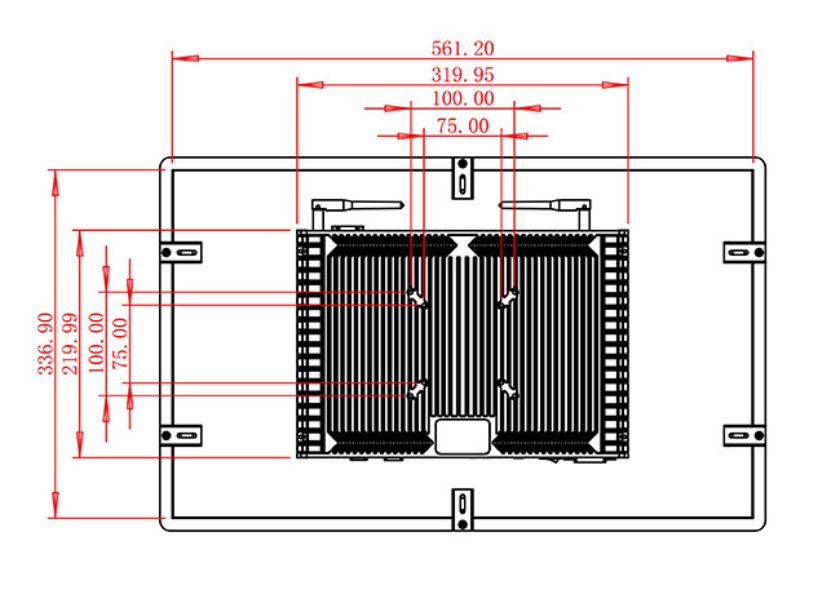
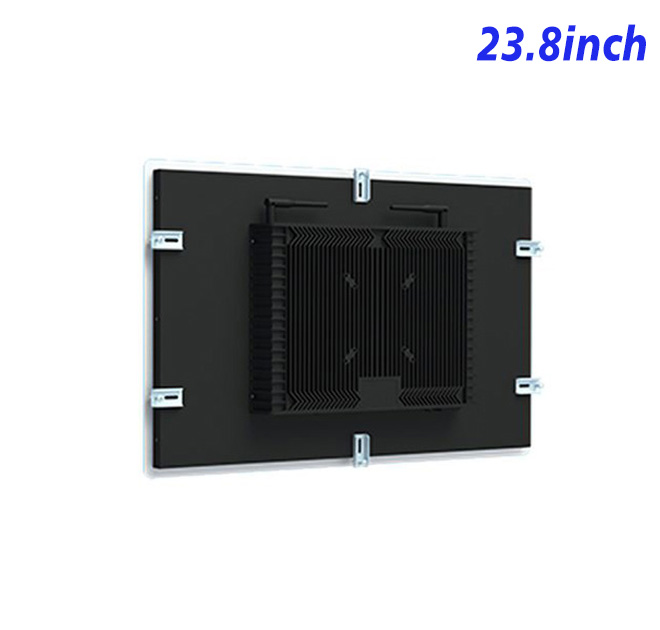
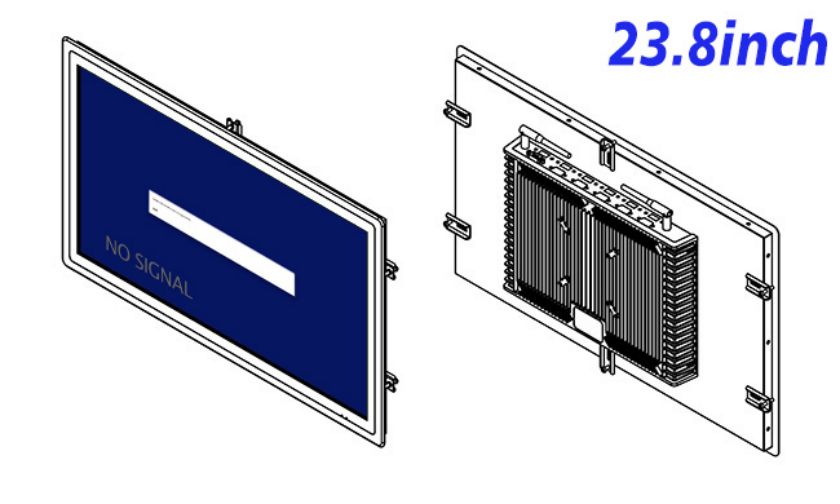
The monitor measures 584.9 × 360.9 × 56.7 mm and weighs approximately 8 kg. The cabinet designer should calculate bracket strength, rear cable bend radius and access to each input. A service technician should be able to reach the connections without disturbing safety barriers or removing unrelated control components.
The unit accepts 100–240 V AC, consumes up to 45 W and uses less than 1 W in standby. Its stated operating range is 0°C to 50°C. Dust, coolant, vibration and impact protection must be supplied by the completed equipment enclosure because no relevant protection rating is stated for the standalone panel.
Confidence for Automation Procurement
Robot cells may remain in service for many years, so replacement planning deserves attention during the first purchase. The buyer should record the approved input, resolution, connector orientation and mounting dimensions, then keep the sample results with the equipment documentation. If a controller is later replaced, these records make it easier to evaluate whether the existing information kiosk display can remain in service. They also give maintenance teams a practical reference when diagnosing signal loss or arranging a spare unit.
ZXTLCD can review the source signal, installation drawing, cable orientation and external audio requirement with robot integrators before production. A sample can be connected to the intended controller to verify resolution, signal recovery and color presentation. For multi-cell projects, recording the approved input and mechanical configuration helps purchasing teams avoid unplanned variations between deliveries.
FAQ for Robot Workstations
This documentation becomes especially valuable when several robot cells use identical displays but different controller generations. Maintenance teams can compare the expected signal and cable arrangement before replacing parts or changing workstation settings.
Does the display include a robot controller or operating application?
No. It is a display platform that receives signals from compatible external equipment.
Why are three video inputs useful?
HDMI, VGA and DVI give integrators options when current and legacy controllers are used across the same facility.
Is the information kiosk display sunlight readable?
The listed brightness is 250 cd/m², so it should be evaluated for controlled indoor lighting rather than direct sunlight.