

Turn Routine Requests into Guided Steps
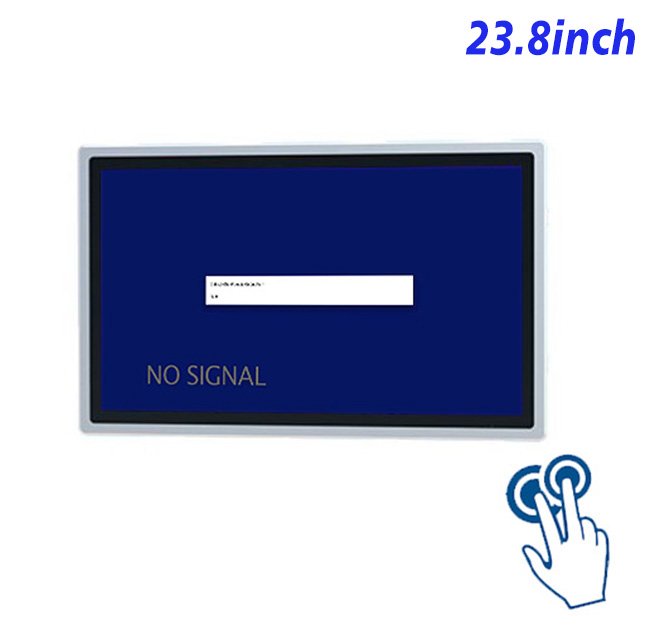
A successful customer service kiosk touch screen page should begin with the work it supports. For traffic operations, the 23.8-inch format creates a defined interaction point instead of adding an unfocused screen to the site.
Operators can place maps, camera selections and incident instructions on a spacious Full HD touch surface. Because this product is an external display rather than an Android computer, the host PC and application remain separate design choices.
Designing for Daily Users
The original specification identifies a 23.8-inch projected-capacitive touch product with ten touch points, strengthened 3 mm cover glass and wide viewing angles. Its display interface connects to a separate host computer selected by the integrator.
Interface designers should use readable controls, clear back and confirmation actions, and visible recovery messages. Ethernet, Wi-Fi, HDMI or USB functions must be confirmed against the selected configuration and planned peripherals rather than assumed from a generic kiosk description.
| 23.8-Inch Embedded Industrial Capacitive Touchscreen Display Specification Document | ||||
| LCD Panel Parameters | Screen Size | 23.8 Inch | ||
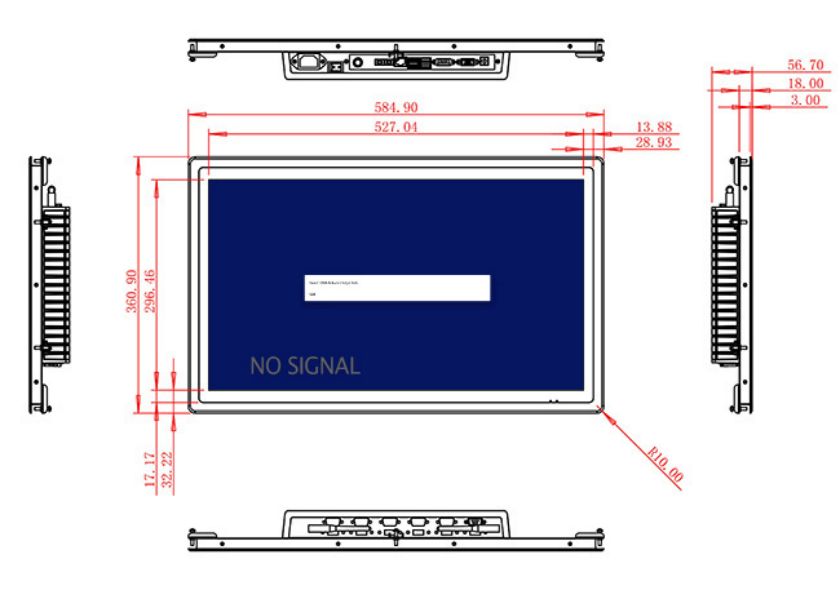
| Display Area | 527.04 mm.(Height) X 296.46(Width)mm. | |||
| Aspect Ratio | 16 : 9 | |||
| LCD Type | a-Si TFT-LCD Monitor | |||
| Maximum Resolution | 1920 X 1080 | |||
| Display Color | 16.7m , 99% sRGB | |||
| Brightness | 250cd/m² | |||
| Contrast Ratio | 1000 : 1 | |||
| Viewing Angle (Up/Down/Left/Right) | 89°/89°/89°/89° (Type)(CR≥10) | |||
| Response Time | 14ms | |||
| LCD Panel Lifespan (Hours) | 60,000(Hour.) | |||
| Field Frequency | 60Hertz | |||
| PCAP Touchscreen Panel Parameters | Touch Pattern | Projected Capacitive Touchscreen Monitor | ||
| Touch Points | 10 Points | |||
| Cover Glass | Morse Glass Size 7 Physically reinforced to prevent explosion | |||
| Glass 3 mm. Optical mount to reduce parallax | ||||
| Glass Transmission | >85% (Higher light transmission depends on glass coating technology For example AR/AG) >85% | |||
| Response Speed | < 6ms | |||
| Touch Accuracy | More than 90% of the touch area ±2 mm | |||
| Touch Method | Inch Stylus | |||
| Output Format | Coordinate Output | |||
| Click Time | Unlimited | |||
| Smallest Touch Size | 5 mm | |||
| Long-lasting Durability | Yes, Available | |||
| Touch Interface | USB | |||
| Operating Temperature and Humidity | Below 10℃ ~ +50℃, ≤ 85%RH | |||
| Storage Temperature and Humidity | Less than 20℃ ~ +60℃, ≤ 90%RH | |||
| Audio Parameters (External Speaker Option) |
Audio system | Stereo | ||
| Speaker size | ≈ 99 x 45 x 20 mm | |||
| Impedance | 8 Ohm | |||
| Power | 2 x 5 Watt | |||
| Loudness | > 80 Decibel | |||
| Interface | 4-pin connector | |||
| Onboard Interface | HDMI Input | 1 | ||
| VGA Input | 1 | |||
| DVI Input | 1 | |||
| USB Type B or any desired USB Type | 1 | |||
| Power | Power Supply | Alternating Current 100V~240V, 50/60Hz | ||
| Maximum Power Loss | ≤ 45 Watt | |||
| Standby Mode Power Loss | < 1 Watt | |||
| Features | Operating Temperature | 0℃ ~ 50℃ | ||
| Storage Temperature | Below 10℃ ~ +60℃ | |||
| Accessories | Power Cord Length | 1.5m | ||
| HDMI Cable Length | 2m | |||
| USB-A to USB-B Cable Length | 1.5m | |||
| Stereo Speaker Size with Connector | 99*45*20mm | |||
| Stereo Speaker Length | 1.5m | |||
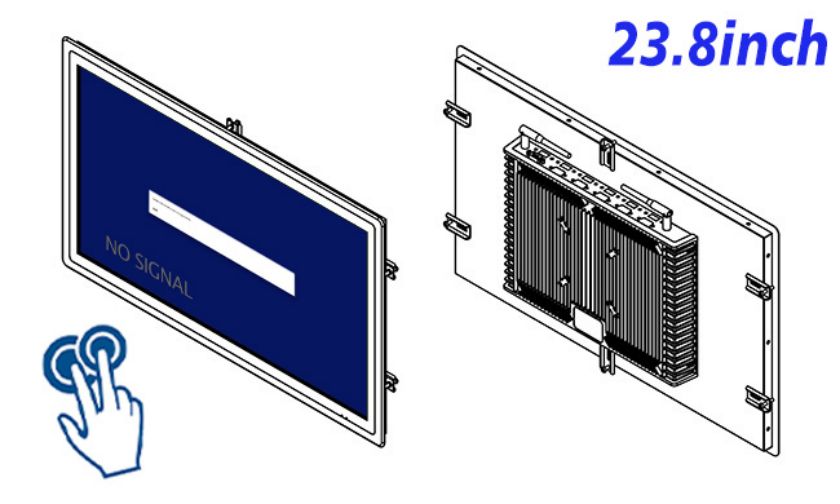
| Package Size | Device Dimensions | 584.9 X 360.9 X 56.7mm | ||
| Net Weight | 8 Kilogram | |||
| Package Size | 66 X 44 X 17Centimeter | |||
| Gross Package Weight per Unit | 9 Kilogram | |||
Procurement Details Worth Recording
The host computer, mounting structure and control software are not part of the touch display specification unless separately quoted.
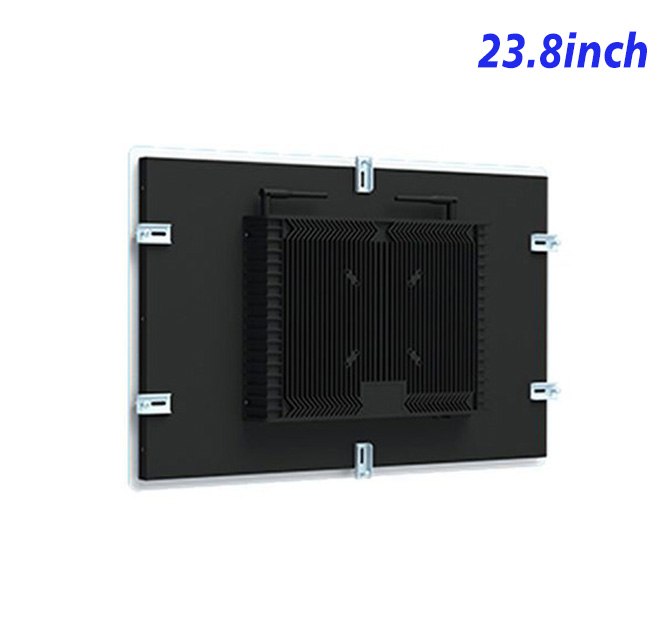
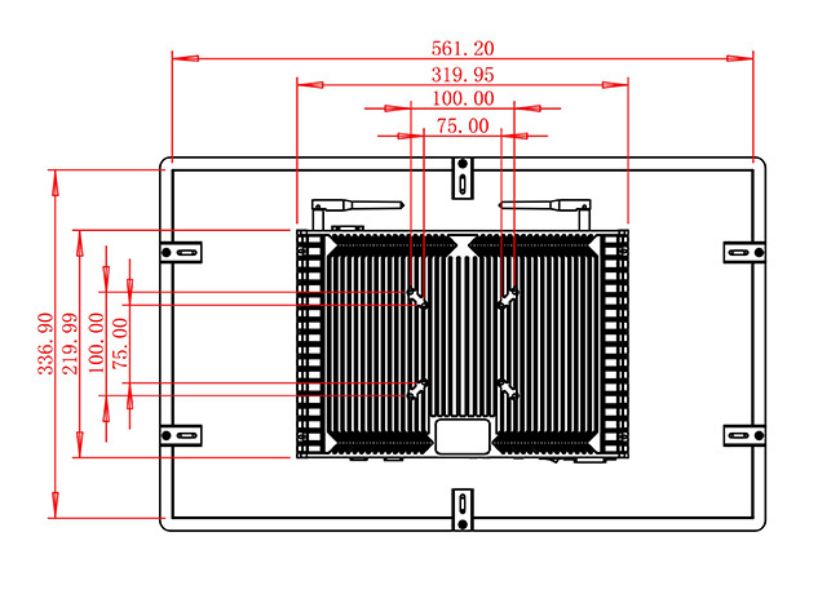
Mounting depth, ventilation, cable routing and service access should be reviewed before the cabinet is released. A pilot unit is useful for checking touch targets, screen glare, timeout behavior and the ability of staff to recover from an interrupted workflow.
ZXTLCD works with distributors and system integrators on project-specific hardware review. Buyers can share drawings, quantity, environment and peripheral requirements so the proposed customer service kiosk touch screen configuration reflects the actual installation.
Daily Maintenance Is Part of the User Experience
Cleaning access, ventilation, cable strain relief and application recovery affect reliability long after installation. Staff should know how to report a fault and identify whether the problem belongs to software, network, peripheral or display hardware.
A documented pilot gives ZXTLCD and the integrator a clearer basis for production, packaging and future replacement planning. This is particularly valuable when units are distributed across several customer locations.
Content and Workflow Need Equal Attention
Hardware cannot correct a confusing application. The opening page should make the available task obvious, while secondary information remains easy to reach without competing with the primary action. Buttons should be sized for the intended users, error messages should explain the next step, and confirmation screens should prevent accidental submission. If several languages are required, the translated interface should be tested rather than fitted into a layout designed only for English.
Network loss and peripheral failure also need visible responses. A frozen loading symbol creates support calls, while a clear offline notice can direct the user to another service route. Integrators should decide what data may be cached, how the application restarts and who receives an alert when the customer service kiosk touch screen cannot complete its assigned task.
Evaluating Total Project Value
Purchase price is only one part of an installed system. Cabinet fabrication, software licensing, integration, site labor, content updates and support all influence the commercial result. A deliberate pilot can reduce expensive changes after multiple enclosures have already been manufactured.
Project buyers should record the approved display, touch, computing and connector configuration alongside photographs and drawings. This creates a useful reference for incoming inspection, replacement requests and later expansion. It also helps ZXTLCD review whether a proposed change affects compatibility, lead time or service planning before the next order is confirmed.
Commercial Handover and Support
The finished project should include a clear ownership map for hardware, application, network and connected peripherals. Installers need the approved drawings, while support teams need configuration records and a simple fault-reporting path. These documents reduce delays when a site requests assistance and help future orders follow the version that was actually tested.