Security Information at the Point of Response
A reception or monitoring desk may need to combine customer assistance with access alerts and live facility information. A 23.6-inch information kiosk platform gives the system designer room for camera tiles, incident steps, visitor status and communication controls. The 1920 × 1080 panel can keep a primary video feed visible while presenting a list of events or actions beside it.
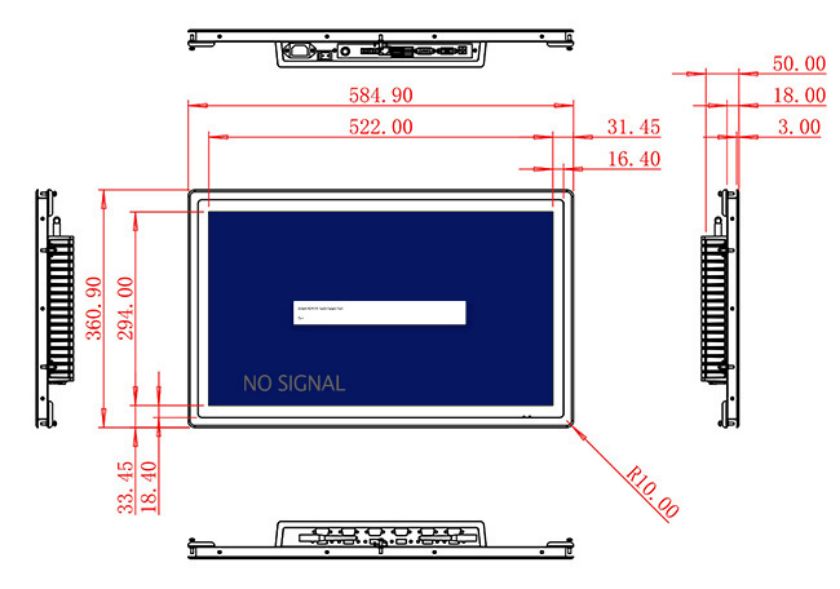
The active display area is 522 × 294 mm. A 1000:1 contrast ratio and wide 89-degree viewing angles support viewing by more than one staff member during an incident. The listed 250 cd/m² brightness is intended for indoor control rooms and reception furniture. It should not be described as a sunlight-readable security display.
Signal Flexibility for Monitoring Systems
HDMI, VGA and DVI inputs allow connection to current and legacy security computers. This is useful when a building upgrades monitors but retains part of its existing recording infrastructure. A USB Type-B or other requested USB interface is noted in the table; because the touch specification is not separately stated, the exact interaction layer and controller must be confirmed before the product is marketed or ordered as a completed touch solution.
Optional external audio uses two 5 W speakers and can support alarms or operator communication prompts. Sound design should follow the monitoring workflow: critical events need clear visual status, while audio helps attract attention when staff are looking elsewhere.
| 23.6-inch External Embedded Industrial Display Specification Document | ||||
| LCD Panel Parameters | Screen Size | 23.6 Inch | ||
| Display Area | 522 mm.(Height) X 294(Width)mm. | |||
| Aspect Ratio | 16 : 9 | |||
| LCD Type | a-Si TFT-LCD Monitor | |||
| Maximum Resolution | 1920 X 1080 | |||
| Display Color | 16.7m , 72% NTSC | |||
| Brightness | 250cd/m² | |||
| Contrast Ratio | 1000 : 1 | |||
| Viewing Angle (Up/Down/Left/Right) | 89°/89°/89°/89° (Type)(CR≥10) | |||
| Response Time | 14ms | |||
| LCD Panel Lifespan (Hours) | 60,000(Hour.) | |||
| Field Frequency | 60Hertz | |||
| Audio Parameters (External Speaker Option) |
Audio system | Stereo | ||
| Speaker size | ≈ 99 x 45 x 20 mm | |||
| Impedance | 8 Ohm | |||
| Power | 2 x 5 Watt | |||
| Loudness | > 80 Decibel | |||
| Interface | 4-pin connector | |||
| Onboard Interface | HDMI Input | 1 | ||
| VGA Input | 1 | |||
| DVI Input | 1 | |||
| USB Type B or any desired USB Type | 1 | |||
| Power | Power Supply | Alternating Current 100V~240V, 50/60Hz | ||
| Maximum Power Loss | ≤ 45 Watt | |||
| Standby Mode Power Loss | < 1 Watt | |||
| Features | Operating Temperature | 0℃ ~ 50℃ | ||
| Storage Temperature | Below 10℃ ~ +60℃ | |||
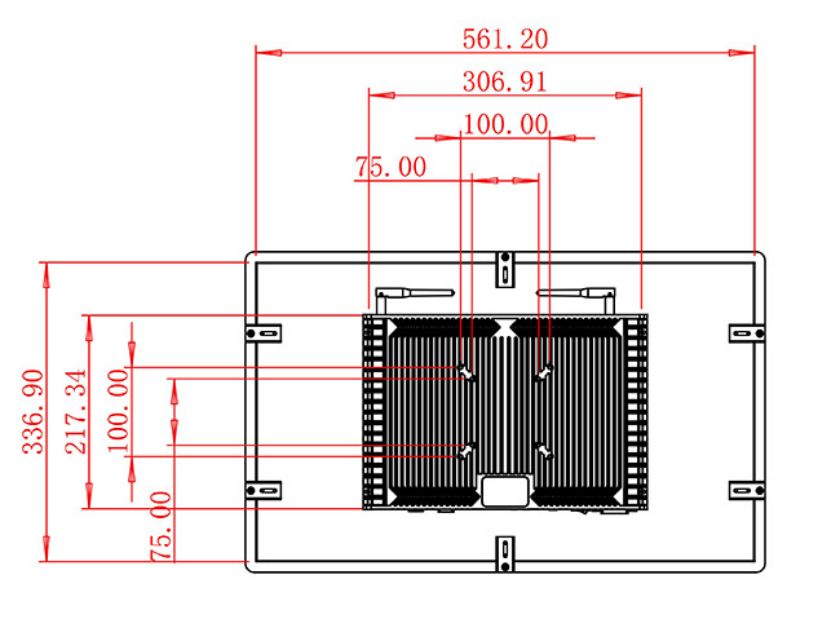
| Package Size | Device Dimensions | 584.9 X 360.9 X 50 mm. | ||
| Net Weight | 8 Kilogram | |||
| Package Size | 56 X 44 X 15Centimeter | |||
| Gross Package Weight per Unit | 9 Kilogram | |||
Control-Desk Integration
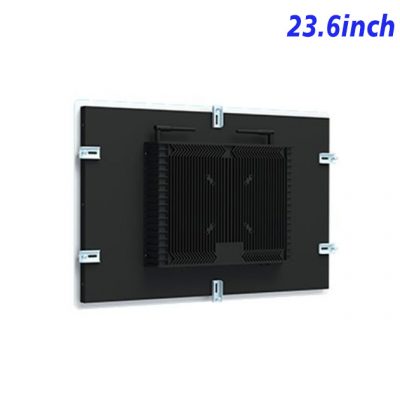
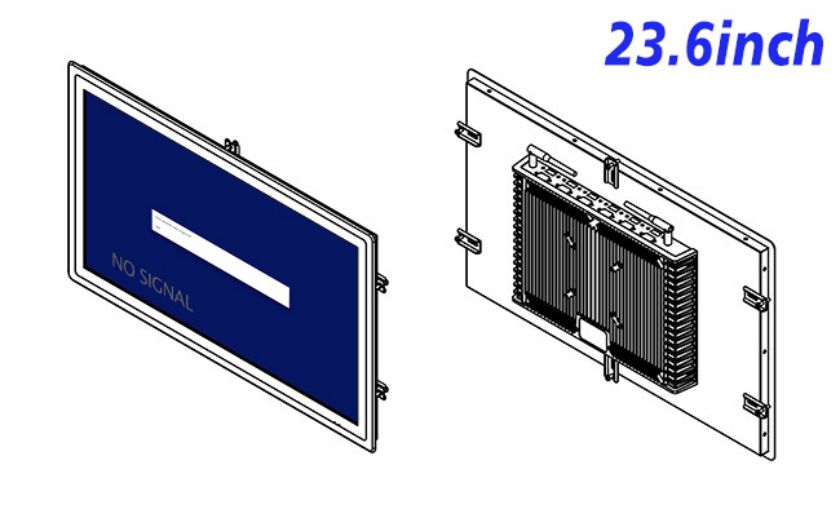
The enclosure measures 584.9 × 360.9 × 50 mm and weighs approximately 8 kg. Its 50 mm depth can support a relatively shallow console, but rear clearance is still needed for power and signal connectors. The desk manufacturer should consider continuous viewing angle, hand reach, cable retention and access for replacing the connected computer.
The unit accepts 100–240 V AC and consumes up to 45 W, with standby power below 1 W. Its specified operating range is 0°C to 50°C. The finished station must provide any required dust protection, tamper resistance and thermal management.
Review Before the Security Desk Is Built
Monitoring teams should define which events deserve a full-screen alert and which can remain in a list. Too many visual warnings can make a workstation harder to use during a genuine incident. The information kiosk layout can separate public-service tasks from security information and require staff authentication for restricted views. This division is handled by the application, but it should be demonstrated on the selected screen so text, camera tiles and controls remain readable under real desk lighting.
ZXTLCD can check the signal type, mounting plan, optional audio and requested USB arrangement with the integrator. A sample connected to the actual monitoring computer lets the team verify camera-grid clarity, input recovery and the physical interaction plan. This avoids discovering an interface mismatch after the information kiosk has been enclosed in custom furniture.
Security Integration Questions
The pilot should include night-shift lighting and a simulated loss of one video source. Operators need an obvious indication that a feed is unavailable instead of a frozen image that appears current. Testing acknowledgement, login timeout and fallback communication provides a stronger basis for approving the completed monitoring station.
Is a capacitive touch panel included?
The table does not state a defined touch technology for this product. Touch requirements and the USB controller must be confirmed as part of the project configuration.
Can the monitor show several cameras at once?
The Full HD screen can display a multi-camera layout generated by the connected security computer or recorder.
Does the product store video?
No recording storage is specified. Recording and security software belong to the external monitoring system.