A Building Dashboard People Can Actually Read
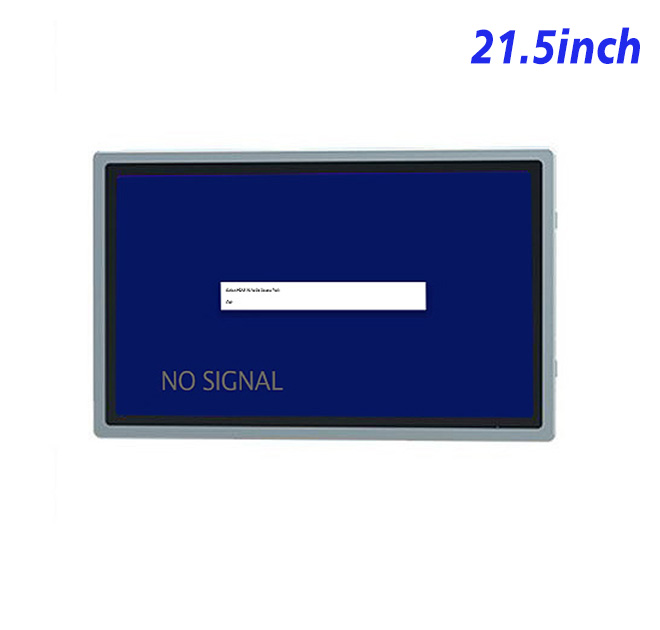
Building automation software may collect thousands of values, but the local screen still needs to show the few items that matter at a particular location. A 21.5-inch information kiosk can present energy trends, equipment status, room conditions and active alerts in a layout that facilities teams can scan quickly. The Full HD resolution provides room for a floor plan or trend chart beside a prioritized event list.
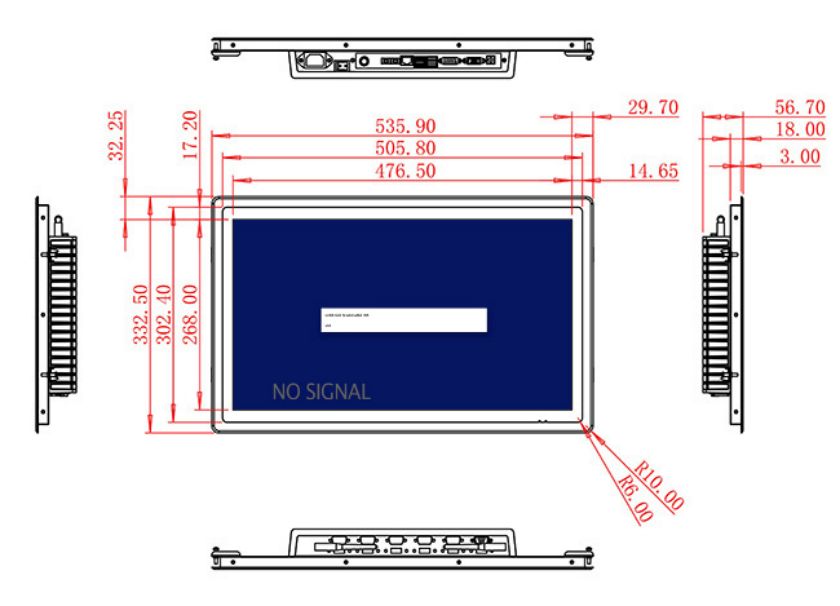
The active display area measures 476.5 × 268 mm. A 3000:1 contrast ratio and wide viewing angles support clear indoor presentation from different positions around a management desk. The 250 cd/m² brightness in the specification is suitable for controlled lighting. Although the original title refers to outdoor high brightness, the verified value does not justify that claim, so this product should remain positioned for indoor or protected use.
Signal Inputs for Facility-Control Computers
HDMI, VGA and DVI connections allow the information kiosk monitor to receive output from new and older building-management computers. This can help during staged modernization, when a facility upgrades displays but continues using an established controller or workstation. The USB Type-B or requested USB interface should be defined according to the project because the table does not state a complete touch configuration.
Optional external audio uses two 5 W speakers. It can provide warning tones or spoken maintenance prompts, but alarm priorities and acknowledgement still depend on the building-management application. Visual status should remain understandable when audio is muted or unsuitable for the location.
| Specifications Document for 21.5-Inch External Embedded Industrial Display | ||||
| LCD Panel Parameters | Screen Size | 21.5 Inch | ||
| Display Area | 476.5 mm (Height) X 268 mm (Width) | |||
| Aspect Ratio | 16 : 9 | |||
| LCD Type | TFT-LCD Monitor | |||
| Maximum Resolution | 1920 X 1080 | |||
| Display Color | 16.7m | |||
| Brightness | 250cd/m² | |||
| Contrast Ratio | 3000 : 1 | |||
| Viewing Angle (Up/Down/Left/Right) | 89/89/89/89 (Type)(CR≥10) | |||
| Response Time | 6.5ms | |||
| LCD Panel Lifespan (Hours) | 60,000(Hour.) | |||
| Field Frequency | 60Hertz | |||
| Audio Parameters (External Speaker Option) |
Audio system | Stereo | ||
| Speaker size | ≈ 99 x 45 x 20 mm | |||
| Impedance | 8 Ohm | |||
| Power | 2 x 5 Watt | |||
| Loudness | > 80 Decibel | |||
| Interface | 4-pin connector | |||
| Onboard Interface | HDMI Input | 1 | ||
| VGA Input | 1 | |||
| DVI Input | 1 | |||
| USB Type B or any desired USB Type | 1 | |||
| Power | Power Supply | Alternating Current 100V~240V, 50/60Hz | ||
| Maximum Power Loss | ≤ 45 Watt | |||
| Standby Mode Power Loss | < 1 Watt | |||
| Features | Operating Temperature | 0℃ ~ 50℃ | ||
| Storage Temperature | Below 10℃ ~ +60℃ | |||
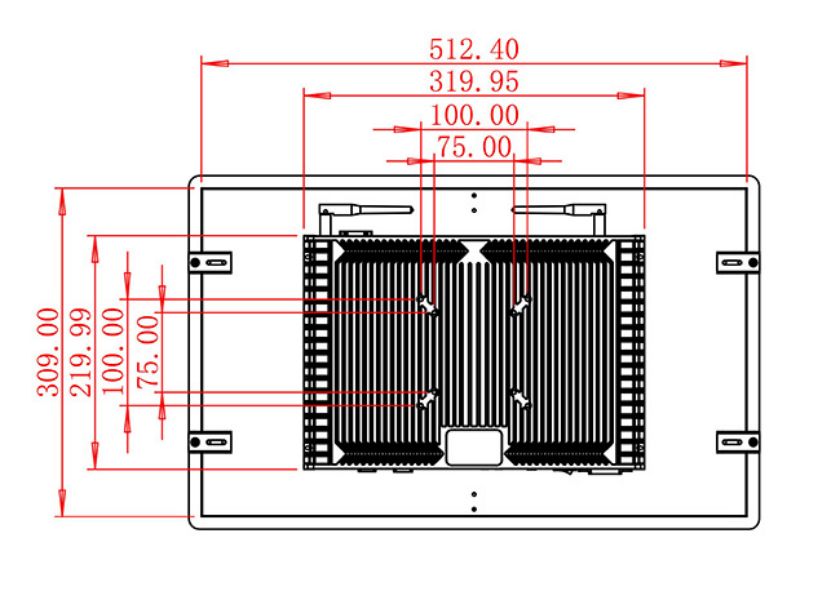
| Package Size | Device Dimensions | 535.9 X 332.5 X 56.7 mm. | ||
| Net Weight | 7 Kilogram | |||
| Package Size | 62 X 42 X 17Centimeter | |||
| Gross Package Weight per Unit | 7.5 Kilogram | |||
Mounting and Service Access
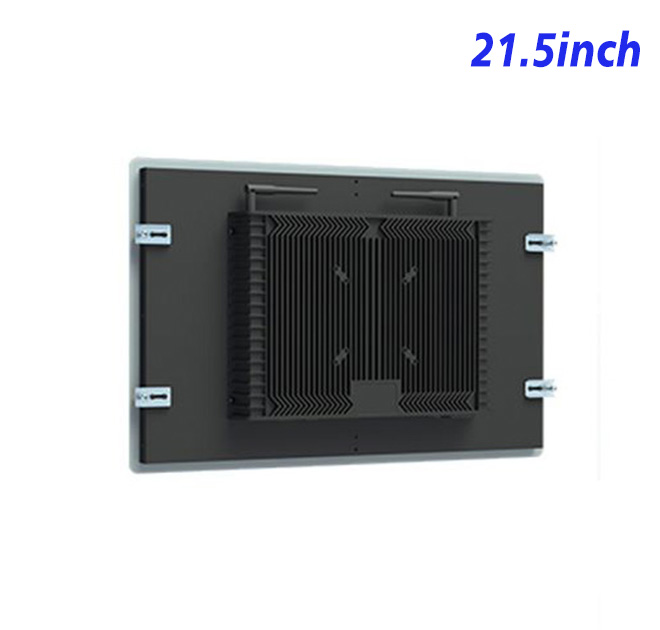
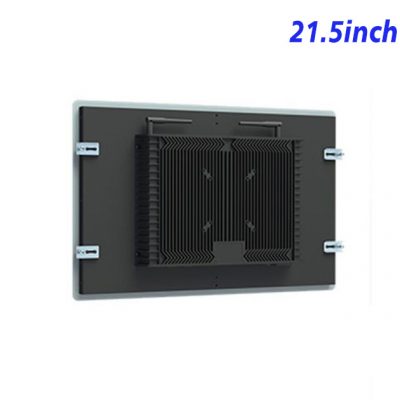
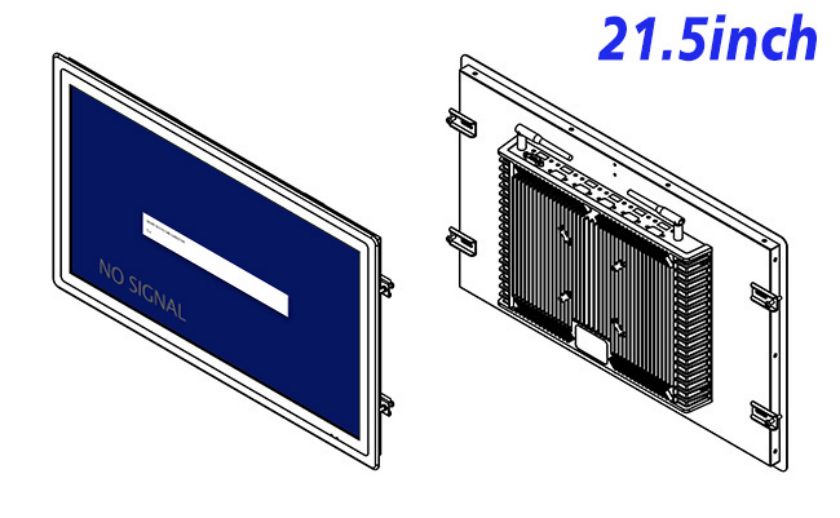
The monitor measures 535.9 × 332.5 × 56.7 mm and weighs approximately 7 kg. A wall fixture, plant-room cabinet or control desk should include suitable bracket strength, concealed cables and enough rear space to reach each connector. The panel description mentions VESA and panel-mount use, but the exact mounting arrangement should be checked against the product drawing before metalwork is released.
Input power is 100–240 V AC, maximum consumption is 45 W and standby use is below 1 W. The operating range is stated as 0°C to 50°C. The completed installation must address dust, moisture, impact and temperature conditions beyond those listed.
From One Building to a Portfolio Standard
Different facilities may use the same screen for very different audiences. A plant room display can present technical values, while a lobby installation should translate the same building data into simple status messages. Defining those audiences before deployment helps the software team decide which alarms, trend periods and controls are appropriate at each information kiosk. It also prevents sensitive maintenance details from appearing on a public screen. The hardware can remain consistent while permissions and content are adapted to the site.
Facility groups often want the same information kiosk hardware across offices, hotels or campuses. ZXTLCD can review the signal source, drawing, audio requirement and cable orientation before preparing a sample. Testing the actual dashboard at the intended viewing distance helps the buyer approve font size, color states and restart behavior. The confirmed configuration can then support repeat ordering across multiple sites.
Building Automation FAQ
Facilities teams can also document the normal screen state, alarm colors and approved source resolution so future service visits do not depend on one technician’s memory. This small operating standard is useful when several contractors maintain the same building portfolio.
Does the monitor include building-management software?
No. It displays the output from the buyer’s compatible computer or controller.
Can it replace an older VGA monitor?
VGA input is listed, but the source resolution, timing and physical installation should be tested before replacement.
Is this an outdoor information kiosk?
No outdoor protection rating is stated, and brightness is 250 cd/m². It is best suited to indoor or protected installations.