

A Practical Screen Size for Guided Service
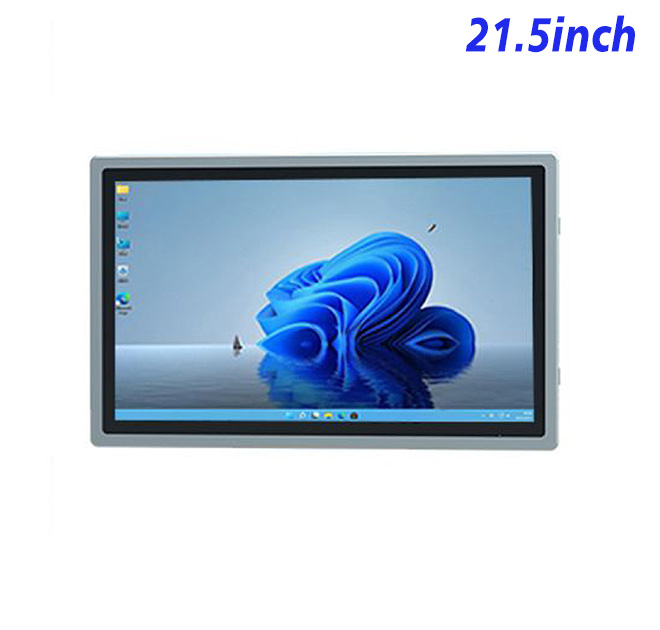
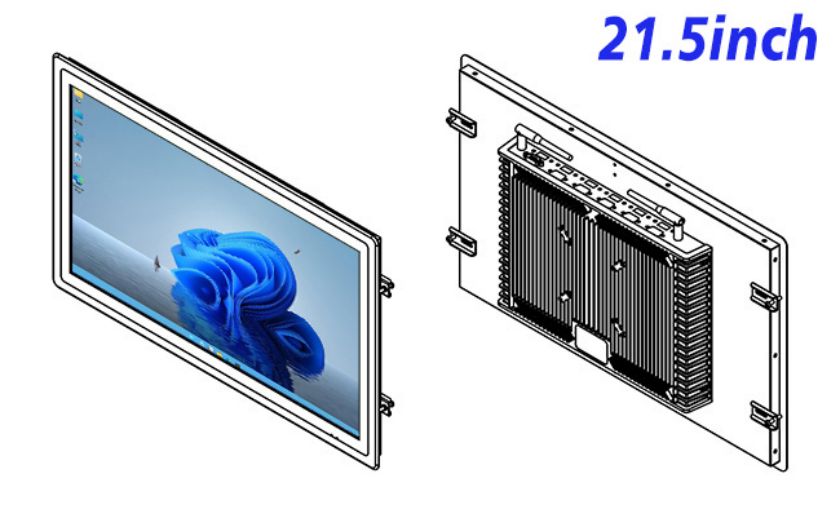
The customer service kiosk touch screen is a 21.5-inch embedded Windows display and computer platform that can form the core of a customer service kiosk touch screen project. The existing specification lists 1920 × 1080 resolution, a 16:9 aspect ratio and a 476.5 × 268 mm display area. These proportions suit guided customer journeys, plan comparisons, queue information and assisted-service applications without requiring an oversized enclosure.
The product is supplied as an integration platform rather than a complete service kiosk. Software, identity methods, payment functions and external peripherals depend on the buyer’s project. The final quotation should state exactly which touch, computer and interface options are included.
| Specifications of 21.5-Inch External Embedded Industrial All-in-One Computer with Windows | ||||
| LCD Panel Parameters | Screen Size | 21.5 Inch | ||
| Display Area | 476.5 mm (Height) X 268 mm (Width) | |||
| Aspect Ratio | 16 : 9 | |||
| LCD Type | TFT-LCD Monitor | |||
| Maximum Resolution | 1920 X 1080 | |||
| Display Color | 16.7m | |||
| Brightness | 250cd/m² | |||
| Contrast Ratio | 3000 : 1 | |||
| Viewing Angle (Up/Down/Left/Right) | 89/89/89/89 (Type)(CR≥10) | |||
| Response Time | 6.5ms | |||
| LCD Panel Lifespan (Hours) | 60,000(Hour.) | |||
| Field Frequency | 60Hertz | |||
| Audio parameters | Audio system | Stereo | ||
| Speaker size | ≈ 99 x 45 x 20 mm | |||
| Impedance | 8 Ohm | |||
| Power | 2 x 5 Watt | |||
| Loudness | > 80 Decibel | |||
| Interface | 4-pin connector | |||
| Internal computer configuration (Choose one of two) |
CPU | Intel i5-4310M Generation 4, Dual-Core Four Threads, Main frequency can reach up to 2.7GHz | Intel I5-6100T Generation 6, Dual-Core Four Threads, Main frequency can reach up to 3.2GHz | |
| Graphics Card | Integrated Graphics Card Intel® HD 4600 | Integrated Graphics Card Intel® HD 530 | ||
| RAM | 4GB | 8GB | ||
| Storage Memory Capacity | 128GB | 256GB | ||
| OS | Win10 or win11 Optional | Win10 or win11 Optional | ||
| Wi-Fi Built-in | Speed 150Mbps 802.11n wifi Integrated | Speed 150Mbps 802.11n wifi Integrated | ||
| Media Format | Video Format | wmv, avi, flv, rm, rmvb, mpeg, ts, mp4 etc. | ||
| Audio Format | MP3, WMA | |||
| Photo Format | BMP, JPEG, PNG, GIF etc. | |||
| Onboard Interface | Network port | RJ45 X 1, 10M/100M Adjustable Ethernet | ||
| HDMI | 1 | |||
| USB | 4 | |||
| Power | Power Supply | Alternating Current 100V~240V, 50/60Hz | ||
| Maximum Power Loss | ≤ 45 Watt | |||
| Standby Mode Power Loss | < 1 Watt | |||
| Features | Operating Temperature | 0℃ ~ 50℃ | ||
| Storage Temperature | Below 10℃ ~ +60℃ | |||
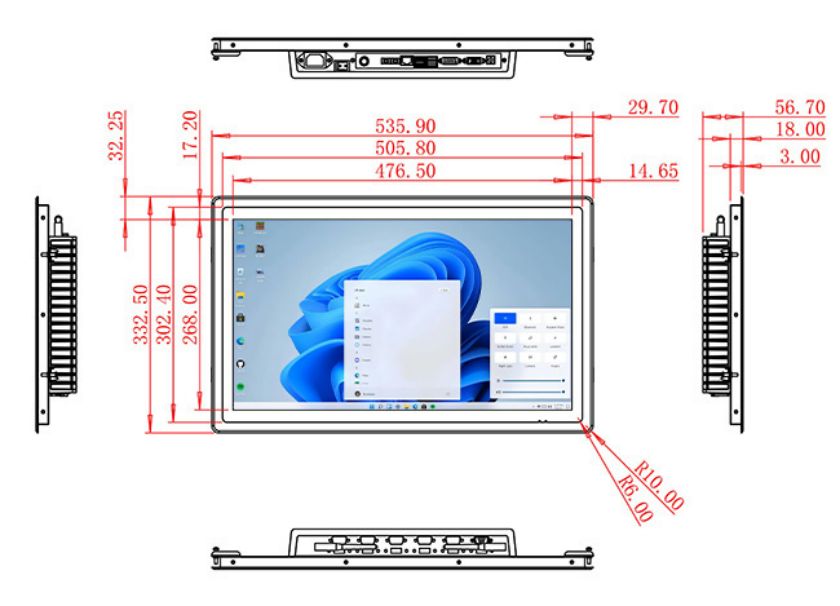
| Package Size | Device Dimensions | 535.9 X 332.5 X 56.7 mm. | ||
| Net Weight | 7 Kilogram | |||
| Package Size | 62 X 42 X 15Centimeter | |||
| Gross Package Weight per Unit | 7.5 Kilogram | |||
Build the Journey Around Common Enquiries
In a telecom store or service hall, customers may need plan information, account guidance or a route to the correct employee. The interface should begin with those common intentions rather than a replica of the company website. Short instructions, consistent terms and an obvious help option make the terminal easier to use during busy periods.
A customer service kiosk touch screen can also support staff-assisted operation. An employee may use the same screen to explain a package or guide a customer through a form. The 21.5-inch Full HD workspace can present comparison content clearly, but private account details should be protected with session timeouts and appropriate screen placement.
Select Computing Resources for the Service Application
The specification lists alternative Intel processor configurations together with memory and storage options. Buyers should identify whether the application is browser-based, installed locally or connected to a customer platform. Video content, local databases and multiple connected devices can change the required configuration.
The Windows image, network policy and remote-management software should be tested on a sample. Touch behavior, where selected, needs to be checked with the final application, including scrolling, on-screen keyboard entry and small confirmation controls. Optional audio can be evaluated if the workflow uses prompts or media.
Coordinate the Display with the Furniture
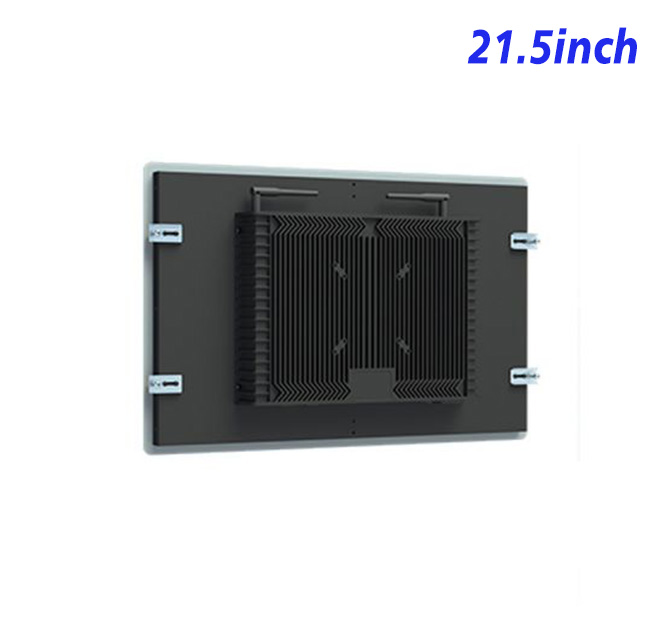
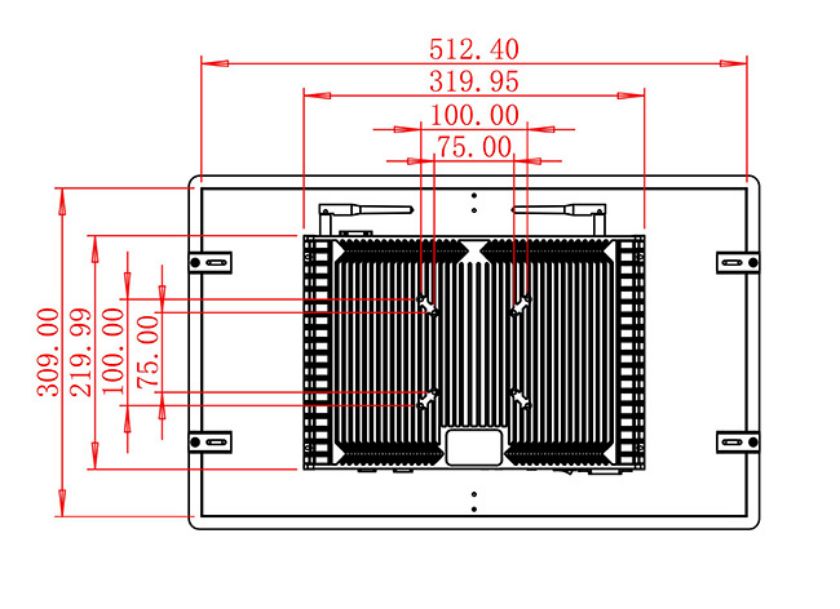
The embedded structure can be incorporated into a counter, wall feature or freestanding cabinet. Mechanical drawings should verify the opening, fixing points, rear depth, ventilation and cable route. The surrounding design must provide service access and protect the electronics according to the actual site conditions.
Front glass and ambient lighting can change readability, so a complete prototype is more useful than testing the bare display alone. Accessibility, viewing height and approach space should be reviewed before several cabinets are produced.
The buyer can also test cleaning, staff access and cable security during the pilot. A terminal placed near a queue receives different daily contact from a display behind a reception counter. Those observations can influence the enclosure finish, mounting position and maintenance interval without requiring changes to the approved electronic platform.
Usage patterns should be reviewed after launch so frequently requested services remain prominent and outdated guidance is removed through a controlled content process.
Review dates and content owners should be documented for every deployed location.
Quote the Complete Integration Scope
Procurement teams should provide the application owner, required touch option, expected daily usage, mounting plan and acceptance tests. This creates a common basis for comparing offers and prevents optional hardware from being treated as standard. For multi-store projects, drawing control, packaging and spares can be discussed early.
Send ZXT LCD the cabinet concept, Windows requirements, service workflow and forecast quantity. The team can configure the customer service kiosk touch screen for a customer service kiosk touch screen application and prepare a project quotation. Telecom integrators, retail contractors and distributors can request a sample for software and mechanical validation.
If you would like to get the specification about above product, or you hope to discuss your requirements or need any additional information on our this product , then please do not hesitate to send us a inquiry and contact our sales team now.