A Checkpoint Screen Built Around Forms
At a warehouse entrance or dispatch desk, users often need to enter a booking number, confirm a vehicle, select a dock and acknowledge safety instructions. A 19-inch customer service kiosk touch screen with a 4:3 format gives those forms more vertical room than a very wide display. The 1280 × 1024 resolution can keep several fields and a confirmation area visible without excessive scrolling.
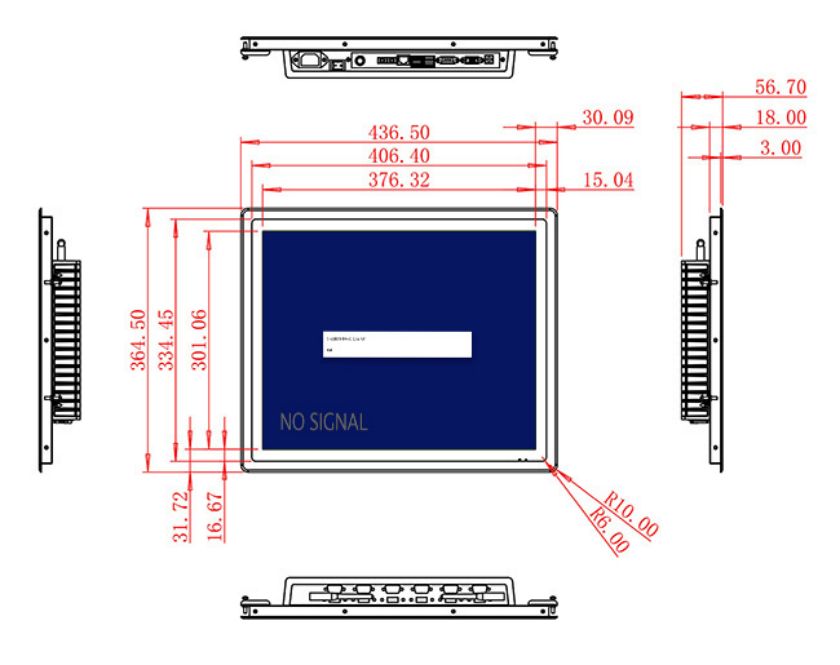
The active area measures 376.32 × 301.06 mm. Wide 89-degree viewing angles help staff and drivers review the same screen, while the 1000:1 contrast ratio supports clear indoor graphics. Brightness is listed at 250 cd/m², positioning the product for protected gatehouses, warehouses and indoor logistics stations rather than exposed yard use.
Ten-Point Projected-Capacitive Interaction
The specification lists a projected-capacitive touchscreen with ten touch points. A logistics application may only require single-touch entry, but the PCAP layer supports responsive gestures and a familiar glass-interface experience. The application should use large controls and short workflows, particularly when drivers are wearing light gloves or working under time pressure. Glove compatibility must be tested rather than assumed.
HDMI, VGA and DVI inputs connect the display to current or legacy computers. A USB Type-B or requested USB connection can carry the approved touch or service interface, subject to configuration confirmation. Optional two-channel 5 W audio can deliver gate instructions or alerts where noise conditions allow.
| Specifications Document for 19-Inch External Embedded Industrial Display | ||||
| LCD Panel Parameters | Screen Size | 19 Inch | ||
| Display Area | 376.32 mm.(Height) X 301.06(Width)mm. | |||
| Aspect Ratio | 4 : 3 | |||
| LCD Type | a-Si TFT-LCD Monitor | |||
| Maximum Resolution | 1280 X 1024 | |||
| Display Color | 16.7m , 73% NTSC | |||
| Brightness | 250cd/m² | |||
| Contrast Ratio | 1000 : 1 | |||
| Viewing Angle (Up/Down/Left/Right) | 89°/89°/89°/89° (Type)(CR≥10) | |||
| Response Time | 14ms | |||
| LCD Panel Lifespan (Hours) | 60,000(Hour.) | |||
| Field Frequency | 60Hertz | |||
| PCAP Touchscreen Panel Parameters | Touch Pattern | Projected Capacitive Touchscreen Monitor | ||
| Touch Points | 10 Points | |||
| Audio Parameters (External Speaker Option) |
Impedance | 8 Ohm | ||
| Power | 2 x 5 Watt | |||
| Loudness | > 80 Decibel | |||
| Interface | 4-pin connector | |||
| Onboard Interface | HDMI Input | 1 | ||
| VGA Input | 1 | |||
| DVI Input | 1 | |||
| USB Type B or any desired USB Type | 1 | |||
| Power | Power Supply | Alternating Current 100V~240V, 50/60Hz | ||
| Maximum Power Loss | ≤ 30 Watt | |||
| Standby Mode Power Loss | < 1 Watt | |||
| Features | Operating Temperature | 0℃ ~ 50℃ | ||
| Storage Temperature | Below 10℃ ~ +60℃ | |||
| Package Size | Device Dimensions | 436.5 X 364.5 X 56.7 mm. | ||
| Net Weight | 6.5 Kilogram | |||
| Package Size | 52 X 44 X 17 Centimeter | |||
| Gross Package Weight per Unit | 7 Kilogram | |||
Fit for a Gatehouse or Dispatch Counter
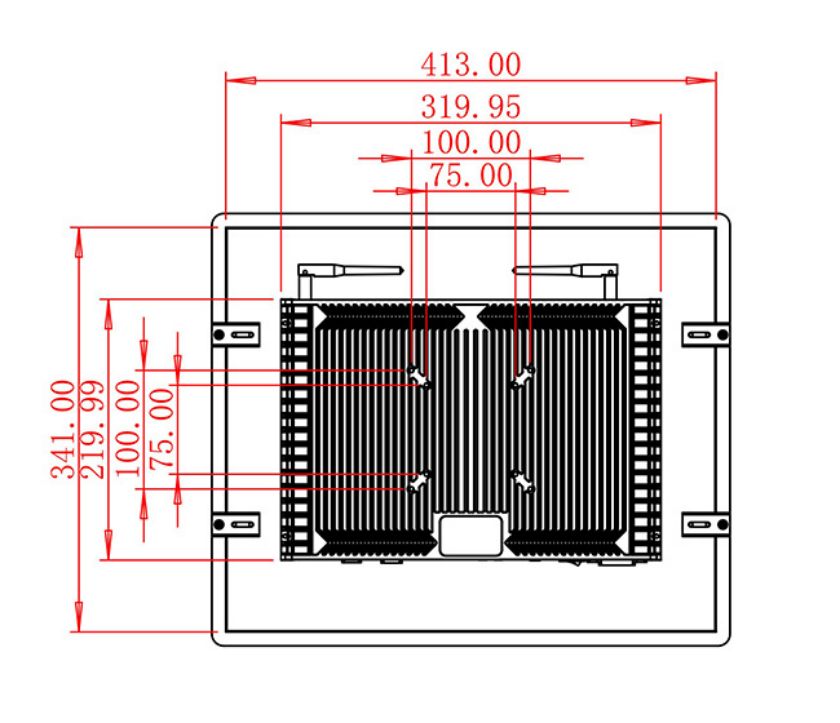
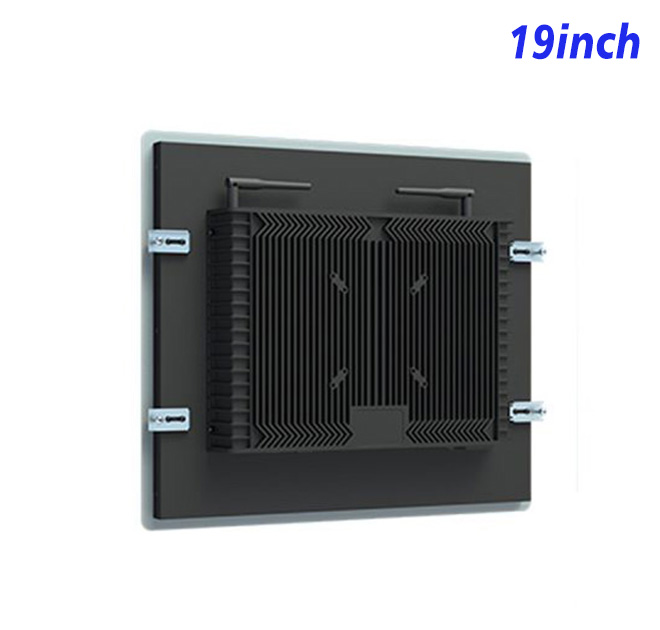
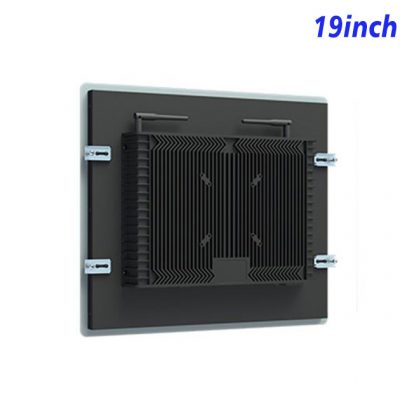
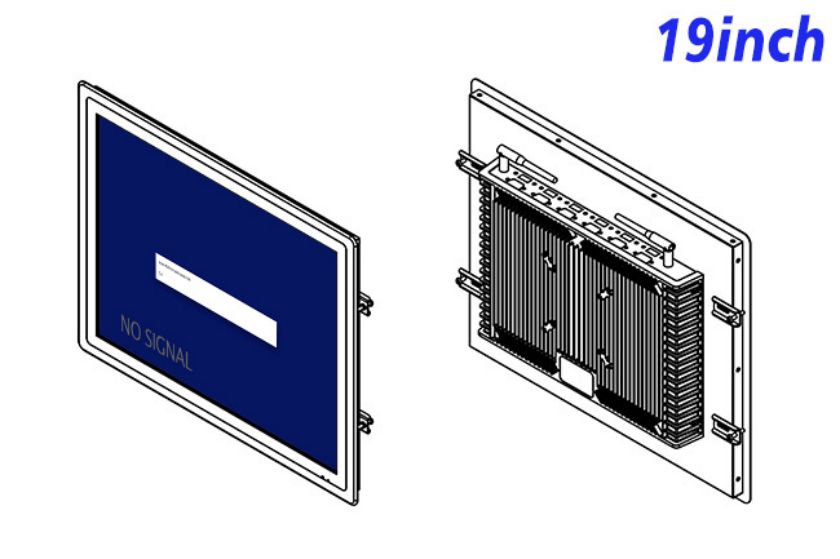
The monitor measures 436.5 × 364.5 × 56.7 mm and weighs approximately 6.5 kg. Its shape can be integrated into a counter, wall panel or protected freestanding cabinet. The builder should leave enough rear access for signal and touch cables and position the screen so a user does not block a lane while entering information.
Power input is 100–240 V AC, maximum consumption is 30 W and standby power is below 1 W. The operating range is 0°C to 50°C. Outdoor gates require a weatherproof, temperature-managed enclosure and a display reviewed for daylight conditions.
Reduce Integration Risk Before Rollout
Logistics checkpoints are frequently used by people who have never seen the interface before. A good pilot therefore includes first-time drivers as well as warehouse staff. Observing where they pause or enter the wrong field can reveal problems that are invisible to the software team. The customer service kiosk touch screen should present the next action clearly, protect previous shipment data and provide a staffed fallback when a booking cannot be found. These workflow details influence throughput as much as the panel specification.
ZXTLCD can review the computer output, touch connection, mounting drawing and audio requirement with logistics solution providers. A pilot customer service kiosk touch screen can be tested with the real check-in application and the intended user group. This gives the buyer evidence about form layout, touch behavior and source compatibility before multiple checkpoints are equipped.
Logistics Touchscreen FAQ
The gatehouse team should also test shift changes and temporary network outages. Sessions must close cleanly, previous driver information should disappear, and staff need a simple method for escalating exceptions. Documenting these behaviors gives the operator a practical acceptance checklist that covers privacy and continuity, not just touch response and image quality.
Will the touchscreen work with any operating system?
Compatibility depends on the touch controller, driver and connected computer. The planned operating system should be confirmed and tested.
Can drivers use heavy work gloves?
Heavy-glove operation is not stated. It should be validated with the actual gloves or addressed through another touch solution.
Can this customer service kiosk touch screen be placed outdoors?
Not as an exposed standalone product. The brightness and lack of a weather rating require a protected, project-specific installation.