

Give Teams a Shared Interactive View
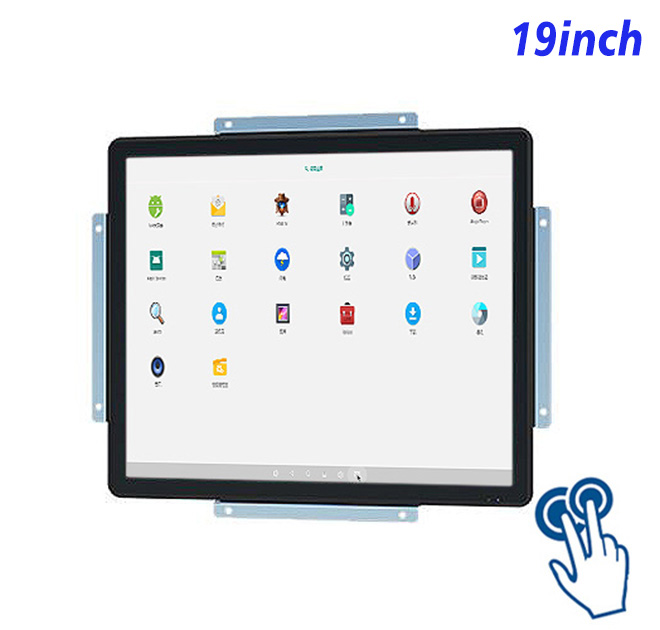
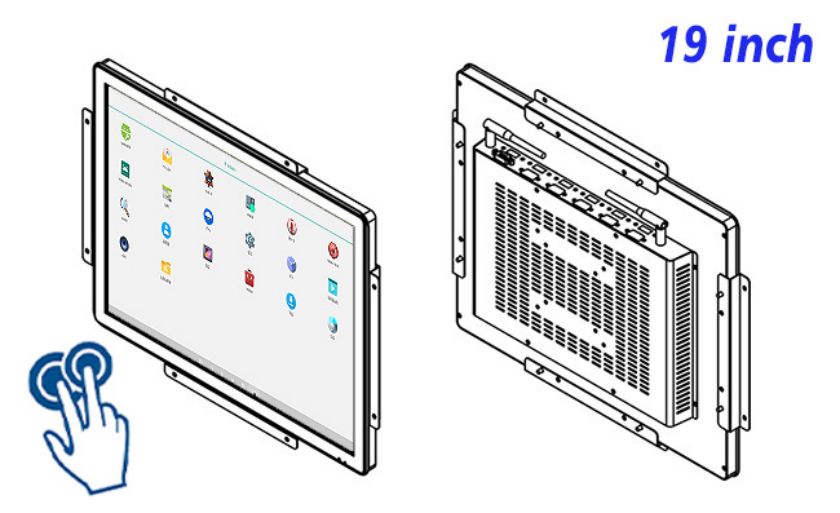
Shared work slows down when useful information is hidden on a small office screen. The 19-inch Android touch panel PC brings parts discovery and assisted service into parts counters, maintenance stores and component-selection stations, where people can search a catalogue, compare compatible items and prepare an assistance request. The panel becomes a visible part of the workflow and gives solution providers a more professional foundation for software, enclosure design and local service.
The panel gives parts distributors, service-equipment suppliers and inventory solution integrators a tangible product around which to build software, enclosure work and local delivery. Rather than describing an abstract digital solution, the sales team can demonstrate the real interaction on the intended screen. That makes value easier to understand and creates a natural path from one sample to a pilot and then to repeat orders.
Organize the Interface around Real Decisions
Content can be arranged around real decisions instead of copying a desktop application onto a touch screen. The primary status or choice receives visual priority, secondary detail remains available, and confirmations are difficult to miss. Testing that hierarchy with representative users gives the provider practical feedback before quantities are approved and strengthens the commercial story presented to the end customer.
| ZXTLCD-EN190BACT 19-Inch Capacitive Touch System All-in-One Android Computer | ||||
| LCD Panel Parameters | Screen Size | 19 Inch | ||
| Display Area | 376.32 mm.(Height) X 301.06(Width)mm. | |||
| Aspect Ratio | 4 : 3 | |||
| LCD Type | a-Si TFT-LCD Monitor | |||
| Maximum Resolution | 1280 X 1024 | |||
| Display Color | 16.7m , 73% NTSC | |||
| Brightness | 250cd/m² | |||
| Contrast Ratio | 1000 : 1 | |||
| Viewing Angle (Up/Down/Left/Right) | 89°/89°/89°/89° (Type)(CR≥10) | |||
| Response Time | 14ms | |||
| LCD Panel Lifespan (Hours) | 60,000(Hour.) | |||
| Field Frequency | 100Hertz | |||
| PCAP Touchscreen Panel Parameters | Touch Pattern | Projected Capacitive Touchscreen Monitor | ||
| Touch Points | 10 Points | |||
| Cover Glass | Morse Glass Size 7 Physically reinforced to prevent explosion | |||
| Glass 3 mm. Optical mount to reduce parallax | ||||
| Glass Transmission | >85% (Higher light transmission depends on glass coating technology For example AR/AG) >85% | |||
| Response Speed | < 6ms | |||
| Touch Accuracy | More than 90% of the touch area ±2 mm | |||
| Touch Method | Inch Stylus | |||
| Output Format | Coordinate Output | |||
| Click Time | Unlimited | |||
| Smallest Touch Size | 5 mm | |||
| Long-lasting Durability | Yes, Available | |||
| Touch Interface | USB | |||
| Operating Temperature and Humidity | Below 10℃ ~ +50℃, ≤ 85%RH | |||
| Storage Temperature and Humidity | Less than 20℃ ~ +60℃, ≤ 90%RH | |||
| Audio parameters | Audio system | Stereo | ||
| Speaker size | ≈ 99 x 45 x 20 mm | |||
| Impedance | 8 Ohm | |||
| Power | 2 x 5 Watt | |||
| Loudness | > 80 Decibel | |||
| Interface | 4-pin connector | |||
| Built-in Android PCB Configuration (Choose one of two) | CPU | Quad-Core RK3288, 1.8GHz | Quad-Core RK3568,2.0GHz | |
| GPU | Mali-T764 | Mali-G52 | ||
| RAM | 2GB | 4GB | ||
| ROM | 32GB | 32GB | ||
| Android System | Android 10.0 | Android 11.0 | ||
| Ethernet | 1 x RJ45, Ethernet 1,000 Mbps | 1 x RJ45, Ethernet 1,000 Mbps | ||
| Wireless Internet | 2.4Gigahertz | 2.4Gigahertz/5Gigahertz, Wi-Fi 6 | ||
| Bluetooth | 4.2 | 5 | ||
| Interface | USB2.0 x 2 | USB2.0 x 2 | ||
| HDMI IN x 1 | ||||
| Power | Power Supply | Alternating Current 100V~240V, 50/60Hz | ||
| Maximum Power Loss | ≤ 30 Watt | |||
| Standby Mode Power Loss | < 1 Watt | |||
| Features | Operating Temperature | 0℃ ~ 50℃ | ||
| Storage Temperature | Below 10℃ ~ +60℃ | |||
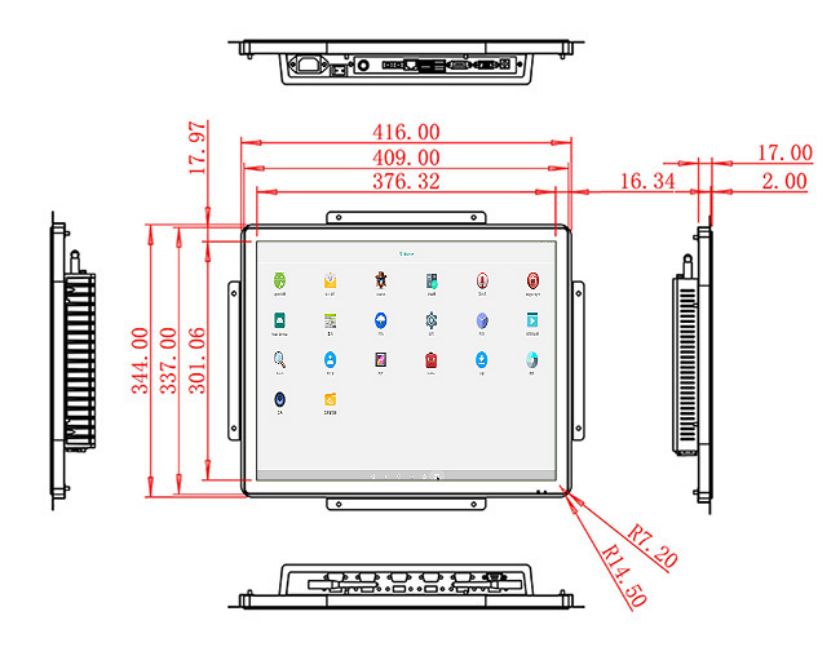
| Package Size | Device Dimensions | 416 X 344 X 49mm. | ||
| Net Weight | 6.5 Kilogram | |||
| Package Size | 50 X 42 X 15Centimeter | |||
| Gross Package Weight per Unit | 7 Kilogram | |||
Connect Presentation with Action
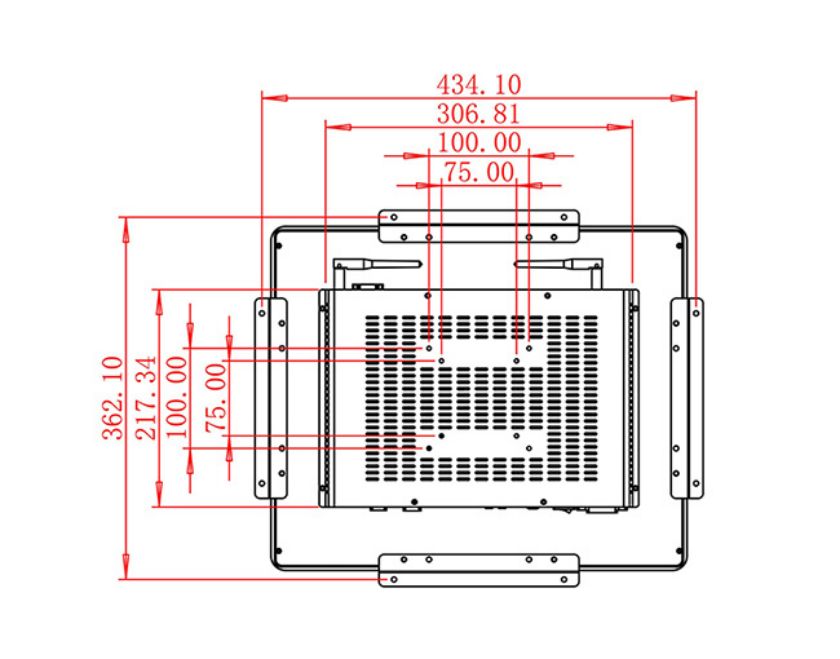
The 19-inch format provides 1280 × 1024 presentation space, giving the application a defined canvas for parts discovery and assisted service. That detail is enough to frame the marketing value without turning the page into a duplicate specification sheet. Exact dimensions, brightness, power, interfaces and mounting information remain in the preserved original table for engineering review. Buyers should evaluate real content at the intended distance and height, then approve the configuration that will be quoted and manufactured.
Use the Display Space with Purpose
Android computing is built into the panel, so the fixture does not need a separate media player or office computer. Ten-point projected-capacitive touch supports buttons, maps, galleries and application gestures selected by the solution provider. The 19-inch Android touch panel PC remains a hardware platform: content, accounts, network services, peripheral behavior and business-system connections belong to the complete customer solution and should be tested on the approved sample.
A pilot installation can turn assumptions into useful evidence. Teams can observe whether users notice the station, understand the first screen and complete the intended action. The provider can then refine content and application flow before a larger hardware commitment. That process is valuable to both sides: the buyer sees a product shaped around real use, while the supplier gains an approved reference for production. It is a practical way to build confidence without overpromising functions that belong to the wider software or system.
A Stronger Offer for Solution Providers
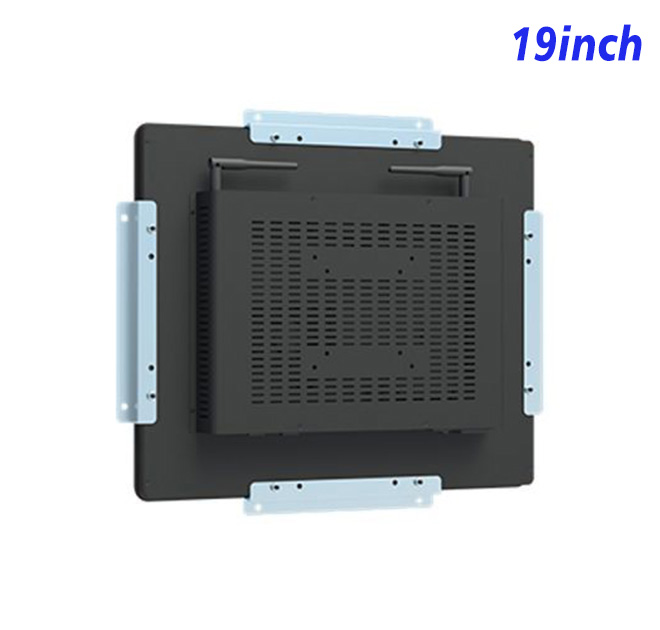
ZXTLCD can review the intended application, drawing, visible finish, logo position, mounting relationship and connector access before production. A representative sample lets software, engineering, purchasing and sales teams evaluate the same physical product. Once the chosen configuration and appearance are approved, that reference can support repeat manufacturing, distributor demonstrations and future expansion. Optional protection, specialist peripherals, certifications and software functions are confirmed separately rather than assumed from an older product title.
Coordinate the Finished Product with ZXTLCD
Commercial teams can also use the approved product in exhibitions, distributor training and customer demonstrations. Showing realistic content on the actual panel makes the offer easier to understand and gives local partners a consistent basis for explaining installation, application scope and service. This visibility supports stronger project conversations before the final order.
The 19-inch Android touch panel PC gives parts counters, maintenance stores and component-selection stations a focused interactive core that can carry the buyer’s application and brand into a more persuasive finished product. By validating real content, mechanical fit and the chosen computing configuration at sample stage, customers gain a clearer route to launch while ZXTLCD and its partners gain a dependable reference for repeat supply.
Request Product Information
If you would like to get the specification about above product, or you hope to discuss your requirements or need any additional information on our this product , then please do not hesitate to send us a inquiry and contact our sales team now.