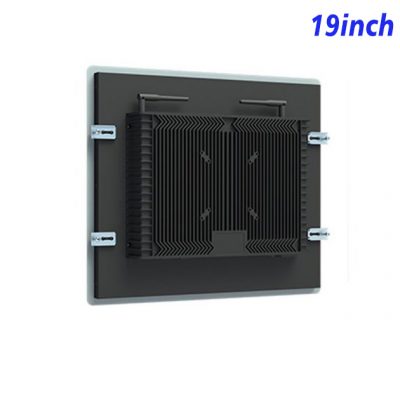
A 4:3 Screen for Structured Operational Data
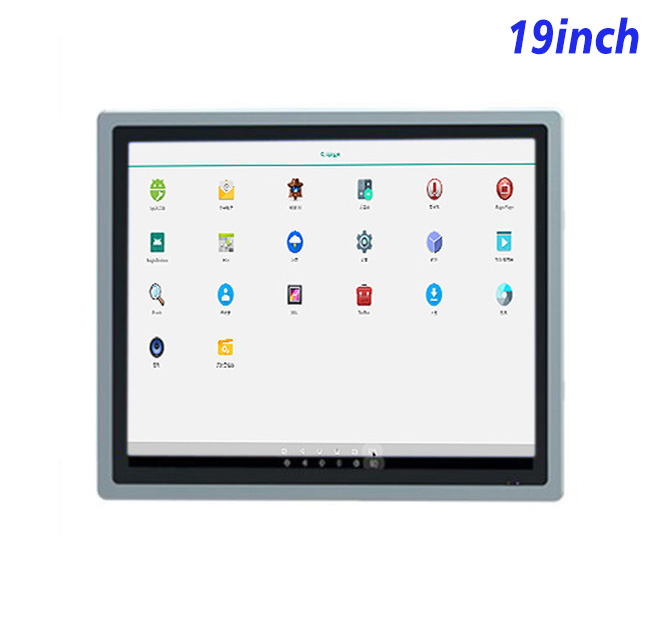
Fleet and workshop teams often work with tables, checklists and equipment records rather than cinematic content. This 19-inch Android information kiosk uses a 1280 × 1024 panel with a 4:3 aspect ratio, giving system designers a balanced workspace for vehicle lists, maintenance intervals, fault records and guided inspection steps. The format is especially useful when the interface contains several vertical fields that need to remain visible at the same time.
The active display area measures 376.32 × 301.06 mm. A 1000:1 contrast ratio, 16.7 million colors and wide 89-degree viewing angles support clear indoor presentation from different standing positions. Brightness is specified at 250 cd/m², so the product is suited to controlled indoor lighting or a protected enclosure rather than direct sunlight.
Embedded Android for Local and Networked Workflows
This information kiosk panel is available with an RK3288 or RK3568 Android board. The listed combinations are 2 GB RAM with 32 GB storage and Android 10, or 4 GB RAM with 32 GB storage and Android 11. Buyers can select the platform according to their application, browser engine, device-management method and expected workload rather than choosing solely by processor name.
Gigabit Ethernet supports a stable connection to a local fleet database, maintenance server or content platform. Wireless choices differ by board and include 2.4 GHz Wi-Fi or dual-band Wi-Fi 6, plus Bluetooth 4.2 or Bluetooth 5. Two USB 2.0 ports can connect approved input devices or accessories. An HDMI input is also listed, allowing the hardware plan to accommodate an external video source when required.
| 19-Inch External Embedded Android Industrial All-in-One Computer Specifications | ||||
| LCD Panel Parameters | Screen Size | 19 Inch | ||
| Display Area | 376.32 mm.(Height) X 301.06(Width)mm. | |||
| Aspect Ratio | 4 : 3 | |||
| LCD Type | a-Si TFT-LCD Monitor | |||
| Maximum Resolution | 1280 X 1024 | |||
| Display Color | 16.7m , 73% NTSC | |||
| Brightness | 250cd/m² | |||
| Contrast Ratio | 1000 : 1 | |||
| Viewing Angle (Up/Down/Left/Right) | 89°/89°/89°/89° (Type)(CR≥10) | |||
| Response Time | 14ms | |||
| LCD Panel Lifespan (Hours) | 60,000(Hour.) | |||
| Field Frequency | 100Hertz | |||
| Audio parameters | Audio system | Stereo | ||
| Speaker size | ≈ 99 x 45 x 20 mm | |||
| Impedance | 8 Ohm | |||
| Power | 2 x 5 Watt | |||
| Loudness | > 80 Decibel | |||
| Interface | 4-pin connector | |||
| Built-in Android PCB Configuration (Choose one of two) | CPU | Quad-Core RK3288, 1.8GHz | Quad-Core RK3568,2.0GHz | |
| GPU | Mali-T764 | Mali-G52 | ||
| RAM | 2GB | 4GB | ||
| ROM | 32GB | 32GB | ||
| Android System | Android 10.0 | Android 11.0 | ||
| Ethernet | 1 x RJ45, Ethernet 1,000 Mbps | 1 x RJ45, Ethernet 1,000 Mbps | ||
| Wireless Internet | 2.4Gigahertz | 2.4Gigahertz/5Gigahertz, Wi-Fi 6 | ||
| Bluetooth | 4.2 | 5 | ||
| Interface | USB2.0 x 2 | USB2.0 x 2 | ||
| HDMI IN x 1 | ||||
| Power | Power Supply | Alternating Current 100V~240V, 50/60Hz | ||
| Maximum Power Loss | ≤ 30 Watt | |||
| Standby Mode Power Loss | < 1 Watt | |||
| Features | Operating Temperature | 0℃ ~ 50℃ | ||
| Storage Temperature | Below 10℃ ~ +60℃ | |||
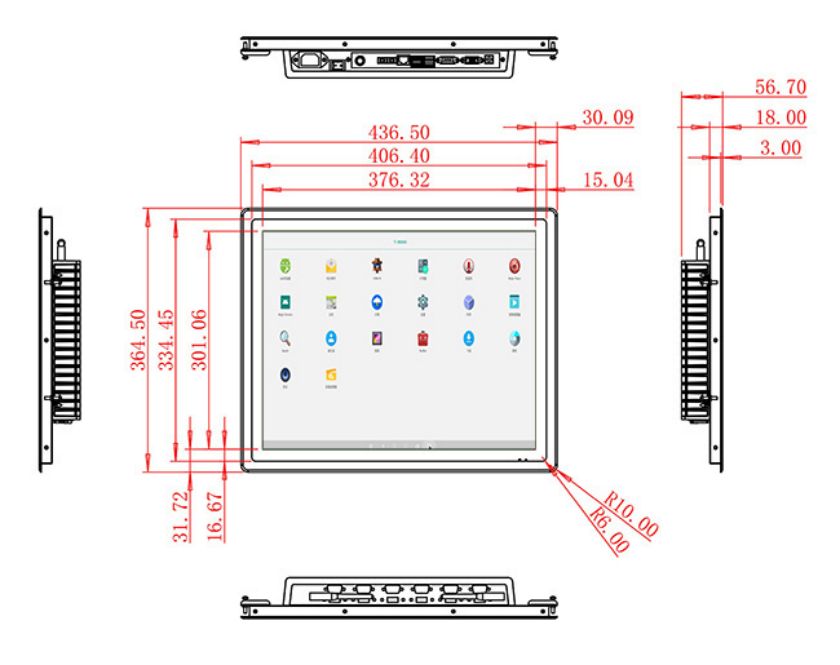
| Package Size | Device Dimensions | 436.5 X 364.5 X 56.7 mm. | ||
| Net Weight | 6.5 Kilogram | |||
| Package Size | 52 X 44 X 17 Centimeter | |||
| Gross Package Weight per Unit | 7 Kilogram | |||
Integration into Workshop and Dispatch Furniture
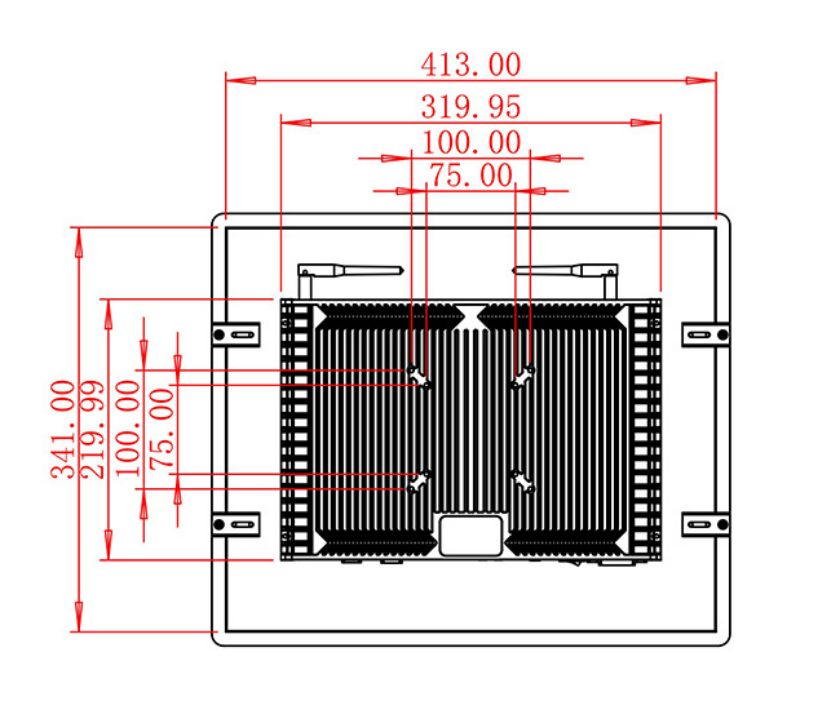
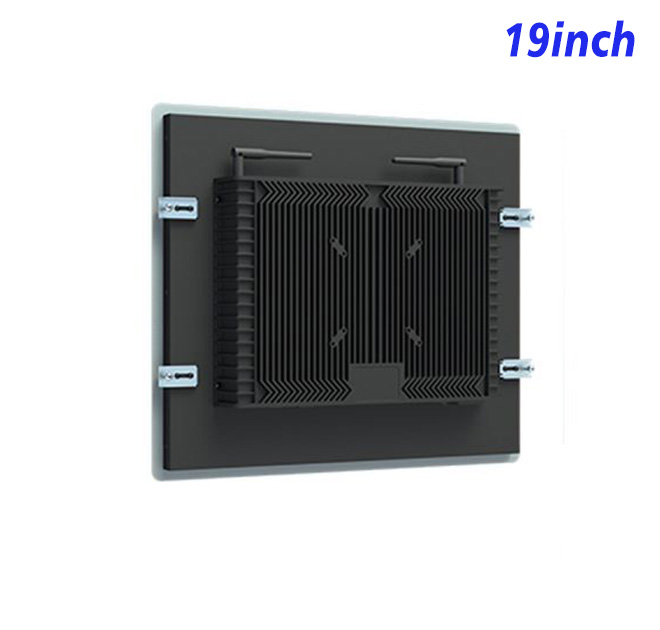
The unit measures 436.5 × 364.5 × 56.7 mm and has a net weight of approximately 6.5 kg. These details help an OEM prepare a secure cut-out, mounting frame and rear service space. The 2 × 5 W stereo audio system can support prompts, alerts or training content where sound is appropriate, while the 4-pin speaker connection should be considered during enclosure design.
The panel accepts 100–240 V AC power, consumes up to 30 W and is rated below 1 W in standby mode. Its listed operating temperature is 0°C to 50°C. For use in a depot, maintenance room or dispatch office, the finished enclosure should still address dust, impact risk, ventilation and cable strain according to the actual site.
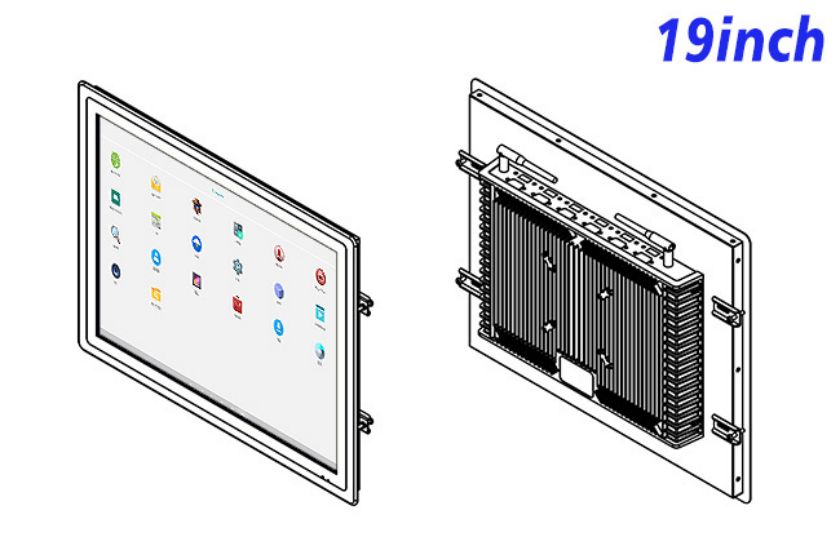
Project Review from ZXTLCD
The daily workflow should influence more than the software. If technicians regularly connect a service device, the corresponding port must remain accessible without exposing all internal wiring. If the information kiosk is used during shift changes, startup time and network recovery may matter more than media playback. Documenting these operating details gives the integrator a more useful acceptance checklist for the information kiosk before deployment.
ZXTLCD supports OEM buyers and solution integrators by reviewing the application, mounting drawing and interface requirements before production. For projects involving custom cabinets or fleet software, a sample can be used to confirm Android compatibility, network access, screen proportions and service clearance. This reduces avoidable changes after mechanical tooling or batch assembly has started.
FAQ for Fleet Information Projects
Why use a 4:3 display for this application?
The 4:3 format provides useful vertical space for forms, lists and status tables. It can reduce scrolling when the interface is designed around operational data rather than widescreen video.
Can the information kiosk connect to a local server?
The specification lists Gigabit Ethernet and wireless options. Server access still depends on the buyer’s Android application, network permissions and security configuration.
Is the panel ready for dusty workshop exposure?
No enclosure protection rating is stated. A workshop installation should place the panel in a suitably designed cabinet and confirm sealing, cooling and maintenance access at project level.