

Guide Operators through a Consistent Test Sequence
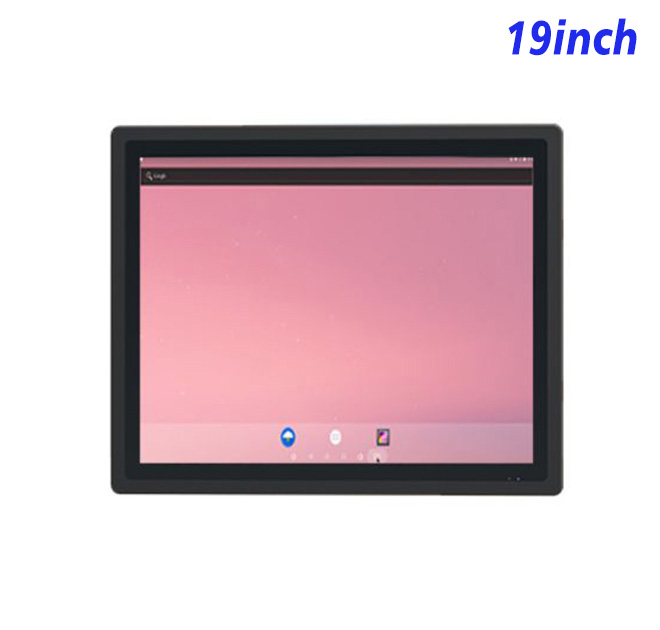
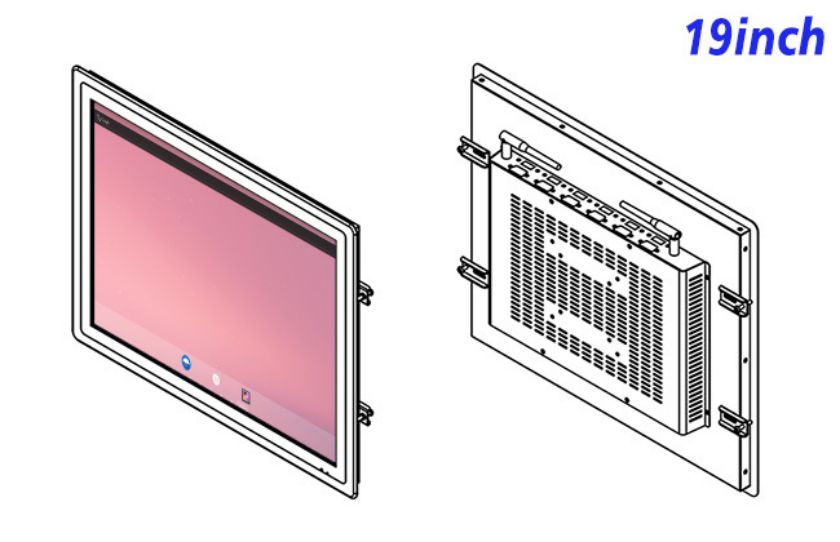
A Android industrial all-in-one computer is most useful when its role is defined by the operator’s next decision. For production test instructions and failure-code review, this 19-inch integrated platform can combine test steps, pass-or-fail status and troubleshooting guidance in a purpose-built indoor station. The computer and LCD share one chassis, reducing the need to find space for a separate PC inside the fixture.
A stable vertical workflow can lead the operator from serial-number capture through test execution to failure-code guidance without opening unrelated applications. The interface should therefore be built around the real viewing distance, information priority and handover point rather than a generic demonstration screen.
Use the Screen Shape to Reduce Page Switching
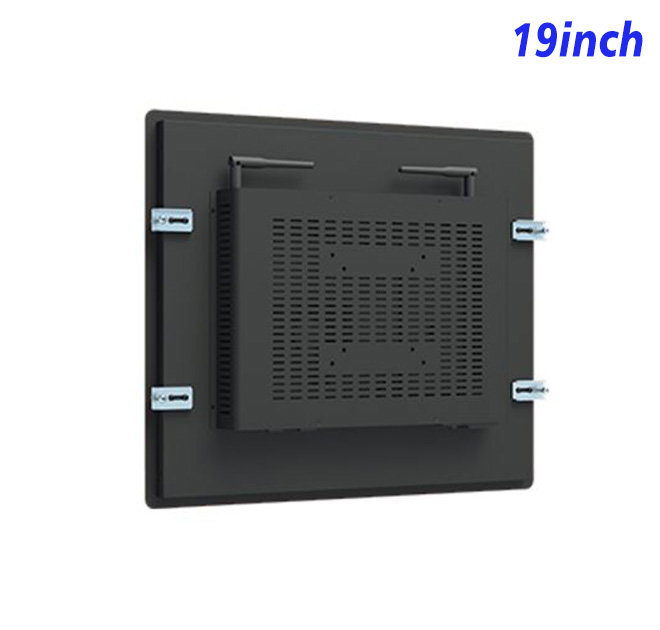
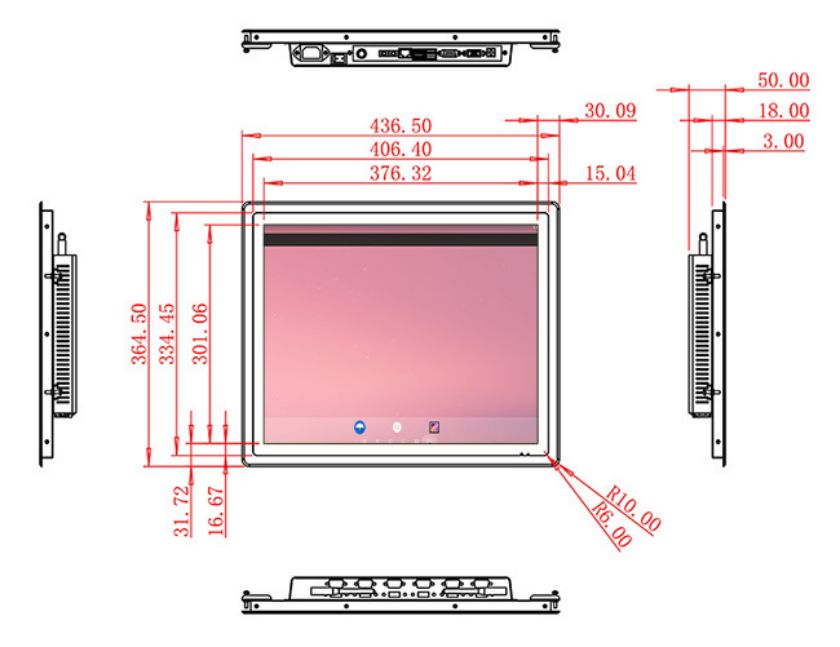
The 19-inch panel is specified with 1280 × 1024 resolution, 250 cd/m² brightness, 1000:1 contrast and a 4:3 aspect ratio. Computing is based on a selectable RK3288 or RK3568 board with 2 GB or 4 GB RAM, 32 GB storage, and the listed Android 10 or Android 11 option. Connectivity includes Gigabit RJ45, Wi-Fi, Bluetooth, two USB 2.0 ports and one HDMI input. Maximum power consumption is listed at 30 W, and the device dimensions are 436.5 × 364.5 × 50 mm. These values should be checked against the approved drawing and configuration before enclosure production.
Brightness and resolution describe the panel, but they do not prove visibility in every installation. Reflections, surrounding lighting, font size and viewing position should be evaluated with the actual interface. The approved panel choice must be recorded when more than one option appears in the source table.
| Android Display Specifications 19 Inch | ||||
| LCD Panel Parameters | Screen Size | 19 Inch | ||
| Display Area | 376.32 mm.(Height) X 301.06(Width)mm. | |||
| Aspect Ratio | 4 : 3 | |||
| LCD Type | a-Si TFT-LCD Monitor | |||
| Maximum Resolution | 1280 X 1024 | |||
| Display Color | 16.7m , 73% NTSC | |||
| Brightness | 250cd/m² | |||
| Contrast Ratio | 1000 : 1 | |||
| Viewing Angle (Up/Down/Left/Right) | 89°/89°/89°/89° (Type)(CR≥10) | |||
| Response Time | 14ms | |||
| LCD Panel Lifespan (Hours) | 60,000(Hour.) | |||
| Field Frequency | 60Hertz | |||
| Audio parameters | Audio system | Stereo | ||
| Speaker size | ≈ 99 x 45 x 20 mm | |||
| Impedance | 8 Ohm | |||
| Power | 2 x 5 Watt | |||
| Loudness | > 80 Decibel | |||
| Interface | 4-pin connector | |||
| Built-in Android PCB Configuration (Choose one of two) | CPU | Quad-Core RK3288, 1.8GHz | Quad-Core RK3568,2.0GHz | |
| GPU | Mali-T764 | Mali-G52 | ||
| RAM | 2GB | 4GB | ||
| ROM | 32GB | 32GB | ||
| Android System | Android 10.0 | Android 11.0 | ||
| Ethernet | 1 x RJ45, Ethernet 1,000 Mbps | 1 x RJ45, Ethernet 1,000 Mbps | ||
| Wireless Internet | 2.4Gigahertz | 2.4Gigahertz/5Gigahertz, Wi-Fi 6 | ||
| Bluetooth | 4.2 | 5 | ||
| Interface | USB2.0 x 2 | USB2.0 x 2 | ||
| HDMI IN x 1 | ||||
| Power | Power Supply | Alternating Current 100V~240V, 50/60Hz | ||
| Maximum Power Loss | ≤ 30 Watt | |||
| Standby Mode Power Loss | < 1 Watt | |||
| Features | Operating Temperature | 0℃ ~ 50℃ | ||
| Storage Temperature | Below 10℃ ~ +60℃ | |||
| Package Size | Device Dimensions | 436.5 X 364.5 X 50 mm. | ||
| Net Weight | 6.5 Kilogram | |||
| Package Size | 52 X 44 X 15 Centimeter | |||
| Gross Package Weight per Unit | 7 Kilogram | |||
Configure Android as a Dedicated Station
Application Lockdown
The application provider should document startup behavior, account permissions, storage growth, offline operation and update timing. A dedicated station is easier to support when unnecessary applications are removed and staff have a clear path back to the main screen after a restart.
Scanner and Test Interface
The product does not replace a test controller or safety system. Test interfaces, electrical isolation and pass-or-fail authority must be engineered by the system integrator. Marketing language, enclosure drawings and the bill of materials should all describe the same finished capability.
Map Test Equipment and Data Ownership
Replacement Image
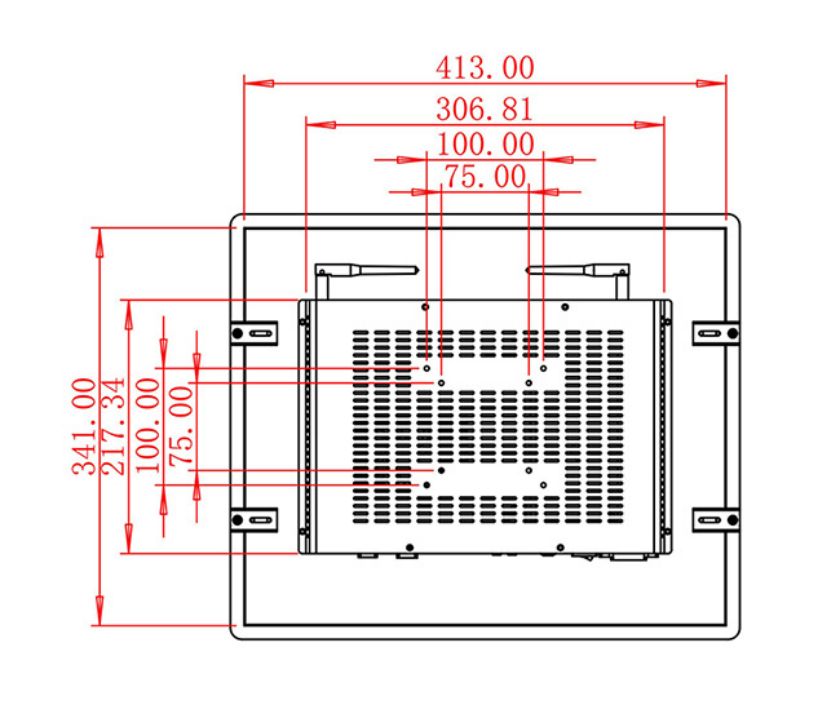
Drawings should cover the front opening, mounting points, chassis depth, ventilation, power route, network route and removal clearance. External scanners, keyboards, sensors or other controls need strain relief and service access. The installation should allow the computing assembly to be replaced without dismantling unrelated equipment.
Operational recovery deserves equal attention. Staff need to know what happens after network loss, application failure or power interruption, and which supplier owns each problem. Clear responsibility shortens downtime and prevents repeated factory resets that erase useful diagnostic information.
Review Failure Cases during the Pilot
The first Android industrial all-in-one computer should be tested with realistic content, long labels, failed connections and the busiest expected workflow. Teams can record task time, reading errors, operator questions and recovery time before approving a larger deployment.
A controlled sample also helps the buyer verify cosmetics, connector position, boot behavior and software compatibility. Photographs alone cannot confirm these project-level details, especially when the hardware will be built into another manufacturer’s cabinet.
Build a Service Plan around Line Availability
ZXTLCD can review the application load, mounting drawing, connector access, quantity and operating environment before production. That review gives distributors, equipment builders and software integrators a shared hardware reference without implying that the base Android industrial all-in-one computer includes unlisted software, certification or peripheral functions.
Repeat orders should reference the approved processor or Android board, memory, storage, operating-system image, panel, interfaces and mechanical drawing. Keeping those records together protects consistency when sites are delivered in phases or replacement hardware is requested years later.
If you would like to get the specification about above product, or you hope to discuss your requirements or need any additional information on our this product, then please do not hesitate to send us a inquiry and contact our sales team now.
Request Product Information
If you would like to get the specification about above product, or you hope to discuss your requirements or need any additional information on our this product , then please do not hesitate to send us a inquiry and contact our sales team now.