

Why This Screen Belongs Near the Work
Maintenance teams work faster when drawings, fault history and parts requests appear beside the equipment. A fixed terminal prevents shared laptops from disappearing and gives every shift a consistent place to report work. For plant service points and equipment rooms, the self service terminal becomes a practical service surface rather than a screen installed without a defined job.
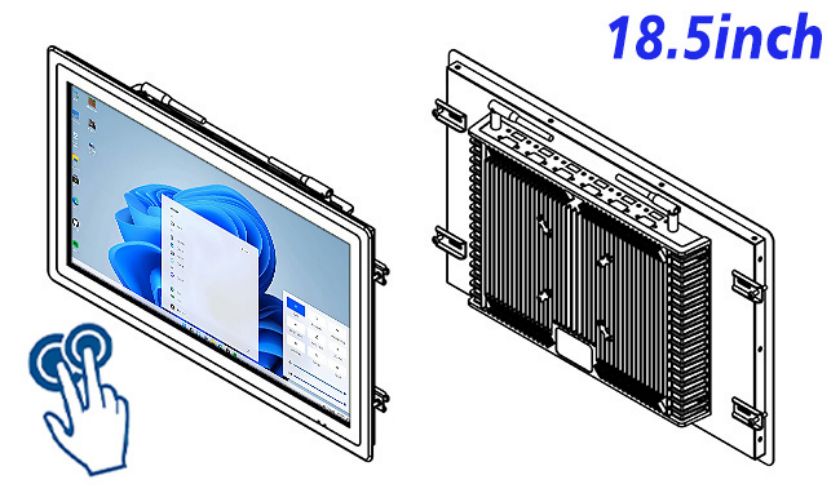
The 18.5-inch format is large enough for guided steps yet manageable inside purpose-built furniture. Project teams can organize the journey around maintenance work orders, giving users one decision at a time and keeping help, back and confirmation controls visible.
What Operators See and Touch
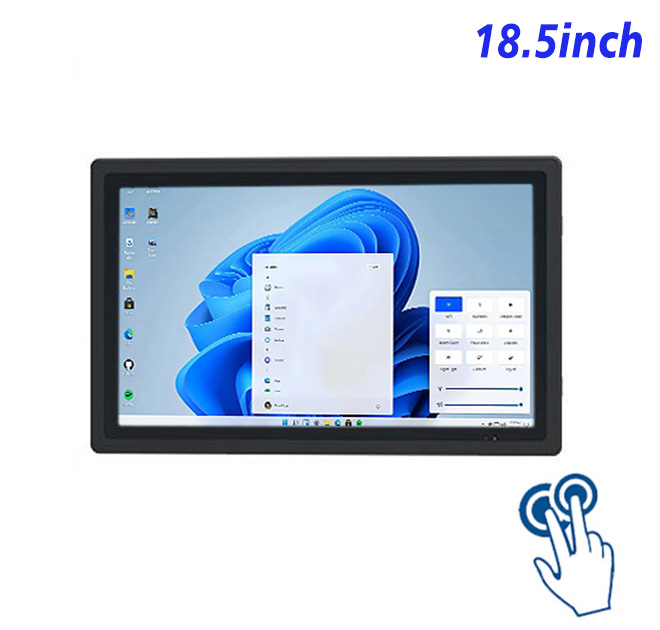
The LCD provides 1920 × 1080 resolution, 250 cd/m² brightness, a 1200:1 contrast ratio and wide viewing angles. Ten-point projected capacitive touch responds in under 6 ms through 3 mm strengthened cover glass with more than 85% transmission. These values support readable indoor interfaces and responsive gestures when the software is designed for public use.
Windows 10 or Windows 11 configurations are listed with two processor choices, 4 GB or 8 GB RAM and 128 GB or 256 GB storage. Four USB ports, HDMI, RJ45 Ethernet and integrated Wi-Fi give an integrator useful paths for peripherals and network access. Maximum stated consumption is 30 W.
Technicians can open work orders, confirm lockout steps, review illustrated instructions and record replaced components. Supervisors can use the same station for shift handover and overdue-task visibility.
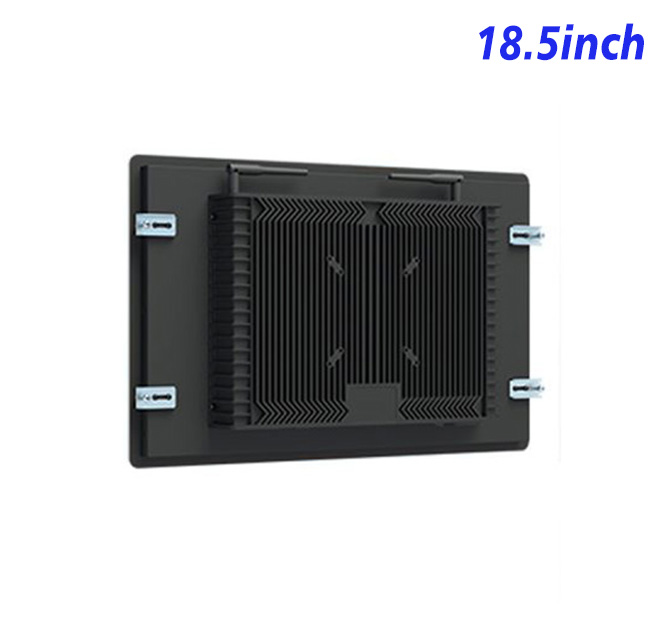
Daily reliability also depends on decisions outside the specification table. Installers should provide stable power, strain relief for frequently serviced cables and ventilation appropriate to the finished enclosure. Interface designers should keep essential controls away from cabinet edges and test the screen with the actual standing distance. A pilot unit can reveal whether instructions are understood, whether users abandon a step and whether staff can recover the application without specialist support. These observations give buyers a stronger basis for rollout quantities, spare-unit planning and staff training.
| Specifications for an 18.5-inch industrial capacitive touch all-in-one computer with external window | ||||
| LCD Panel Parameters | Screen Size | 18.5 Inch | ||
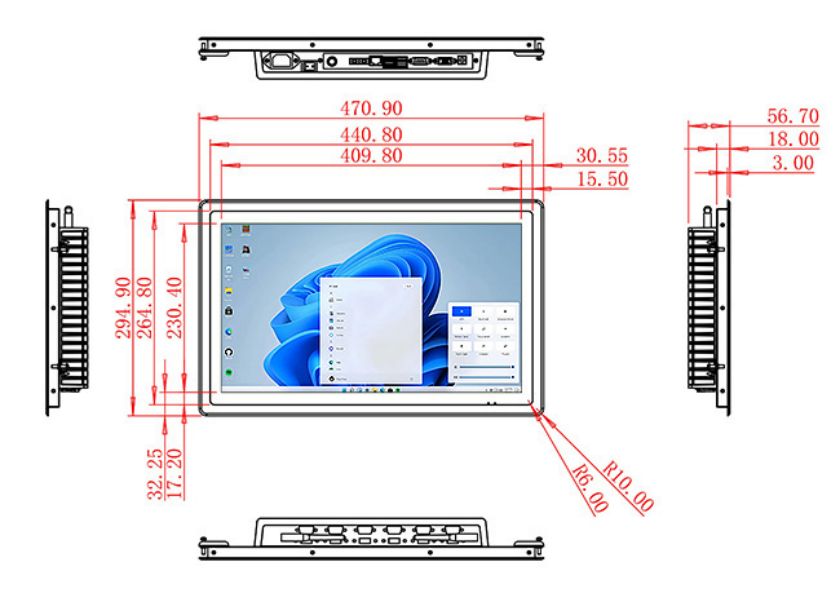
| Display Area | 409.8 mm.(Height) X 230.4(Width)mm. | |||
| Aspect Ratio | 16 : 9 | |||
| LCD Type | a-Si TFT-LCD Monitor | |||
| Maximum Resolution | 1920 X 1080 | |||
| Display Color | 16.7m , 72% NTSC | |||
| Brightness | 250cd/m² | |||
| Contrast Ratio | 1200 : 1 | |||
| Viewing Angle (Up/Down/Left/Right) | 89°/89°/89°/89° (Type)(CR≥10) | |||
| Response Time | 14ms | |||
| LCD Panel Lifespan (Hours) | 60,000(Hour.) | |||
| Field Frequency | 60Hertz | |||
| PCAP Touchscreen Panel Parameters | Touch Pattern | Projected Capacitive Touchscreen Monitor | ||
| Touch Points | 10 Points | |||
| Cover Glass | Morse Glass Size 7 Physically reinforced to prevent explosion | |||
| Glass 3 mm. Optical mount to reduce parallax | ||||
| Glass Transmission | >85% (Higher light transmission depends on glass coating technology For example AR/AG) >85% | |||
| Response Speed | < 6ms | |||
| Touch Accuracy | More than 90% of the touch area ±2 mm | |||
| Touch Method | Inch Stylus | |||
| Output Format | Coordinate Output | |||
| Click Time | Unlimited | |||
| Smallest Touch Size | 5 mm | |||
| Long-lasting Durability | Yes, Available | |||
| Touch Interface | USB | |||
| Operating Temperature and Humidity | Below 10℃ ~ +50℃, ≤ 85%RH | |||
| Storage Temperature and Humidity | Less than 20℃ ~ +60℃, ≤ 90%RH | |||
| Audio parameters | Audio system | Stereo | ||
| Speaker size | ≈ 99 x 45 x 20 mm | |||
| Impedance | 8 Ohm | |||
| Power | 2 x 5 Watt | |||
| Loudness | > 80 Decibel | |||
| Interface | 4-pin connector | |||
| Internal computer configuration (Choose one of two) |
CPU | Intel i5-4310M Generation 4, Dual-Core Four Threads, Main frequency can reach up to 2.7GHz | Intel I5-6100T Generation 6, Dual-Core Four Threads, Main frequency can reach up to 3.2GHz | |
| Graphics Card | Integrated Graphics Card Intel® HD 4600 | Integrated Graphics Card Intel® HD 530 | ||
| RAM | 4GB | 8GB | ||
| Storage Memory Capacity | 128GB | 256GB | ||
| OS | Win10 or win11 Optional | Win10 or win11 Optional | ||
| Wi-Fi Built-in | Speed 150Mbps 802.11n wifi Integrated | Speed 150Mbps 802.11n wifi Integrated | ||
| Media Format | Video Format | wmv, avi, flv, rm, rmvb, mpeg, ts, mp4 etc. | ||
| Audio Format | MP3, WMA | |||
| Photo Format | BMP, JPEG, PNG, GIF etc. | |||
| Onboard Interface | Network port | RJ45 X 1, 10M/100M Adjustable Ethernet | ||
| HDMI | 1 | |||
| USB | 4 | |||
| Power | Power Supply | Alternating Current 100V~240V, 50/60Hz | ||
| Maximum Power Loss | ≤ 30 Watt | |||
| Standby Mode Power Loss | < 1 Watt | |||
| Features | Operating Temperature | 0℃ ~ 50℃ | ||
| Storage Temperature | Below 10℃ ~ +60℃ | |||
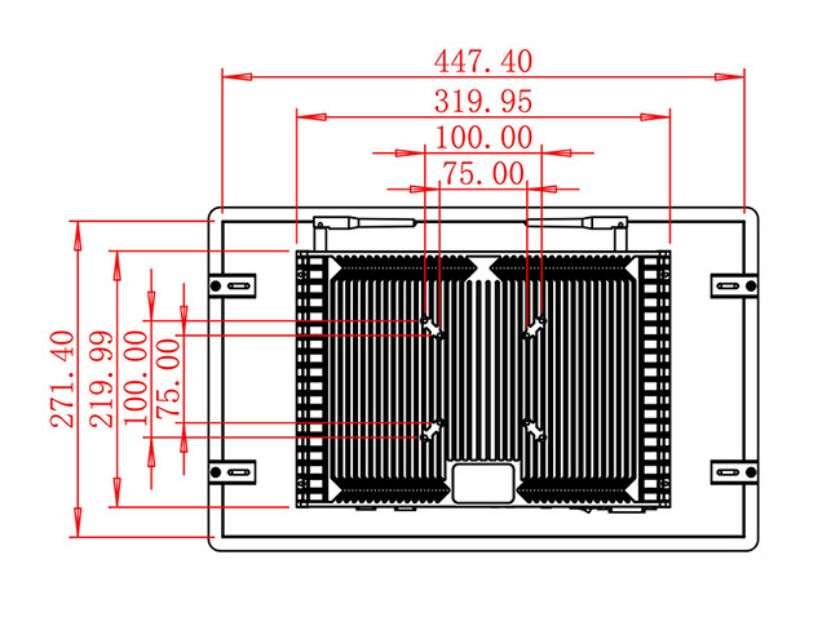
| Package Size | Device Dimensions | 470.9 X 294.9 X 56.7mm | ||
| Net Weight | 6.5 Kilogram | |||
| Package Size | 55 X 38 X 15Centimeter | |||
| Gross Package Weight per Unit | 7 Kilogram | |||
Planning the Finished Installation
A successful self service terminal project starts with the cabinet drawing, mounting method, cable route and peripheral list. Software teams should test button size, timeout behavior, language switching and recovery after a failed transaction. Service access matters too: technicians need a realistic way to reach storage, network and power connections without dismantling the complete fixture.
The buyer remains responsible for suitable environmental protection and integration with maintenance software. Standard panel specifications do not establish resistance to oil, washdown or hazardous locations.
ZXTLCD supports OEM and integration projects with specification review before production. Buyers can share screen size, installation drawing, operating environment, computer configuration, touch requirements and expected peripherals. The team can then confirm feasible interfaces and identify assumptions that need clarification. This review helps distributors and system integrators quote a configuration that matches the actual project rather than relying on a generic product name.
Practical Buyer Questions
Is this delivered as a complete self service terminal?
No. It is an industrial touch all-in-one computer intended for integration. Cabinet, application software and task-specific peripherals should be listed separately.
Can the computer run a customized Windows application?
Yes, the listed Windows options are suitable for many kiosk applications, subject to the application developer checking processor, memory, storage and driver requirements.
What should a buyer send before requesting a quotation?
Provide quantity, installation drawing, operating location, preferred computer configuration, peripheral list, software requirements and any regulatory constraints. ZXTLCD can use that information to review the proposed self service terminal configuration and prepare a more accurate project discussion.
For repeat orders, buyers can also discuss configuration consistency, packaging, documentation and spare-unit planning with ZXTLCD before approving the production schedule.