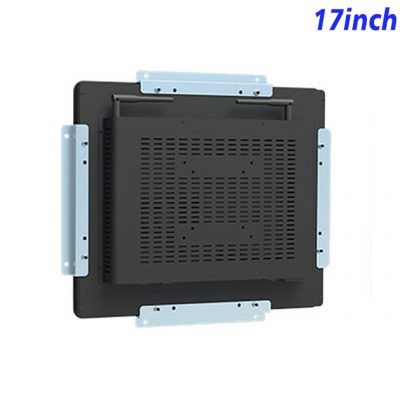
Create a Permanent Position for Facility Information
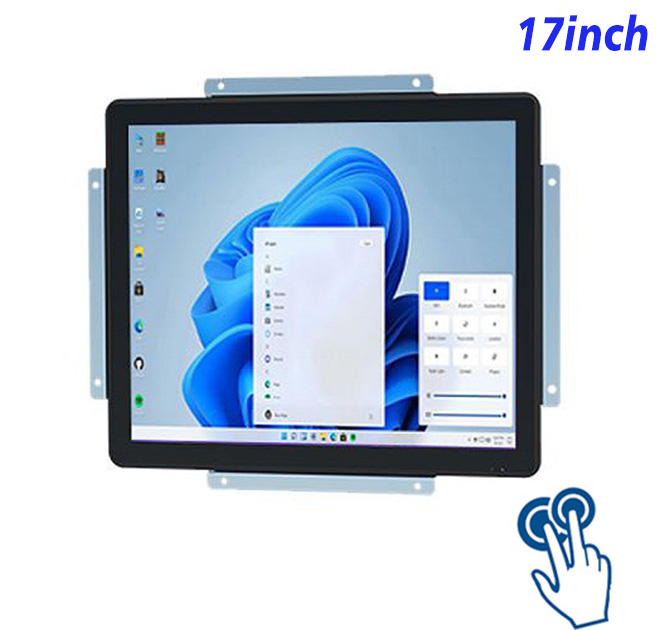
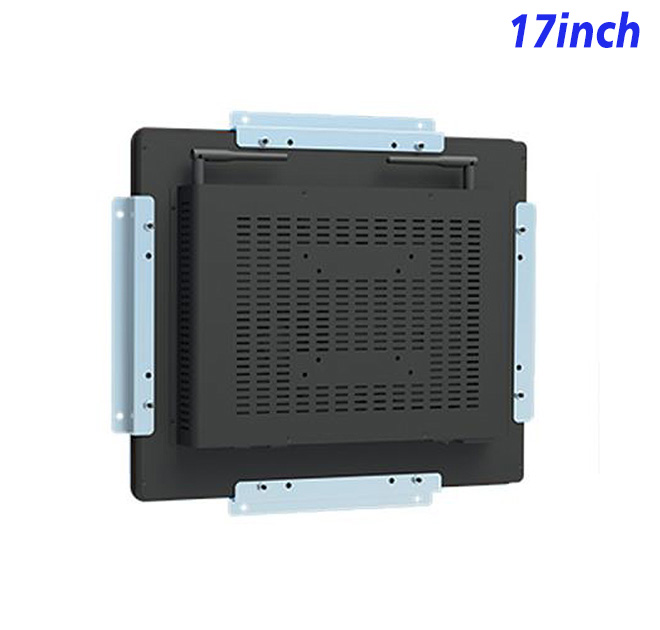
Building information is more useful when occupants and service teams know exactly where to find it. A 17-inch wall mounted touch panel PC creates a permanent indoor position for room status, facility pages and service requests. Its 5:4 screen supports vertically organized schedules and lists, while ten-point touch provides direct navigation. Because Windows computing is inside the panel, smart-building integrators can produce a cleaner wall station and retain a familiar environment for the customer’s chosen workplace application.
Use Vertical Space for Rooms and Service Lists
| ZXTLCD-EN170BPCT 17-inch capacitive touch system all-in-one computer with Windows | ||||
| LCD Panel Parameters | Screen Size | 17 Inch | ||
| Display Area | 337.92 mm.(Height) X 270.34(Width)mm. | |||
| Aspect Ratio | 16 : 9 | |||
| LCD Type | a-Si TFT-LCD Monitor | |||
| Maximum Resolution | 1280 X 1024 | |||
| Display Color | 16.7M , 72% NTSC | |||
| Brightness | 250cd/m² | |||
| Contrast Ratio | 1200 : 1 | |||
| Viewing Angle (Up/Down/Left/Right) | 89°/89°/89°/89° (Type)(CR≥10) | |||
| Response Time | 20ms | |||
| LCD Panel Lifespan (Hours) | 60,000(Hour.) | |||
| Field Frequency | 60Hertz | |||
| PCAP Touchscreen Panel Parameters | Touch Pattern | Projected Capacitive Touchscreen Monitor | ||
| Touch Points | 10 Points | |||
| Cover Glass | Morse Glass Size 7 Physically reinforced to prevent explosion | |||
| Glass 3 mm. Optical mount to reduce parallax | ||||
| Glass Transmission | >85% (Higher light transmission depends on glass coating technology For example AR/AG) >85% | |||
| Response Speed | < 6ms | |||
| Touch Accuracy | More than 90% of the touch area ±2 mm | |||
| Touch Method | Inch Stylus | |||
| Output Format | Coordinate Output | |||
| Click Time | Unlimited | |||
| Smallest Touch Size | 5 mm | |||
| Long-lasting Durability | Yes, Available | |||
| Touch Interface | USB | |||
| Operating Temperature and Humidity | Below 10℃ ~ +50℃, ≤ 85%RH | |||
| Storage Temperature and Humidity | Less than 20℃ ~ +60℃, ≤ 90%RH | |||
| Audio parameters | Audio system | Stereo | ||
| Speaker size | ≈ 99 x 45 x 20 mm | |||
| Impedance | 8 Ohm | |||
| Power | 2 x 5 Watt | |||
| Loudness | > 80 Decibel | |||
| Interface | 4-pin connector | |||
| Internal computer configuration (Choose one of two) |
CPU | Intel i5-4310M Generation 4, Dual-Core Four Threads, Main frequency can reach up to 2.7GHz | Intel I5-6100T Generation 6, Dual-Core Four Threads, Main frequency can reach up to 3.2GHz | |
| Graphics Card | Integrated Graphics Card Intel® HD 4600 | Integrated Graphics Card Intel® HD 530 | ||
| RAM | 4GB | 8GB | ||
| Storage Memory Capacity | 128GB | 256GB | ||
| OS | Win10 or win11 Optional | Win10 or win11 Optional | ||
| Wi-Fi Built-in | Speed 150Mbps 802.11n wifi Integrated | Speed 150Mbps 802.11n wifi Integrated | ||
| Media Format | Video Format | wmv, avi, flv, rm, rmvb, mpeg, ts, mp4 etc. | ||
| Audio Format | MP3, WMA | |||
| Photo Format | BMP, JPEG, PNG, GIF etc. | |||
| Onboard Interface | Network port | RJ45 X 1, 10M/100M Adjustable Ethernet | ||
| HDMI | 1 | |||
| USB | 4 | |||
| Power | Power Supply | Alternating Current 100V~240V, 50/60Hz | ||
| Maximum Power Loss | ≤ 30 Watt | |||
| Standby Mode Power Loss | < 1 Watt | |||
| Features | Operating Temperature | 0℃ ~ 50℃ | ||
| Storage Temperature | Below 10℃ ~ +60℃ | |||
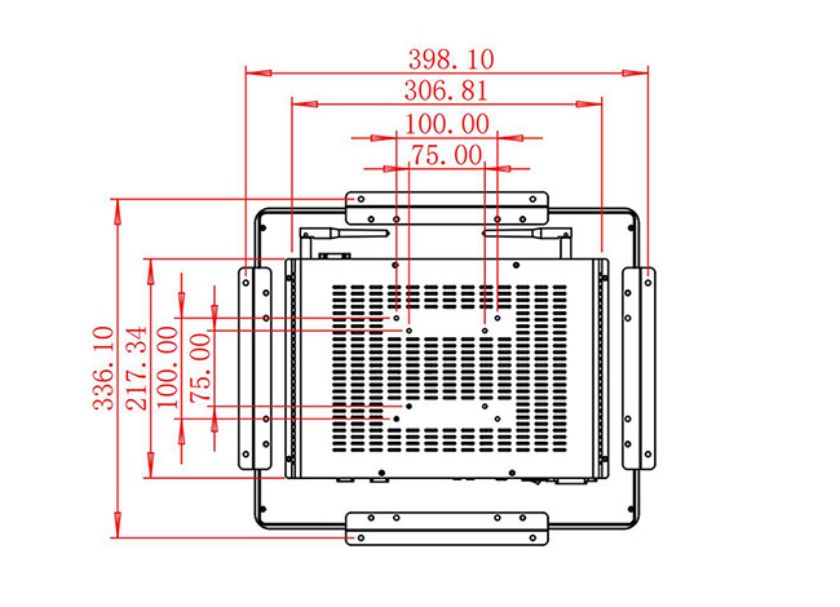
| Package Size | Device Dimensions | 380 X 318 X 49mm. | ||
| Net Weight | 5.5 Kilogram | |||
| Package Size | 45 X 38.5 X 15Centimeter | |||
| Gross Package Weight per Unit | 6 Kilogram | |||
A compact operational view
A 17-inch display with 1280 × 1024 resolution creates a defined workspace for indoor building-service walls, facility dashboards and room-management stations. Buyers can test real pages at the intended viewing distance and adjust content hierarchy before production. The original specification table remains the source for dimensions, brightness, power and interfaces.
A building-service application can show room availability, comfort information, maintenance notices or requests in predictable vertical sections. Visitors gain a clear point of contact, while facility teams can keep service information close to the location concerned. The Windows platform allows workplace providers to use their established booking or management application. Access control, automation and connected building functions remain part of the wider system, preventing the panel from being marketed as though it alone performs every smart-building task.
Navigate Building Pages through Ten-Point Touch
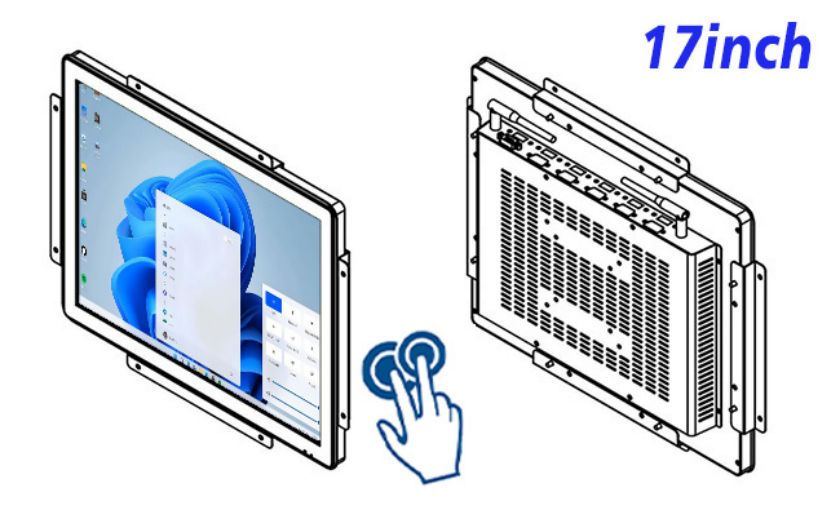
Direct access without a separate desktop
Integrated Windows computing gives the project a familiar environment for its selected application. The ten-point touch surface provides direct interaction without requiring a permanent keyboard and mouse at the fixture. External sensors, scanners, printers and other modules depend on the complete system and should be reviewed against the listed interfaces.
The 17-inch wall mounted touch panel PC can become a recognizable service point across meeting areas, facility corridors and shared workplace zones. Using one approved format helps occupants know where to find room and building information. Integrators can retain the same enclosure and adapt the application page to each location. A sample reviewed in the actual wall position also reveals practical issues such as viewing height and reach before rollout. This supports more consistent installations and gives property teams a clearer plan for future expansion.
Run the Facility Application on Integrated Windows Computing
Smart-building integrators can package the panel with booking software, data integration, wall fixtures and support. A working station gives property managers a more useful demonstration than static interface drawings. When one floor approves the appearance and workflow, the same panel concept can be extended to other rooms or buildings. Consistent hardware helps occupants recognize the service point and gives the integrator a repeatable platform for future content, maintenance and system-expansion work.
ZXTLCD can review the building-service access project around the real enclosure, visible finish, logo, mounting relationship and connector access. A branded, application-ready sample gives purchasing, engineering and sales teams the same physical reference. Once fit, appearance and selected configuration are approved, that reference can support repeat production, distributor demonstrations and later replacement or expansion orders.
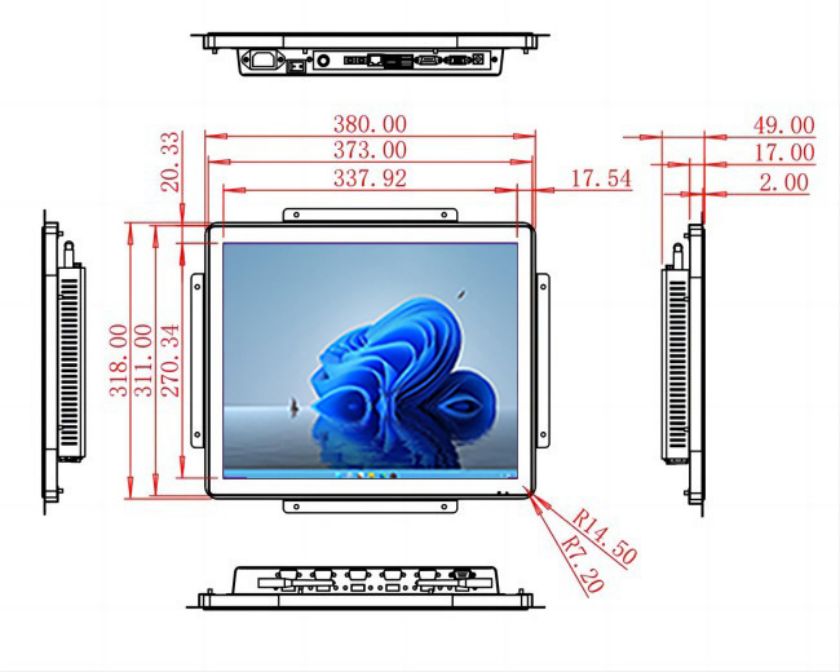
A Repeatable Platform for Smart-Building Integrators
Equipment makers and solution providers can discuss their intended application with ZXTLCD before production is scheduled. The review may include drawings, quantity, visible appearance and hardware selection. Testing a representative sample gives software, engineering and procurement teams one approved product to reference when later batches, demonstrations or replacement requirements are discussed.
The 17-inch wall mounted touch panel PC can carry the buyer’s software, visual identity and service concept into a more professional finished product. Testing real content, operator reach and mechanical fit during the sample stage creates a clearer route to approval and repeat purchasing while keeping project-specific functions within the scope of the complete solution.