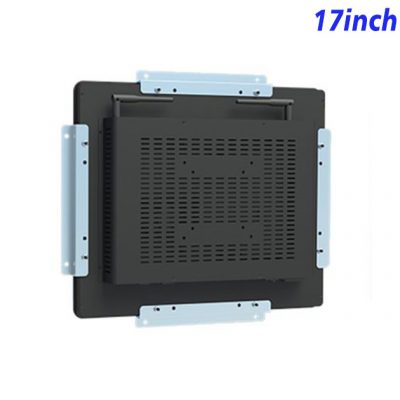
A Touch Display, Not a Control Computer
Consistency becomes valuable when a successful project expands. Using an approved panel relationship across related equipment helps operators recognize the interface and gives service teams a familiar hardware reference. Buyers also gain a clearer understanding of what will be repeated, while distributors can prepare application demonstrations and replacement planning around the same product.
The 17-inch industrial touch screen monitor supports service communication without being marketed as the machine controller itself. A separate maintenance computer can generate service applications and authorized actions, while the display gives teams a direct way to explore that information. This boundary is important for accurate purchasing expectations and leaves the automation provider responsible for control architecture and safety. For commercial projects, a working service application on the intended monitor gives equipment managers a stronger basis for approving placement, content and rollout than a static mockup or specification list.
Help Equipment Integrators Demonstrate Value
ZXTLCD can review the intended application, mounting relationship, visible finish, logo, connector access and quantity before maintenance. A branded sample gives software, engineering, purchasing and sales teams one physical reference. Once appearance, fit and the documented configuration are approved, the same reference can support repeat manufacturing, demonstrations and later expansion. Any special protection, outdoor use, certification or peripheral requirement must be confirmed separately.
| ZXTLCD-EN170BCT Embedded 17-inch capacitive touchscreen display | ||||
| LCD Panel Parameters | Screen Size | 17 Inch | ||
| Display Area | 337.92 mm.(Height) X 270.34(Width)mm. | |||
| Aspect Ratio | 16 : 9 | |||
| LCD Type | a-Si TFT-LCD Monitor | |||
| Maximum Resolution | 1280 X 1024 | |||
| Display Color | 16.7M , 72% NTSC | |||
| Brightness | 250cd/m² | |||
| Contrast Ratio | 1200 : 1 | |||
| Viewing Angle (Up/Down/Left/Right) | 89°/89°/89°/89° (Type)(CR≥10) | |||
| Response Time | 20ms | |||
| LCD Panel Lifespan (Hours) | 60,000(Hour.) | |||
| Field Frequency | 60Hertz | |||
| PCAP Touchscreen Panel Parameters | Touch Pattern | Projected Capacitive Touchscreen Monitor | ||
| Touch Points | 10 Points | |||
| Cover Glass | Physical toughened Morse magnitude 7 explosion-proof | |||
| Glass 3 mm. Optical mount to reduce parallax | ||||
| Glass Transmission | >85% (Higher light transmission depends on glass coating technology For example AR/AG) >85% | |||
| Response Speed | < 6ms | |||
| Touch Accuracy | More than 90% of the touch area ±2 mm | |||
| Touch Method | Inch Stylus | |||
| Output Format | Coordinate Output | |||
| Click Time | Unlimited | |||
| Smallest Touch Size | 5 mm | |||
| Long-lasting Durability | Yes, Available | |||
| Touch Interface | USB | |||
| Operating Temperature and Humidity | Below 10℃ ~ +50℃, ≤ 85%RH | |||
| Storage Temperature and Humidity | Less than 20℃ ~ +60℃, ≤ 90%RH | |||
| Audio Parameters (External Speaker Option) |
Audio system | Stereo | ||
| Speaker size | ≈ 99 x 45 x 20 mm | |||
| Impedance | 8 Ohm | |||
| Power | 2 x 5 Watt | |||
| Loudness | > 80 Decibel | |||
| Interface | 4-pin connector | |||
| Onboard Interface | HDMI Input | 1 | ||
| VGA Input | 1 | |||
| DVI Input | 1 | |||
| USB Type B or any desired USB Type | 1 | |||
| Power | Power Supply | Alternating Current 100V~240V, 50/60Hz | ||
| Maximum Power Loss | ≤ 30 Watt | |||
| Standby Mode Power Loss | < 1 Watt | |||
| Features | Operating Temperature | 0℃ ~ 50℃ | ||
| Storage Temperature | Below 10℃ ~ +60℃ | |||
| Accessories | Power Cord Length | 1.5m | ||
| HDMI Cable Length | 2m | |||
| USB-A to USB-B Cable Length | 1.5m | |||
| Stereo Speaker Size with Connector | 99*45*20mm. | |||
| Stereo Speaker Length | 1.5m | |||
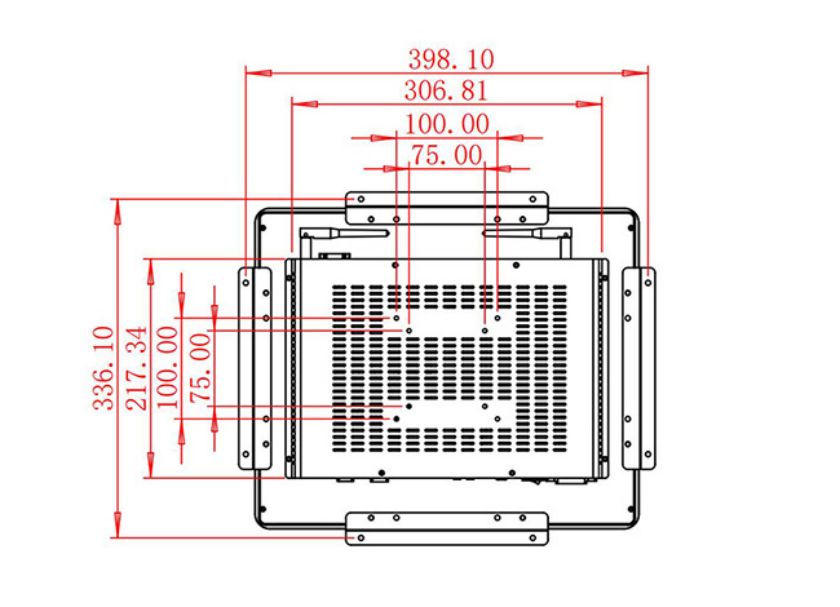
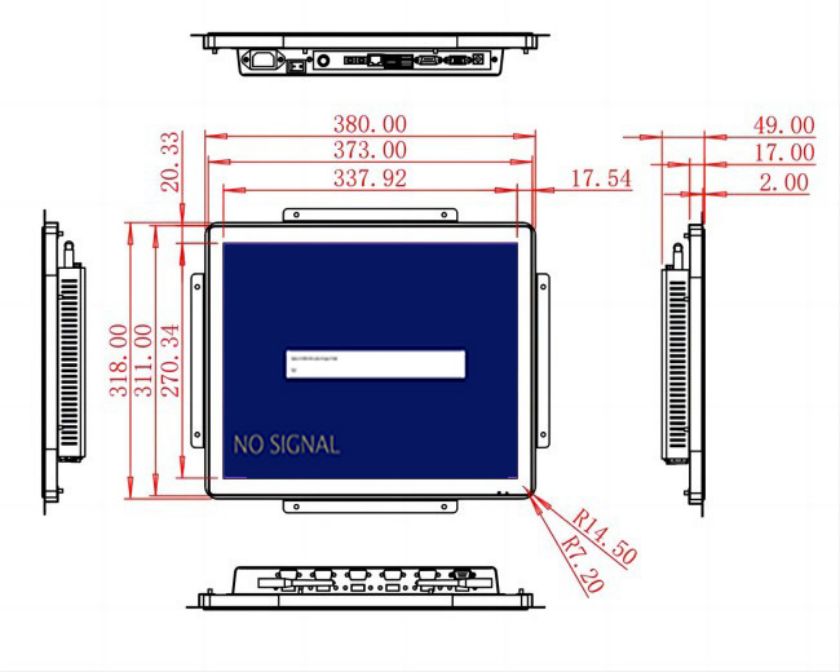
| Package Size | Device Dimensions | 380 X 318 X 49mm. | ||
| Net Weight | 5.5 Kilogram | |||
| Package Size | 45 X 38.5 X 15Centimeter | |||
| Gross Package Weight per Unit | 6 Kilogram | |||
Build a Consistent Information Station
Project teams can use the approved unit during customer demonstrations, internal training and application review. Showing realistic content on the actual panel helps decision makers understand the product’s role and gives local partners a consistent basis for explaining installation, system boundaries and support before final quantities are scheduled.
International distributors can use the same approved sample to prepare localized demonstrations and discuss application scope with customers. This gives the sales process a physical reference, reduces ambiguity between quotations and delivered units, and supports clearer communication when a project later requires another location, replacement hardware or a related product format.
The 17-inch industrial touch screen monitor gives maintenance consoles, service benches and protected indoor equipment stations a clear shared display for service conversations. Testing real content, user reach and the selected system during the sample stage creates a clearer route to approval and gives both ZXTLCD and its partners a dependable foundation for repeat supply.
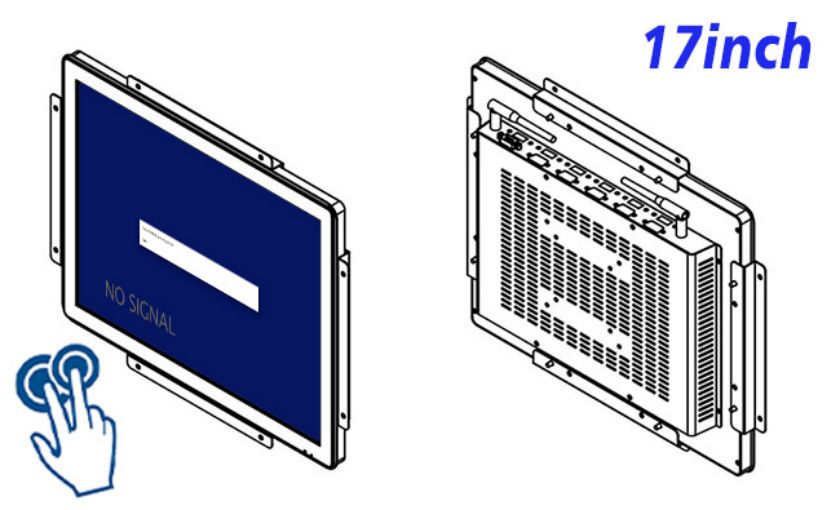
Bring Service Information into the Discussion
Maintenance discussions move faster when everyone sees the same information. The 17-inch industrial touch screen monitor brings a clear shared display for service conversations to maintenance consoles, service benches and protected indoor equipment stations. Teams can open service records, inspect equipment diagrams and review the next maintenance task without gathering around a small laptop or relying on printed reports.
Give the Main Task Visual Priority
Maintenance integrators, machine builders and industrial distributors can combine the monitor with service application software, workstation design and equipment support. Demonstrating real maintenance pages on the intended screen makes the offer tangible. After one station is accepted, the same display concept can support related work areas while applications are adapted to each service need.
Prioritize Status and Exceptions
A maintenance page can prioritize current output, exceptions and the next planned change. During a meeting, touch interaction lets supervisors open detail or move between work areas through the customer’s application. Machine control and safety remain separate; the display’s role is to make approved service information easier to share and discuss.
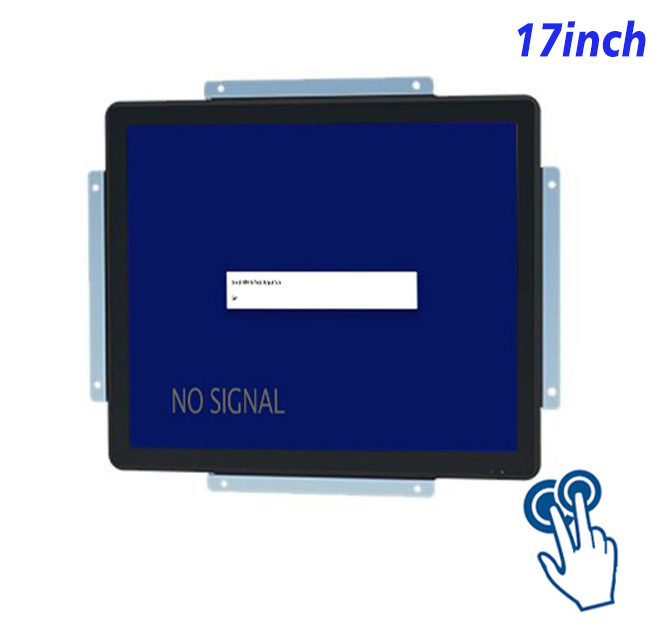
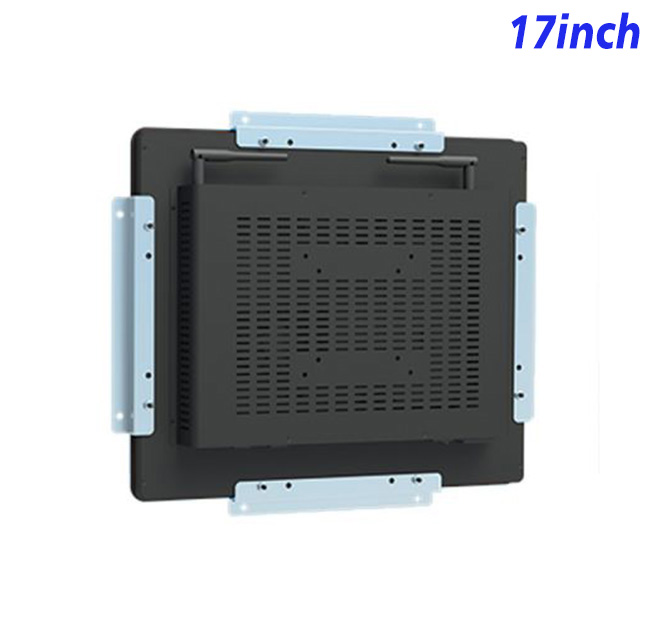
The 17-inch 1280 × 1024 panel is a touch monitor, not a computer. Ten-point projected-capacitive touch provides direct input while video content and application processing come from an external host selected by the integrator. That distinction prevents buyers from expecting Android or Windows computing inside the product. Exact display, touch, power, interface and dimensional details remain in the preserved specification table.