

Create a Local View of Utility-System Priorities
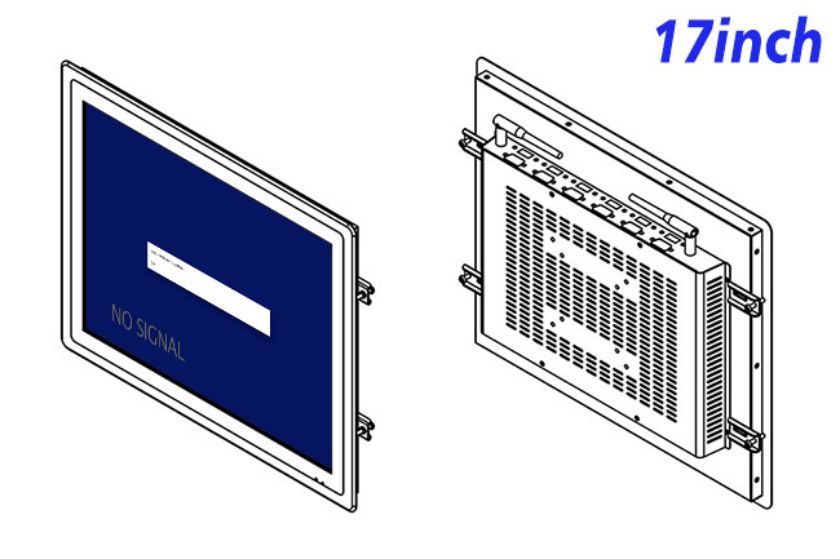
An embedded industrial monitor should be selected around the operating task, not only screen size. For utility-system status and maintenance coordination, the 17-inch unit can show equipment availability, service reminders and exception notes supplied by an external building or utility computer. Keeping the display separate from the host also lets the integrator retain control of software and computing performance.
Status lists, maintenance dates and exception notes benefit from the 5:4-style format, which provides more vertical room than a wide media display. The interface should be tested at the actual viewing distance before the enclosure and content layout are approved.
Use Vertical Space for Status and Maintenance Lists
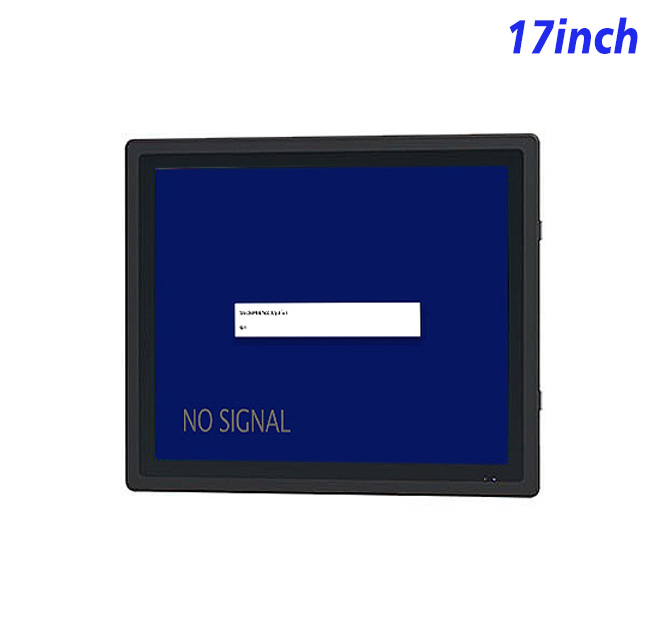
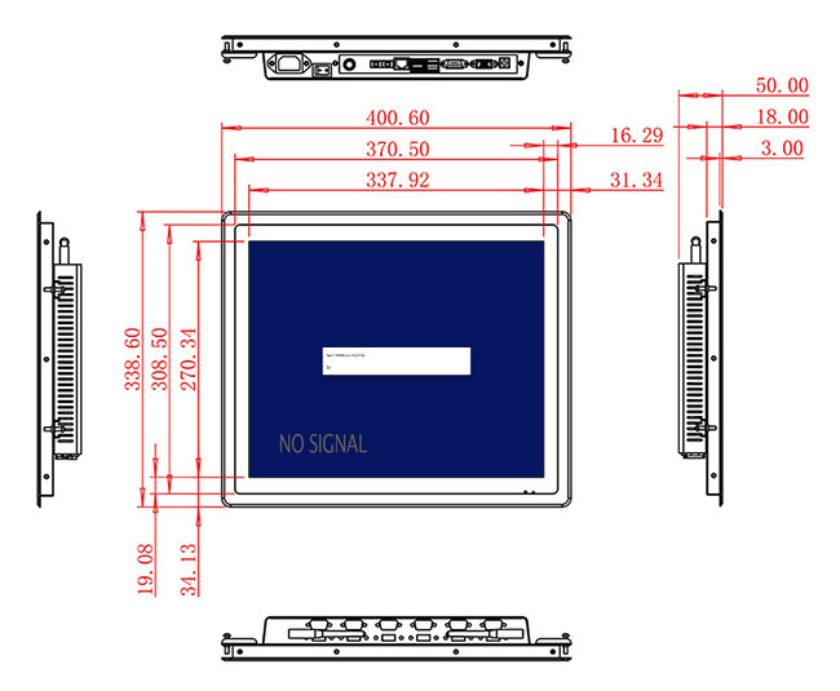
The 17-inch panel is specified with 1280 × 1024 resolution, 250 cd/m² brightness, 1200:1 contrast, 20 ms response time and wide viewing specifications. It is designed around a compatible external control-room PC or information player. Connections include HDMI, VGA and DVI inputs with USB Type-B listed. Maximum power consumption is listed at 30 W, and the device dimensions are 400.6 × 338.6 × 50 mm. The final signal, cable set and mechanical drawing should be approved together before production.
Resolution, brightness and contrast are useful comparison points, but reflections, font size, color choices and mounting height still affect readability. The approved sample should use the same signal and content expected at site.
| External Embedded Display Specification 17 Inch | ||||
| LCD Panel Parameters | Screen Size | 17 Inch | ||
| Display Area | 337.92 mm.(Height) X 270.34(Width)mm. | |||
| Aspect Ratio | 16 : 9 | |||
| LCD Type | a-Si TFT-LCD Monitor | |||
| Maximum Resolution | 1280 X 1024 | |||
| Display Color | 16.7M , 72% NTSC | |||
| Brightness | 250cd/m² | |||
| Contrast Ratio | 1200 : 1 | |||
| Viewing Angle (Up/Down/Left/Right) | 89°/89°/89°/89° (Type)(CR≥10) | |||
| Response Time | 20ms | |||
| LCD Panel Lifespan (Hours) | 60,000(Hour.) | |||
| Field Frequency | 60Hertz | |||
| Audio Parameters (External Speaker Option) |
Audio system | Stereo | ||
| Speaker size | ≈ 99 x 45 x 20 mm | |||
| Impedance | 8 Ohm | |||
| Power | 2 x 5 Watt | |||
| Loudness | > 80 Decibel | |||
| Interface | 4-pin connector | |||
| Onboard Interface | HDMI Input | 1 | ||
| VGA Input | 1 | |||
| DVI Input | 1 | |||
| USB Type B or any desired USB Type | 1 | |||
| Power | Power Supply | Alternating Current 100V~240V, 50/60Hz | ||
| Maximum Power Loss | ≤ 30 Watt | |||
| Standby Mode Power Loss | < 1 Watt | |||
| Features | Operating Temperature | 0℃ ~ 50℃ | ||
| Storage Temperature | Below 10℃ ~ +60℃ | |||
| Package Size | Device Dimensions | 400.6 X 338.6 X 50 mm. | ||
| Net Weight | 5.5 Kilogram | |||
| Package Size | 48 X 39 X 15 Centimeter | |||
| Gross Package Weight per Unit | 6 Kilogram | |||
Match the Monitor to the Existing Host
Host Resolution
The external host owns software, storage, networking and application recovery. Its output resolution and refresh behavior should be tested with the selected input. Clear ownership prevents display faults from being confused with host or network problems.
Input Hardware
The unit is an information display, not a PLC, safety controller or complete HMI computer. Control authority and operator input remain separate project decisions. The product title, specification, enclosure drawing and bill of materials should describe the same finished capability.
Keep Control and Safety Functions Separate
Cabinet Access
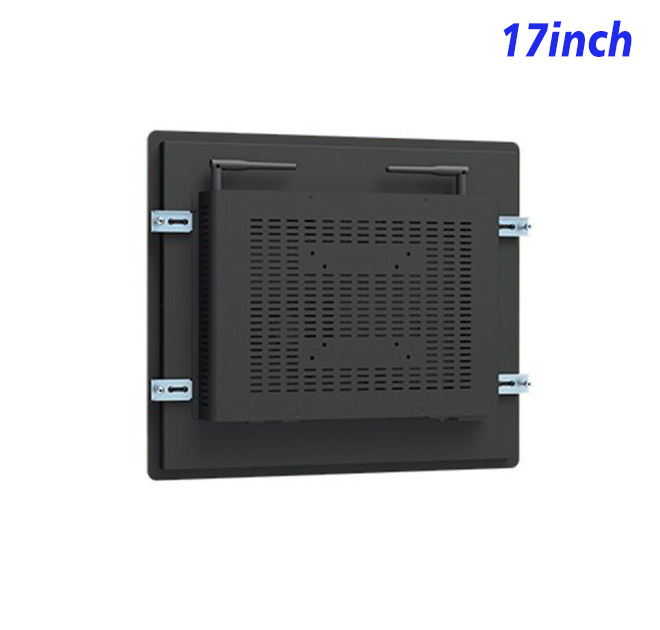
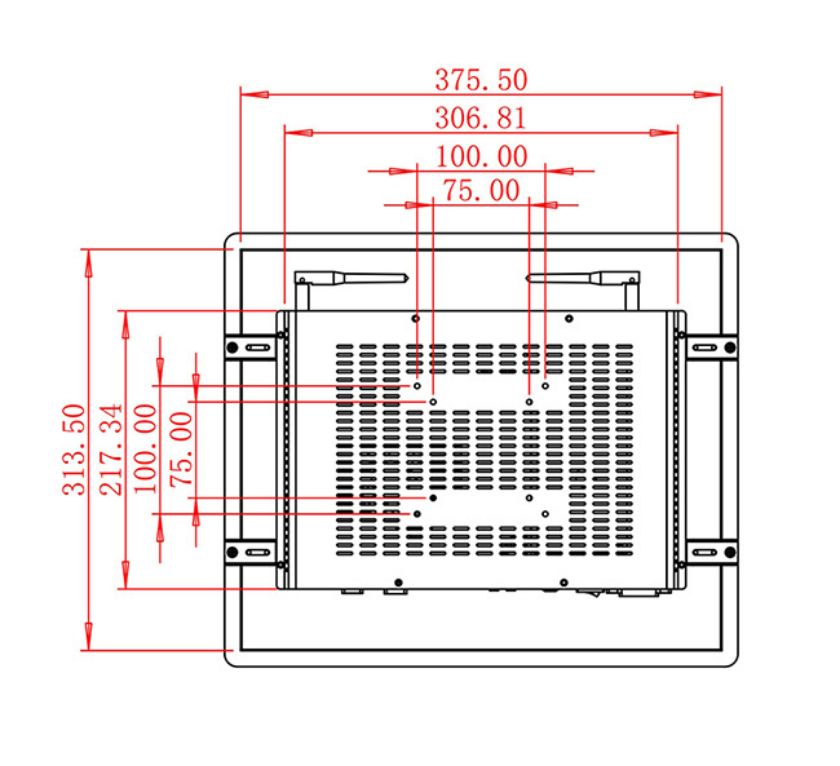
The drawing should identify the front opening, mounting points, rear depth, ventilation, cable bend radius and removal clearance. Connectors must remain accessible after the host cabinet is assembled, and cables should be labelled for faster service.
Operators need a recovery process for blank video, invalid resolution, network interruption and power restart. Testing one layer at a time helps identify whether the issue belongs to the monitor, host, cable, application or connected equipment.
Run Acceptance Tests during a Maintenance Cycle
The first embedded industrial monitor should be evaluated with realistic content and abnormal conditions. Teams can record reading errors, operator questions, recovery time and service access before approving volume production.
An engineering sample also confirms appearance, connector position and compatibility. Photographs alone cannot verify these integration details, especially when a local contractor or another supplier builds the surrounding enclosure.
Plan Spare Units and Cable Compatibility
ZXTLCD can review the application, host signal, mounting drawing, connector access, quantity and installation conditions before production. For repeat embedded industrial monitor projects, a retained sample record helps equipment builders and distributors keep the panel, inputs and mechanics consistent across later deliveries. The review can also identify whether the proposed video source, cable length, input selection and power sequence need additional testing before the surrounding cabinet enters production. This reduces avoidable changes during site commissioning and gives service teams a clearer reference for future troubleshooting and replacement planning.
Repeat orders should reference the approved panel, interfaces, power specification, host signal and mechanical drawing. This documentation supports phased projects and replacement requests without repeating the original integration work.
If you would like to get the specification about above product, or you hope to discuss your requirements or need any additional information on our this product, then please do not hesitate to send us a inquiry and contact our sales team now.