

Put Incident Priorities within Reach of Operators
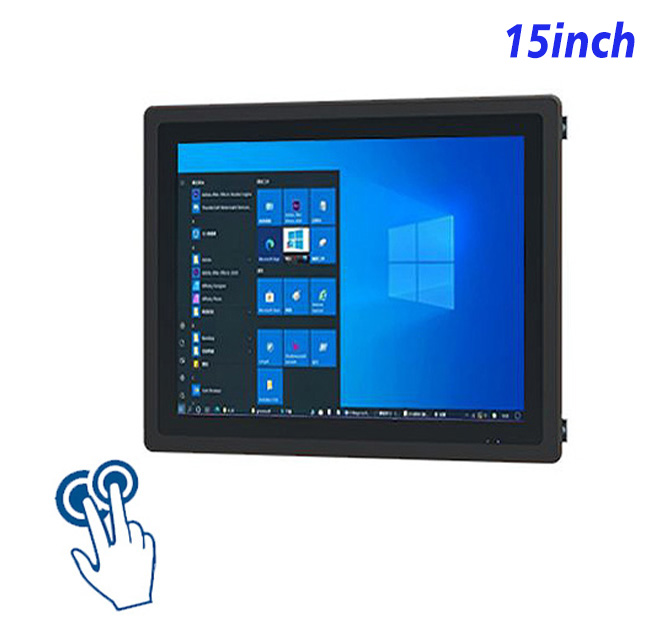
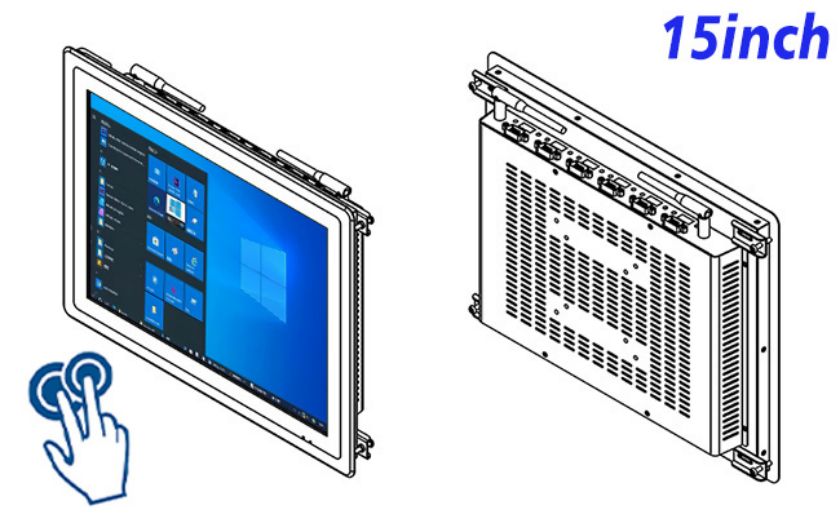
The purchase case for Windows industrial all-in-one computer starts with a defined service problem. For indoor traffic operations status and incident coordination, this 15-inch integrated platform can display incident lists, route status and response notes in a compact touch workstation. Combining display, PCAP touch and Windows computing reduces separate hardware inside the fixture.
The 4:3 workspace suits incident queues and structured forms, making it practical where console width is limited. Interface design should begin with the primary user, viewing distance, task sequence and exception path rather than a generic demo screen.
Use a 4:3 Interface for Lists and Structured Forms
| Capacitive Touchscreen All-in-One Computer Specifications Windows 15 Inch | ||||
| LCD Panel Parameters | Screen Size | 15 Inch | ||
| Display Area | 302.9 mm.(Height) X 227.1(Width)mm. | |||
| Aspect Ratio | 16 : 9 | |||
| LCD Type | a-Si TFT-LCD Monitor | |||
| Maximum Resolution | 1024 X 768 | |||
| Display Color | 262K/16.2M , 72% NTSC | |||
| Brightness | 300cd/m² | |||
| Contrast Ratio | 1500 : 1 | |||
| Viewing Angle (Up/Down/Left/Right) | 89°/89°/89°/89° (Type)(CR≥10) | |||
| Response Time | 15ms | |||
| LCD Panel Lifespan (Hours) | 60,000(Hour.) | |||
| Field Frequency | 60Hertz | |||
| PCAP Touchscreen Panel Parameters | Touch Pattern | Projected Capacitive Touchscreen Monitor | ||
| Touch Points | 10 Points | |||
| Cover Glass | Morse Glass Size 7 Physically reinforced to prevent explosion | |||
| Glass 3 mm. Optical mount to reduce parallax | ||||
| Glass Transmission | >85% (Higher light transmission depends on glass coating technology For example AR/AG) >85% | |||
| Response Speed | < 6ms | |||
| Touch Accuracy | More than 90% of the touch area ±2 mm | |||
| Touch Method | Inch Stylus | |||
| Output Format | Coordinate Output | |||
| Click Time | Unlimited | |||
| Smallest Touch Size | 5 mm | |||
| Long-lasting Durability | Yes, Available | |||
| Touch Interface | USB | |||
| Operating Temperature and Humidity | Below 10℃ ~ +50℃, ≤ 85%RH | |||
| Storage Temperature and Humidity | Less than 20℃ ~ +60℃, ≤ 90%RH | |||
| Audio parameters | Audio system | Stereo | ||
| Speaker size | ≈ 99 x 45 x 20 mm | |||
| Impedance | 8 Ohm | |||
| Power | 2 x 5 Watt | |||
| Loudness | > 80 Decibel | |||
| Interface | 4-pin connector | |||
| Internal computer configuration (Choose one of two) |
CPU | Intel i5-4310M Generation 4, Dual-Core Four Threads, Main frequency can reach up to 2.7GHz | Intel I5-6100T Generation 6, Dual-Core Four Threads, Main frequency can reach up to 3.2GHz | |
| Graphics Card | Integrated Graphics Card Intel® HD 4600 | Integrated Graphics Card Intel® HD 530 | ||
| RAM | 4GB | 8GB | ||
| Storage Memory Capacity | 128GB | 256GB | ||
| OS | Win10 or win11 Optional | Win10 or win11 Optional | ||
| Wi-Fi Built-in | Speed 150Mbps 802.11n wifi Integrated | Speed 150Mbps 802.11n wifi Integrated | ||
| Media Format | Video Format | wmv, avi, flv, rm, rmvb, mpeg, ts, mp4 etc. | ||
| Audio Format | MP3, WMA | |||
| Photo Format | BMP, JPEG, PNG, GIF etc. | |||
| Onboard Interface | Network port | RJ45 X 1, 10M/100M Adjustable Ethernet | ||
| HDMI | 1 | |||
| USB | 4 | |||
| Power | Power Supply | Alternating Current 100V~240V, 50/60Hz | ||
| Maximum Power Loss | ≤ 25 Watt | |||
| Standby Mode Power Loss | < 1 Watt | |||
| Features | Operating Temperature | 0℃ ~ 50℃ | ||
| Storage Temperature | Below 10℃ ~ +60℃ | |||
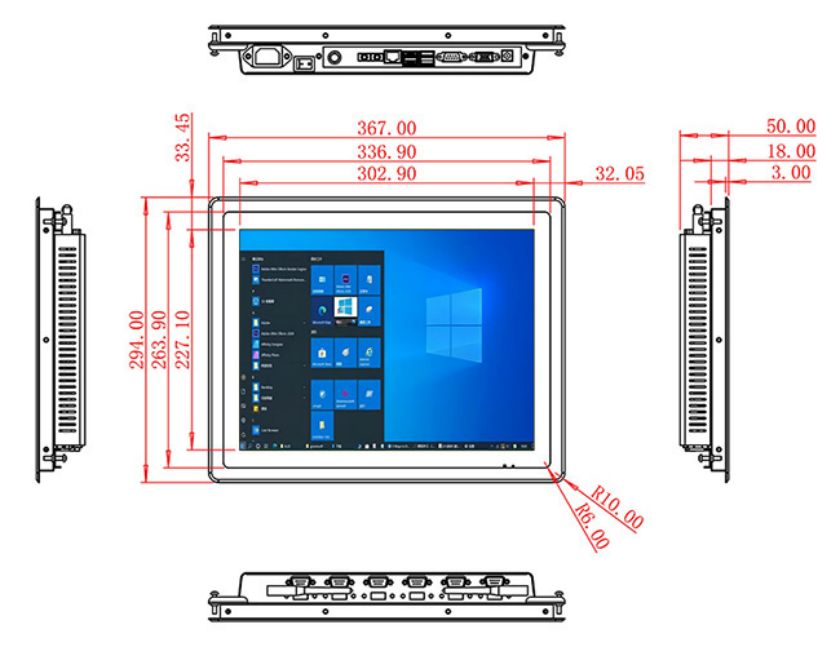
| Package Size | Device Dimensions | 367 X 294 X 50mm. | ||
| Net Weight | 5 Kilogram | |||
| Package Size | 43 X 36 X 15Centimeter | |||
| Gross Package Weight per Unit | 5.5 Kilogram | |||
Traffic Data Feed
The 15-inch LCD provides 1024 × 768 resolution, 300 cd/m² brightness and 1500:1 contrast. The documented 10-point projected-capacitive touch layer uses a USB interface, 3 mm strengthened cover glass, 85% transmission, 6 ms response and stated touch accuracy. Computing options include Intel i5-4310M or i5-6100T, 4 GB or 8 GB RAM, 128 GB or 256 GB storage, and optional Win10 or Win11. RJ45, HDMI and four USB ports are listed. Maximum power consumption is 25 W, and device dimensions are 367 × 294 × 50 mm.
The selected processor, memory, storage and operating-system image must be tested with the production application. Automatic updates, account permissions, startup order and offline behavior should be agreed before site delivery.
Select Windows Resources for the Operations Application
Touch Acknowledgement
Application owners should document data sources, local cache, administrator access and recovery after power or network interruption. A dedicated station is easier to support when unnecessary software is removed and the main application can return to a known state.
Console Integration
No complete moisture-protection rating appears in the table. The device is also an information workstation rather than a traffic-safety controller. The title, marketing copy, specification and bill of materials must describe the same finished capability.
Separate Information Display from Safety Control
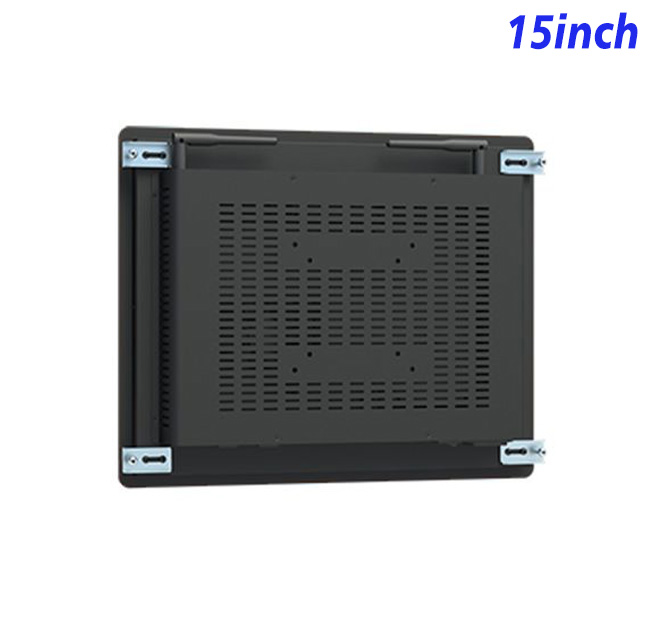
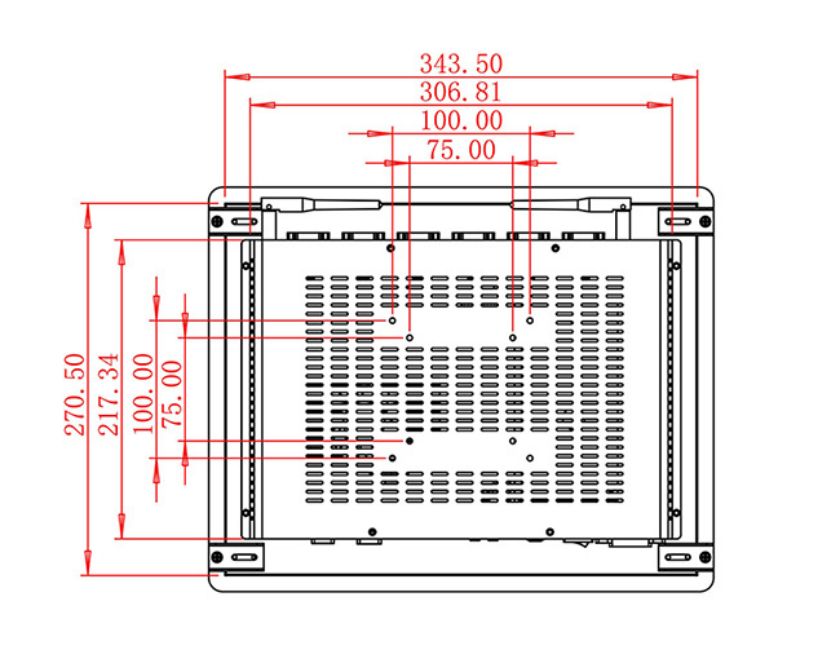
Integration drawings should show the front opening, mounting points, rear depth, ventilation, power route, network path, peripheral cables and removal clearance. Connected scanners, printers, readers or payment devices must remain separately serviceable.
Touch targets should be tested for real standing or seated use. Long labels, multilingual content, invalid input, missing data and interrupted connections reveal more about usability than a short perfect demonstration.
Test Escalation and Recovery during a Busy Period
Configuration Archive
The first Windows industrial all-in-one computer should run through the busiest representative workflow. Teams can record task time, corrections, operator questions, staff intervention and recovery performance before approving volume production.
An engineering sample also verifies cosmetics, connector position, boot behavior, touch alignment and application compatibility. These details cannot be approved from product photographs alone, especially when another supplier builds the surrounding cabinet.
ZXTLCD can review software demand, touch workflow, computing configuration, mounting drawing, peripherals, quantity and installation conditions before production. For repeat Windows industrial all-in-one computer projects, an approved sample and configuration record help system integrators keep the panel, touch layer, processor, memory, storage and mechanics consistent across later deliveries. Sample approval should also record the Windows image, touch calibration result, connector access, peripheral test and startup sequence. This gives purchasing, engineering and after-sales teams the same reference when a later batch, site expansion or replacement unit is requested.
The project handover should include the Windows image, application version, wiring plan, administrator ownership and replacement procedure. These records support phased installations, software updates and future spare units without repeating the original integration work.
If you would like to get the specification about above product, or you hope to discuss your requirements or need any additional information on our this product, then please do not hesitate to send us a inquiry and contact our sales team now.