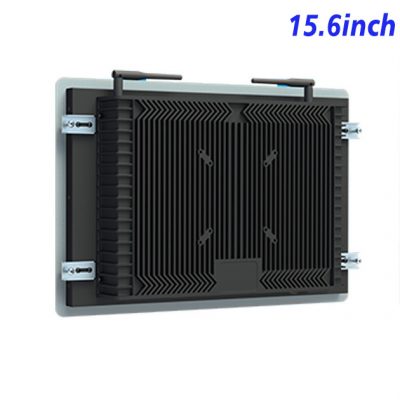
Instructions Belong beside the Equipment
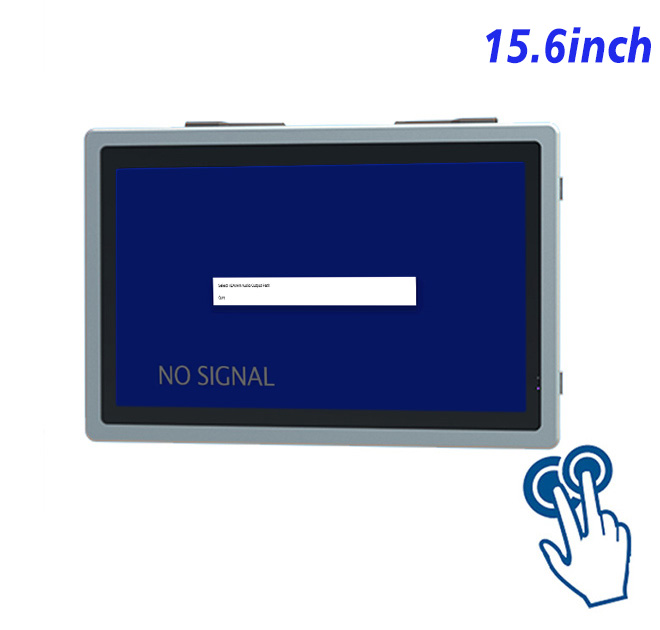
A self service terminal should earn its place by shortening a real task. In machine maintenance instructions and service confirmation, the 15.6-inch display creates a fixed interaction point that can be understood quickly by occasional users and repeated confidently by trained staff.
A technician can open an approved procedure, compare a reference image and acknowledge completed checks while service history is stored by the external maintenance platform. Full HD resolution supports detailed diagrams and compact navigation in a wide layout, while the 15.6-inch frame limits the cabinet area required at the machine.
Full HD Detail in a Moderate Opening
The 15.6-inch panel provides 1920 × 1080 resolution, 250 cd/m² brightness and a 700:1 contrast ratio. Its projected-capacitive layer supports ten touch points through USB, responds in under 6 ms and uses 3 mm strengthened cover glass with more than 85% light transmission. HDMI, VGA and DVI inputs give integrators several host-connection options. These figures describe protected indoor integration; they do not establish outdoor readability, weather resistance or a complete kiosk.
Screen brightness is specified for controlled indoor conditions. Integrators should test reflections, viewing height and the installed application with the real cover opening rather than judging the panel only on a workbench.
| Specification document for a 15.6-inch external capacitive touch display | ||||
| LCD Panel Parameters | Screen Size | 15.6 Inch | ||
| Display Area | 344.16 mm.(Height) X 193.59(Width)mm. | |||
| Aspect Ratio | 16 : 9 | |||
| LCD Type | a-Si TFT-LCD Monitor | |||
| Maximum Resolution | 1920 X 1080 | |||
| Display Color | 16.7M , 72% NTSC | |||
| Brightness | 250cd/m² | |||
| Contrast Ratio | 700 : 1 | |||
| Viewing Angle (Up/Down/Left/Right) | 89°/89°/89°/89° (Type)(CR≥10) | |||
| Response Time | 30ms | |||
| LCD Panel Lifespan (Hours) | 60,000(Hour.) | |||
| Field Frequency | 60Hertz | |||
| PCAP Touchscreen Panel Parameters | Touch Pattern | Projected Capacitive Touchscreen Monitor | ||
| Touch Points | 10 Points | |||
| Cover Glass | Morse Glass Size 7 Physically reinforced to prevent explosion | |||
| Glass 3 mm. Optical mount to reduce parallax | ||||
| Glass Transmission | >85% (Higher light transmission depends on glass coating technology For example AR/AG) >85% | |||
| Response Speed | < 6ms | |||
| Touch Accuracy | More than 90% of the touch area ±2 mm | |||
| Touch Method | Inch Stylus | |||
| Output Format | Coordinate Output | |||
| Click Time | Unlimited | |||
| Smallest Touch Size | 5 mm | |||
| Long-lasting Durability | Yes, Available | |||
| Touch Interface | USB | |||
| Operating Temperature and Humidity | Below 10℃ ~ +50℃, ≤ 85%RH | |||
| Storage Temperature and Humidity | Less than 20℃ ~ +60℃, ≤ 90%RH | |||
| Audio Parameters (External Speaker Option) |
Audio system | Stereo | ||
| Speaker size | ≈ 99 x 45 x 20 mm | |||
| Impedance | 8 Ω | |||
| Power | 2 x 5 Watt | |||
| Loudness | > 80 Decibel | |||
| Interface | 4-pin connector | |||
| Onboard Interface | HDMI Input | 1 | ||
| VGA Input | 1 | |||
| DVI Input | 1 | |||
| USB Type B or any desired USB Type | 1 | |||
| Power | Power Supply | Alternating Current 100V~240V, 50/60Hz | ||
| Maximum Power Loss | ≤ 30 Watt | |||
| Standby Mode Power Loss | < 1 Watt | |||
| Features | Operating Temperature | 0℃ ~ 50℃ | ||
| Storage Temperature | Below 10℃ ~ +60℃ | |||
| Accessories | Power Cord Length | 1.5m | ||
| HDMI Cable Length | 2m | |||
| USB-A to USB-B Cable Length | 1.5m | |||
| Stereo Speaker Size with Connector | 99*45*20mm | |||
| Stereo Speaker Length | 1.5m | |||
| Package Size | Device Dimensions | 403.9 X 263.9X 56.7 mm. | ||
| Net Weight | 5 Kilogram | |||
| Package Size | 47 X 33 X 17 Centimeter | |||
| Gross Package Weight per Unit | 5.5 Kilogram | |||
Plan the Maintenance Application before the Cabinet
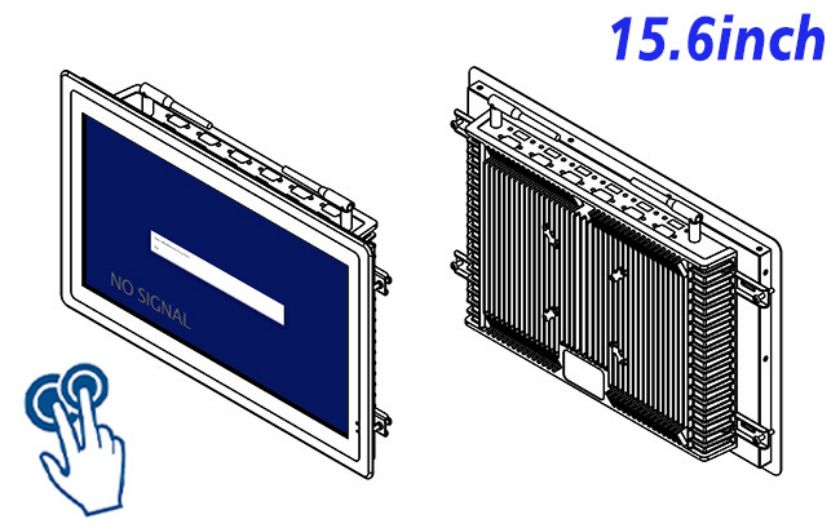
External Computer Selection
The self service terminal is an external display and touch interface. It does not include Windows or Android computing. The host must be selected for the application workload, graphics output, USB touch communication, security policy and connected peripherals.
Offline Recovery
This front panel is an interface component, not a safety-rated control or a complete industrial computer. Interlocks and machine commands require independent engineering. Error messages should explain what the user can do next when a network, host or peripheral is unavailable.
Design for the Technician who Returns Six Months Later
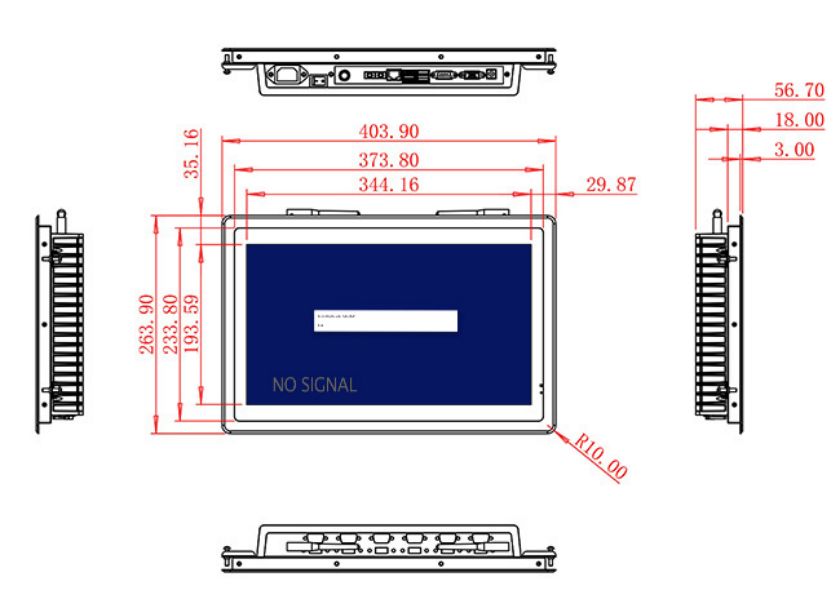
Drawing and Cable Review
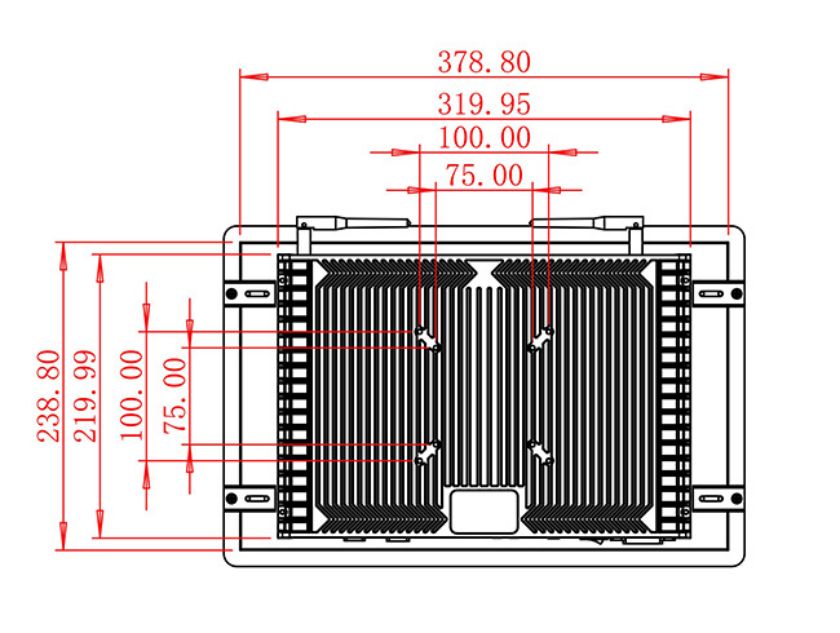
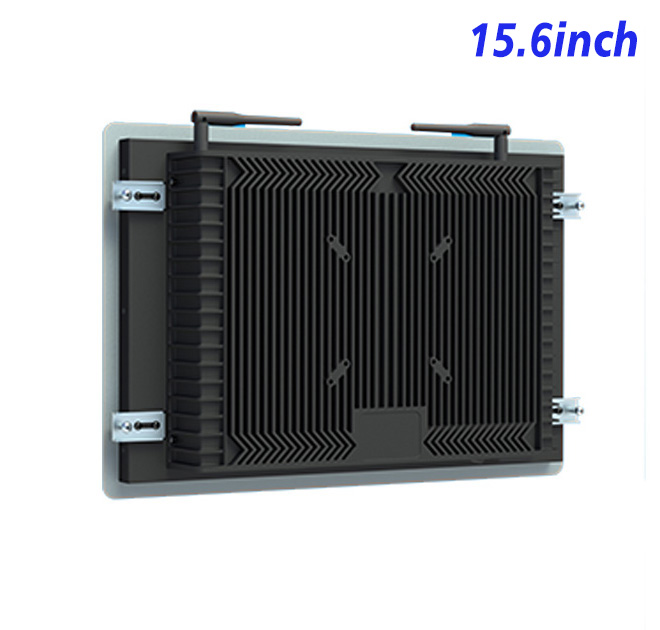
Cabinet drawings should show the opening, mounting points, rear clearance, connector direction, ventilation and cable strain relief. Technicians need access to video, USB and power connections without removing unrelated modules.
The first enclosure should be treated as a pilot. Teams can observe reach, text size, touch accuracy, completion time and cleaning access before releasing repeated metalwork or joinery.
Interface acceptance should use realistic records rather than demonstration text. Long names, translated labels, unavailable options and interrupted sessions often expose layout problems that are invisible on a clean test screen. The team should also decide how a user returns to the opening page and how incomplete information is removed between sessions.
Control Configuration across Multiple Machines
Procurement records should identify the approved LCD panel, cover glass, touch interface, video inputs, cosmetics and packing method. This prevents a later quotation or replacement request from relying on a shortened product name that does not capture the tested configuration.
ZXTLCD reviews drawings, quantity, installation conditions, host requirements and peripherals before production. That review gives distributors and integrators a practical reference for the self service terminal, while software, compliance and complete-system responsibilities remain clearly assigned.
After deployment, support teams need the application version, host details, wiring diagram and photographs of the installed unit. A fault report should separate display power, video signal, USB touch, network and peripheral behavior so the responsible party can respond without unnecessary replacement shipments.
A measured rollout also creates useful commercial evidence. Completion problems, service calls and operator feedback can be corrected at the pilot stage, producing a more reliable specification for later sites. For machine maintenance instructions and service confirmation, the most useful measures are task completion, requests for assistance, repeated input errors and the time required for staff to restore normal operation.