

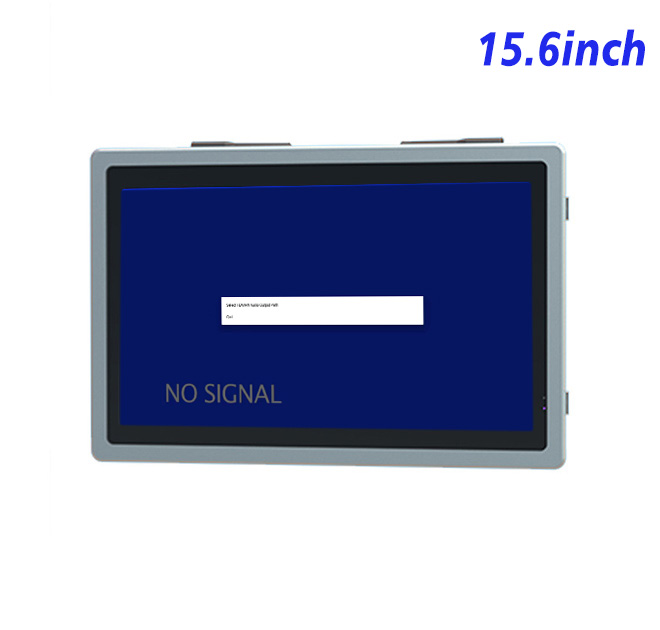
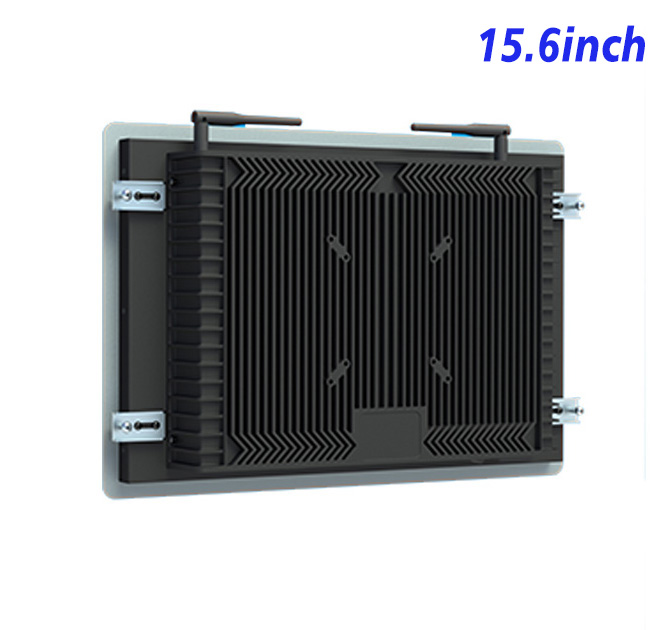
Medical Staff Need Clear Equipment Information
Healthcare equipment often requires operators to check readiness, follow setup steps and respond to service alerts. An information kiosk integrated into a protected cart or equipment station can present those instructions in a consistent format. The 15.6-inch Full HD screen provides room for a device diagram, current state and next action without claiming to perform diagnosis or interpret clinical images.
The active area measures 344.16 × 193.59 mm. Wide 89-degree viewing angles support review by several staff members, while brightness is listed at 250 cd/m² for indoor clinical environments. The 700:1 contrast ratio and 72% NTSC color specification should be evaluated for general equipment information, not promoted as diagnostic-grade imaging performance.
Video Inputs for Different Equipment Computers
HDMI, VGA and DVI connections allow the information kiosk monitor to receive output from different external computers or controllers. This can support equipment families that use more than one hardware generation. The display does not include clinical software, patient-data functions or medical certification; those responsibilities remain with the complete system.
A USB Type-B or requested USB connection is listed, but no specific touch technology is stated. Optional external audio uses two 5 W speakers and may support prompts or alarms where appropriate. Hospital privacy and alarm policies should guide the application.
| Specifications Document for 15.6-Inch External Embedded Industrial Display | ||||
| LCD Panel Parameters | Screen Size | 15.6 Inch | ||
| Display Area | 344.16 mm.(Height) X 193.59(Width)mm. | |||
| Aspect Ratio | 16 : 9 | |||
| LCD Type | a-Si TFT-LCD Monitor | |||
| Maximum Resolution | 1920 X 1080 | |||
| Display Color | 16.7M , 72% NTSC | |||
| Brightness | 250cd/m² | |||
| Contrast Ratio | 700 : 1 | |||
| Viewing Angle (Up/Down/Left/Right) | 89°/89°/89°/89° (Type)(CR≥10) | |||
| Response Time | 30ms | |||
| LCD Panel Lifespan (Hours) | 60,000(Hour.) | |||
| Field Frequency | 60Hertz | |||
| Audio Parameters (External Speaker Option) |
Audio system | Stereo | ||
| Speaker size | ≈ 99 x 45 x 20 mm | |||
| Impedance | 8 Ω | |||
| Power | 2 x 5 Watt | |||
| Loudness | > 80 Decibel | |||
| Interface | 4-pin connector | |||
| Onboard Interface | HDMI Input | 1 | ||
| VGA Input | 1 | |||
| DVI Input | 1 | |||
| USB Type B or any desired USB Type | 1 | |||
| Power | Power Supply | Alternating Current 100V~240V, 50/60Hz | ||
| Maximum Power Loss | ≤ 30 Watt | |||
| Standby Mode Power Loss | < 1 Watt | |||
| Features | Operating Temperature | 0℃ ~ 50℃ | ||
| Storage Temperature | Below 10℃ ~ +60℃ | |||
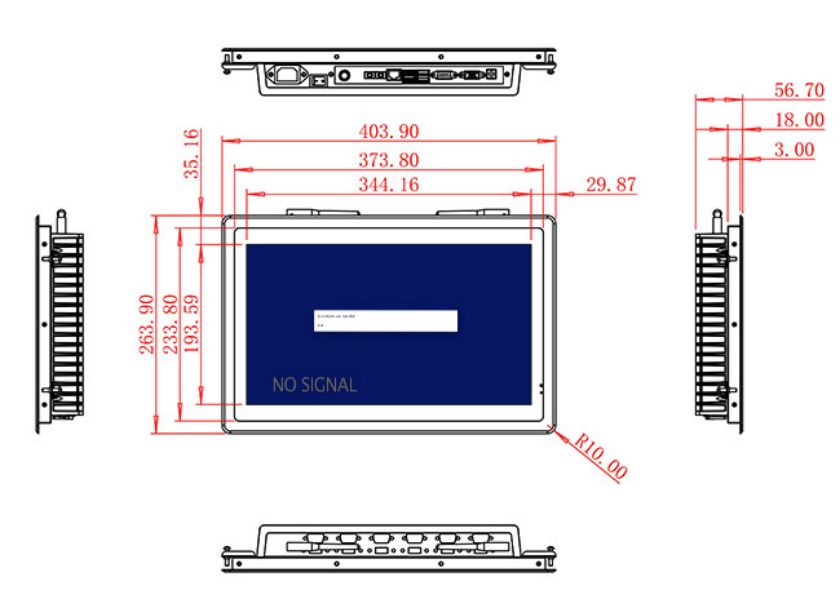
| Package Size | Device Dimensions | 403.9 X 263.9X 56.7 mm. | ||
| Net Weight | 5 Kilogram | |||
| Package Size | 47 X 33 X 17 Centimeter | |||
| Gross Package Weight per Unit | 5.5 Kilogram | |||
Cart and Cabinet Integration
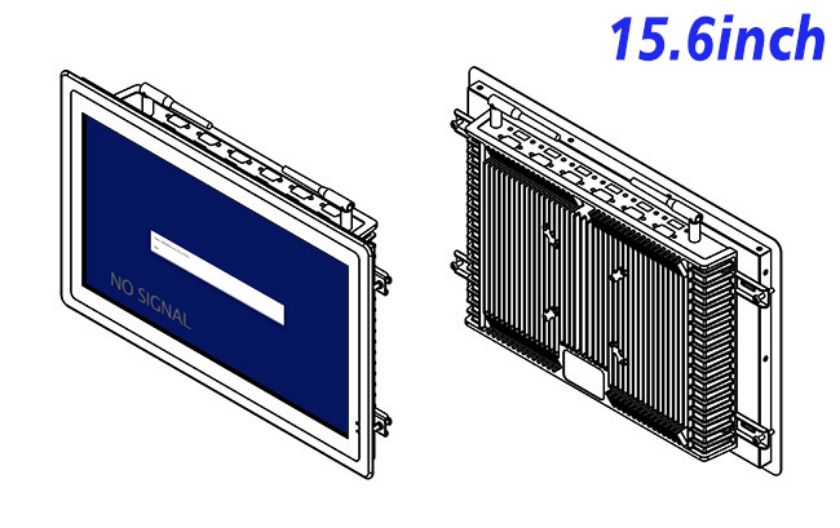
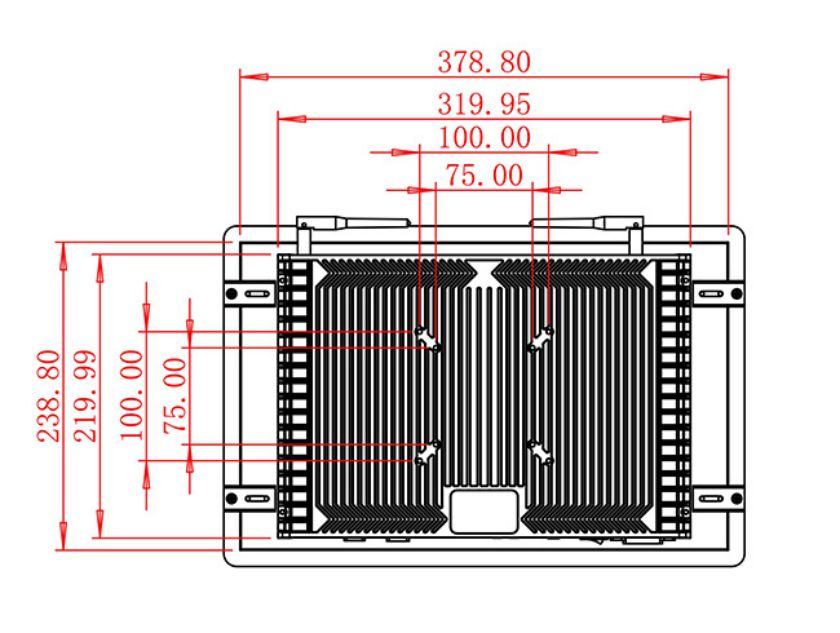
The unit measures 403.9 × 263.9 × 56.7 mm and weighs approximately 5 kg. Equipment designers should provide secure mounting, protected cables and a service route that does not interfere with cleaning. The final front surface and enclosure must be validated against the facility’s cleaning agents and infection-control procedures.
Power input is 100–240 V AC, maximum use is 30 W and standby consumption is below 1 W. The operating range is 0°C to 50°C. Any medical electrical, EMC or enclosure requirements must be addressed by the completed device.
A Controlled Sample Review with ZXTLCD
ZXTLCD can review the source signal, mechanical drawing and optional audio before a sample is supplied. Equipment builders can test actual status screens, cable clearance and restart behavior. Recording the approved information kiosk configuration supports repeat manufacturing and gives service teams a reliable replacement reference.
Medical Equipment FAQ
Procurement teams can retain the sample results with the device documentation, including the selected input, Windows or controller source, cable route and expected startup image. This makes later replacement decisions easier and reduces the risk of installing a visually similar screen with different connection requirements.
Healthcare equipment builders should decide whether the screen is intended for trained staff, patients or service technicians. Each audience needs different wording, permissions and viewing distance. A staff-only panel may show detailed device status, while a public information point should avoid sensitive data and provide simpler instructions. Defining the audience early prevents the same interface from trying to serve incompatible roles.
The sample review can also cover power recovery, loss of the external video source and the behavior of audible alerts. Staff must be able to distinguish a disconnected display from a normal equipment state. Recording the approved resolution, cable type and normal startup screen gives service teams a practical reference. It also helps the information kiosk installation remain consistent when the equipment is produced for several wards or facilities.
Is this a diagnostic monitor? No diagnostic-grade claim or certification is stated. It should be used for general equipment and workflow information unless separately qualified.
Is touch included? A complete touch specification is not listed and must be confirmed for the project.
Can it be cleaned with hospital disinfectant? Cleaning compatibility depends on the finished front surface and enclosure and must be validated by the equipment builder.
—
Request Product Information
If you would like to get the specification about above product, or you hope to discuss your requirements or need any additional information on our this product , then please do not hesitate to send us a inquiry and contact our sales team now.