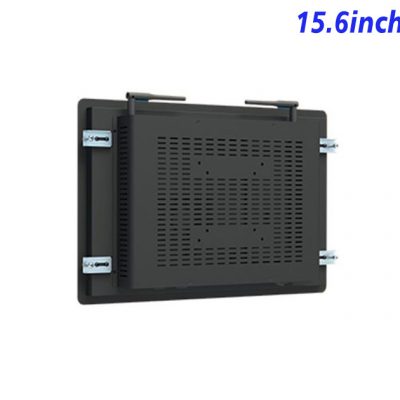
Keep Training Instructions beside the Simulation
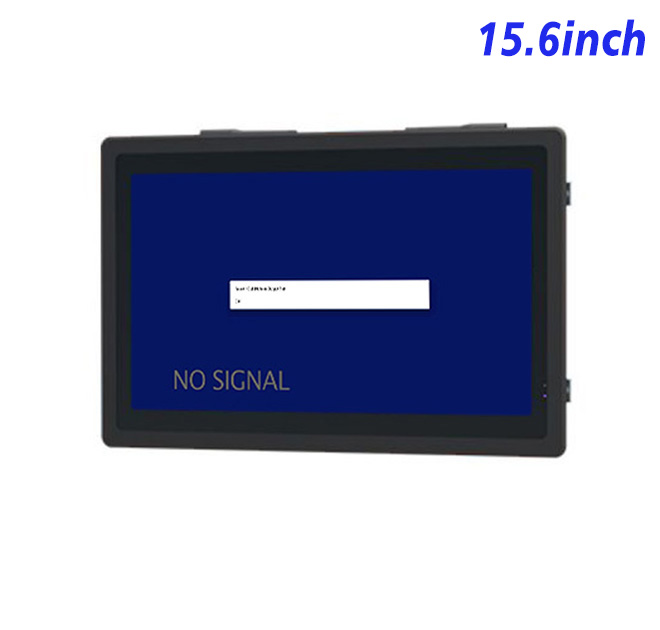
A embedded industrial display creates value when its task is precisely defined. For technical training simulators and skills-practice stations, the 15.6-inch unit can display operating steps, diagrams and practice results from an external simulator or training PC. The display remains separate from the host, allowing software and computing performance to be selected independently.
A widescreen interface can place instructions beside the simulated result, reducing page changes during a guided exercise. The primary user, viewing distance and exception path should be reviewed before content and enclosure approval.
Use Widescreen Space for Steps and Results
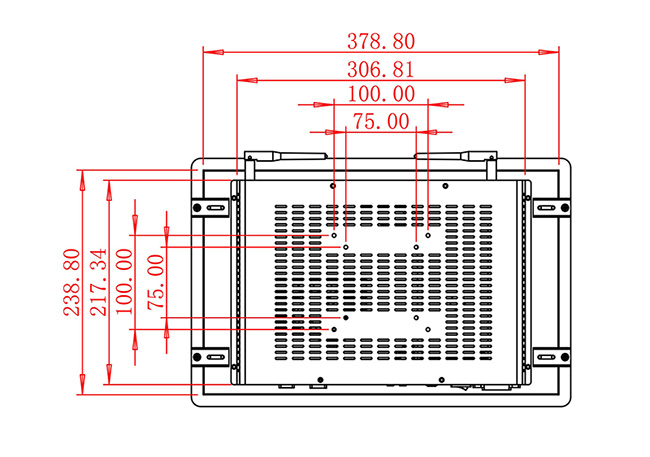
The 15.6-inch LCD is specified with 1920 × 1080 resolution, 250 cd/m² brightness, 700:1 contrast and wide viewing specifications. The system architecture uses external simulator computer. Maximum power consumption is listed at 30 W, and device dimensions are 403.9 × 263.9 × 50 mm. HDMI, VGA and DVI inputs are listed with USB Type-B for the selected integration. The final configuration and mechanical drawing should be approved together.
Panel figures do not guarantee readability in every fixture. Reflections, font size, color contrast, signal quality and mounting height should be evaluated with realistic content. Any alternative panel or computer option must be named in the approval record.
| External Embedded Display Specifications 15.6 Inch | ||||
| LCD Panel Parameters | Screen Size | 15.6 Inch | ||
| Display Area | 344.16 mm.(Height) X 193.59(Width)mm. | |||
| Aspect Ratio | 16 : 9 | |||
| LCD Type | a-Si TFT-LCD Monitor | |||
| Maximum Resolution | 1920 X 1080 | |||
| Display Color | 16.7M , 72% NTSC | |||
| Brightness | 250cd/m² | |||
| Contrast Ratio | 700 : 1 | |||
| Viewing Angle (Up/Down/Left/Right) | 89°/89°/89°/89° (Type)(CR≥10) | |||
| Response Time | 30ms | |||
| LCD Panel Lifespan (Hours) | 60,000(Hour.) | |||
| Field Frequency | 60Hertz | |||
| Audio Parameters (External Speaker Option) |
Audio system | Stereo | ||
| Speaker size | ≈ 99 x 45 x 20 mm | |||
| Impedance | 8 Ω | |||
| Power | 2 x 5 Watt | |||
| Loudness | > 80 Decibel | |||
| Interface | 4-pin connector | |||
| Onboard Interface | HDMI Input | 1 | ||
| VGA Input | 1 | |||
| DVI Input | 1 | |||
| USB Type B or any desired USB Type | 1 | |||
| Power | Power Supply | Alternating Current 100V~240V, 50/60Hz | ||
| Maximum Power Loss | ≤ 30 Watt | |||
| Standby Mode Power Loss | < 1 Watt | |||
| Features | Operating Temperature | 0℃ ~ 50℃ | ||
| Storage Temperature | Below 10℃ ~ +60℃ | |||
| Package Size | Device Dimensions | 403.9 X 263.9X 50mm. | ||
| Net Weight | 5 Kilogram | |||
| Package Size | 47 X 33 X 15Centimeter | |||
| Gross Package Weight per Unit | 5.5 Kilogram | |||
Select the Simulator Host Independently
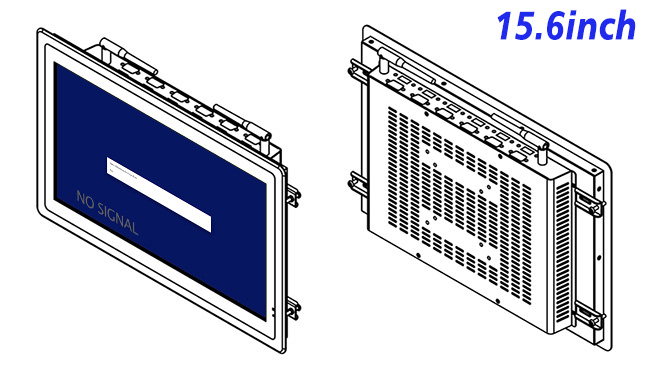
Signal Source
The external host owns software, networking, storage and recovery. Its output resolution, startup order and cable path should be tested with the selected input. Clear ownership prevents a blank or frozen page from automatically being blamed on the display.
External Controls
No complete impact, moisture or touch specification appears in the table. The equipment builder must define these functions at system level. The title, specification table, marketing copy and final bill of materials must describe the same capability.
Make Cable and Display Replacement Practical
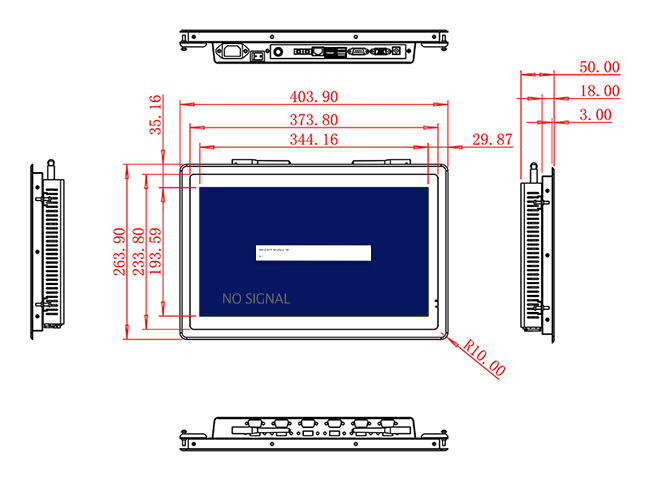
Rear Service Clearance
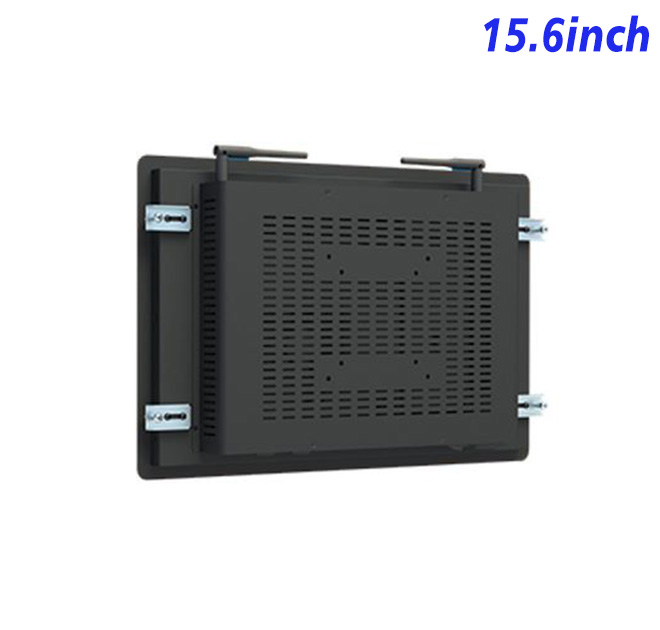
The integration drawing should identify front opening, mounting points, rear depth, ventilation, power route, cable bend radius and removal clearance. Connectors need to remain accessible after the host cabinet is assembled.
Recovery testing should include power interruption, missing video or network, invalid input and application restart. Diagnosing one layer at a time helps determine whether a problem belongs to display hardware, computing, cable, software or connected equipment.
Evaluate Mistakes as Part of Acceptance
The first embedded industrial display should be tested with representative normal and fault conditions. Teams can record reading errors, task time, operator questions, recovery steps and service access before releasing multiple units.
An engineering sample also verifies appearance, connector position, signal compatibility and boot behavior. These details cannot be confirmed from product photographs, especially when another supplier fabricates the surrounding enclosure.
ZXTLCD can review the application, host or computing configuration, mounting drawing, interfaces, quantity and installation conditions before production. For repeat embedded industrial display projects, the approved sample and configuration record help integrators keep panel, electronics, connectors and mechanical details consistent across later deliveries. The review should include the intended signal source, cable length, startup sequence, installation orientation and access available to a service technician. Recording these details gives purchasing, engineering and after-sales teams the same reference when a future batch or replacement unit is requested. It also reduces last-minute changes after the surrounding cabinet has already entered production.
Repeat orders should reference the approved panel, electronics, interfaces, power specification, software or host signal and mechanical drawing. This documentation supports phased installation and future replacement without repeating the original integration decisions.
If you would like to get the specification about above product, or you hope to discuss your requirements or need any additional information on our this product, then please do not hesitate to send us a inquiry and contact our sales team now.