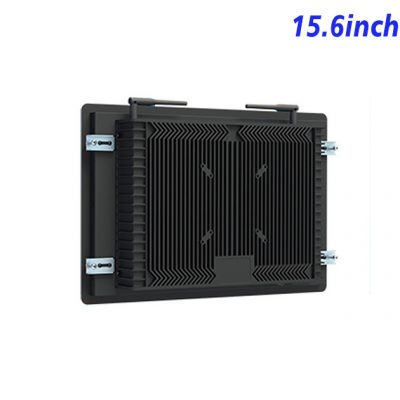
Guided Play Starts Before the Main Game
An entertainment machine may need to explain rules, present game selection, show account status and guide the user through a session. A self service kiosk display can organize those steps before the main content begins. The 15.6-inch Full HD panel offers a compact format for menus, instructions and promotional media inside an indoor gaming cabinet.
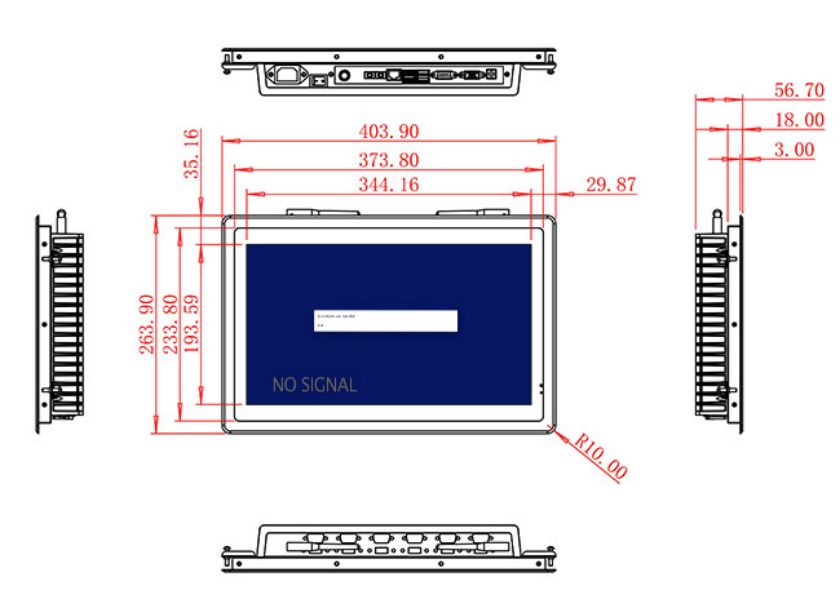
The 344.16 × 193.59 mm active area supports widescreen layouts, and wide viewing angles help maintain visibility when users stand slightly off center. Brightness is specified at 250 cd/m² for controlled indoor venues. The 700:1 contrast ratio and 72% NTSC color coverage are suitable for general interface content but should not be presented as premium color-critical performance.
Inputs for Gaming and Entertainment Computers
HDMI, VGA and DVI allow the self service kiosk monitor to connect to several generations of external computer. This can help cabinet manufacturers reuse a mechanical platform across different controller options. Game software, payment functions, age controls and regulatory approvals are not included in the display specification.
Optional two-channel 5 W audio can support menu feedback or instructional sound. The USB connection should be confirmed according to the requested role, especially if the cabinet requires touch or another control interface. A dedicated touch technology is not stated in the table.
| Specifications Document for 15.6-Inch External Embedded Industrial Display | ||||
| LCD Panel Parameters | Screen Size | 15.6 Inch | ||
| Display Area | 344.16 mm.(Height) X 193.59(Width)mm. | |||
| Aspect Ratio | 16 : 9 | |||
| LCD Type | a-Si TFT-LCD Monitor | |||
| Maximum Resolution | 1920 X 1080 | |||
| Display Color | 16.7M , 72% NTSC | |||
| Brightness | 250cd/m² | |||
| Contrast Ratio | 700 : 1 | |||
| Viewing Angle (Up/Down/Left/Right) | 89°/89°/89°/89° (Type)(CR≥10) | |||
| Response Time | 30ms | |||
| LCD Panel Lifespan (Hours) | 60,000(Hour.) | |||
| Field Frequency | 60Hertz | |||
| Audio Parameters (External Speaker Option) |
Audio system | Stereo | ||
| Speaker size | ≈ 99 x 45 x 20 mm | |||
| Impedance | 8 Ω | |||
| Power | 2 x 5 Watt | |||
| Loudness | > 80 Decibel | |||
| Interface | 4-pin connector | |||
| Onboard Interface | HDMI Input | 1 | ||
| VGA Input | 1 | |||
| DVI Input | 1 | |||
| USB Type B or any desired USB Type | 1 | |||
| Power | Power Supply | Alternating Current 100V~240V, 50/60Hz | ||
| Maximum Power Loss | ≤ 30 Watt | |||
| Standby Mode Power Loss | < 1 Watt | |||
| Features | Operating Temperature | 0℃ ~ 50℃ | ||
| Storage Temperature | Below 10℃ ~ +60℃ | |||
| Package Size | Device Dimensions | 403.9 X 263.9X 56.7 mm. | ||
| Net Weight | 5 Kilogram | |||
| Package Size | 47 X 33 X 17 Centimeter | |||
| Gross Package Weight per Unit | 5.5 Kilogram | |||
Cabinet Design Around the Player
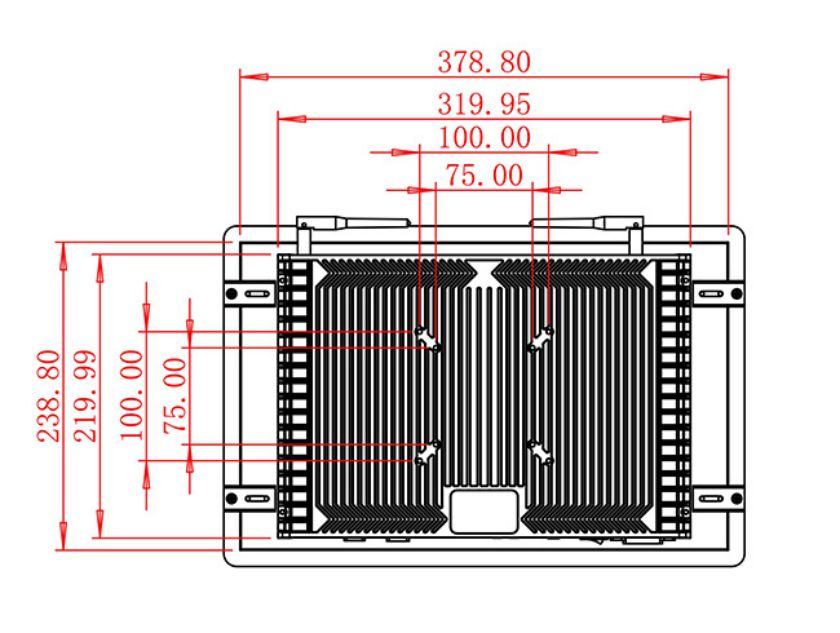
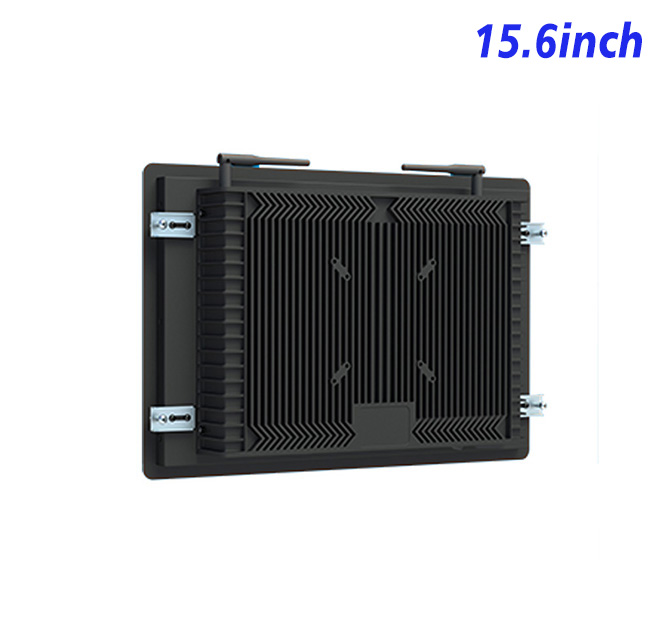
The monitor measures 403.9 × 263.9 × 56.7 mm and weighs about 5 kg. The cabinet should position the screen at a comfortable angle, protect cables and allow service access to the computer. External buttons, readers and speakers need their own mounting and compatibility review.
Power input covers 100–240 V AC, maximum consumption is 30 W and standby use is below 1 W. The operating range is 0°C to 50°C. Public entertainment equipment should also address impact resistance, ventilation and local compliance at system level.
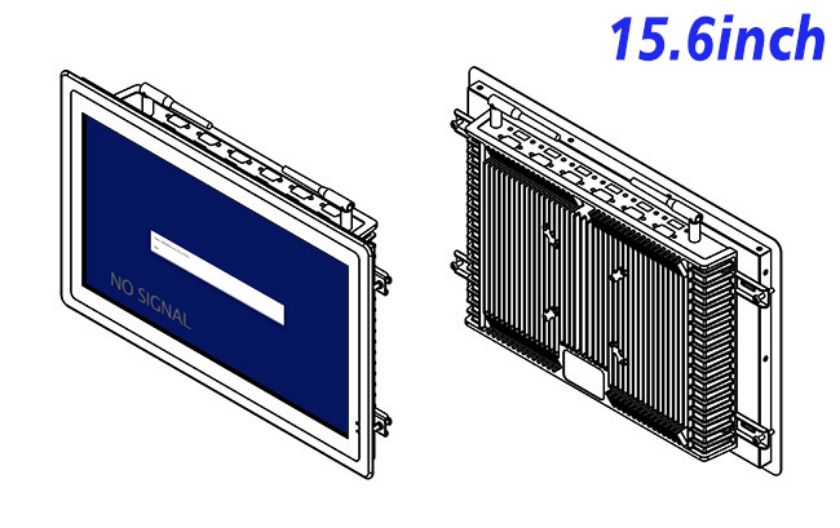
Pilot Testing Before Multiple Cabinets Are Built
ZXTLCD can review input requirements, drawings and optional audio with entertainment equipment manufacturers. A pilot self service kiosk lets the team test menu readability, signal recovery and player reach before metalwork is repeated. The approved configuration can guide later production and spare-unit planning.
Entertainment Kiosk FAQ
This preparation also gives venue staff a clearer first-response procedure when a cabinet stops displaying content.
Maintenance access deserves the same attention as the player interface. Technicians should reach the video, power and optional audio connections without removing decorative cabinet sections or disturbing payment hardware. A documented wiring layout and approved spare display can reduce downtime when the venue operates long daily hours.
Entertainment operators should test the complete session rather than only the attract screen. The interface needs a clear route from game selection to instructions, play and exit, with an automatic reset before the next user. If the external computer loses connection, the cabinet should show an understandable service message instead of leaving a frozen screen that appears active.
Different venues may also need different sound levels, languages and accessibility options. A family entertainment center, museum game and adult gaming area will not use identical content even when the display hardware is the same. By validating these variations on a sample self service kiosk, the manufacturer can keep the mechanical design consistent while allowing software and external controls to match the intended venue.
Does the display include games or a gaming computer? No. It receives video from a compatible external computer supplied by the integrator.
Is a touchscreen included? No defined touch panel is stated. Touch requirements must be confirmed separately.
Can the monitor be used outdoors? The 250 cd/m² brightness and lack of a weather rating position it for indoor cabinets.
—