

Give Patients a Clear Route to Their Reports
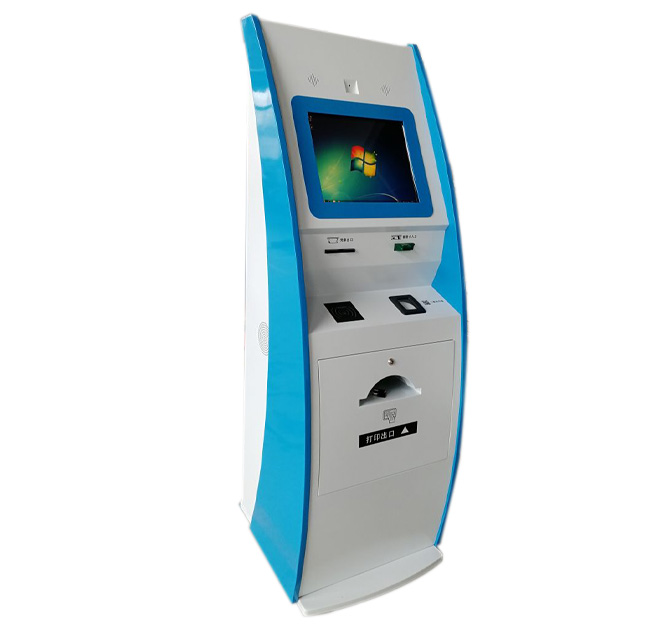
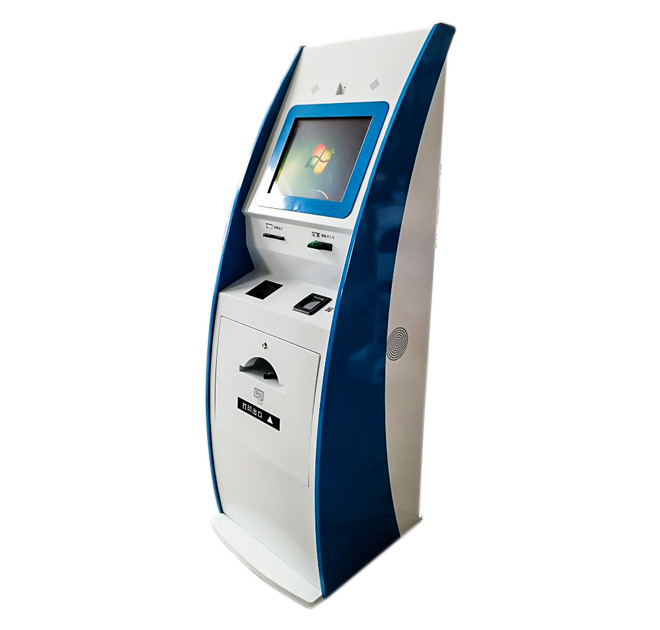
An information kiosk can provide a dedicated point where patients retrieve approved medical reports without returning to a crowded service counter. The freestanding terminal uses a large touchscreen, lower interaction area and space for document output. This format can support hospitals, imaging centers and diagnostic laboratories that want to separate routine report collection from registration and clinical consultation.
The enclosure alone does not connect to a hospital database or interpret medical information. Patient identification, report authorization and result delivery depend on the hospital software and system interfaces. The kiosk hardware can be configured around that workflow after the required readers, printer and computing platform are confirmed.
From Identification to Document Collection
A patient may begin by scanning a QR code, entering an appointment number or presenting an approved card or document. The software can then locate available records and display a simple list of reports authorized for release. If printing is supported, the interface should show progress and identify the correct collection position clearly.
The information kiosk should provide a safe alternative when a report is unavailable or identification fails. Instead of exposing technical error messages, it can direct the patient to the appropriate desk. The session should close automatically and remove personal information from the screen before the next user begins.
Configure the Hardware for the Hospital Workflow
Optional components may include a QR scanner, document reader, card reader, thermal or laser printer, camera and payment terminal. These are project options rather than fixed standard equipment. A report containing several pages requires different paper capacity and service access from a simple queue-ticket printer, so the final output format must be defined before production.
Screen height, font size, touch targets and output position should be reviewed for accessibility. The enclosure should tolerate the cleaning products approved by the hospital and allow staff to replace paper without opening unrelated electronic areas. Network access and user permissions remain subject to the hospital IT and privacy policies.
Test with Real Patient Scenarios
Before deployment, the hospital should test valid and invalid patient identification, unavailable reports, multi-page printing, paper shortage and network interruption. Staff can confirm that the information kiosk routes every exception safely and never leaves another patient data visible. Diagnostic centers with international visitors may also require a multilingual interface.
For quotation, provide the patient-identification method, report format, printer model, software platform, network requirement, installation space and daily output estimate. ZXTLCD can then develop the enclosure around the confirmed workflow without making unsupported claims about clinical systems.
Procurement teams should confirm who supplies printer consumables, how report templates are validated and which party provides on-site support. A pilot location can measure retrieval time, failed identification attempts and staff interventions before wider rollout. If several facilities share one design, each site still needs its own network and privacy review. Spare printers, scanners and computers may be planned for locations where report delivery cannot remain unavailable for long. Packaging should protect calibrated modules during transport, and installation instructions should identify network, power and anchoring points. The final approval should include a printed sample report and confirmation that patient-facing instructions match the hospital terminology.
Operational Ownership After Installation
Hospitals should assign clear responsibility for application support, printer supplies, patient-data policy and physical maintenance. A kiosk may be working electrically while still being unusable because a report template changed or a system interface failed. Staff need a simple way to distinguish printer, network and software faults before escalating the case. For high-volume departments, scheduled paper checks and a spare printer can reduce interruption. The hospital should also review where printed reports are collected so documents are not left visible to other visitors. These operating procedures should form part of acceptance and staff training, not be postponed until after deployment.