

Make the Next Step Visible at the Entrance
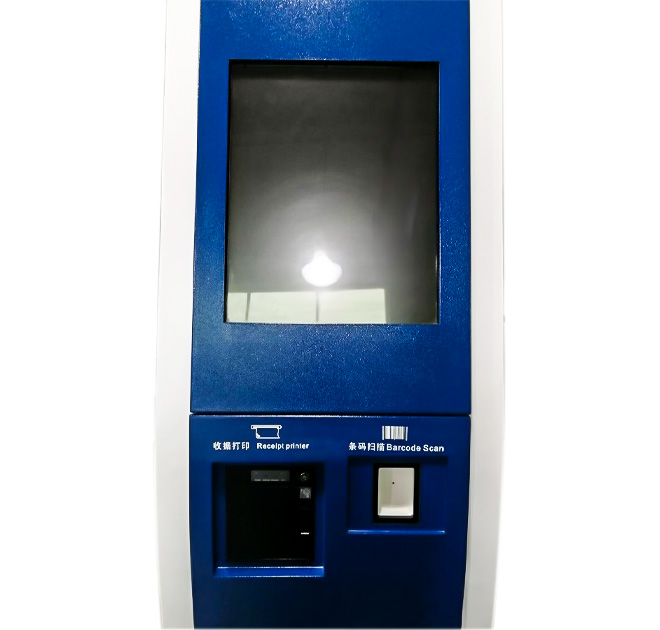
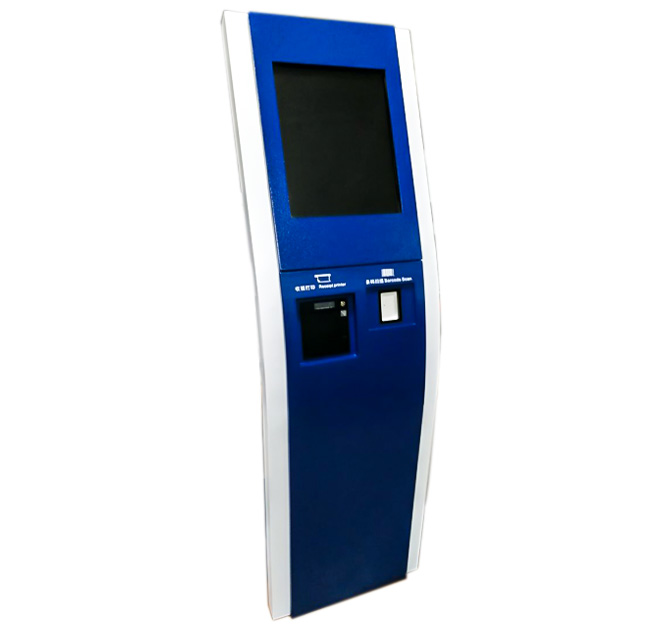
A queue-management self service terminal helps visitors select the service they need and receive a clear place in line. The floor-standing kiosk provides a touchscreen with lower positions suitable for ticket output or identification devices. It can be deployed in hospitals, banks, government offices, telecom stores, clinics and other locations where several service queues operate at the same time.
The kiosk is one part of a wider queue system. Ticket numbering, counter assignment, estimated waiting time and display-board updates depend on the management software. The hardware can be configured to support that system, but it should not be promoted as a complete customer-flow platform without the required application and integration.
Reduce Incorrect Queue Selection
The opening screen should use plain service names and avoid forcing visitors through unnecessary menus. If several departments sound similar, short explanations can help users select correctly. A QR code, membership card or appointment reference may be scanned when the software supports priority or pre-booked visits.
After selection, the self service terminal can print a queue ticket containing the number, department, location and other approved instructions. If the venue uses digital tickets, the screen may confirm the number without printing. The operating team should provide an assisted alternative for visitors who cannot complete the touchscreen process.
Size the Printer for Real Demand
Ticket printers are inexpensive to operate only when paper capacity and service access match visitor volume. Busy hospitals or public halls may require larger rolls and low-paper alerts. The printer position should be easy for users to see but accessible only to staff when paper is replaced.
Optional modules may include a QR scanner, card reader, document reader, camera or receipt printer. These components must be selected according to the workflow. Screen size, computer system and network connection should also match the queue application rather than a generic specification.
Test Customer Flow, Not Only the Machine
Acceptance testing should follow a ticket from the self service terminal to the correct counter and waiting-area display. Staff should test closed departments, priority services, printer failure and network interruption. The interface must explain what the visitor should do when the normal process is unavailable.
Venue managers should review queue data after installation. Frequent wrong selections may indicate unclear service names, while abandonment may show that too many questions are being asked. A consistent printer, scanner and computer configuration makes spare-parts planning easier. Clear signage above the unit can help visitors recognize its queue function before approaching the screen.
Send the service list, ticket format, queue-software platform, selected peripherals, installation dimensions and peak visitor volume. ZXTLCD can prepare an enclosure configuration that supports the approved customer-flow process. Staff training should cover paper replacement, application restart and moving customers to a manual queue during maintenance.
Use Queue Data to Improve the Service Menu
After installation, managers can compare ticket selections with the counter that eventually served each visitor. A high number of transfers may show that service names are unclear or that important guidance is missing from the opening screen. The operator can adjust wording and screen order without changing the cabinet. Privacy rules should still govern any appointment or identification data collected during ticket issue. Local staff need a short procedure for checking paper, restarting the application and moving visitors to a manual queue. For several branches, standard printers, computers and scanners simplify spare-parts planning while each venue keeps its own service list.
Ticket samples should be approved for readability, department naming and waiting-area directions. If digital tickets are used, the site should test mobile delivery and a fallback for visitors without a suitable phone. Regular reporting can show printer usage and peak demand.