

Simplify the Start of a Vehicle-Service Visit
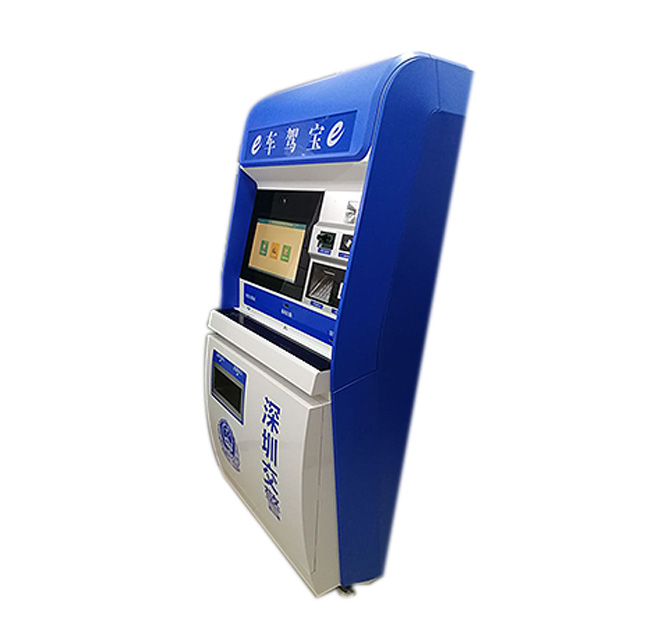
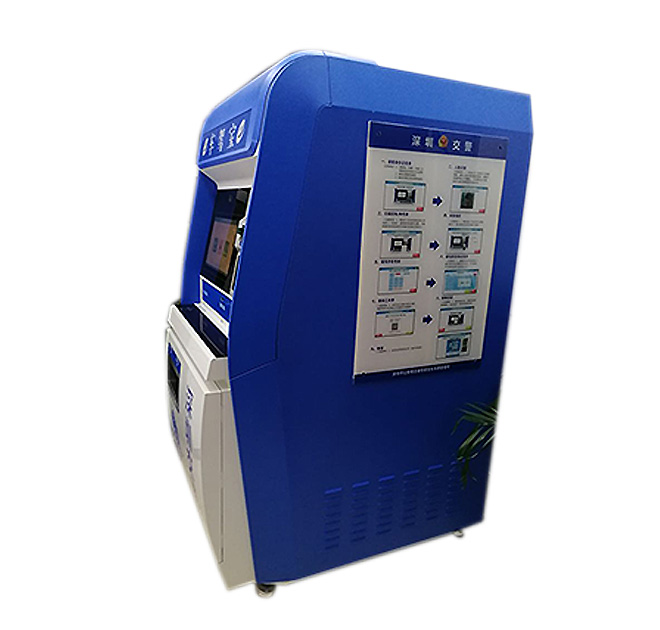
A registration kiosk can guide citizens through defined vehicle and driver service workflows in government offices, authorized service centers or other supervised public locations. It can help users select a service, enter required details, access an approved online process or prepare for staff assistance. The exact services available depend on the responsible authority’s software, identity rules and local regulations.
The kiosk is most effective when it reduces uncertainty before a customer reaches the counter. Clear prompts can explain which service path applies, what information is needed and whether the task can be completed digitally. Complex, disputed or legally sensitive cases should still route to qualified staff.
Map Every Screen to an Official Process
Vehicle registration and driver services often contain conditional steps. The project team should document each permitted journey, including renewal, application, status enquiry or appointment-related actions. Content needs to use the authority’s official terminology and current policy. Required notices and consent statements should be displayed at the correct point rather than crowded onto the opening screen.
A registration kiosk should offer a clear correction path when information is entered incorrectly. Users also need a visible option to cancel. After completion or inactivity, the session must clear personal data and return to the starting screen. These behaviors should be tested with the government application, not left to assumptions during installation.
Confirm Identity and Document Requirements Early
Some workflows may require document scanning, identity verification, photography, printing or electronic payment. These functions are configuration-dependent and must be specified by the buyer. The responsible authority and system integrator should confirm accepted document formats, validation rules, peripheral models and data-security requirements.
Driver’s license renewal is referenced as a potential use case, but eligibility and completion steps vary by jurisdiction. The terminal should only present services authorized in the target location. ZXT LCD can accommodate reviewed hardware requirements; it does not replace the official service platform or determine legal eligibility.
Design for Public-Sector Accessibility and Throughput
Site planners should consider approach space, screen reach, readable type, language access and assistance for users with different needs. The kiosk should be visible from the service area without obstructing queues. Power, secure network connectivity and maintenance access must be planned before delivery.
For busy offices, the interface should keep common steps short and make progress obvious. A pilot can measure whether users complete tasks independently, where they request help and how the kiosk affects counter demand. Findings can inform revised content and staff training before additional units are ordered.
Establish Ownership After Deployment
Public-service terminals require disciplined operation. The authority should define who updates forms and notices, monitors availability, cleans the unit and handles peripheral supplies. Security patches and application changes need assigned owners. Field support, spare components and incident escalation should be included in the rollout documentation.
Procurement should also plan for policy changes. Official forms, eligibility wording and required notices may change during the hardware lifecycle, so the application must allow controlled content updates. Version records and approval responsibilities help ensure that every deployed site presents the current process instead of relying on locally edited instructions.
Usage reporting can then show which services are completed independently and which continue to require staff intervention at each office.
That evidence can guide future capacity planning.
Provide the target jurisdiction, approved service list, workflow diagrams, peripheral requirements, accessibility criteria and expected deployment volume. ZXT LCD can review a registration kiosk configuration and prepare a quotation based on confirmed hardware and customization. Government contractors and system integrators can also discuss sample evaluation, branding, packaging and phased delivery.