

Give Telecom Customers a Faster Starting Point
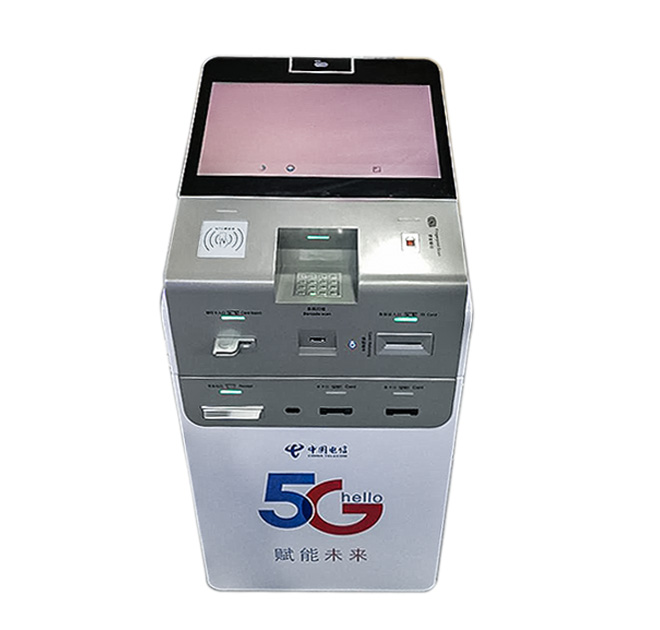
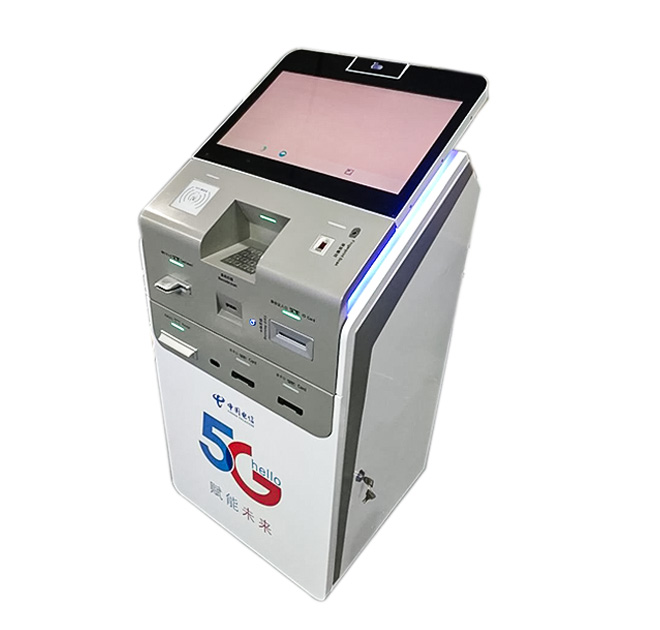
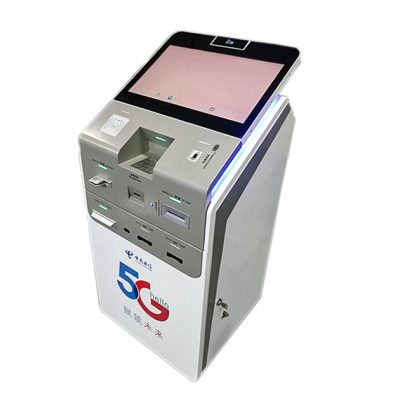
A telecom customer service kiosk touch screen can guide visitors through common account and support tasks in carrier stores, service halls and authorized retail locations. Customers can begin with a clear menu instead of waiting to identify the correct counter. Potential workflows include general account access, balance or plan information, top-up, bill payment and support triage, subject to the operator’s software and security rules.
The terminal is intended to complement employees. Routine steps can be presented consistently, while identity issues, disputes and complex service changes remain with trained staff. This balance can improve traffic flow without forcing every customer into an automated process.
Structure the Interface Around Telecom Intent
Telecom menus become confusing when product names and service categories overlap. The opening screen should use familiar customer language and prioritize high-volume tasks. Each workflow needs a visible progress path, a way to correct mistakes and an option to request assistance. Multilingual support can be planned for diverse markets.
A customer service kiosk touch screen may share terminology and branding with the operator’s website or mobile application. Consistency helps customers recognize account fields and service names. It also reduces the amount of new instructional content required for store teams.
Confirm Authentication, Payment and Printing Needs
Account access may require a phone number, customer identifier, document, one-time code or another approved method. The telecom operator and software integrator must define the identity process and the data that appears on screen. Automatic timeout and session clearing should protect the next user from seeing previous account information.
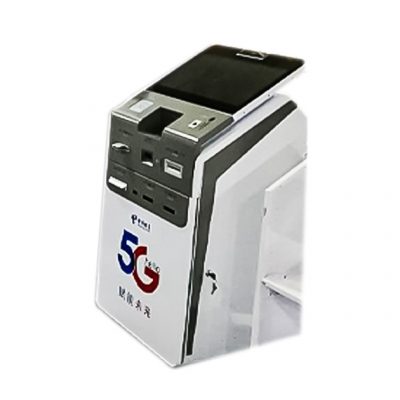
Top-up and bill payment functions require a compatible commercial platform and region-appropriate payment components. Printing, scanning, card reading or other peripherals can be evaluated when included in the buyer’s requirement list. The final quotation should distinguish standard hardware from optional modules and third-party services.
Fit the Terminal into Store Operations
Placement should make the terminal visible near the beginning of the customer journey without interfering with queues or merchandising. Site planners need to confirm floor area, power, network access, screen height and maintenance clearance. Accessibility and privacy should be reviewed together because a highly visible screen can also expose account information if positioned poorly.
A pilot store can test menu labels, authentication success, transaction handoff and staff escalation. Results can then inform a repeatable configuration for a larger estate. Enclosure color, logo, instructions and interface graphics can be aligned with the operator or retail partner.
Define Support Before Scaling
Telecom services and plans change frequently. The software owner should be able to update content without creating inconsistencies across sites. Device monitoring, application updates, cleaning, receipt supplies and fault escalation need assigned responsibilities. For multi-city deployments, spare-part and swap procedures can reduce service interruptions.
The operator can define acceptance scenarios before approving the first unit. Tests may include a returning customer, an invalid account, a failed network connection, a cancelled payment and a request that must transfer to staff. Using the same scenarios at the factory and pilot store creates a clearer handover between the hardware, application and retail operations teams.
Store managers should also receive a concise restart, cleaning and escalation guide that fits normal opening and closing routines.
Training ownership should be assigned before launch.
Procurement teams should share the intended workflows, authentication method, payment scope, peripheral list, site conditions and forecast quantity. ZXT LCD can review the physical and integration requirements for a telecom customer service kiosk touch screen and prepare a project quotation. Operators, distributors and solution providers can also request a sample for software validation before volume production.