A Compact Interface for Guided Assistance
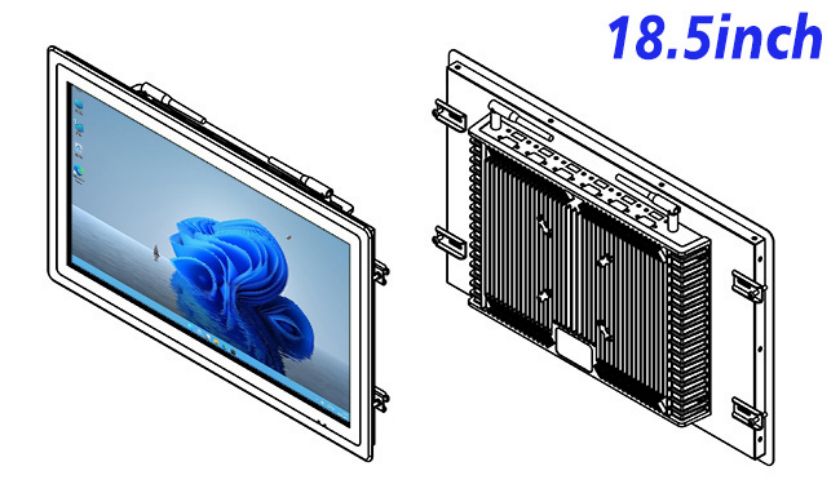
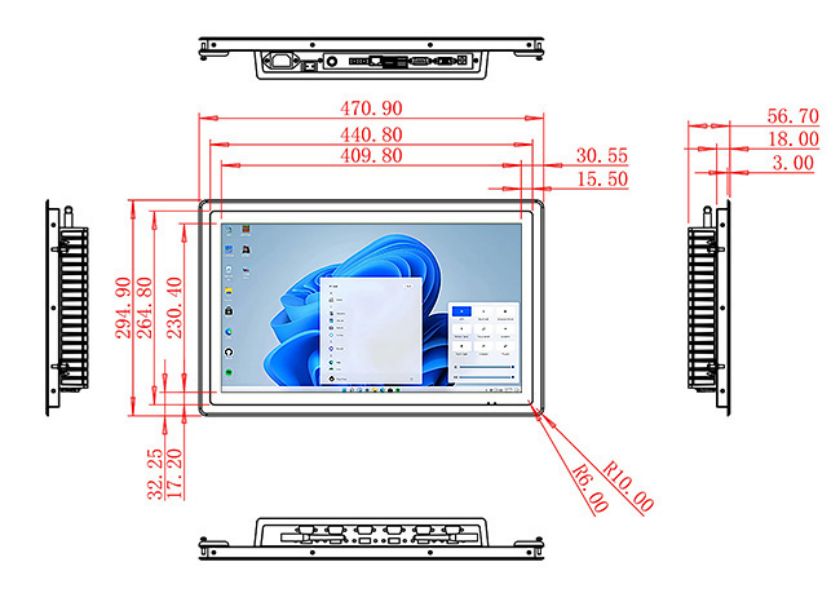
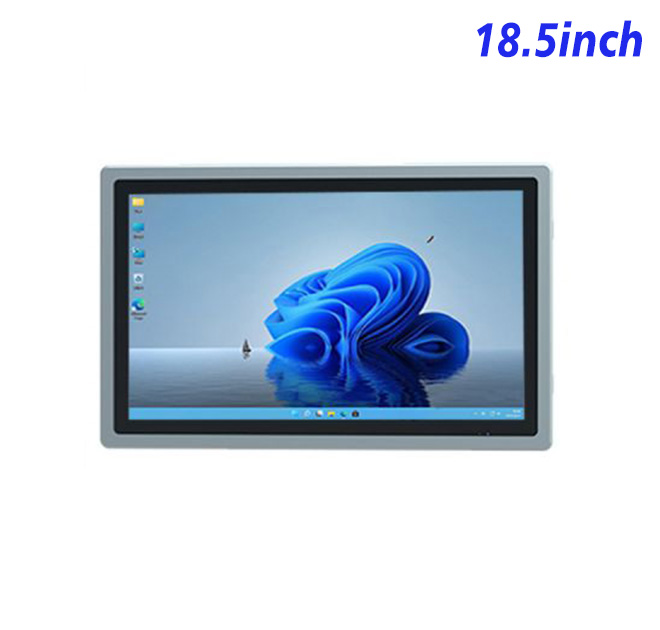
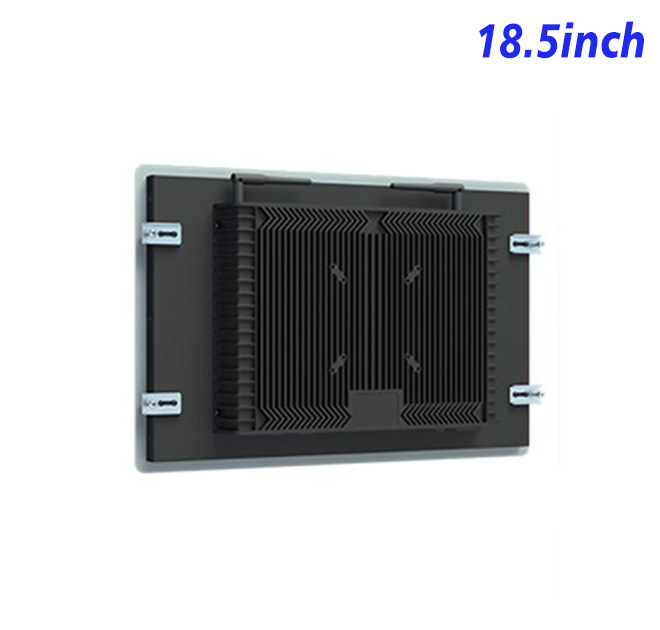
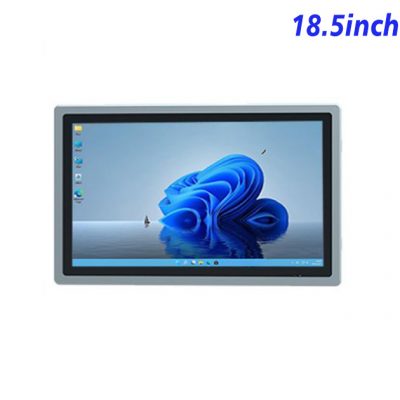
The help desk kiosk is an 18.5-inch open-frame Windows display suited to a help desk kiosk, government service point or embedded information terminal. The existing specification lists 1920 × 1080 resolution, a 16:9 aspect ratio and a 409.8 × 230.4 mm active area. This combination provides a detailed interface in a cabinet smaller than many 21.5-inch or 23.8-inch designs.
USB and EETI are referenced in the original product title, indicating an integration focus for touch applications. The exact touch controller, interface and Windows driver support should be confirmed for the ordered configuration.
Keep Help Content Easy to Navigate
A help desk kiosk should solve a narrow set of common problems or direct the visitor to the correct employee. The home screen can organize services by user intent, location or department. Search may be useful for a large knowledge base, but visible categories are faster for routine questions.
The 18.5-inch Full HD panel can show instructions, diagrams and short videos. Text should remain large enough for the installed viewing distance. If users need to enter information, the layout should allow sufficient space for an on-screen keyboard without hiding the current form.
Product Specifications
| Parameter | Specification |
|---|---|
| Screen Size | 18.5 Inch |
| Display Area | 409.8 mm (Height) × 230.4 mm (Width) |
| Aspect Ratio | 16:9 |
| LCD Type | a-Si TFT-LCD Monitor |
| Maximum Resolution | 1920 × 1080 |
| Display Color | 16.7M, 72% NTSC |
| Brightness | 250 cd/m² |
| Contrast Ratio | 1200:1 |
| Viewing Angle | 89°/89°/89°/89° (Type)(CR≥10) |
| Response Time | 14ms |
| LCD Panel Lifespan | 60,000 Hours |
| Field Frequency | 60Hz |
| Audio System | Stereo |
| Speaker Size | ≈99 × 45 × 20 mm |
| Impedance | 8 Ohm |
| Power | 2 × 5 Watt |
| Loudness | >80 Decibel |
| Interface | 4-pin connector |
| CPU Options | Intel i5-4310M Generation 4 / Intel i5-6100T Generation 6 |
| Graphics Card | Integrated Graphics Card Intel® HD 4600 / Integrated Graphics Card Intel® HD 530 |
| RAM | 4GB / 8GB |
| Storage Memory Capacity | 128GB / 256GB |
| OS | Win10 or Win11 Optional |
| Wi-Fi Built-in | Speed 150Mbps 802.11n WiFi Integrated |
| Video Format | WMV, AVI, FLV, RM, RMVB, MPEG, TS, MP4 etc. |
| Audio Format | MP3, WMA | Photo Format | BMP, JPEG, PNG, GIF etc. |
| Network Port | RJ45 ×1, 10M/100M Adjustable Ethernet | HDMI | 1 | USB | 4 | Power Supply | AC 100V~240V, 50/60Hz | Maximum Power Loss | ≤30 Watt | Standby Mode Power Loss |
| <1 Watt | Operating Temperature | 0℃ ~ 50℃ | Storage Temperature | Below 10℃ ~ +60℃ | Device Dimensions | 470.9 × 294.9 × 56.7 mm | Net Weight | 6.5 Kilogram | Package Size | 55 × 38 × 15 Centimeter | Gross Package Weight per Unit | 7 Kilogram |
Select the Windows Option for the Content Load
Alternative Intel processor, memory and storage choices appear in the existing specification. Static guidance and web-based forms may not need the same resources as locally stored media, remote-support tools or a large searchable database. Buyers should submit the final application requirements and expected background services.
Networking, audio, USB devices and remote management should be documented. If a user can access account information, the application needs session timeouts and automatic clearing. The hardware manufacturer supplies the platform; the buyer and software provider define data access and security.
Integrate the Open Frame Correctly
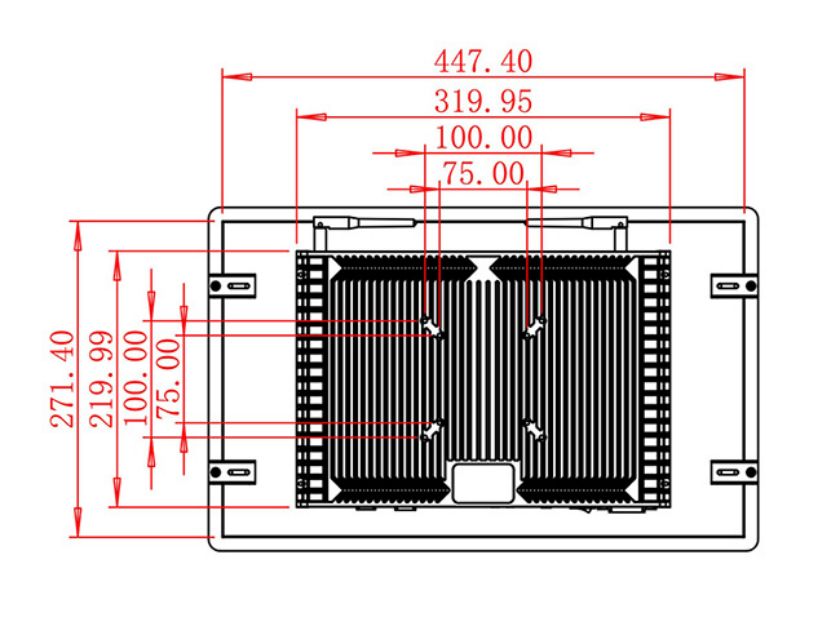
The enclosure drawing should confirm the front opening, mounting points, internal depth and cable route. Front glass or a decorative bezel can affect touch behavior and reflections, so it should be included in sample testing. The cabinet should also permit ventilation and maintenance access.
Government halls and public buildings may require accessibility review, durable finishes and regular cleaning. Environmental protection should be specified for the complete assembly. The term industrial does not by itself establish a waterproof or vandal-resistant rating.
Test the Service Journey Before Scaling
A pilot can reveal whether visitors understand the categories, whether the touch targets are comfortable and whether staff receive escalated requests correctly. Technical testing should include Windows startup, application recovery, network loss and touch calibration. An approved sample becomes the reference for later production.
Operational reporting can help refine the service after launch. The application may record anonymous task completion, abandoned paths and assistance requests according to the buyer’s privacy policy. These patterns can show whether the problem is content, software or terminal placement before additional hardware is ordered.
Support contracts should state which organization maintains the Windows image and which handles physical repairs. A shared incident checklist can capture power status, network state, application messages and touch behavior, giving remote teams useful evidence before dispatching a technician.
For distributed installations, asset labels and a small stock of approved replacement units can shorten interruptions when local repair is impractical.
The support team can use those labels to identify the exact configuration before issuing parts or instructions.
Send ZXT LCD the content plan, application requirements, enclosure drawing, touch expectations and quantity. The team can review the help desk kiosk for a help desk kiosk and quote the confirmed Windows and display configuration. Public-service contractors and OEM integrators can request a sample and dimensional information.