A Compact Window into Marine Equipment Data
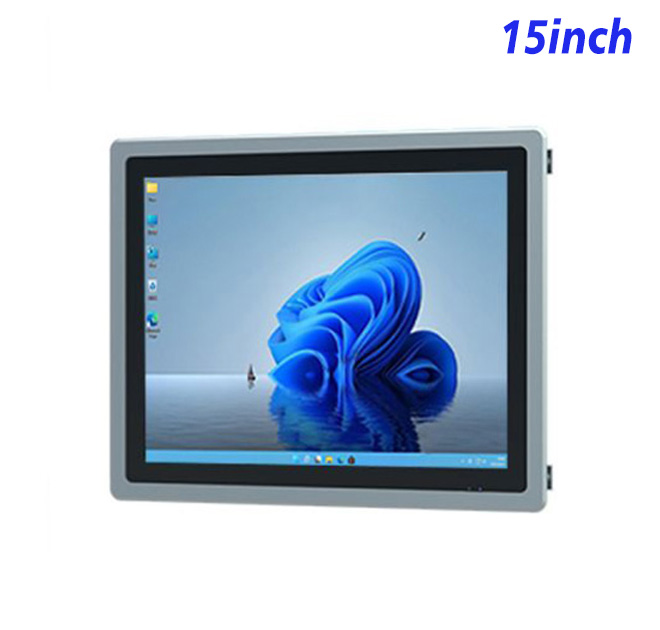
This 15-inch Windows panel can support an information kiosk, monitoring console or embedded interface inside marine engineering equipment. Its 1024 × 768 resolution and 302.9 × 227.1 mm active area follow a 4:3 format that suits status lists, alarms, numeric values and control applications originally designed for square industrial screens.
The existing specification lists 300 cd/m² brightness, a 1500:1 contrast ratio, wide viewing angles and a stated 60,000-hour panel lifespan. These are useful starting points for an indoor or protected installation, but the completed equipment must be assessed against the real marine environment.
Separate Monitoring from Safety Control
An information kiosk may present sensor readings, maintenance instructions, equipment history or operating guidance. If the same interface can issue commands, the system designer must define permissions, confirmation steps and safe failure behavior. Critical control functions should follow the standards of the responsible equipment and software providers.
Screen layouts should make alarms distinguishable from routine values. Operators may work in changing light or wear gloves, so button size, contrast and touch selection need testing with the final application and touch option.
| 15-Inch Embedded Industrial All-in-One Machine Specification with External Windows | ||||
| LCD Panel Parameters | Screen Size | 15 Inch | ||
| Display Area | 302.9 mm.(Height) X 227.1(Width)mm. | |||
| Aspect Ratio | 16 : 9 | |||
| LCD Type | a-Si TFT-LCD Monitor | |||
| Maximum Resolution | 1024 X 768 | |||
| Display Color | 262K/16.2M , 72% NTSC | |||
| Brightness | 300cd/m² | |||
| Contrast Ratio | 1500 : 1 | |||
| Viewing Angle (Up/Down/Left/Right) | 89°/89°/89°/89° (Type)(CR≥10) | |||
| Response Time | 15ms | |||
| LCD Panel Lifespan (Hours) | 60,000(Hour.) | |||
| Field Frequency | 60Hertz | |||
| Audio parameters | Audio system | Stereo | ||
| Speaker size | ≈ 99 x 45 x 20 mm | |||
| Impedance | 8 Ohm | |||
| Power | 2 x 5 Watt | |||
| Loudness | > 80 Decibel | |||
| Interface | 4-pin connector | |||
| Internal computer configuration (Choose one of two) |
CPU | Intel i5-4310M Generation 4, Dual-Core Four Threads, Main frequency can reach up to 2.7GHz | Intel I5-6100T Generation 6, Dual-Core Four Threads, Main frequency can reach up to 3.2GHz | |
| Graphics Card | Integrated Graphics Card Intel® HD 4600 | Integrated Graphics Card Intel® HD 530 | ||
| RAM | 4GB | 8GB | ||
| Storage Memory Capacity | 128GB | 256GB | ||
| OS | Win10 or win11 Optional | Win10 or win11 Optional | ||
| Wi-Fi Built-in | Speed 150Mbps 802.11n wifi Integrated | Speed 150Mbps 802.11n wifi Integrated | ||
| Media Format | Video Format | wmv, avi, flv, rm, rmvb, mpeg, ts, mp4 etc. | ||
| Audio Format | MP3, WMA | |||
| Photo Format | BMP, JPEG, PNG, GIF etc. | |||
| Onboard Interface | Network port | RJ45 X 1, 10M/100M Adjustable Ethernet | ||
| HDMI | 1 | |||
| USB | 4 | |||
| Power | Power Supply | Alternating Current 100V~240V, 50/60Hz | ||
| Maximum Power Loss | ≤ 25 Watt | |||
| Standby Mode Power Loss | < 1 Watt | |||
| Features | Operating Temperature | 0℃ ~ 50℃ | ||
| Storage Temperature | Below 10℃ ~ +60℃ | |||
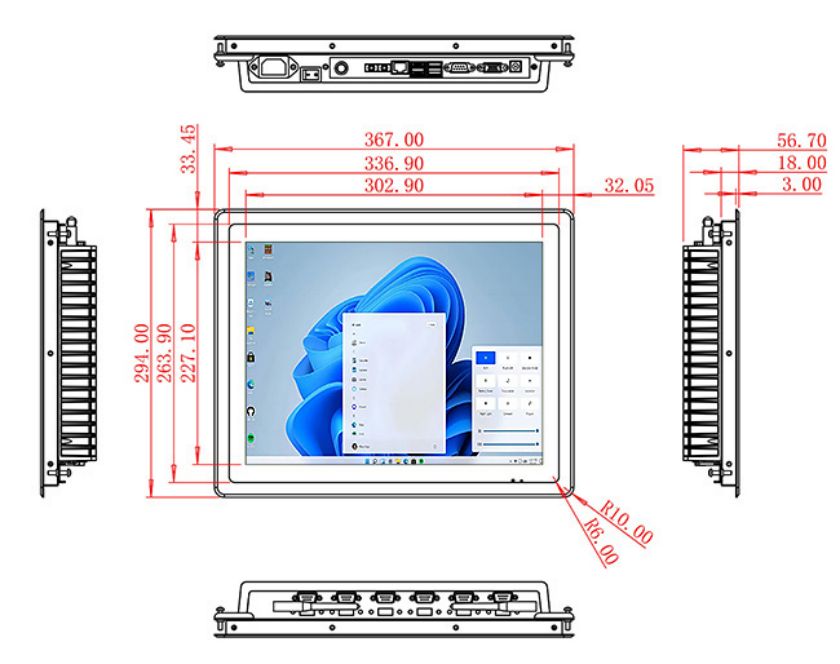
| Package Size | Device Dimensions | 367 X 294 X 56.7mm. | ||
| Net Weight | 5 Kilogram | |||
| Package Size | 43 X 36 X 17Centimeter | |||
| Gross Package Weight per Unit | 5.5 Kilogram | |||
Select the Windows Configuration for the Workload
Alternative Intel processing, memory and storage options appear in the original specifications. Buyers should state the Windows image, application package, logging requirements and connected sensors or controllers. A simple display client and a locally hosted monitoring application do not need the same resources.
Optional Power over Ethernet is referenced in the existing title. Its availability, power budget and network design must be confirmed for the ordered configuration. The integrator should not assume that one cable can support every processor or peripheral combination.
Design Around the Actual Marine Location
Marine equipment can involve vibration, salt air, condensation and restricted service space. The buyer should provide measurable temperature, humidity, vibration and exposure requirements. The panel is described for indoor use, so exposed-deck suitability or waterproofing must not be assumed.
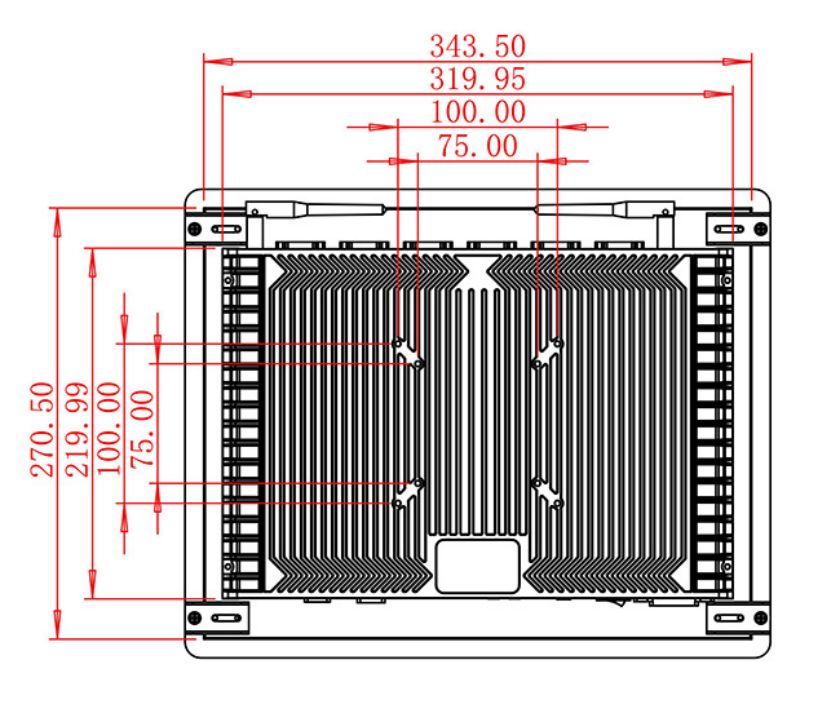
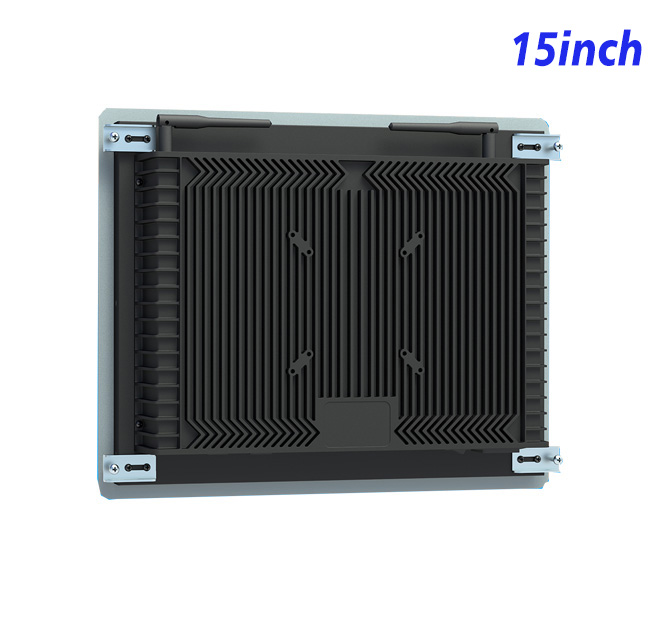
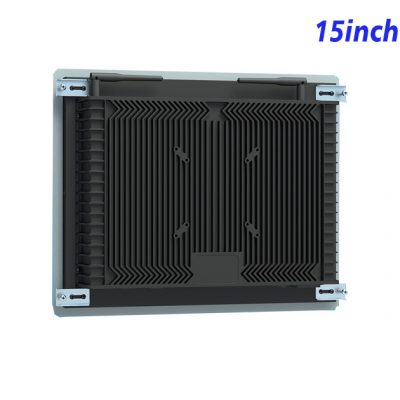
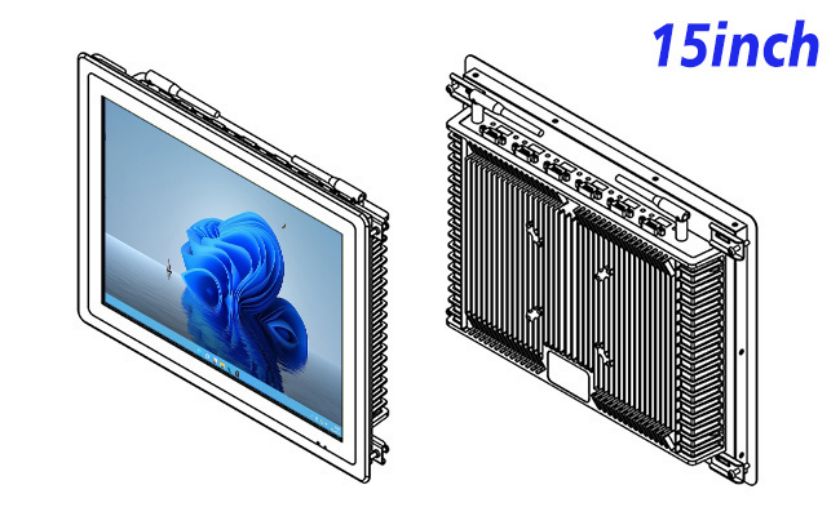
Mechanical drawings need to confirm the cutout, fixing points, rear clearance, ventilation and cable retention. The screen should remain accessible without dismantling unrelated controls. Grounding and power protection should be handled within the complete equipment design.
Approve a Tested Reference Unit
A sample can be installed in the intended console and tested with the real software. Acceptance may cover resolution, viewing angle, application startup, data refresh, network recovery and touch behavior where selected. Longer operation can reveal heat or connection issues that a short demonstration does not show.
For fleet or equipment programs, the approved drawing, Windows image and cable list should be revision controlled. Spare units and replacement instructions can reduce downtime during service.
Procurement should request evidence for the exact configuration rather than relying on broad industrial wording. The acceptance file can include panel parameters, computer option, interface list, dimensional drawing and environmental limits. This gives engineering and purchasing teams the same reference when comparing a sample with later deliveries.
Service planning also matters in remote marine locations. The operator should decide which faults can be diagnosed remotely, which parts can be exchanged by onboard staff and when a complete unit must be returned. Clearly labelled cables and a short replacement procedure can save time without encouraging untrained staff to open protected equipment.
Delivery inspection should compare the received unit with the approved drawing and option list. The integrator can verify screen size, interfaces, computer configuration and visible condition before installing it in higher-value marine equipment. Keeping that record with the equipment serial number makes later warranty and service discussions more precise.
Provide the application, enclosure drawing, environmental conditions, interface list and forecast quantity. ZXT LCD can review the 15-inch Windows platform for an information kiosk or marine monitoring interface and prepare a configuration-based quotation.