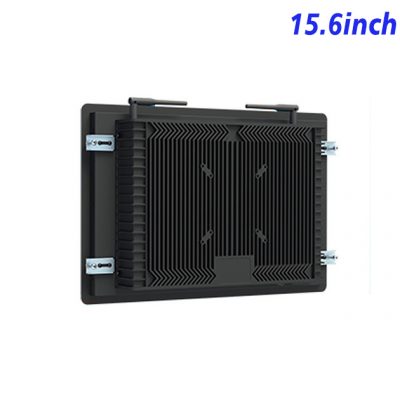
Put Machine Information beside the Work Area
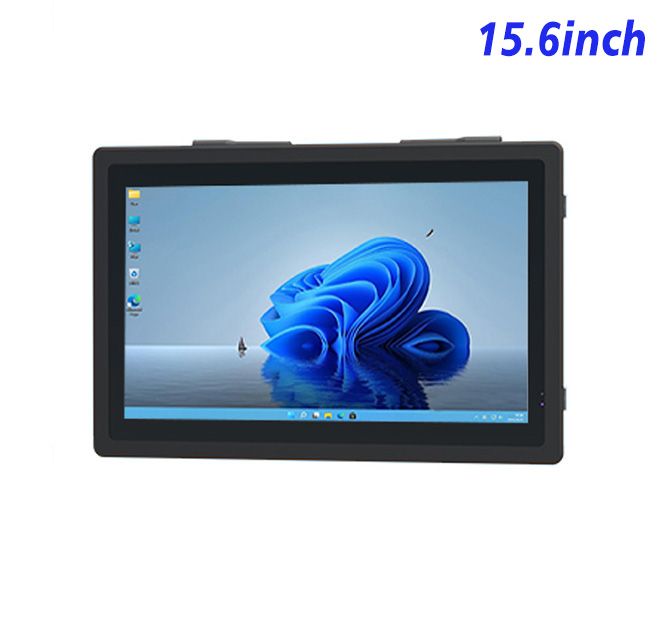
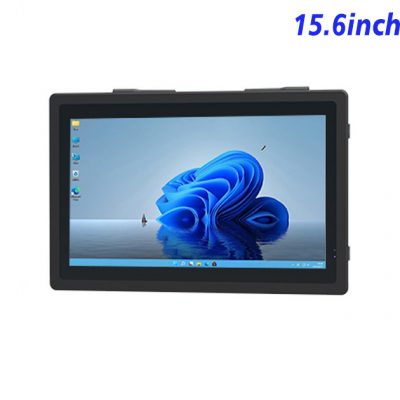
A 15.6-inch Windows information kiosk can give operators access to production instructions, drawings, maintenance steps and approved machine data without using a separate office computer. The Full HD 1920 × 1080 panel offers a 344.16 × 193.59 mm active area, supporting diagrams and structured information in a compact installation.
This use case focuses on information access rather than direct machine control. If commands are added, the machine builder must establish permissions, interlocks and safe behavior according to the responsible control-system standards.
Organize Documentation for the Task
Operators should not search through an entire document library to find one procedure. Content can be grouped by machine, job, alarm or maintenance activity. Search, revision dates and clear return navigation help users find approved information quickly.
An information kiosk on a factory floor may be used by several shifts. Login requirements, language selection and automatic session clearing should match the company’s process. The screen layout should remain readable under factory lighting and at the installed height.
| 15.6-Inch Embedded Industrial All-in-One Computer Specification with External Windows | ||||
| LCD Panel Parameters | Screen Size | 15.6 Inch | ||
| Display Area | 344.16 mm.(Height) X 193.59(Width)mm. | |||
| Aspect Ratio | 16 : 9 | |||
| LCD Type | a-Si TFT-LCD Monitor | |||
| Maximum Resolution | 1920 X 1080 | |||
| Display Color | 16.7M , 72% NTSC | |||
| Brightness | 250cd/m² | |||
| Contrast Ratio | 700 : 1 | |||
| Viewing Angle (Up/Down/Left/Right) | 89°/89°/89°/89° (Type)(CR≥10) | |||
| Response Time | 30ms | |||
| LCD Panel Lifespan (Hours) | 60,000(Hour.) | |||
| Field Frequency | 60Hertz | |||
| Audio parameters | Audio system | Stereo | ||
| Speaker size | ≈ 99 x 45 x 20 mm | |||
| Impedance | 8 Ω | |||
| Power | 2 x 5 Watt | |||
| Loudness | > 80 Decibel | |||
| Interface | 4-pin connector | |||
| Internal computer configuration (Choose one of two) |
CPU | Intel i5-4310M Generation 4, Dual-Core Four Threads, Main frequency can reach up to 2.7GHz | Intel I5-6100T Generation 6, Dual-Core Four Threads, Main frequency can reach up to 3.2GHz | |
| Graphics Card | Integrated Graphics Card Intel® HD 4600 | Integrated Graphics Card Intel® HD 530 | ||
| RAM | 4GB | 8GB | ||
| Storage Memory Capacity | 128GB | 256GB | ||
| OS | Win10 or win11 Optional | Win10 or win11 Optional | ||
| Wi-Fi Built-in | Speed 150Mbps 802.11n wifi Integrated | Speed 150Mbps 802.11n wifi Integrated | ||
| Media Format | Video Format | wmv, avi, flv, rm, rmvb, mpeg, ts, mp4 etc. | ||
| Audio Format | MP3, WMA | |||
| Photo Format | BMP, JPEG, PNG, GIF etc. | |||
| Onboard Interface | Network port | RJ45 X 1, 10M/100M Adjustable Ethernet | ||
| HDMI | 1 | |||
| USB | 4 | |||
| Power | Power Supply | Alternating Current 100V~240V, 50/60Hz | ||
| Maximum Power Loss | ≤ 30 Watt | |||
| Standby Mode Power Loss | < 1 Watt | |||
| Features | Operating Temperature | 0℃ ~ 50℃ | ||
| Storage Temperature | Below 10℃ ~ +60℃ | |||
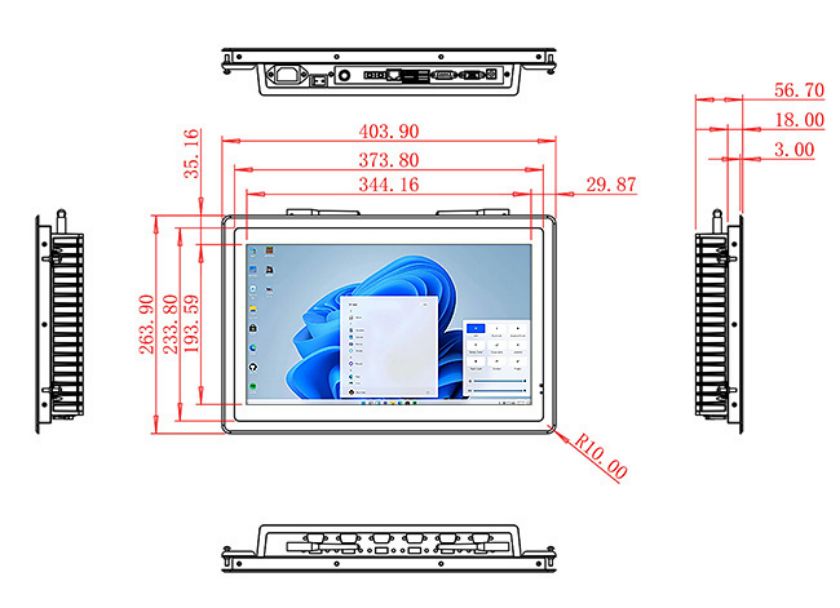
| Package Size | Device Dimensions | 403.9 X 263.9X 56.7mm. | ||
| Net Weight | 5 Kilogram | |||
| Package Size | 47 X 33 X 17Centimeter | |||
| Gross Package Weight per Unit | 5.5 Kilogram | |||
Configure Windows for Local or Network Content
The existing page lists alternative Intel processor, memory and storage choices. A network document portal may need modest local storage, while offline drawings, video instructions or a local database require more. Buyers should provide the Windows version, application stack and update policy.
POE availability is referenced in the original title and must be confirmed for the selected hardware. The network team should review switch capacity, cable distance and recovery after connection loss. Other peripherals may need separate power and drivers.
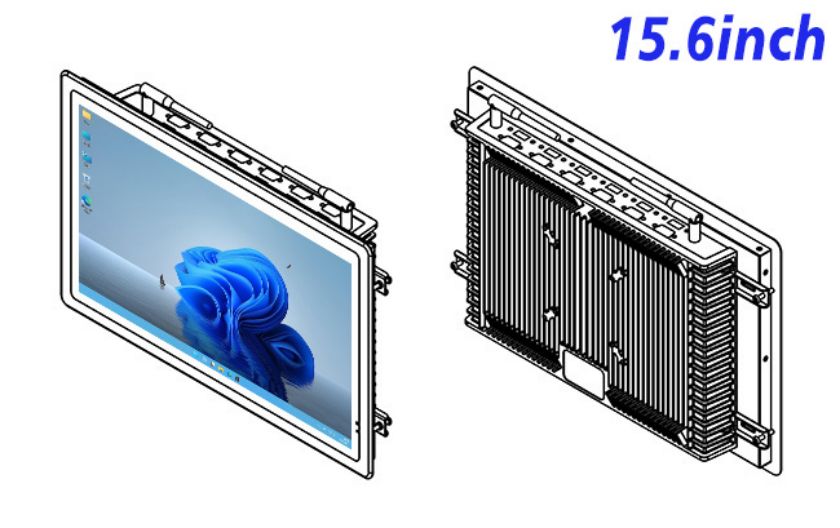
Make the Installation Maintainable
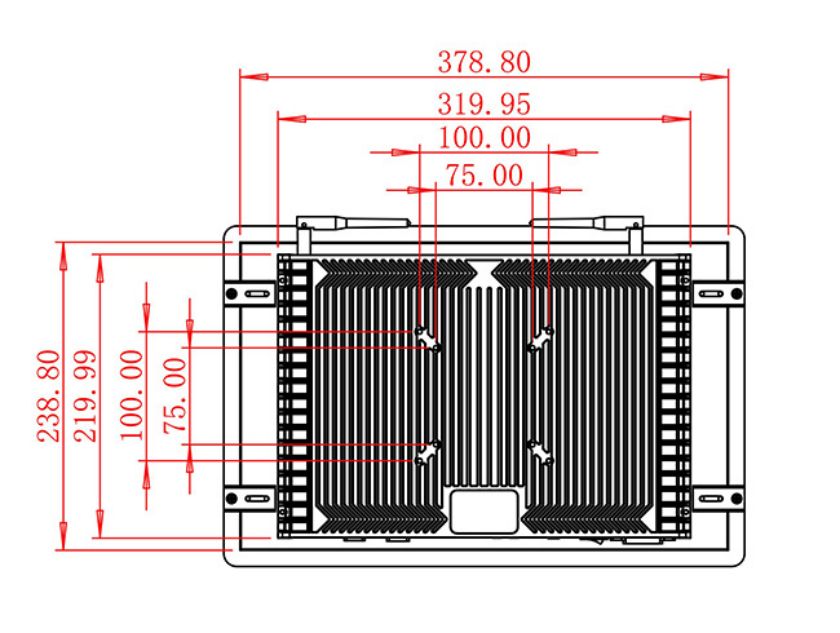
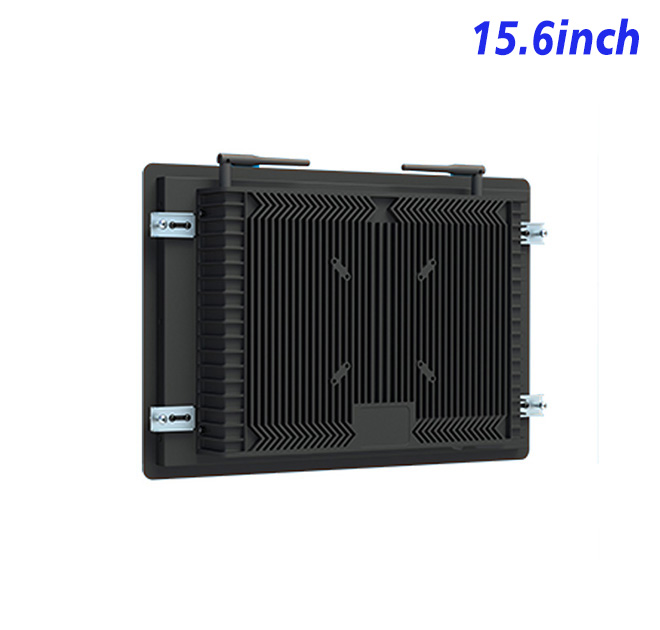
The metal panel can be embedded into machinery, a workstation or a wall enclosure. Mechanical drawings should show the cutout, mounting, rear clearance and cable route. Ventilation must account for the display, computer and any other hardware sharing the cabinet.
The site specification should cover dust, vibration, temperature, cleaning and operating hours. A protected front or sealed cabinet must be designed and validated as a complete assembly rather than inferred from industrial wording.
Validate Content and Hardware Together
A pilot can confirm application startup, document loading, network recovery, touch operation and screen readability. Operators should test common searches and an emergency maintenance lookup. Their feedback may change content structure before hardware quantities are finalized.
For multi-line deployment, the buyer can standardize asset labels, software images and support procedures. An approved spare gives the IT team a reference for future updates.
The content process should identify who creates a procedure, who approves it and how obsolete versions are removed. A prominent revision date helps operators recognize current instructions. If the network is unavailable, the application can show approved cached material or a clear unavailable message rather than an unrestricted browser error.
Installation acceptance may include search speed, document rendering, login behavior, touch accuracy and recovery after restart. Hardware checks can cover display stability, cable retention and enclosure fit. Recording both sets of results prevents an application fault from being mistaken for a panel defect during later support.
Buyers should also define content retention and privacy. Internal procedures may contain restricted information, so the application should limit access by role and remove temporary session data. If usage analytics are collected, the organization should determine what is necessary and how it is handled under its own policy.
Periodic reviews can confirm that permissions, documents and support contacts still match current factory responsibilities.
This supports controlled operation.
Provide the content system, Windows requirements, enclosure drawing, site conditions and projected quantity. ZXT LCD can review the 15.6-inch information kiosk platform and quote the confirmed display, computer and touch options.