Bring Diagnostic Information Closer to the Machine
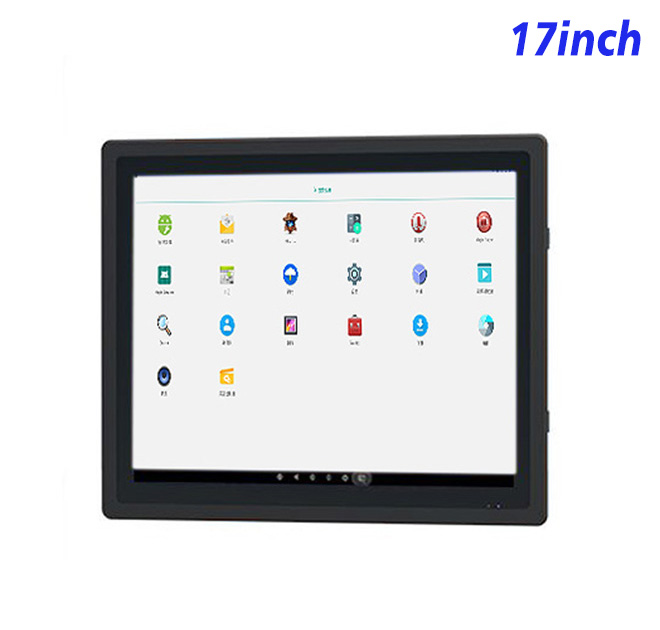
When a technician has to leave the equipment to search for a manual or fault history, every interruption adds time to maintenance. A 17-inch Android information kiosk can place service instructions, alarm explanations, inspection records and component diagrams beside the machine. The 1280 × 1024 resolution provides more vertical room than a typical widescreen layout, making it practical for long checklists and step-by-step diagnostic pages.
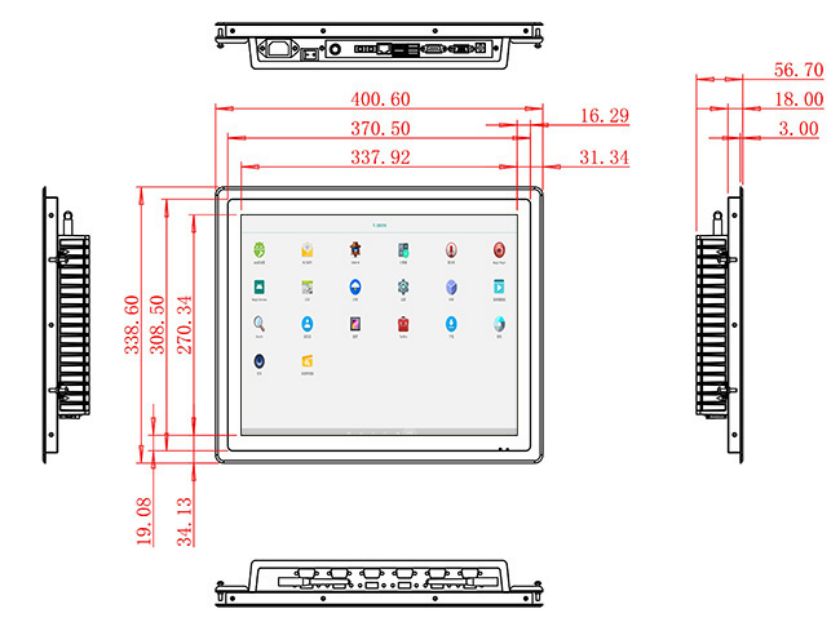
The active display area is 337.92 × 270.34 mm. Wide 89-degree viewing angles allow several technicians to see the same screen during troubleshooting, while the 1200:1 contrast ratio supports clear differentiation between status fields. Brightness is specified at 250 cd/m². This is appropriate for indoor service areas and protected equipment but should not be promoted as sunlight-readable performance.
Connected Android Platform for Service Content
The information kiosk can be configured with an RK3288 board, 2 GB RAM, 32 GB storage and Android 10, or an RK3568 board, 4 GB RAM, 32 GB storage and Android 13. A buyer can align the choice with the diagnostic application, browser framework, remote-update method and lifespan of the software project.
Gigabit Ethernet is available for access to approved maintenance servers or local equipment records. Board-dependent wireless options include 2.4 GHz Wi-Fi or dual-band Wi-Fi 6, together with Bluetooth 4.2 or Bluetooth 5. USB 2.0 and OTG connections can accommodate tested input devices or service tools. The product does not automatically include diagnostic software, sensors or machine protocols; these remain part of the integrator’s solution.
| 17-Inch External Embedded Android Industrial All-in-One Computer Specifications | ||||
| LCD Panel Parameters | Screen Size | 17 Inch | ||
| Display Area | 337.92 mm.(Height) X 270.34(Width)mm. | |||
| Aspect Ratio | 16 : 9 | |||
| LCD Type | a-Si TFT-LCD Monitor | |||
| Maximum Resolution | 1280 X 1024 | |||
| Display Color | 16.7M , 72% NTSC | |||
| Brightness | 250cd/m² | |||
| Contrast Ratio | 1200 : 1 | |||
| Viewing Angle (Up/Down/Left/Right) | 89°/89°/89°/89° (Type)(CR≥10) | |||
| Response Time | 20ms | |||
| LCD Panel Lifespan (Hours) | 60,000(Hour.) | |||
| Field Frequency | 60Hertz | |||
| Audio parameters | Audio system | Stereo | ||
| Speaker size | ≈ 99 x 45 x 20 mm | |||
| Impedance | 8 Ohm | |||
| Power | 2 x 5 Watt | |||
| Loudness | > 80 Decibel | |||
| Interface | 4-pin connector | |||
| Built-in Android PCB Configuration (Choose one of two) | CPU | Quad-Core RK3288, 1.8GHz | Quad-Core RK3568,2.0GHz | |
| GPU | Mali-T764 | Mali-G52 | ||
| RAM | 2GB | 4GB | ||
| ROM | 32GB | 32GB | ||
| Android System | Android 10.0 | Android 13.0 | ||
| Ethernet | 1 x RJ45, 1,000 Mbps | Ethernet 1,000 Mbps | ||
| Wireless Internet | 2.4Gigahertz | 2.4Gigahertz/5Gigahertz, Wi-Fi 6 | ||
| Bluetooth | 4.2 | 5 | ||
| Interface | USB2.0 x 2 | OTG USB2.0 x 1 | ||
| Power | Power Supply | Alternating Current 100V~240V, 50/60Hz | ||
| Maximum Power Loss | ≤ 30 Watt | |||
| Standby Mode Power Loss | < 1 Watt | |||
| Features | Operating Temperature | 0℃ ~ 50℃ | ||
| Storage Temperature | Below 10℃ ~ +60℃ | |||
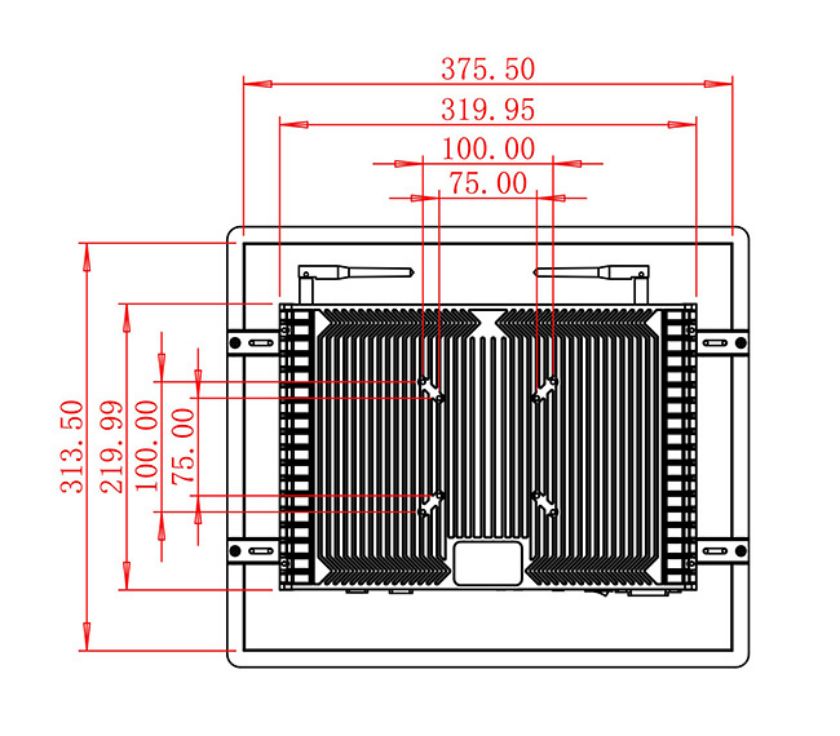
| Package Size | Device Dimensions | 400.6 X 338.6 X 56.7 mm. | ||
| Net Weight | 5.5 Kilogram | |||
| Package Size | 48 X 39 X 15 Centimeter | |||
| Gross Package Weight per Unit | 6 Kilogram | |||
Plan the Service Station Around Real Maintenance Work
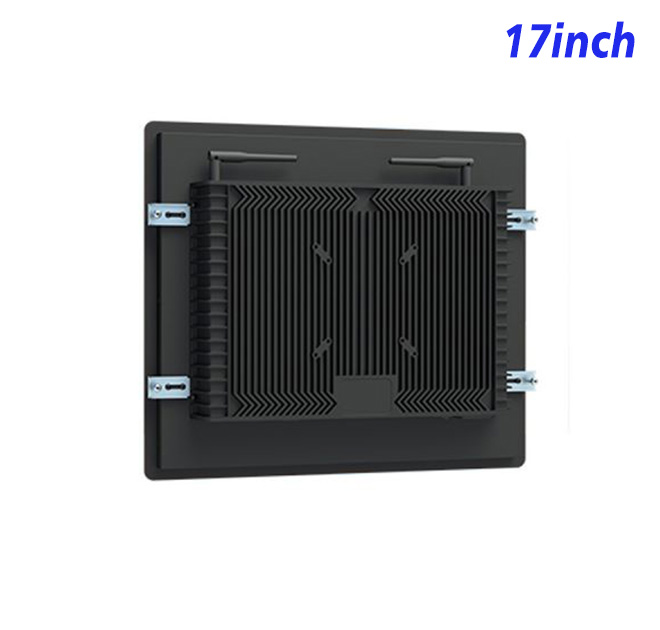
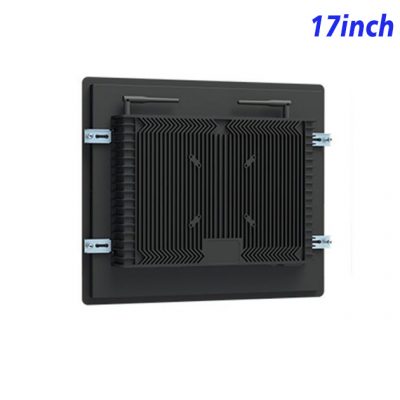
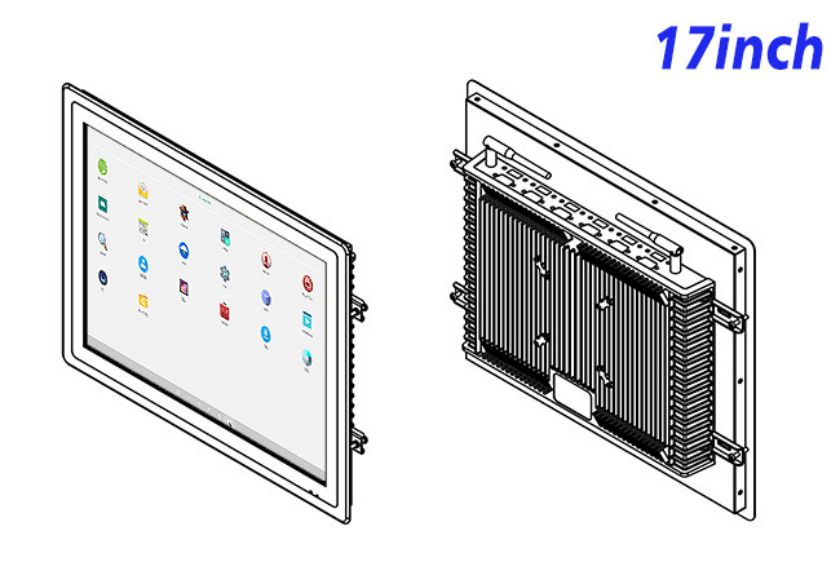
The enclosure is 400.6 × 338.6 × 56.7 mm and weighs about 5.5 kg. Rather than hiding the screen in an inaccessible corner, the equipment designer should consider viewing height, glove use, cable reach and rear service clearance. The two 5 W speakers can deliver audible instructions or alerts if that helps the maintenance workflow.
Power input is 100–240 V AC, maximum consumption is stated at 30 W and standby use is below 1 W. The operating range is 0°C to 50°C. A cabinet installed near oil mist, dust, vibration or metal chips should provide suitable sealing and retention because the table does not state an ingress or impact rating.
A Documented Route from Sample to Production
The information kiosk interface should also be designed for the person doing the repair, not only for the software team. Fault codes, diagrams and the next permitted action should remain visible without excessive navigation. A useful sample review therefore includes technicians who can judge text size, screen position and access while carrying tools or wearing work gloves. Their feedback can materially improve the final information kiosk station.
ZXTLCD can help equipment manufacturers confirm the Android board, screen configuration, connection plan and physical installation. Testing a sample with the actual diagnostic application allows the project team to identify interface or performance issues before the panel is built into multiple machines. Approved details can then be recorded for repeat production and inspection.
FAQ for Equipment Diagnostics
Can the kiosk communicate directly with a machine controller?
That depends on the buyer’s software, protocol converter and available interfaces. The listed Ethernet and USB connections provide integration options but do not by themselves guarantee PLC or controller compatibility.
Can service documents be stored locally?
The listed configurations include 32 GB storage. Available capacity and offline behavior depend on the Android system and installed application.
Is this suitable for direct exposure to factory contaminants?
No protection rating is stated. The panel should be integrated into an enclosure designed for the dust, oil, vibration and cleaning conditions of the site.