Make Arrival Instructions Easy to Follow
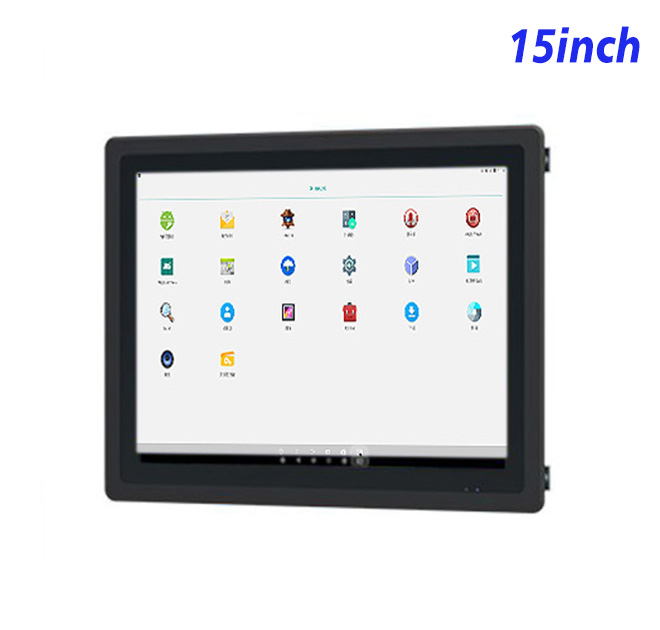
A registration kiosk is often the first operational touchpoint a visitor sees. Its interface must ask for the right information, explain the next step and display confirmation without forcing the user through a confusing sequence. This 15-inch Android panel uses a 1024 × 768 screen that suits names, appointment details, consent fields, host selection and badge instructions. The proportions provide more vertical space for forms than a very wide display of similar size.
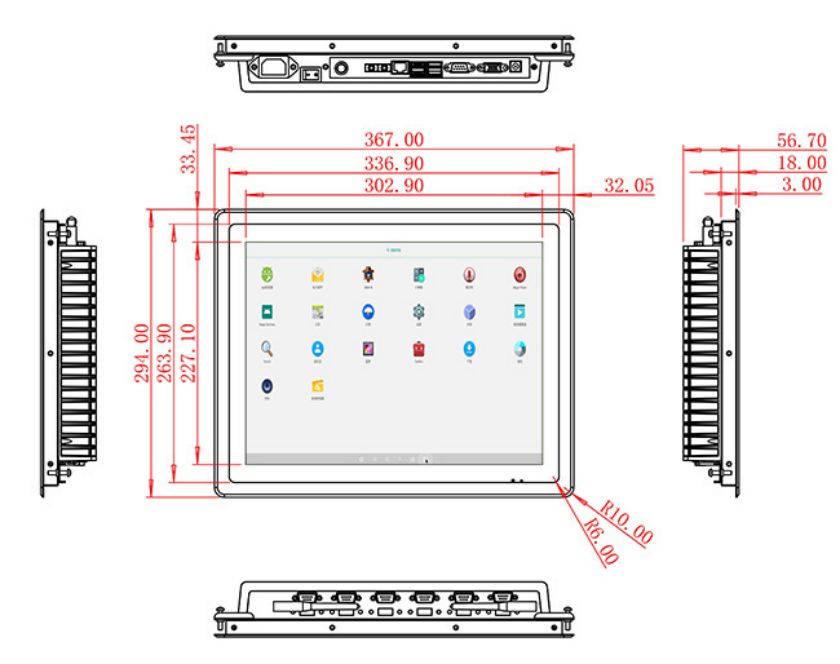
The active area measures 302.9 × 227.1 mm. A 1500:1 contrast ratio and broad 89-degree viewing angles help users read the screen from different standing heights. The listed 300 cd/m² brightness is appropriate for indoor receptions and controlled entrance areas. Placement opposite a bright glass façade should be tested for glare before the kiosk furniture is finalized.
Android Options for Check-In Software
The panel can use an RK3288 board with 2 GB RAM, 32 GB storage and Android 10, or an RK3568 board with 4 GB RAM, 32 GB storage and Android 13. The check-in software provider should confirm its supported Android version, memory requirements and device-management method before the hardware is selected.
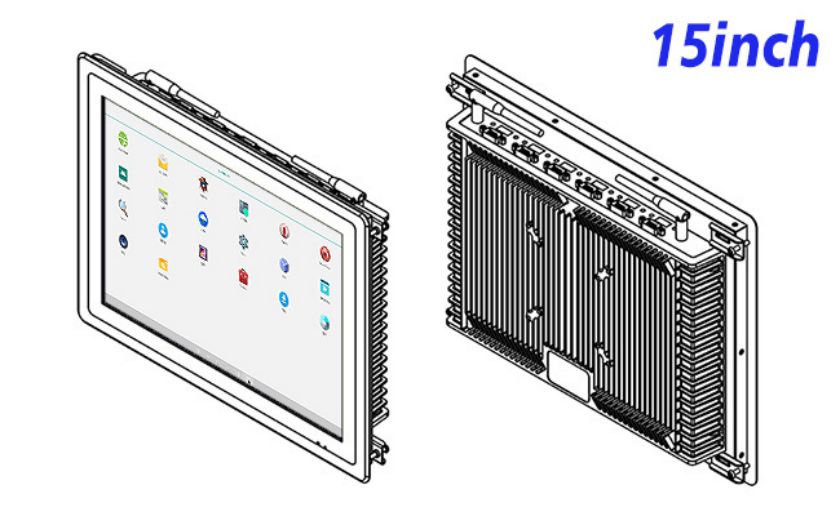
Gigabit Ethernet provides a stable route to an authorized visitor-management server. Wireless options vary from 2.4 GHz Wi-Fi and Bluetooth 4.2 to dual-band Wi-Fi 6 and Bluetooth 5. USB 2.0 and OTG connections can support compatible accessories. A badge printer, identity scanner, camera or card reader must be quoted and tested separately; the panel itself does not claim to include those devices.
| Embedded Industrial Android System All-in-One Computer Specifications for External Install 15 Inch | ||||
| LCD Panel Parameters | Screen Size | 15 Inch | ||
| Display Area | 302.9 mm.(Height) X 227.1(Width)mm. | |||
| Aspect Ratio | 16 : 9 | |||
| LCD Type | a-Si TFT-LCD Monitor | |||
| Maximum Resolution | 1024 X 768 | |||
| Display Color | 262K/16.2M , 72% NTSC | |||
| Brightness | 300cd/m² | |||
| Contrast Ratio | 1500 : 1 | |||
| Viewing Angle (Up/Down/Left/Right) | 89°/89°/89°/89° (Type)(CR≥10) | |||
| Response Time | 15ms | |||
| LCD Panel Lifespan (Hours) | 60,000(Hour.) | |||
| Field Frequency | 60Hertz | |||
| Audio parameters | Audio system | Stereo | ||
| Speaker size | ≈ 99 x 45 x 20 mm | |||
| Impedance | 8 Ohm | |||
| Power | 2 x 5 Watt | |||
| Loudness | > 80 Decibel | |||
| Interface | 4-pin connector | |||
| Built-in Android PCB Configuration (Choose one of two) | CPU | Quad-Core RK3288, 1.8GHz | Quad-Core RK3568,2.0GHz | |
| GPU | Mali-T764 | Mali-G52 | ||
| RAM | 2GB | 4GB | ||
| ROM | 32GB | 32GB | ||
| Android System | Android 10.0 | Android 13.0 | ||
| Ethernet | 1 x RJ45, 1,000 Mbps | Ethernet 1,000 Mbps | ||
| Wireless Internet | 2.4Gigahertz | 2.4Gigahertz/5Gigahertz, Wi-Fi 6 | ||
| Bluetooth | 4.2 | 5 | ||
| Interface | USB2.0 x 2 | OTG USB2.0 x 1 | ||
| Power | Power Supply | Alternating Current 100V~240V, 50/60Hz | ||
| Maximum Power Loss | ≤ 25 Watt | |||
| Standby Mode Power Loss | < 1 Watt | |||
| Features | Operating Temperature | 0℃ ~ 50℃ | ||
| Storage Temperature | Below 10℃ ~ +60℃ | |||
| Package Size | Device Dimensions | 367 X 294 X 56.7 mm. | ||
| Net Weight | 5 Kilogram | |||
| Package Size | 43 X 36 X 17Centimeter | |||
| Gross Package Weight per Unit | 5.5 Kilogram | |||
Integration into Reception Furniture
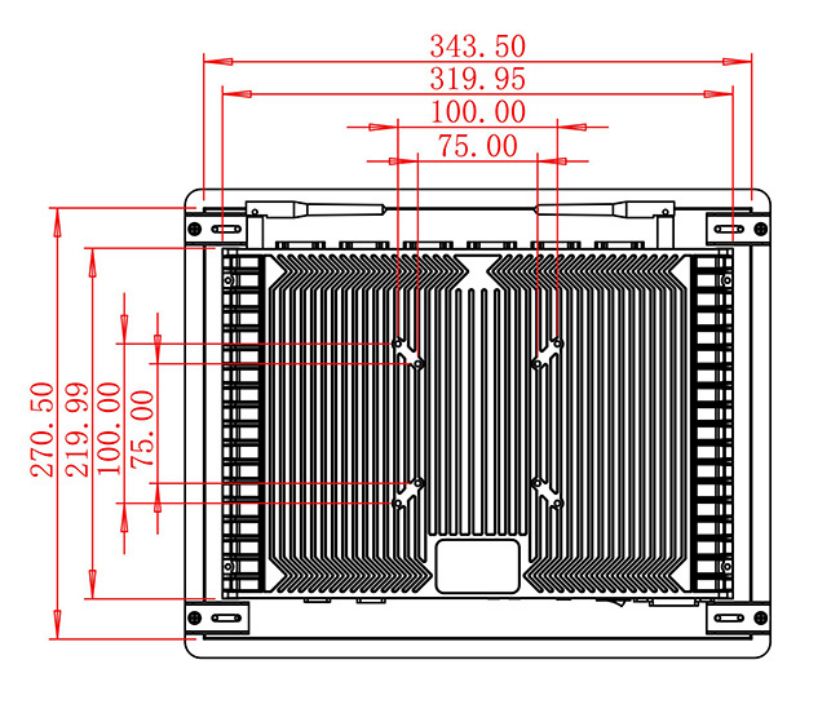
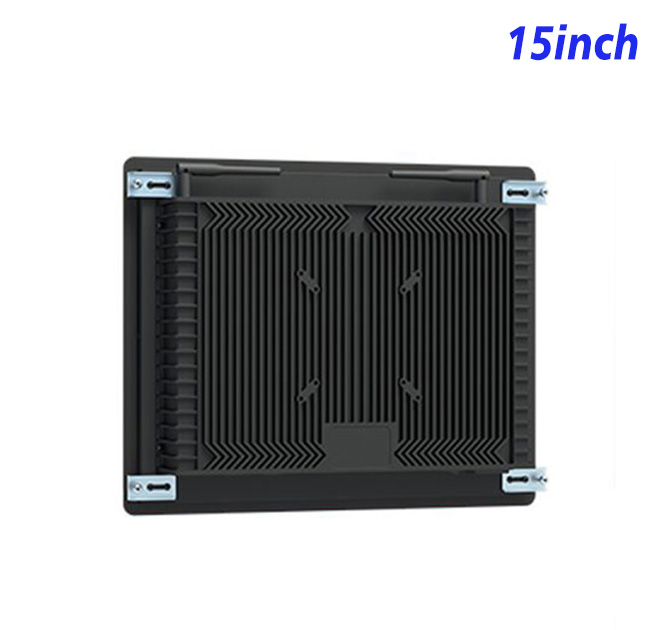
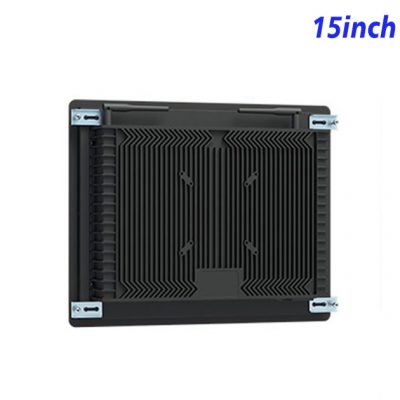
The enclosure measures 367 × 294 × 56.7 mm and weighs approximately 5 kg. These dimensions suit a compact wall fixture, counter cabinet or pedestal designed around the visitor journey. The equipment builder should protect rear cables, provide service access and position the screen for both standing users and the intended accessibility requirements.
Power input is 100–240 V AC. Maximum consumption is listed at 25 W, while standby consumption is below 1 W. The operating range is 0°C to 50°C. Public locations may also require a tamper-resistant cabinet, controlled data access and a cleaning procedure that is validated for the final front surface.
Build Confidence Before Deployment
A registration kiosk should also have a clear failure path. If the appointment cannot be found or a printer becomes unavailable, the screen should direct the visitor to a staffed contact instead of leaving the session unfinished. Testing these exception cases helps the reception team understand how the registration kiosk behaves during real arrivals and allows the software provider to refine prompts before wider deployment.
Multilingual prompts and a visible privacy notice can further improve arrival handling at international offices, hotels and shared business facilities.
ZXTLCD can review the Android requirement, cut-out drawing and peripheral plan with the kiosk builder. A working sample allows the buyer to test the complete visitor flow, including text size, form length, network behavior and any approved accessories. The selected configuration can then be documented for repeat orders and checked before shipment.
FAQ for Visitor Registration
Does the registration kiosk store visitor data?
Data handling is determined by the buyer’s application and server design. The hardware provides local storage and network connections, but privacy rules, retention and access control belong to the completed solution.
Can a badge printer be connected?
USB connections are listed, but printer compatibility depends on Android drivers, power supply and the check-in software. Testing the intended model is recommended.
Is the screen suitable for a public lobby?
It can be integrated into an indoor lobby kiosk. The finished cabinet should address mounting security, accessibility, cable protection and routine cleaning.